Relleno generativo
El relleno generativo en Morphic te permite realizar ediciones dirigidas en áreas específicas de una imagen usando un prompt, perfecto para refinar, sustituir o mejorar partes sin afectar al conjunto.
Aquí tienes un breve tutorial sobre cómo usar Inpainting en Morphic:
- Sube o genera tu imagen en el lienzo
- Selecciona la imagen y haz clic en 'Selección de región' en la barra de herramientas que aparece encima, o en 'Detalles' > 'Herramientas' en la barra lateral derecha
- Arrastra un recuadro sobre el área que quieres modificar. Para una forma irregular, haz clic en 'Selección guiada' en la misma barra de herramientas y dibuja a mano alzada a su alrededor
- Escribe un prompt describiendo el cambio que quieres ver en esa región específica
- Haz clic en el botón azul de la barra de indicaciones
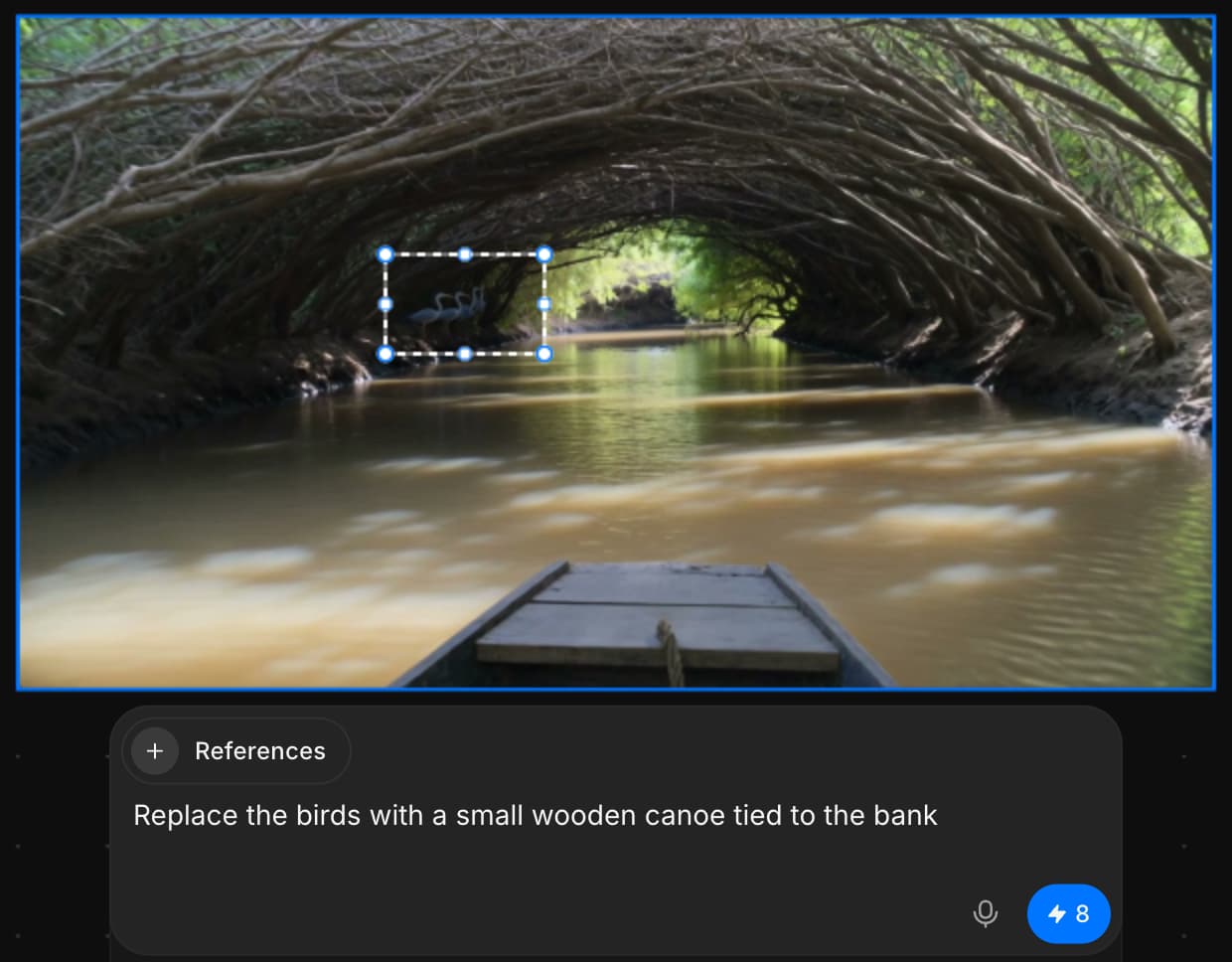
Así es como usas Inpainting para hacer ediciones específicas en cualquier parte de tu imagen usando solo un prompt. Usa Inpainting para eliminar, reemplazar o añadir elementos a tu imagen de forma fluida. Las ediciones se añaden como nuevas capas, por lo que tu imagen original permanece intacta y completamente editable.
Si tiene algún problema o alguna pregunta, no dude en ponerse en contacto con nosotros. Estaremos encantados de ayudarle. Escríbanos a support@morphic.com.
Relleno generativo y extensión generativa
La diferencia entre editar dentro de una imagen y extenderla más allá de sus bordes, y cuándo conviene cada una.
Extensión generativa de imagen
La extensión generativa de Morphic te permite ampliar una imagen más allá de su marco original usando un prompt, generando adiciones fluidas que coinciden con la escena existente y la continúan.