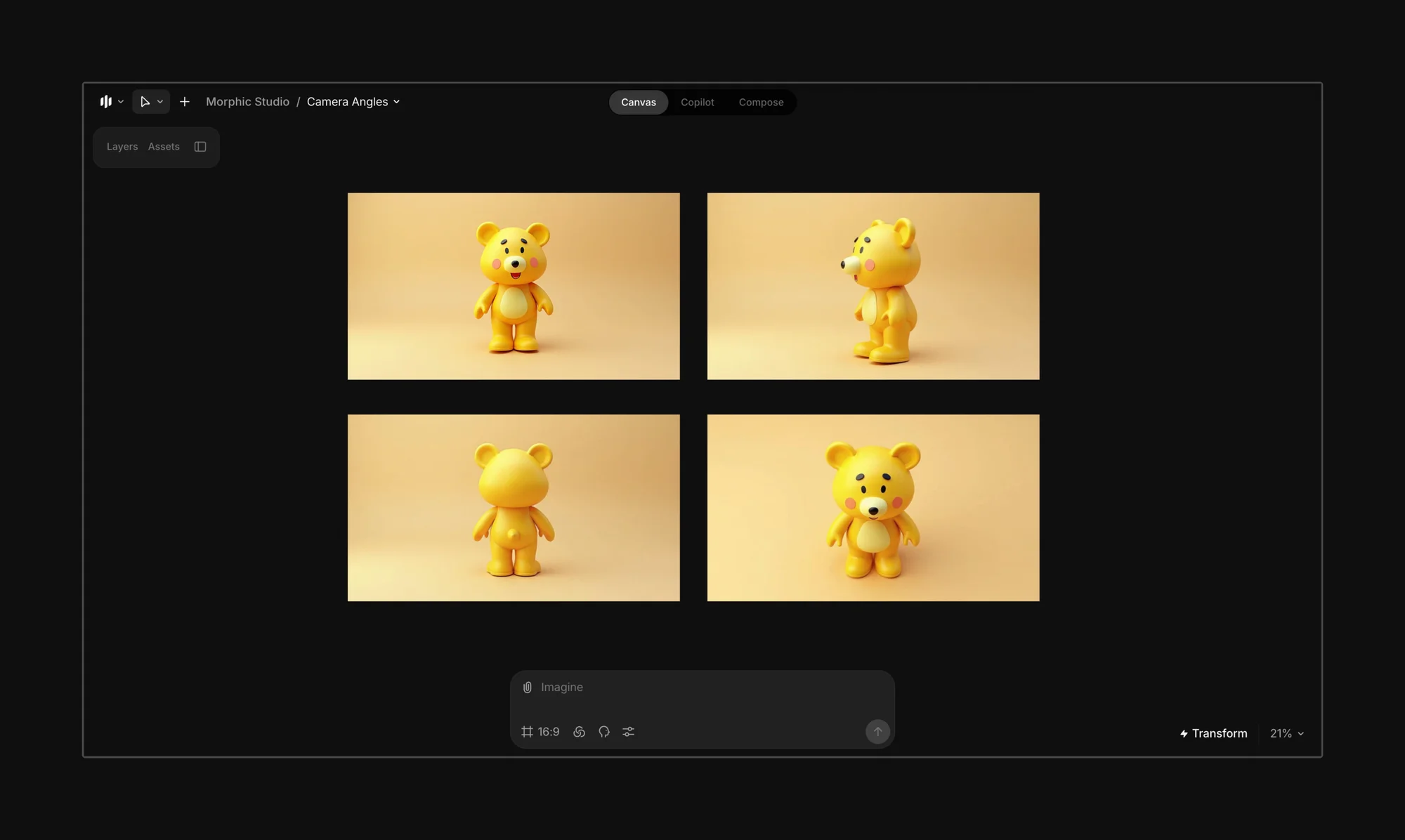
# Change camera angles

<figure><img src="https://3522324598-files.gitbook.io/~/files/v0/b/gitbook-x-prod.appspot.com/o/spaces%2FoPhHCbNZdzW70rakoLhf%2Fuploads%2FhM5U600MbQXGs4Pu1srV%2FCleanShot%202025-06-07%20at%2022.34.05%402x.png?alt=media&#x26;token=26178f4f-095d-4eb7-b5fc-335fd0298757" alt=""><figcaption></figcaption></figure>

Start by uploading or generating a character, object, or scene.
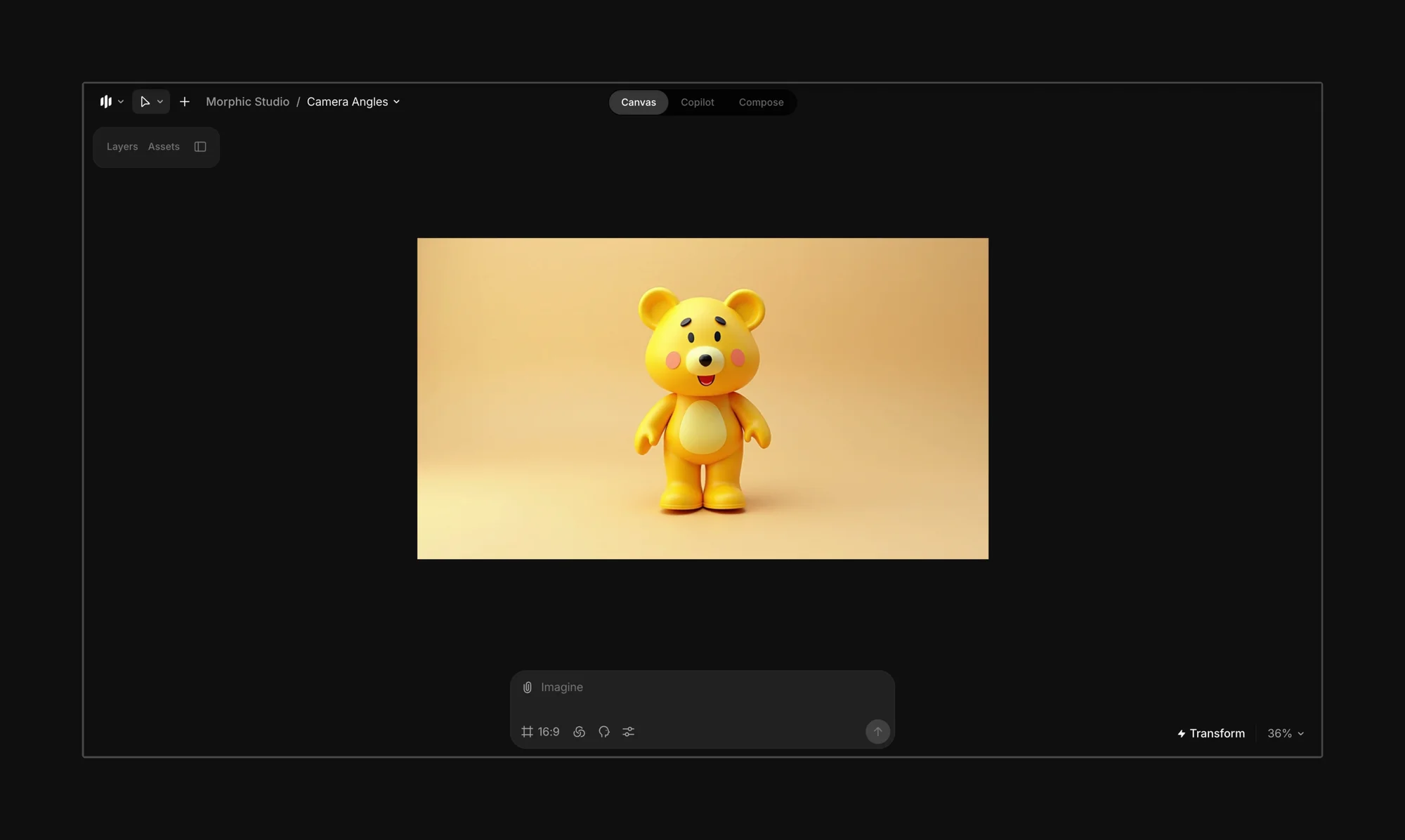
<figure><img src="https://3522324598-files.gitbook.io/~/files/v0/b/gitbook-x-prod.appspot.com/o/spaces%2FoPhHCbNZdzW70rakoLhf%2Fuploads%2Fqn1gU5ptxiTHXbQNHLSK%2FCleanShot%202025-06-07%20at%2022.35.03%402x.png?alt=media&#x26;token=624e9bad-157c-4414-9065-accf56cebca1" alt=""><figcaption></figcaption></figure>

Select your image, then describe the camera angle you want in the prompt bar. Be as specific as possible about position, framing, and orientation for the most accurate results.
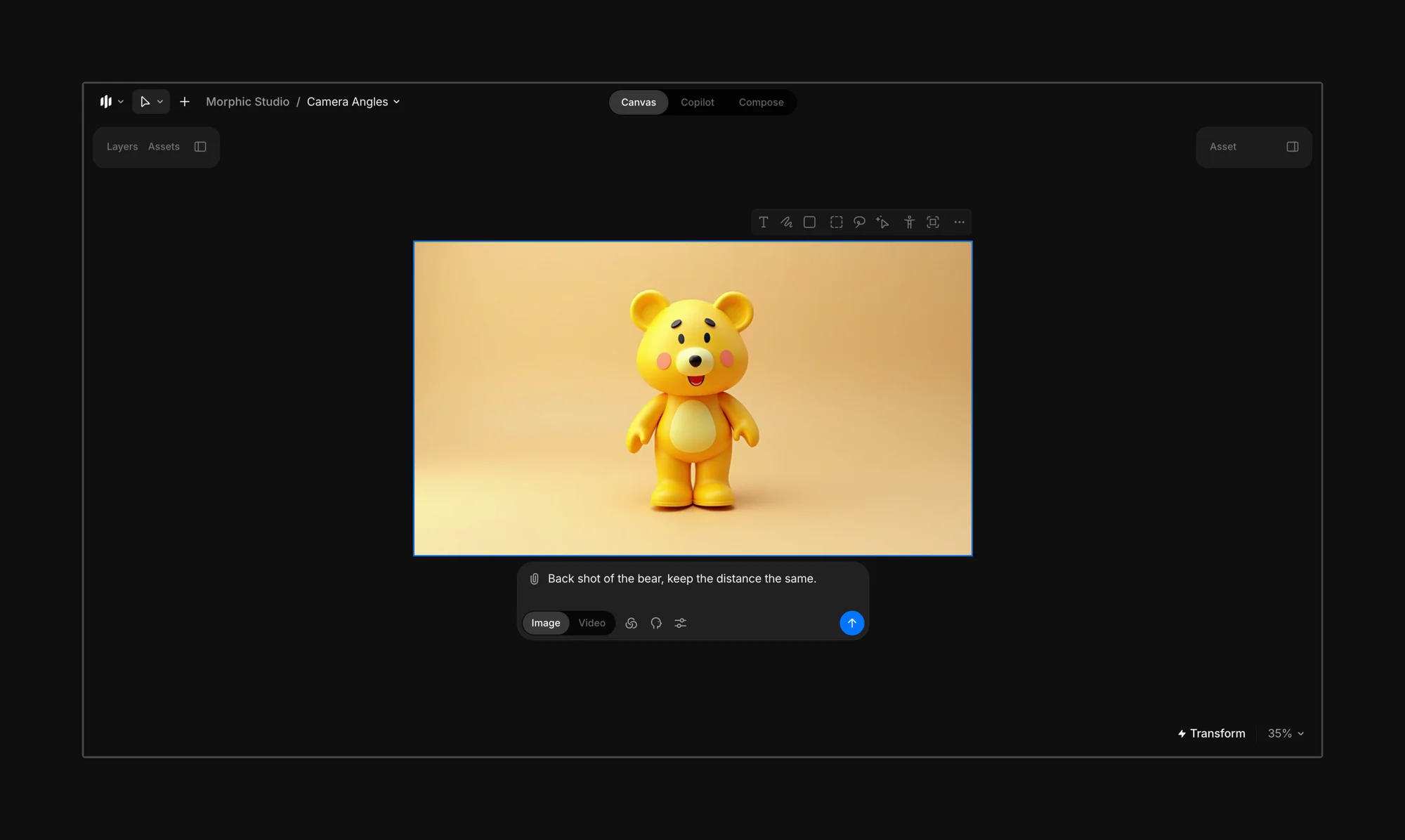
<figure><img src="https://3522324598-files.gitbook.io/~/files/v0/b/gitbook-x-prod.appspot.com/o/spaces%2FoPhHCbNZdzW70rakoLhf%2Fuploads%2FaFjt9kRswJ42SrRUpaCB%2FCleanShot%202025-06-07%20at%2022.35.42%402x.png?alt=media&#x26;token=5a87afd4-0001-47df-8498-6e4a0f06a48a" alt=""><figcaption></figcaption></figure>

Sample Prompt: "Back shot of the bear, keep the distance the same."

This generated a rear-facing version of the character, preserving its proportions and visual style.
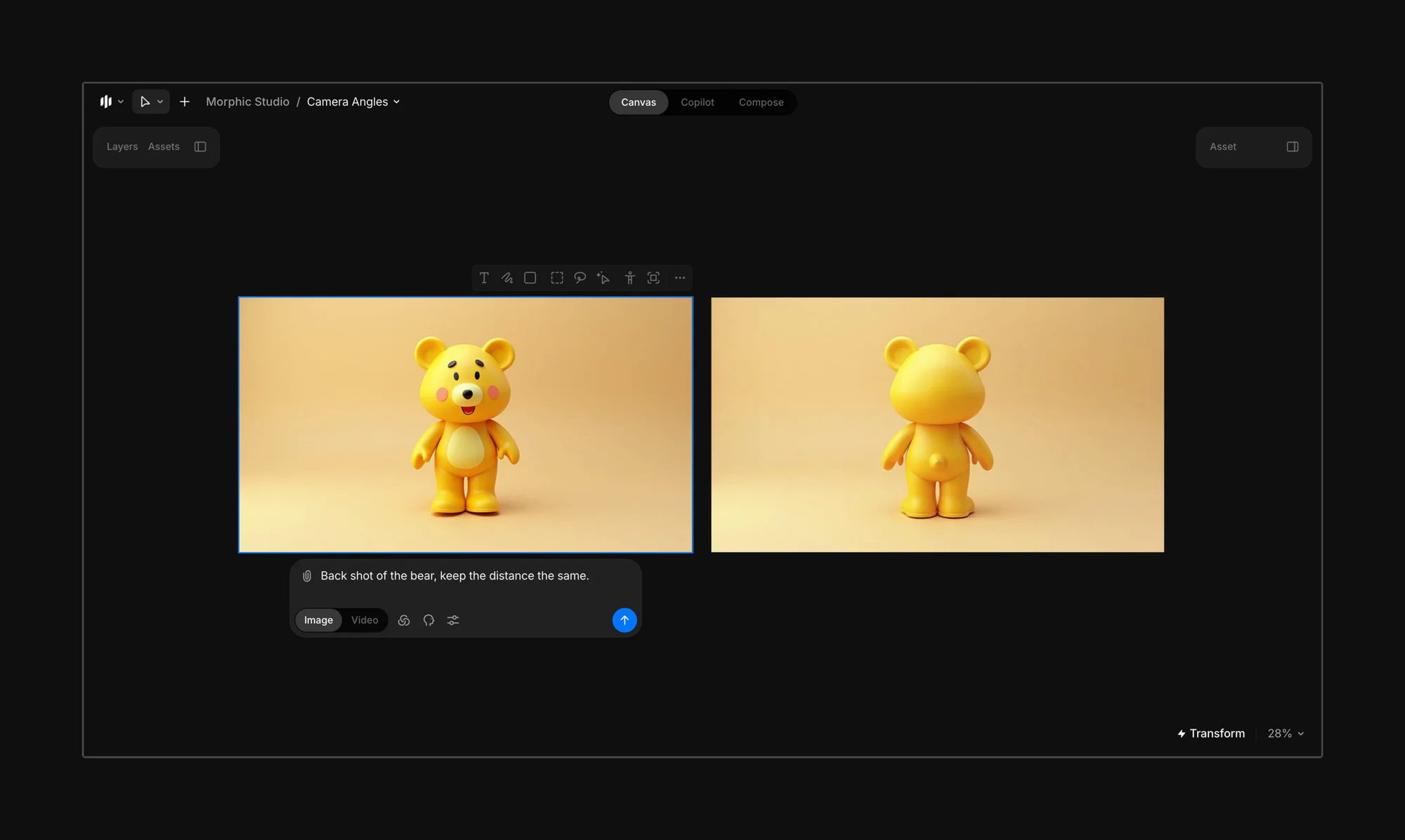
<figure><img src="https://3522324598-files.gitbook.io/~/files/v0/b/gitbook-x-prod.appspot.com/o/spaces%2FoPhHCbNZdzW70rakoLhf%2Fuploads%2FnGMCbSBbIzeQ6D1C9N2B%2FCleanShot%202025-06-07%20at%2022.42.18%402x.png?alt=media&#x26;token=89677f07-ecec-418d-aa0c-fae2addb03e8" alt=""><figcaption></figcaption></figure>

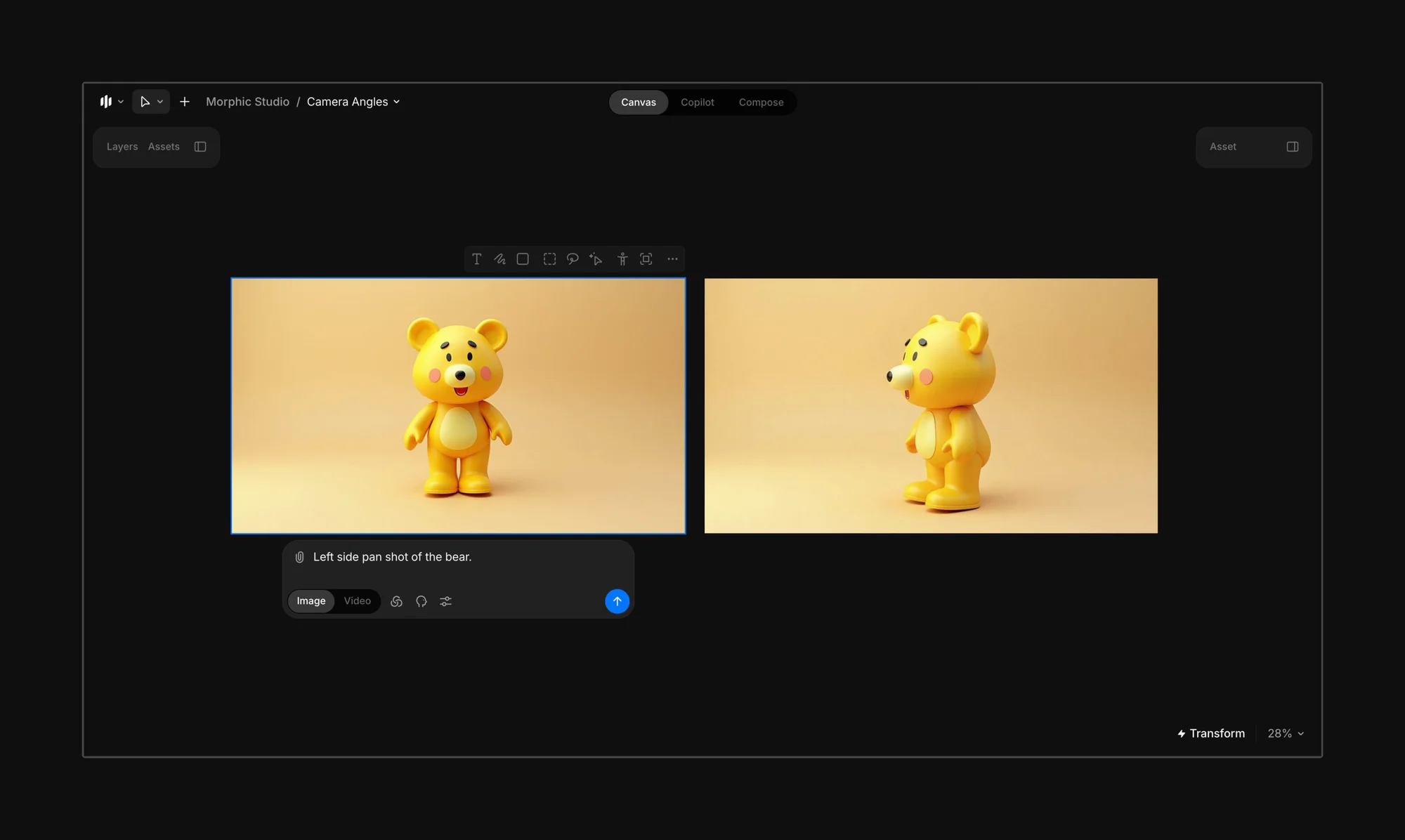
Sample Prompt: "Left side pan shot of the bear."

This produced a side-angle view of the bear from the left, accurately reflecting the requested pan.
<figure><img src="https://3522324598-files.gitbook.io/~/files/v0/b/gitbook-x-prod.appspot.com/o/spaces%2FoPhHCbNZdzW70rakoLhf%2Fuploads%2F2PU1Y67MXfAyV8ULCh47%2FCleanShot%202025-06-07%20at%2022.39.57%402x.png?alt=media&#x26;token=24c9420a-bba6-42f9-9dd8-5cc9b8d1bba2" alt=""><figcaption></figcaption></figure>

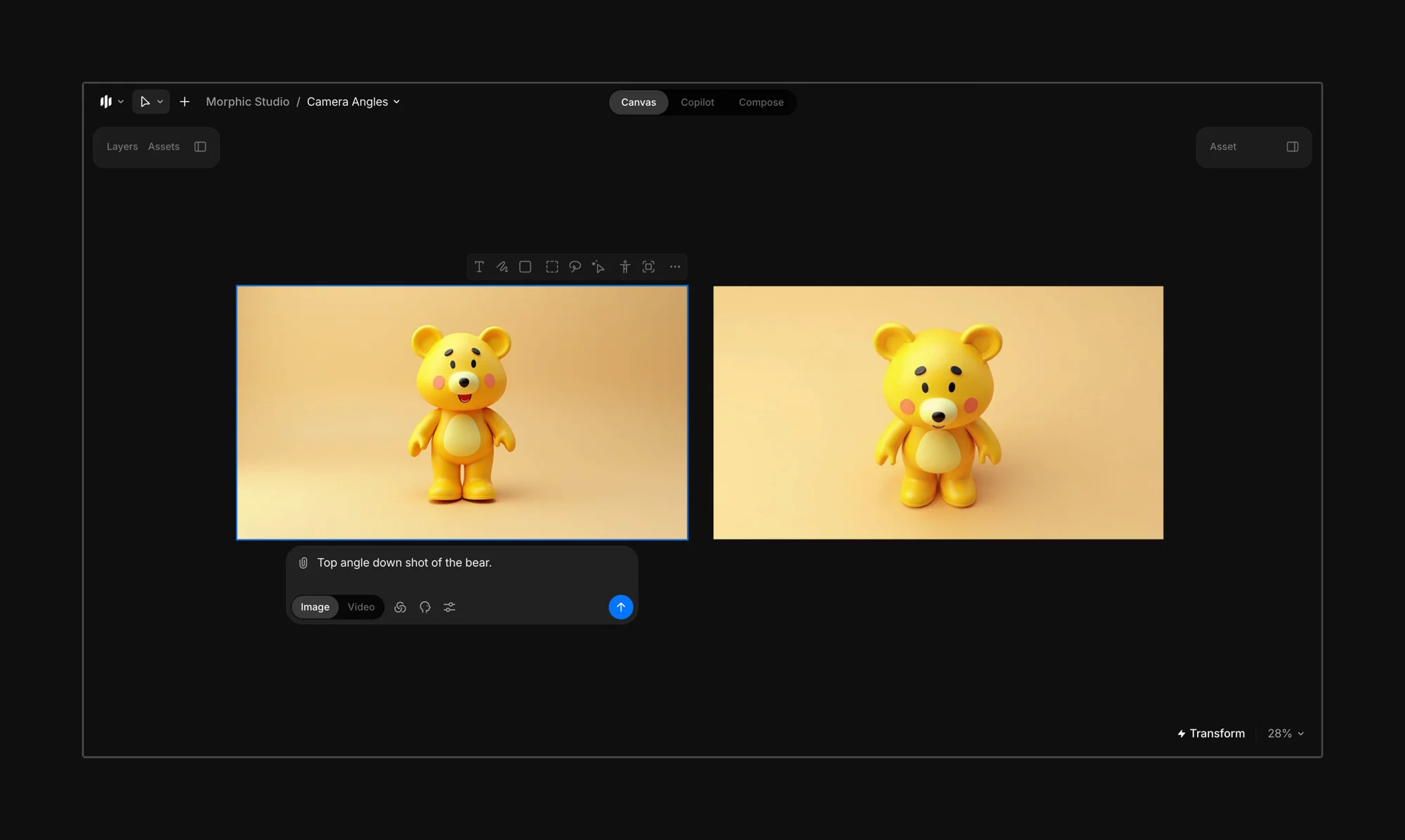
Sample Prompt: "Top angle down shot of the bear."
<figure><img src="https://3522324598-files.gitbook.io/~/files/v0/b/gitbook-x-prod.appspot.com/o/spaces%2FoPhHCbNZdzW70rakoLhf%2Fuploads%2F8feH9Uy9TQMUZzFmBmlj%2FCleanShot%202025-06-07%20at%2022.40.52%402x.png?alt=media&#x26;token=a0d5181b-3088-406c-952d-55b560d74f5b" alt=""><figcaption></figcaption></figure>

Use simple prompts to create different camera angles of any character, object, or scene. No need to redraw or manually repose.

**Try prompts like:**

* Left side pan shot of the bear
* Top angle shot of the bear
* Low-angle dramatic shot
* Overhead product view
* Close-up profile of the character

This is perfect for character turnarounds, sprite sheets, storyboarding multi-shot scenes, product mockups, and ad variations.

{% hint style="info" %}
**Pro tip:**

Be specific about direction (left, above, behind), framing, and visual continuity (like lighting, distance, and style) for the most accurate results.
{% endhint %}

***

If you have any trouble or have any questions, feel free to reach out. We're happy to help, write to us at [**support@morphic.com**](mailto:support@morphic.com)**.**


---

# Agent Instructions: Querying This Documentation

If you need additional information that is not directly available in this page, you can query the documentation dynamically by asking a question.

Perform an HTTP GET request on the current page URL with the `ask` query parameter:

```
GET https://morphic.com/docs/how-tos/change-camera-angles.md?ask=<question>
```

The question should be specific, self-contained, and written in natural language.
The response will contain a direct answer to the question and relevant excerpts and sources from the documentation.

Use this mechanism when the answer is not explicitly present in the current page, you need clarification or additional context, or you want to retrieve related documentation sections.