Morphic for Blender
Use Morphic inside Blender. Chat with Copilot about your scene, generate images, video and 3D models into it, and send your renders to Morphic.
Morphic for Blender is a free add-on that brings Morphic into Blender's 3D viewport. Ask Copilot to light, dress or rearrange your scene, generate images, video and 3D models straight into it, and send your renders to your Morphic project in one click. It works on every plan with your Morphic credits.
Here's a quick tutorial on how to use Morphic for Blender:
What you can do
| Tab or button | What it does |
|---|---|
| Chat | Ask Copilot about the open file. It reads the scene, writes a script for the change you ask for, and runs it once you click 'Apply'. Each script is one undo step |
| Image | Generate an image from a prompt and place it in the scene on a plane |
| Video | Generate a video, from a prompt or from what your active camera sees, and place it in the scene on a plane |
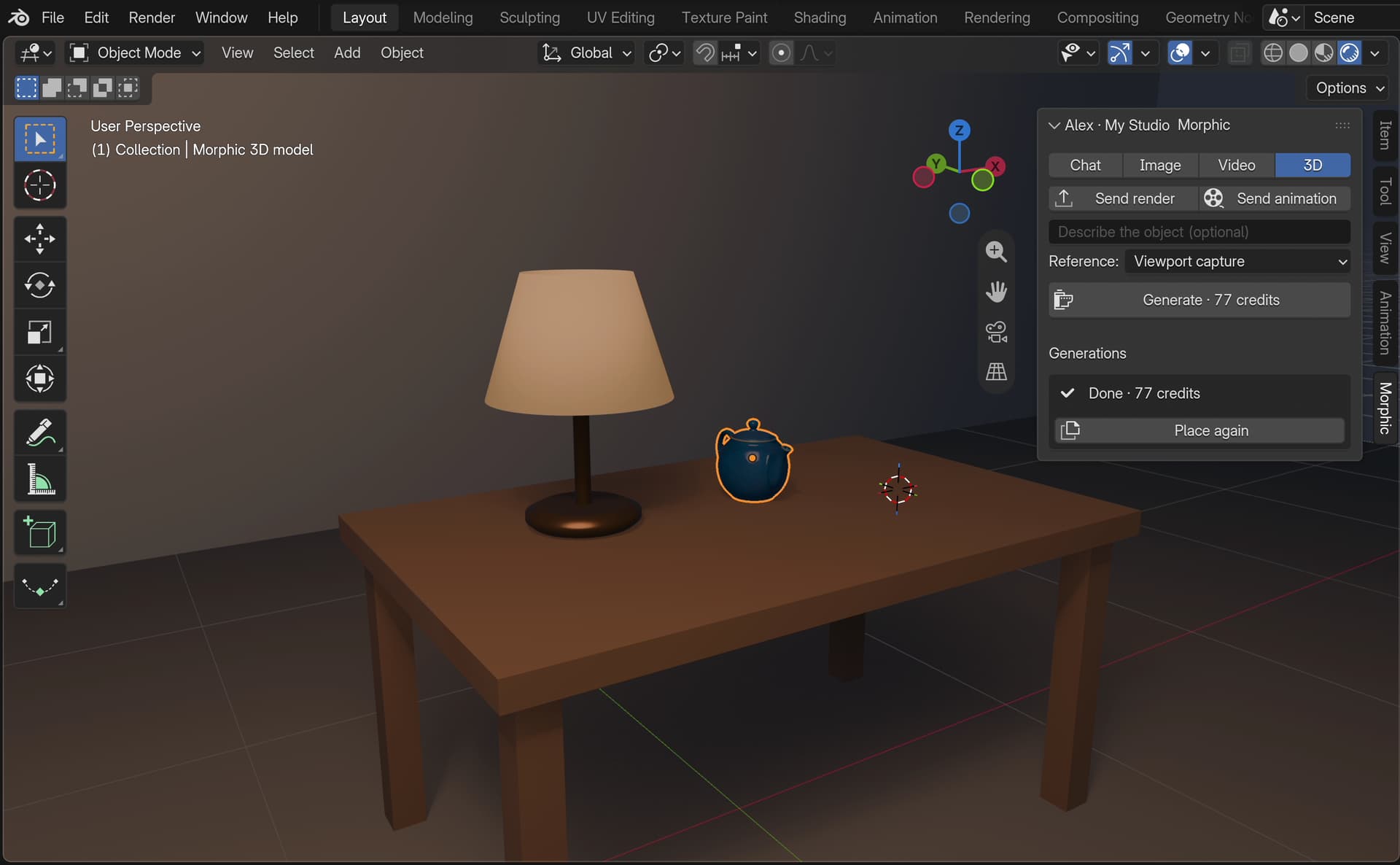
| 3D | Generate a 3D model from an image of the object, the selected image or a viewport capture, and import it at the 3D cursor |
| Send render, Send animation | Upload your last render or your rendered animation to your Morphic assets |
Everything you make or send lands in your Morphic project, so you can carry on in Studio: use a render as a reference, animate a generated frame, or cut your shots in Compose.
Requirements
- Blender 4.2 or later, on Windows, macOS or Linux
- A Morphic account. Generations use your organization's credits, the same as in Studio
- An internet connection, with Blender's 'Allow Online Access' turned on (Edit > Preferences > System > Network)
Quick start
Install the add-on
Drag this link into an open Blender window and click 'OK': morphic.com/blender/morphic.zip?repository=./index.json. See Install for the other ways.
Open the Morphic tab
In the 3D viewport, press N to open the sidebar, then click the 'Morphic' tab.
Sign in
Click 'Sign in to Morphic'. Your browser opens; sign in, pick your organization and click 'Allow access'. See Sign in.
Ask Copilot
Type "What's in this scene? Make the cube glossy red and add a soft key light." and press Enter. Read the script it proposes and click 'Apply'. See Chat with Copilot.
Guides
Install
Install from Morphic's repository and get every update
Sign in
Your account, your organization and where your work goes
Chat with Copilot
Change the scene by asking, and approve every script
Generate images, video and 3D
Prompt, check the price, place the result in the scene
Send renders to Morphic
Your stills and animations, in your Morphic assets
Examples
Prompts and step-by-step recipes to start from
Troubleshooting
Fixes for sign-in, scripts, generations and renders
If you have any trouble or have any questions, feel free to reach out. We're happy to help. Write to us at support@morphic.com.