Relight
How to change the direction, color, and quality of light in an image you have already made.
Relight on Morphic lets you change the mood and atmosphere of any image by changing its lighting. Control the direction, color, brightness, and quality of light to transform the feel of any scene.
Here's a quick tutorial on how to get started with Relight:
- Select Relight from the Tools tab above the prompt bar, or type
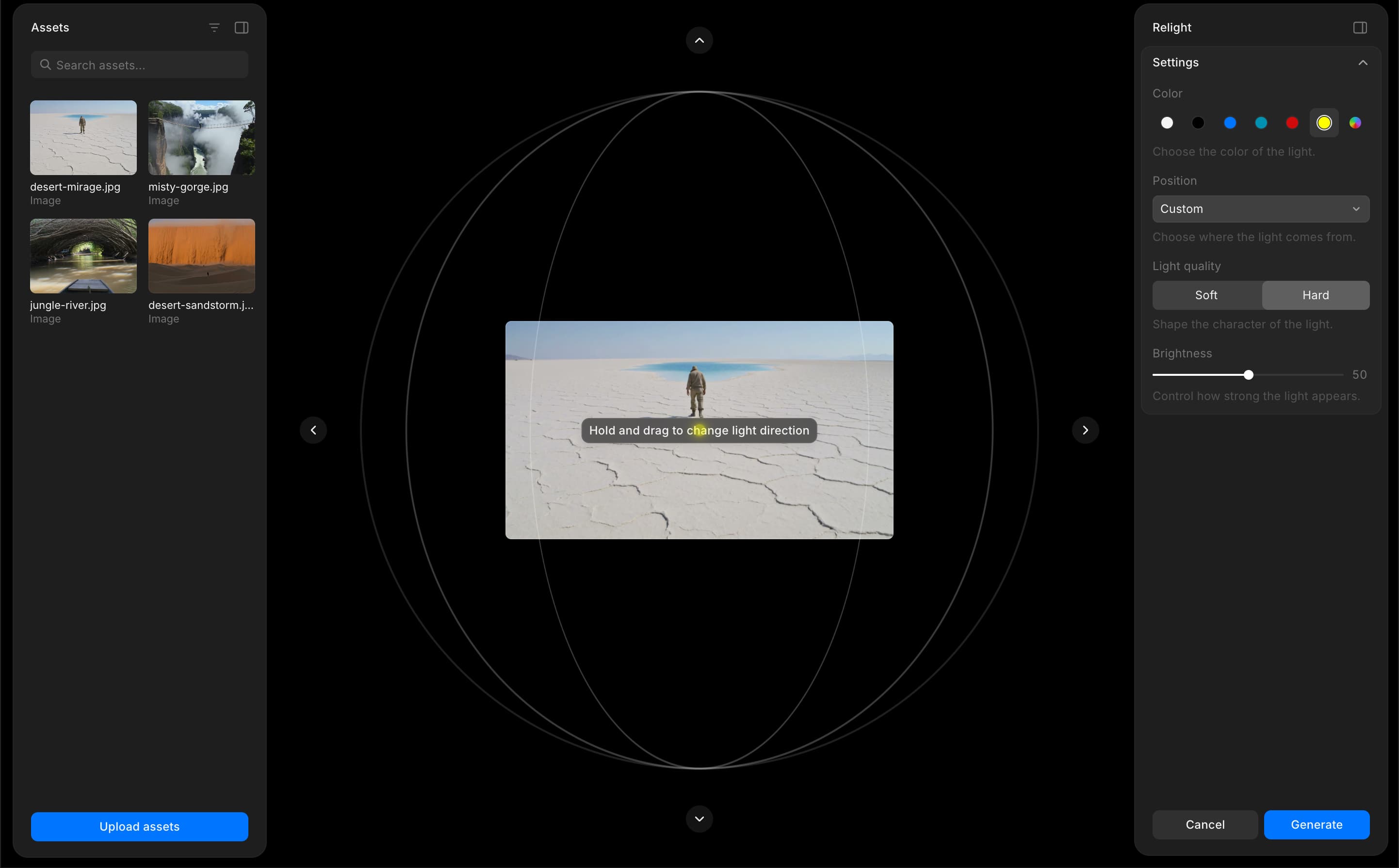
/and choose Relight from the Widgets menu - The Relight overlay opens on Canvas with a settings panel, an interactive light control, and the Assets tab, where you can select an image or upload one
- Select an image from your assets or upload one
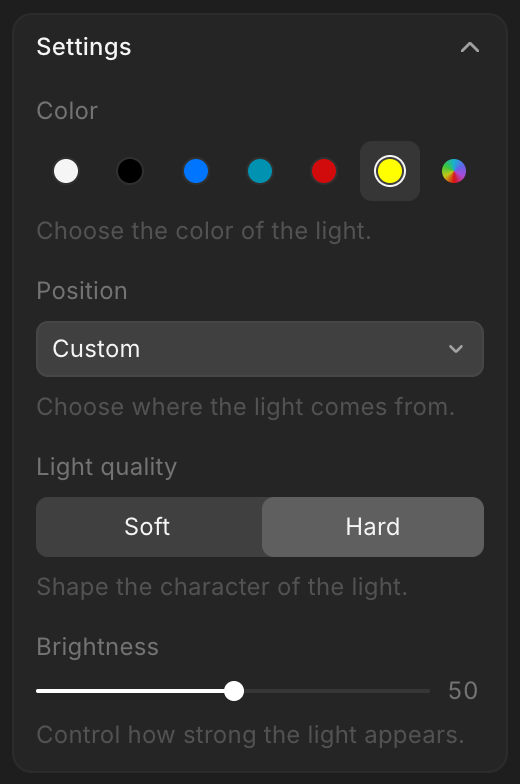
- Choose a light color from the preset swatches, or click the color picker to select a custom color
- Set the position using the dropdown, or drag the light source on the orbital view to place it manually. You can also use the arrow buttons for finer adjustments
- Switch between Soft and Hard light quality
- Adjust the brightness using the slider
- Click 'Generate'
That's how you use the Relight feature on Morphic. Experiment with different colors, positions, and light quality to shift the mood of any scene without starting over.
If you have any trouble or have any questions, feel free to reach out. We're happy to help. Write to us at support@morphic.com.