AI motion blur effect

Motion blur shots generated with the streak inside the move: a still figure in a streaking crowd, a whip pan smearing a street into colour.

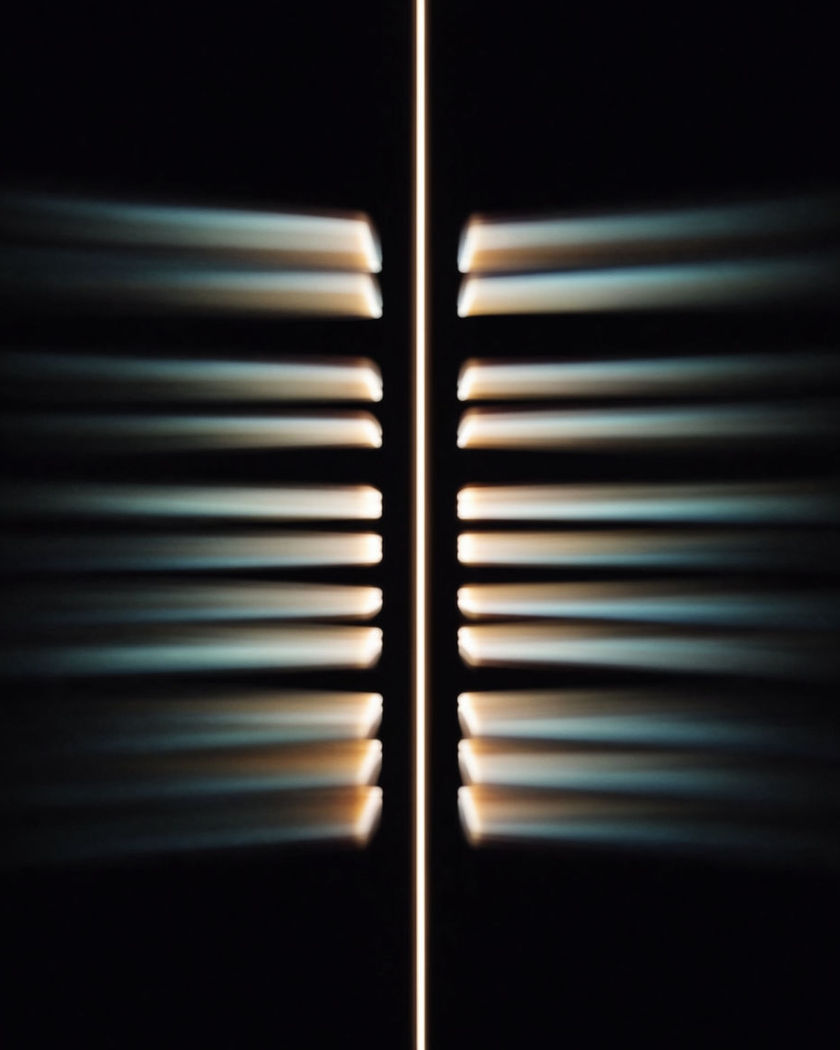
One vertical ribbon of light held sharp while the ribbons beside it smear sideways into motion blur

Motion blur effect examples

Motorcycle pan on a coast road

Utiliser ce prompt

Bike and rider sharp through the bend, guardrail and sea stretch into streaks. a panning shot tracking a motorcycle leaning through a bend on a coastal road so bike and rider stay sharp while the guardrail, cliffs and sea behind stretch into long horizontal motion blur streaks of grey, ochre and blue, golden hour, low side angle

Whip pan between two rooftops

Utiliser ce prompt

A violent whip turns the city into streaks of window light between two figures. sharp on a figure standing at a roof edge at dusk, then a violent whip pan where the city between becomes pure horizontal motion blur streaks of window light and sky, then a hard stop sharp on a second figure on the next rooftop

Spinning skirt, sharp face

Utiliser ce prompt

Face sharp at the axis, skirt and hair dissolve into circular smears. a dancer spinning on a dark stage under one warm top light, her face and eyes perfectly sharp as the axis of the spin while her long skirt and hair dissolve into smooth circular motion blur smears trailing all the way around her body, slow push in

Slow to fast, blur grows

Utiliser ce prompt

A card waved slowly reads sharp, then faster until it is a fan-shaped smear. a hand on a plain wood table waving a bright yellow card slowly and sharp, then faster and faster until the card becomes a fan-shaped yellow motion blur smear with no edges, then slowing until it turns sharp again, window light, one continuous shot

Frozen figure, streaking crowd

Utiliser ce prompt

One figure sharp in a crossing while every passer-by slides past as a smear. one person standing perfectly still in the centre of a busy pedestrian crossing, tack sharp from hair to shoes, while every passer-by is a translucent full-length smear of colour sliding past them, the crowd never resolving into faces, locked camera, overcast daylight, long-exposure motion blur

Train past a still commuter

Utiliser ce prompt

Commuter crisp, the train behind passes as one smear of window light. a commuter standing still facing the camera on a platform, edges crisp, while a train passes behind at speed as one continuous horizontal motion blur smear of window light with no visible carriages or doors, fluorescent platform light

Night market crowd smear

Utiliser ce prompt

Vendor sharp behind the stall, the crowd flows past as one smear of light. a vendor standing motionless behind a lantern-lit market stall, face and hands sharp, while the crowd walking past in the foreground is a continuous flowing motion blur smear of colour and light, long ghost trails with no faces, slow push in, warm lantern light

Whip pan, sharp to smear to sharp

Utiliser ce prompt

Sharp on a mailbox, the whole street smears on the whip, sharp on a bench. the frame holds sharp on a red mailbox on a quiet street, then the camera whips right and the whole world stretches into horizontal ribbons of colour with no detail for two seconds, then snaps sharp on a green bench, afternoon sun, whip pan motion blur

Boxer landing a blurred punch

Utiliser ce prompt

Head and guard sharp, the glove leaves a ghosted streak from shoulder to bag. a boxer standing in a dim gym under a single overhead lamp, head, shoulders and guard sharp, throwing a straight punch at a heavy bag so the glove and forearm leave a long ghosted motion blur streak from shoulder to bag while the rest of the body stays crisp, sweat catching the lamp

Tracking pan, sharp rider

Utiliser ce prompt

Camera matches the rider, so the street behind stretches into streaks. a panning shot tracking a cyclist at exactly matching speed so rider and bicycle stay sharp in the centre while the street, parked cars and trees behind stretch into long horizontal motion blur streaks that cannot be read as objects, overcast soft light

Generate your own motion blur effect

Choisissez un point de départ, modifiez ce que vous voulez, puis générez dans Morphic.

Générer

Tarifs simples

Commencez gratuitement dès aujourd'hui, avec la possibilité de mettre à niveau ou d'annuler à tout moment.

Basic

$9/ mois
facturé comme $0 par an

1100 mensuel crédits

1 utilisateur uniquement

Tous les modèles

Workflows

Standard

$24/ mois
facturé comme $0 par an

3625 mensuel crédits

1 utilisateur uniquement

Tous les modèles

Workflows

Pro

$45/ mois
facturé comme $0 par an

6350 partagé mensuel crédits

1 utilisateur

+ jusqu'à 4 plus à un coût supplémentaire

Tous les modèles

Workflows

Pro Max

$170/ mois
facturé comme $0 par an

24650 partagé mensuel crédits

1 utilisateur

+ jusqu'à 9 plus à un coût supplémentaire

Tous les modèles

Workflows

Enterprise

Pour des limites plus élevées

Personnalisé

conditions de tarification et de facturation

Crédits à haut volume
Limites de sièges personnalisées
Tous les modèles
Workflows
Pricing Gradient

Free

Pour expérimenter

$0

gratuit pour toujours

Jusqu'à 20 crédits
1 utilisateur uniquement
Modèles limités
Workflows

Questions fréquentes

Where can I make motion blur effect videos with AI?
You can create motion blur videos directly in your browser on Morphic. Open the Text to Video tool, describe what moves, what stays sharp, and how the camera behaves, and Morphic generates the clip with the blur already in the motion. No blur plugins, no frame blending, and no manual masking needed.
What is the difference between motion blur and camera shake?
Motion blur is the streaking that appears when a subject or the camera moves during a frame, so fast parts smear while still parts stay sharp. Camera shake is unsteady framing, a jitter of the whole image. A shot can have either or both, and the prompt decides which one Morphic renders.
What kinds of motion blur shots work best with AI video?
Panning shots with a pinned subject, whip pans, and fast limb or object movement all read cleanly. The strongest clips keep one element sharp, a rider, a face, a standing figure, so the blur has something to contrast against instead of softening the whole frame.
How do I write a good prompt for a motion blur effect video?
Name the sharp element, the smeared element, and the source of the blur: subject movement, a panning camera, or a whip. Add the direction and length of the streaks and the light that catches them. The clearer the contrast between sharp and smeared, the more convincing the motion blur Morphic returns.
Can I add motion blur to a clip I already have?
The cleanest result is to generate the shot with the blur in the move, since real motion blur is directional and follows the speed of each object. For a clip you already have, Compose can apply a blur look on the timeline, and you can re-generate the shot from a still of it with the motion written into the prompt.
Do I need video editing experience to make a motion blur effect video?
No. Morphic runs in your browser and you direct it with plain-language prompts. If you can describe what moves and what stays sharp, you can produce a motion blur video. The prompts on this page are written so anyone can paste and run them.