How to make a chibi mini-me of yourself from a photo

Join the mini-me cartoon trend. Turn one photo into a chibi version of yourself walking next to you, in two steps with Morphic.

The mini-me cartoon trend is everywhere right now. Same outfit, same street, but a chibi version of you tagging along beside the real you. Morphic's mini-me cartoon companion workflow makes that image from one photo in under a minute. No drawing, no compositing, no second AI tool stacked on top.

This guide walks through the two steps and the kind of photo that gets the cleanest mini-me result.

What is the mini-me cartoon trend?

The mini-me cartoon trend (also called the AI so mini trend, tiny toy effect, or chibi mini-me) is the viral look where a chibi-style cartoon version of a person stands or walks next to the real photo of them. The chibi keeps the same outfit, hair, accessories, and pose energy. The background, lighting, and framing of the original photo stay intact, and the cartoon mini-me is dropped in alongside.

1.

Upload a full-body or 3/4-body photo for the chibi mini-me

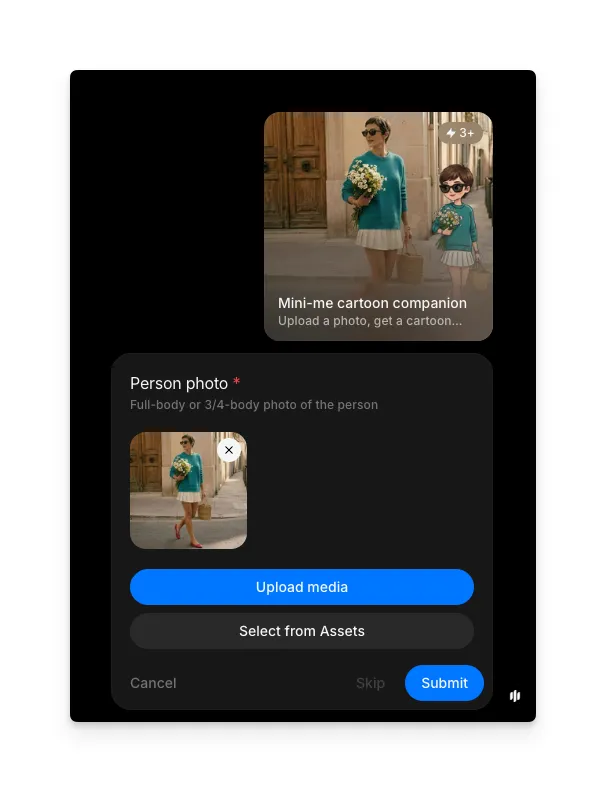
Open the "Mini-me cartoon companion" workflow. The only required input is a photo of the person who should get a chibi mini-me. Upload a photo from your device or pick one from your Morphic assets.

Use a full-body or 3/4-body shot so the AI can see the outfit, shoes, and any props the cartoon version should carry. A sharp, well-lit photo with a clear view of the face gives a sharper mini-me. Avoid tight head-and-shoulders crops, since the cartoon companion needs a full outfit to copy.

Mini-me cartoon trend workflow on Morphic, step 1 Person photo upload field with a full-body street-style portrait selected for the chibi mini-me generator
Upload a full-body or 3/4-body photo of the person.

2.

Generate the mini-me and compare the chibi result

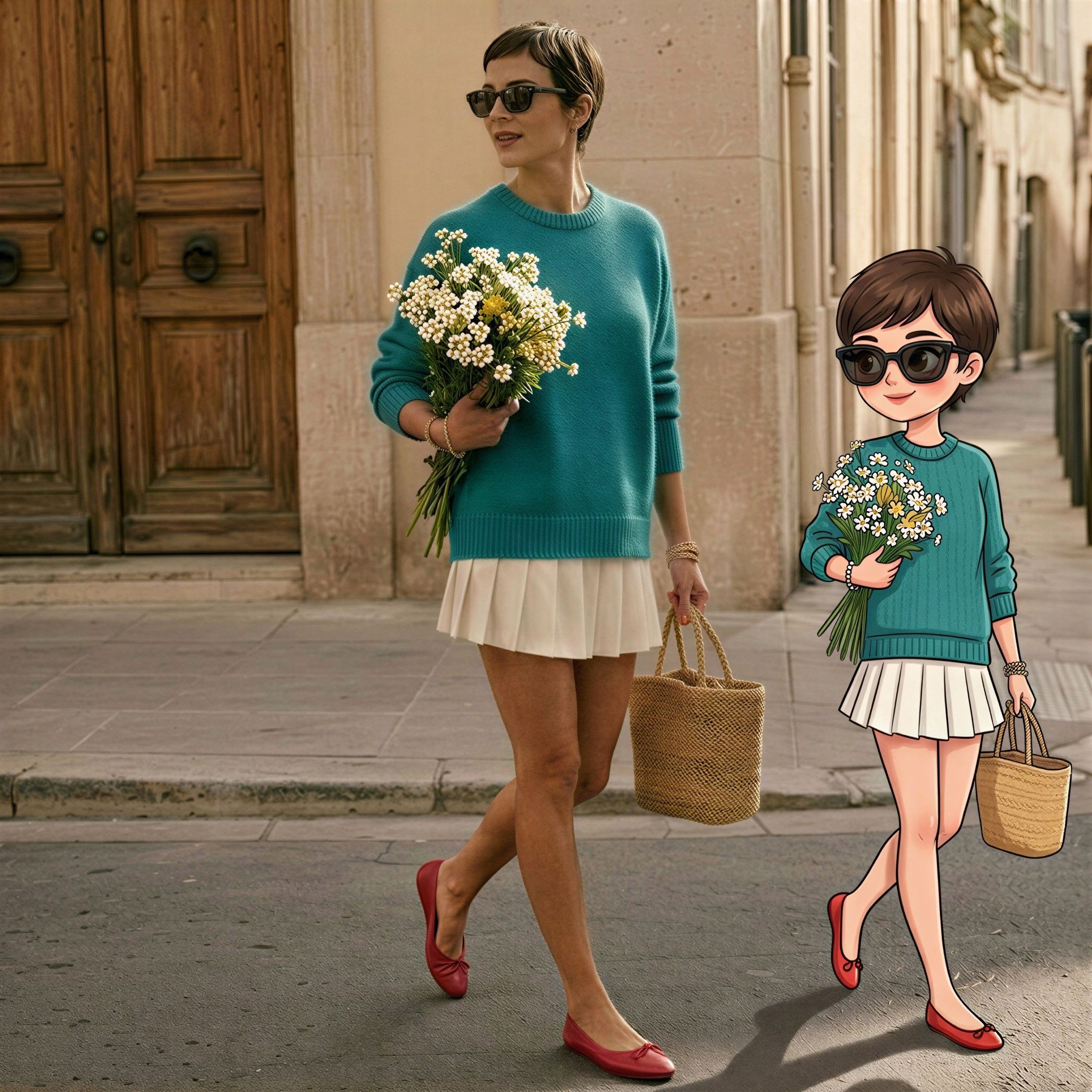
Hit Submit. Morphic returns the original photo with a chibi cartoon version of the same person added next to them, dressed in the same outfit and holding the same props.

The face and outfit stay the same. A chibi mini-me shows up alongside.

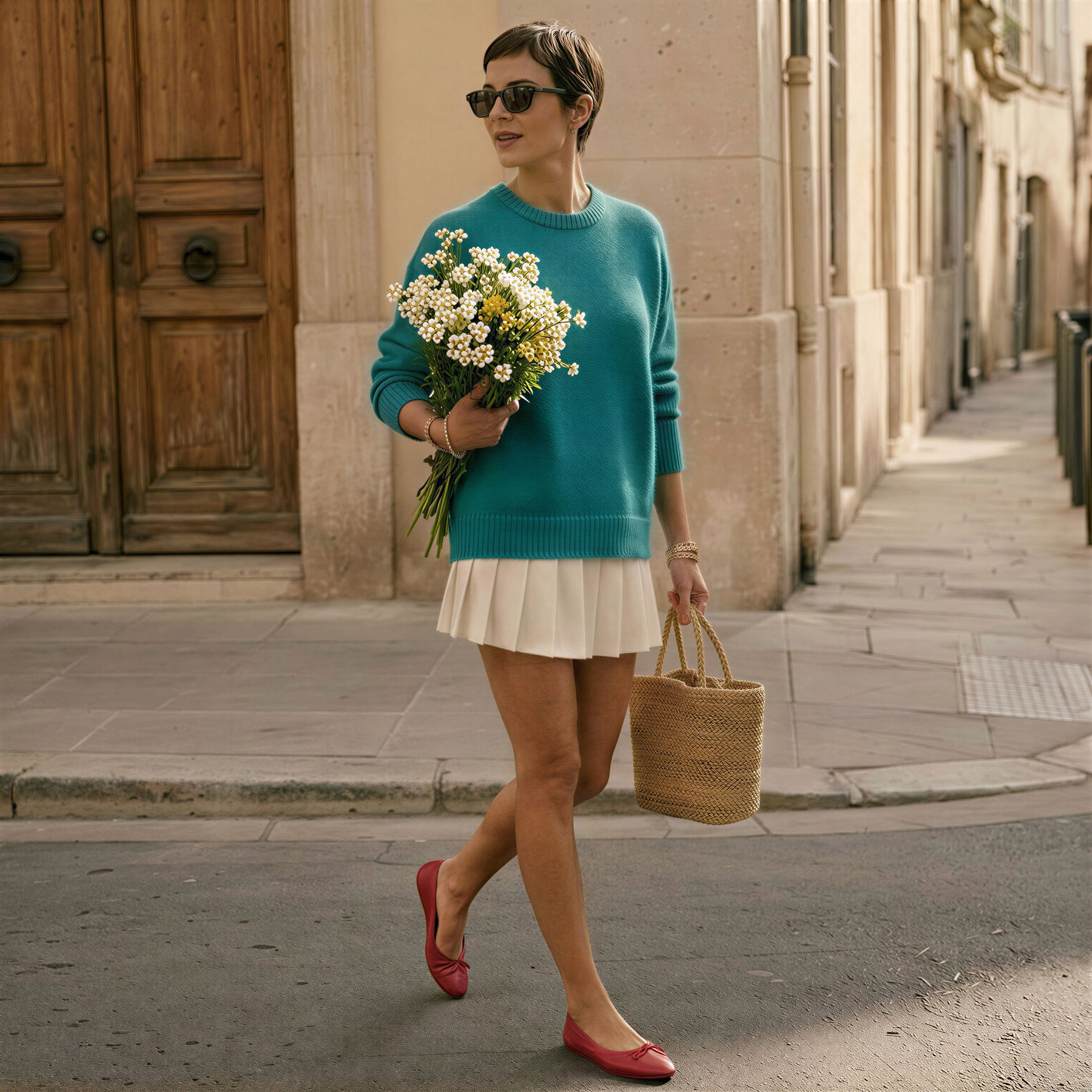
Input photo for the mini-me cartoon trend: a woman in a teal sweater, white pleated skirt, red ballet flats, sunglasses, holding a daisy bouquet and a straw basket bag, walking down a sunlit European street
Input: a full-body photo of the person.
AI mini-me cartoon output generated by Morphic: the same woman walking next to a chibi-style cartoon version of herself, matching teal sweater, pleated skirt, sunglasses, daisy bouquet, and straw bag, in the same European street scene
Output: a chibi mini-me walking alongside.

よくある質問

What is the mini-me cartoon trend?

The mini-me cartoon trend is a viral AI photo edit where a chibi-style cartoon version of a person is added next to their real photo, wearing the same outfit and carrying the same props. It is also called the AI so mini trend, tiny toy effect, or chibi mini-me, and it spreads through Reels, Shorts, and TikTok.

What kind of photo works best for a chibi mini-me?

A full-body or 3/4-body photo with the face clearly visible and even lighting gives the best result. The AI uses the outfit, accessories, and pose to build the cartoon companion, so the more of the body the photo shows, the more detail the chibi mini-me carries over.

Can I use a head-and-shoulders selfie for the mini-me trend?

A tight selfie still produces a chibi companion, but the AI has to invent the outfit and lower body. For a mini-me that matches what you're wearing, upload a wider shot that includes the clothes, shoes, and any bag or prop you want carried over.

Will the chibi mini-me copy my outfit and accessories?

Yes. The cartoon companion is generated to match the outfit, hairstyle, sunglasses, bag, and any visible props in the original photo. A clearer photo means a closer match.

Can I make a mini-me of two people in the same photo?

The workflow is built around one main person per photo. For a couple or group photo, run the workflow once per person using crops that isolate each subject, then combine the chibi results afterwards.

Is the mini-me cartoon output a video or an image?

The output is a still image: the original photo with a chibi cartoon mini-me of the same person added next to them. Use it as a profile picture, sticker, social post, or Reels thumbnail.

chair
ストーリーに命を吹き込む
ダウンロード不要、インストール不要。Morphicを使ってアイデアを美しく仕上げられたストーリーに変えるクリエイターの成長するコミュニティに参加しましょう。