AI become sea animals effect

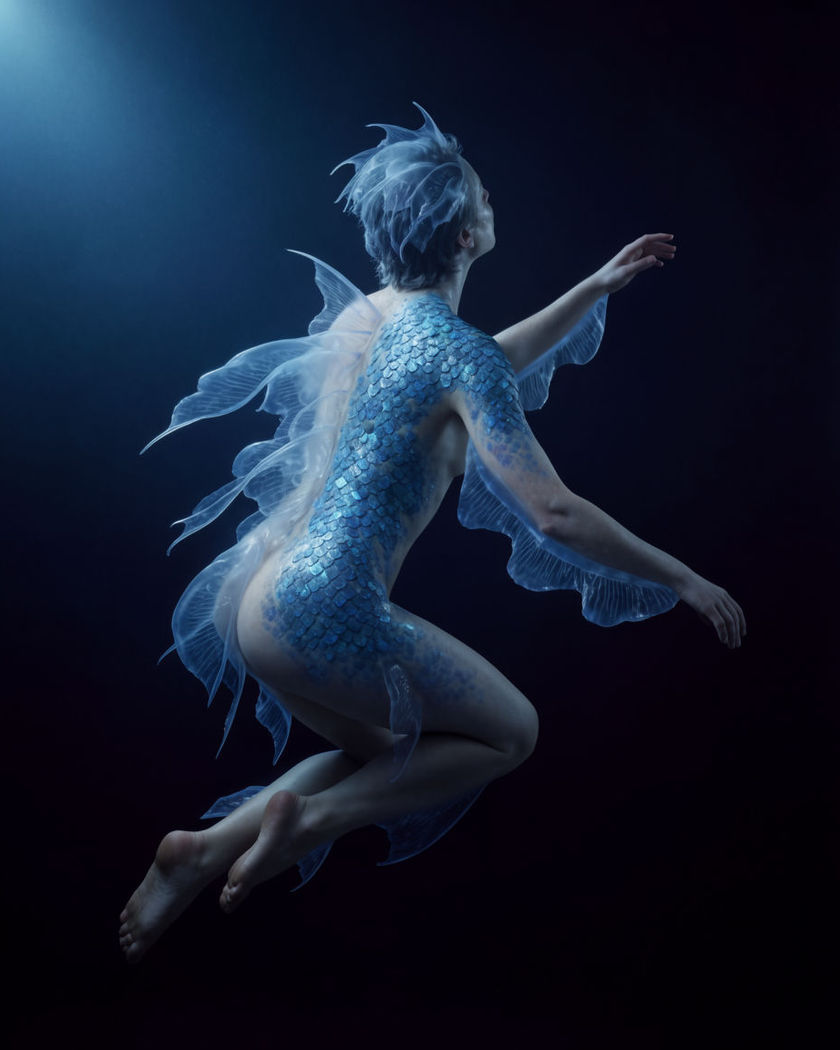
Become sea animals shots generated in one move: skin texturing into scales, fingers webbing, a tail forming as a person shifts into a creature of the deep.

A figure mid-transformation into a sea creature, shimmering scales and fins forming in cool blue underwater light

Become sea animals effect examples

Tide pool transformation

このプロンプトを使う

Kneeling in a tide pool, a figure completes a full sea-creature change. a figure kneeling in a shallow tide pool at dusk, scales spreading across the arms and shoulders while fins unfurl from the back, the surrounding water rippling and catching the last warm light of the sky, slow wide push in

Underwater cave reveal

このプロンプトを使う

In a sunlit underwater cave, a figure floats and completes the transformation. a figure floating weightless inside a sunlit underwater cave, shafts of light cutting through the water as scales, gills and a finned tail finish forming, hair drifting slowly, bubbles rising gently, cool blue-green light, slow drifting camera

Fingers webbing together

このプロンプトを使う

A close shot on the hand shows translucent webbing growing between the fingers. a close-up on a hand resting on wet stone as thin translucent webbing gradually grows between each finger, the skin taking on a faint iridescent sheen, water droplets beading on the new membrane, cool blue-green light, slow continuous shot

Tail forming below the waist

このプロンプトを使う

Legs gradually merge and taper into a long finned tail. a figure seen from the waist down standing in shallow water as the legs gradually merge together, the skin texturing into overlapping scales and tapering into a long finned tail, water rippling outward with the shift, cool aquamarine light, slow steady transformation

Scales spreading across skin

このプロンプトを使う

Shimmering scales bloom outward from the neck across the shoulders. a close portrait of a person as fine shimmering blue-green scales bloom outward from the base of the neck across the shoulders and collarbone, catching cool light like wet glass, the skin beneath still visible at the edges of the spread, dim aquarium-blue light, slow steady transformation

Fins unfurling from the shoulders

このプロンプトを使う

Delicate translucent fins unfold from behind the shoulders like a fan. a portrait of a person seen from behind at the shoulder as a pair of delicate translucent fins slowly unfurl outward like a fan, thin ribs catching a soft blue light, water dripping gently off the tips, calm and elegant, slow push in

Aquarium glass close reveal

このプロンプトを使う

Behind glass, a close shot follows the final moments of the change. a close shot through thick aquarium glass on a figure completing the transformation, scales finishing their spread across the neck and the eyes glowing pale blue as the water swirls softly, dim tank light, slow push toward the glass

Gills forming at the neck

このプロンプトを使う

Faint slits open along the side of the neck and pulse like gills. an extreme close-up on the side of a neck as faint slits gradually open along it, pulsing gently like gills with a soft blue glow at the edges, fine scales visible just beyond the slits, dark teal backdrop, slow deliberate reveal

Rocky shoreline emergence

このプロンプトを使う

A transformed figure emerges from the surf onto dark rocks at dawn. a fully transformed figure emerging slowly from crashing surf onto dark wet rocks at dawn, scales catching the low pink light and fins folding against the back as it rises, mist hanging over the water, wide low-angle shot

Eyes shifting to a deep-sea gaze

このプロンプトを使う

A close shot on the eyes shows the iris widening and glowing pale blue. an extreme close-up on a pair of eyes as the iris gradually widens and takes on a pale luminous blue glow, a faint nictitating membrane sliding briefly across, dark water-blue background, unhurried and hypnotic, slow blink

Generate your own become sea animals effect

出発点を選び、好きなように編集して、Morphicで生成しましょう。

生成

シンプルな料金体系

今すぐ無料で始めて、いつでもアップグレードまたはキャンセルできます。

Basic

$19/ 月
請求額は $0 年

2400 月 クレジット

1 ユーザーのみ

すべてのモデル

ワークフロー

Standard

$24/ 月
請求額は $0 年

3625 月 クレジット

1 ユーザーのみ

すべてのモデル

ワークフロー

Pro

$45/ 月
請求額は $0 年

6350 共有 月 クレジット

1 ユーザー

+ 最大 4 名まで追加費用

すべてのモデル

ワークフロー

Max

$170/ 月
請求額は $0 年

24650 共有 月 クレジット

1 ユーザー

+ 最大 9 名まで追加費用

すべてのモデル

ワークフロー

Enterprise

より高い制限のために

カスタム

料金と請求条件

大容量クレジット
カスタムシート制限
すべてのモデル
ワークフロー
Pricing Gradient

Free

気軽に試したい方に

$0

ずっと無料

最大20クレジット
1ユーザーのみ
一部のモデル
ワークフロー

よくある質問

Where can I make become sea animals videos with AI?
You can create become sea animals videos directly in your browser on Morphic. Open the Image to Video tool, upload a still, describe the transformation, and Morphic generates the clip with the scales, fins, or gills forming in the motion. No underwater filming or manual compositing needed.
What kinds of become sea animals shots work best with AI video?
Close-ups on the neck, hands, or eyes let the fine detail of scales or webbing read clearly. Wider shots in water, a tide pool, a shoreline, or an underwater cave, make a strong setting for a full transformation reveal.
How do I write a good prompt for a become sea animals video?
Name the specific feature changing, scales, gills, fins, or a tail, and describe how it forms over the shot. Add the water, light, and setting around the subject. The clearer the detail, the more convincing the transformation Morphic returns.
Can I use my own photo for a become sea animals video?
Yes. Upload a portrait or a full-body still, describe the become sea animals transformation, and Morphic generates the clip starting from that image. You can then pick the model that suits the look and finish the edit on the timeline.
Do I need video editing experience to make a become sea animals video?
No. Morphic runs in your browser and you direct it with plain-language prompts. If you can describe the transformation you want, you can produce the video. The prompts on this page are written so anyone can paste and run them.
What can I use a become sea animals video for?
It works well for creative transformation content, fantasy art reels, and playful creature posts. Describe the look, pick the model that suits it, and finish the edit on the timeline before you export.