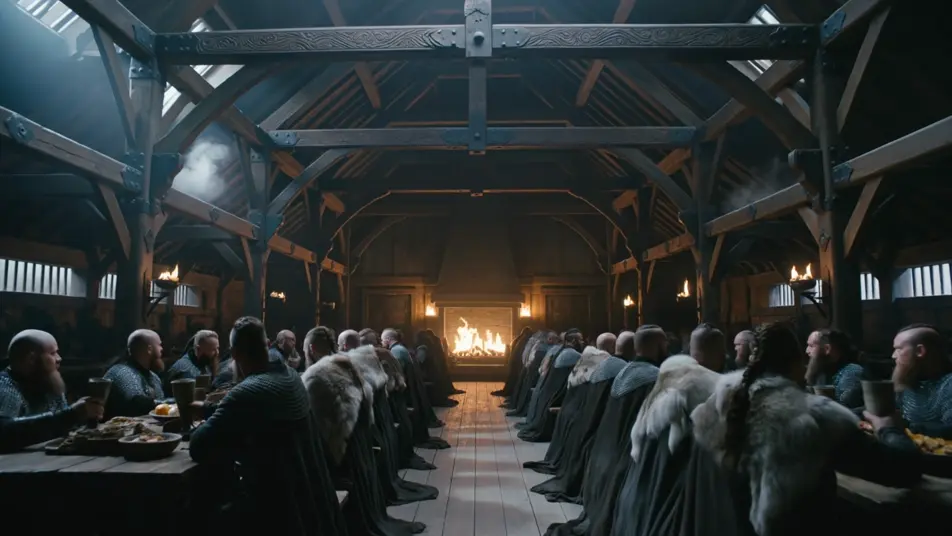
ベーオウルフのAI動画
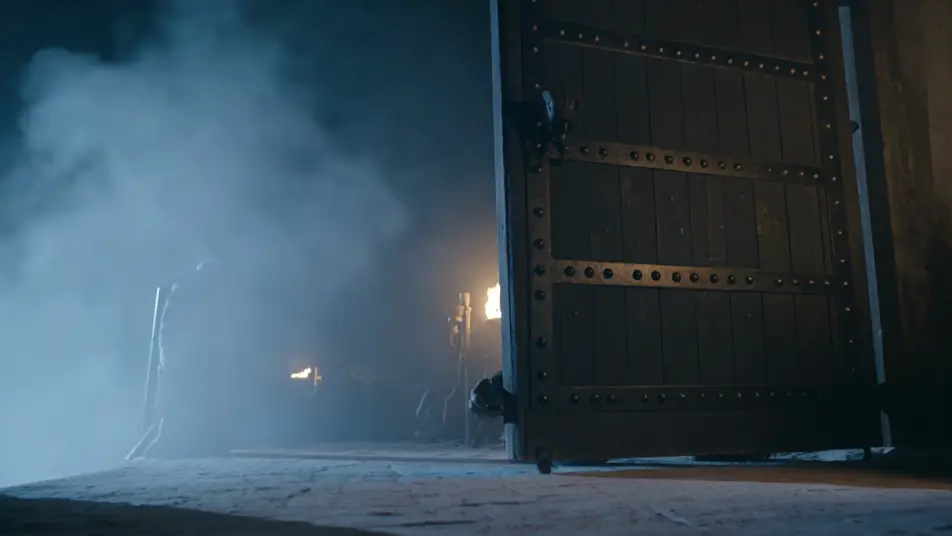
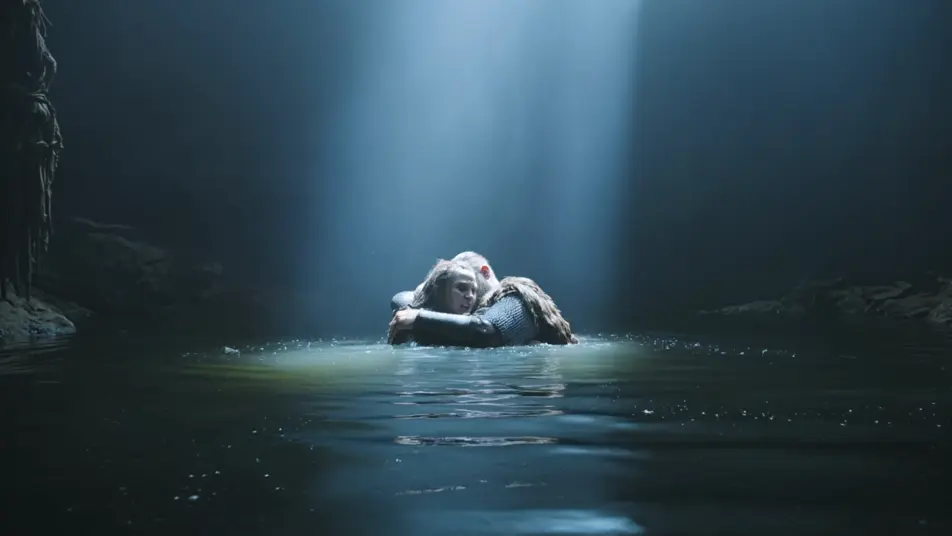
Morphicのベーオウルフ AI動画ジェネレーターで、暗黒時代のベーオウルフのサガをブラウザで演出できます。火に照らされた蜜酒の館の宴、館の扉に伸びる魔物の鉤爪の手、沼地の住処での水中の決闘を生成できます。Musicツールで角笛と竪琴のスコアをつけ、見せ場をつなげてショートフィルムに仕上げましょう。
演出できるベーオウルフのシーン
ベーオウルフの動画を3ステップで作成
- 一
シーンを記述
作りたいベーオウルフのシーンを、わかりやすい言葉で記述します。
- 二
動画を生成
Morphicがキャンバス上に映画のようなクリップを数秒で生成します。
- 三
仕上げて共有
プロンプトを調整して再生成し、気に入ったショットを保存・共有します。

シネマティックストーリーボード
キャラクター参照を含むシーンの説明を共有します。ショットの角度とムードを備えた完全なストーリーボードを取得します。
このワークフローを試す

3x3ストーリーボード
単一の画像をフィードします。3x3のストーリーボードグリッドに配置された9つのシネマティックビートを取得します。
このワークフローを試す
Cinematic scene
1枚の画像から9シーンのシネマティックビデオを作成します。
このワークフローを試す

表情
任意のキャラクター画像を元に、1枚のリファレンスシートに6つの異なる表情を生成します。
このワークフローを試す
タイムフリーズ効果
あらゆるシーンに使える、シネマティックなタイムフリーズ短編動画
このワークフローを試す
映画の世界に入り込んでみよう
あなたの写真をドロップしてください。アニメーションとマッチしたサウンドトラックを備えた12秒の映画のようなムービーを入手してください。
このワークフローを試す
こちらもおすすめ
ドラキュラ AI動画
Morphic で ドラキュラ のシーン、カルパチアの城、ホイットビーのデメーテル号、花嫁たち、カーファックスの狩り、Van Helsing のナレーションを作成。一つのプロンプトからゴシックホラー動画を生成します。
フランケンシュタイン AI動画
Morphicで、フランケンシュタインのシーン、インゴルシュタットの実験室、怪物の最初の息、モンブラン、ド・ラセー家の小屋、北極の追跡を作成。たった一つのプロンプトからゴシックSF動画を生成します。
ケルト神話AI動画
Morphic でケルト神話のシーン、Tuatha De Danann の肖像、Cu Chulainn の戦闘ショート、完全なエピソードを作成。ケルト神話の動画を一つのプロンプトから生成し、ナレーションを付け、音楽を添えます。
ギリシャ神話 AI動画
Morphicでギリシャ神話のシーン、オリュンポス神の肖像、英雄譚の短編、そして完全なエピソードを制作。ひとつのプロンプトからギリシャ神話の動画を生成し、ナレーションを付け、音楽を添えられます。
シンプルな料金体系
今すぐ無料で始めて、いつでもアップグレードまたはキャンセルできます。
Basic
$19/ 月
請求額は $0 年2400 月 クレジット
1 ユーザーのみ
すべてのモデル
ワークフロー
Standard
$24/ 月
請求額は $0 年3625 月 クレジット
1 ユーザーのみ
すべてのモデル
ワークフロー
Pro
$45/ 月
請求額は $0 年6350 共有 月 クレジット
1 ユーザー
+ 最大 4 名まで追加費用
すべてのモデル
ワークフロー
Max
$170/ 月
請求額は $0 年24650 共有 月 クレジット
1 ユーザー
+ 最大 9 名まで追加費用
すべてのモデル
ワークフロー
Enterprise
より高い制限のために
カスタム
料金と請求条件
大容量クレジット
カスタムシート制限
すべてのモデル
ワークフロー

Free
気軽に試したい方に
$0
ずっと無料
最大20クレジット
1ユーザーのみ
一部のモデル
ワークフロー
よくある質問
ベーオウルフのAI動画はどこで作れますか?
ベーオウルフのシーンはMorphic上で、ブラウザから直接作成できます。Text to Videoツールを開き、蜜酒の館、戦士たち、沼の霧を記述すると、Morphicがクリップを生成します。インストールも専用ソフトも不要です。
プロンプトのレベルでベーオウルフを決めるものは何ですか?
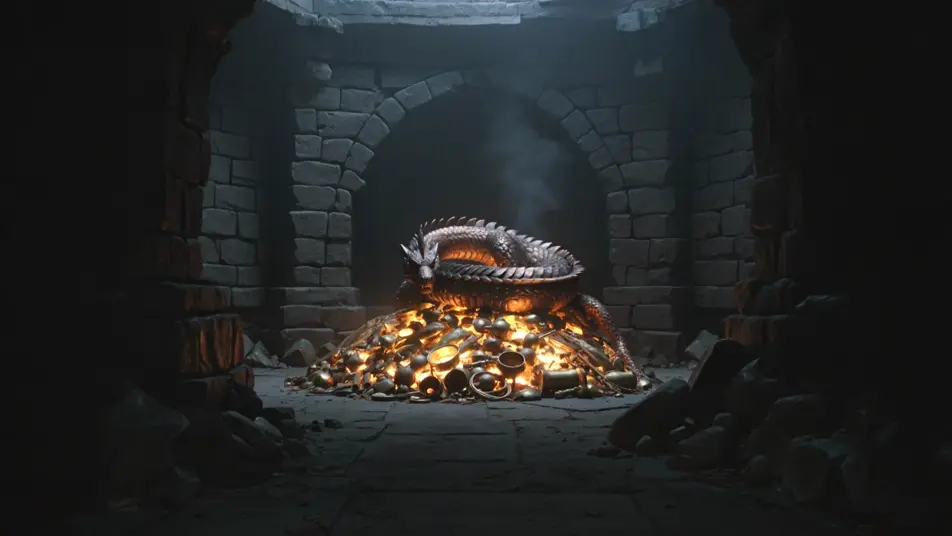
プロンプトのレベルでベーオウルフを決めるものは三つあります。鎖帷子、毛皮、彫りのある木の暗黒時代のスカンディナヴィアの物の世界、沼の霧と冷たい北海のパレットに対置された火明かりの蜜酒の館、そして鎖帷子の英雄、荒野の魔物、沼の魔女、黄金を抱える竜という配役です。物、光、一人の人物を挙げれば、Morphicがありきたりの中世ファンタジーに流れることはありません。
火明かりの蜜酒の館の見た目はどうプロンプトすれば?
光源とそのまわりの冷たい対比を指定しましょう。宴には「彫りのある木の屋根の梁に暖かい光を投げ上げる中央の炉の火、高い窓に押し寄せる冷たい青い沼の霧」。竜には「青銅の鱗に暖かい反射を投げる黄金の財宝、塚の残りは冷たい黒い石」。冷たい闇に対する暖かい火を挙げることが、サガの質感を引き出す手がかりになります。
ベーオウルフの動画に角笛の音楽や古英語の詠唱を加えられますか?
はい。Musicツールはオリジナルのサウンドトラックを作り、低い角笛、弓で弾く竪琴、深い男声の詠唱というサガの質感は蜜酒の館のテンポの下にすっきり収まります。Speechツールは選んだ声で語りや詠唱のボイスオーバーを生成し、生成した映像に重ねて完成度の高いベーオウルフのショートを公開できます。
ベーオウルフの動画を作るのに、詩の予備知識は必要ですか?
いいえ。Morphicはブラウザで動き、平易な言葉のプロンプトで演出できます。火明かりの館、扉の鉤爪の手、財宝の上の竜を描写できれば、ベーオウルフのシーンを作れます。ベーオウルフはパブリックドメインの古英語の叙事詩なので、英雄、グレンデル、その他を名指しするのは完全に安全です。このページのプロンプトは誰でも貼り付けて実行できるよう書かれています。