First flight over the treeline
A wide shot of a young reindeer character taking a first wobbly leap off a snowy ridge, the Northern Lights glowing above the treeline.
プロンプトを編集
Create animated Christmas stories for kids in Morphic: write an original story or start from a simple idea, add narration in a voice from Morphic's voice library, and turn it into a short video to watch together. Every story here is an invented original — no existing characters, just a few scenes you build yourself.
A wide shot of a young reindeer character taking a first wobbly leap off a snowy ridge, the Northern Lights glowing above the treeline.
プロンプトを編集A quiet village square at midnight, an original snowman character taking careful steps past dark shop windows under falling snow.
プロンプトを編集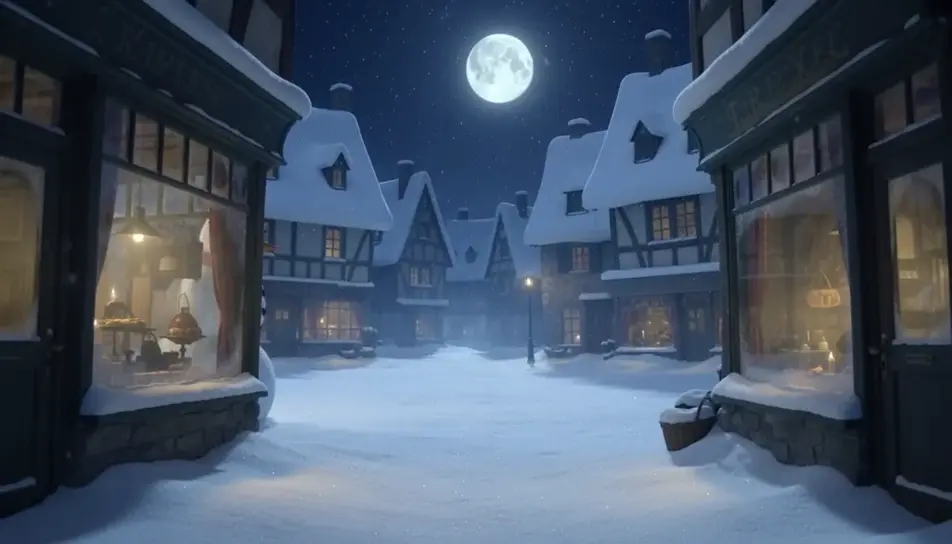
A cozy interior shot from a windowsill, an original toy character watching the first snow of the season drift past warm lamplight.
プロンプトを編集
A warm closing shot of the glowing star character rolling back up a chair, a sofa and a side table to return to the top of the tree.
プロンプトを編集
作りたいChristmas story for kidsのシーンを、わかりやすい言葉で記述します。
Morphicがキャンバス上に映画のようなクリップを数秒で生成します。
プロンプトを調整して再生成し、気に入ったショットを保存・共有します。

キャラクター参照を含むシーンの説明を共有します。ショットの角度とムードを備えた完全なストーリーボードを取得します。
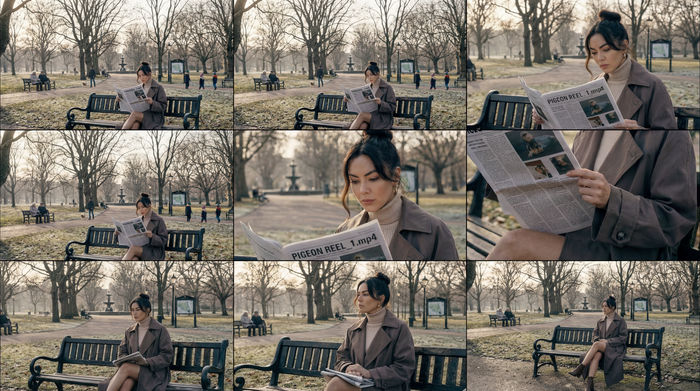
単一の画像をフィードします。3x3のストーリーボードグリッドに配置された9つのシネマティックビートを取得します。
1枚の画像から9シーンのシネマティックビデオを作成します。
あなたの写真をドロップしてください。アニメーションとマッチしたサウンドトラックを備えた12秒の映画のようなムービーを入手してください。
フレーム間で完璧なキャラクターの一貫性を保ちながら、シーンシーケンスを続けます。
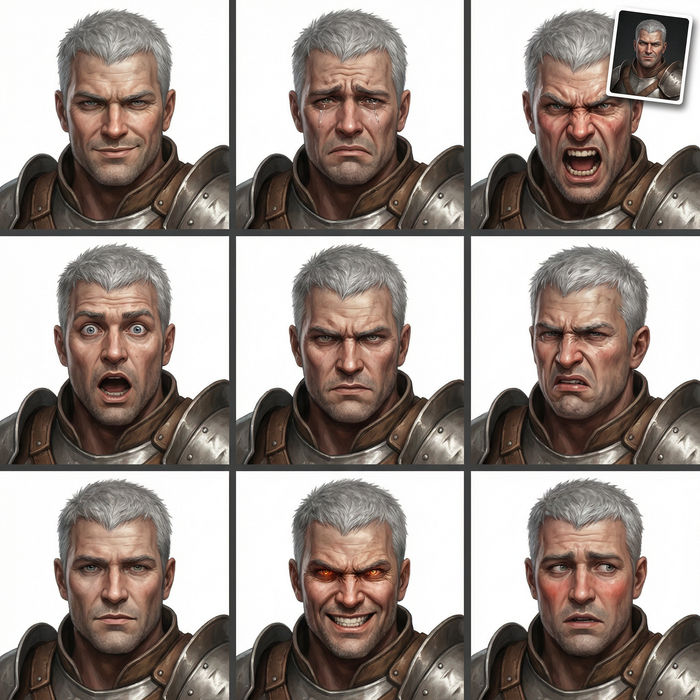
任意のキャラクター画像を元に、1枚のリファレンスシートに6つの異なる表情を生成します。
クリスマス・キャロル AI動画
Morphicで クリスマス・キャロル のシーン、スクルージの会計事務所、マーリーの幽霊、三人の精霊、タイニー・ティムとのクラチット家の晩餐、改心の朝を作成。ディケンズの動画を一つのプロンプトから生成します。
Personalized Santa video message
Create a personalized Santa video message in Morphic. Write what Santa says, pick a voice and generate a festive video for your kids.
AI動画ジェネレーター
テキストから美しい動画を生成。 どんな作風もプロ品質で。
AI季節のご挨拶動画
季節のご挨拶動画をAIで生成。社長メッセージ、一年の振り返り、締めのカードを撮影なしでブランドに合わせて作れます。無料でお試しいただけます。
今すぐ無料で始めて、いつでもアップグレードまたはキャンセルできます。
Basic
2400 月 クレジット
1 ユーザーのみ
すべてのモデル
ワークフロー
Standard
3625 月 クレジット
1 ユーザーのみ
すべてのモデル
ワークフロー
Pro
6350 共有 月 クレジット
1 ユーザー
すべてのモデル
ワークフロー
Max
24650 共有 月 クレジット
1 ユーザー
すべてのモデル
ワークフロー
Enterprise
より高い制限のために
カスタム
料金と請求条件

Free
気軽に試したい方に
$0
ずっと無料