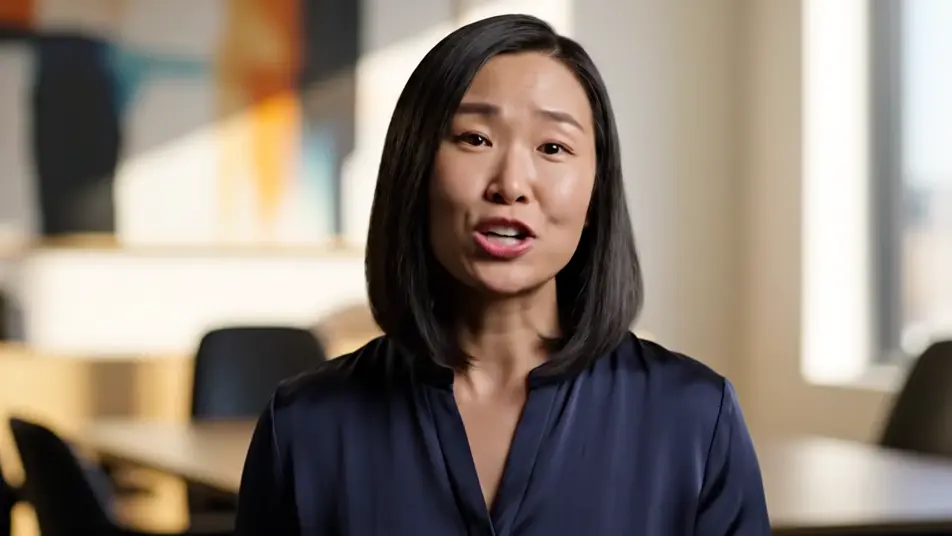
AI LinkedIn動画広告
クルーもロケ地も必要ありません。MorphicならLinkedIn動画広告をブラウザだけで演出できます。自信に満ちた専門家のカメラ目線、明るいオフィスで働くチーム、丁寧な仕事ぶりのクローズアップまで生成できます。Musicで曲を付け、Speechでナレーションを入れ、Composeで最終カットに仕上げます。
ディレクションできる広告の冒頭カット
演出できる広告のシーケンス



LinkedIn動画広告の動画を3ステップで作成
- 一
シーンを記述
作りたいLinkedIn動画広告のシーンを、わかりやすい言葉で記述します。
- 二
動画を生成
Morphicがキャンバス上に映画のようなクリップを数秒で生成します。
- 三
仕上げて共有
プロンプトを調整して再生成し、気に入ったショットを保存・共有します。

シネマティックシーンへのメッセージ
あらゆるテキスト会話を映画のようなマルチショットビデオにドラマ化します。
このワークフローを試す
タイムフリーズ効果
あらゆるシーンに使える、シネマティックなタイムフリーズ短編動画
このワークフローを試す

タイトルシーケンス
オプションでシネマティックアニメーションを追加できる、プロフェッショナルな映画タイトルカードをゼロから生成します。
このワークフローを試す
リノベーションのタイムラプス
不動産の写真は、建設SFXと音楽を使った映画のようなリノベーションのタイムラプスビデオになります。
このワークフローを試す
Cinematic scene
1枚の画像から9シーンのシネマティックビデオを作成します。
このワークフローを試す
映画の世界に入り込んでみよう
あなたの写真をドロップしてください。アニメーションとマッチしたサウンドトラックを備えた12秒の映画のようなムービーを入手してください。
このワークフローを試す
こちらもおすすめ
AI投資家向けピッチ動画
創業者の言葉とチームの実行力、製品の実演を映像にします。Morphicで生成し、投資家の記憶に残るピッチに仕上げます。今すぐ無料でお試しください。
AI創業者ストーリー動画ジェネレーター
Morphicで創業者ストーリー動画をAI生成。試作の手元や朝の作業場を撮り、人物そのものを主役にした動画を今日中に仕上げられます。
AIポッドキャスト動画
スタジオ収録の質感をAIで再現。ホストのアップやテーブル対談、ブース照明の映像を生成し、音声・音楽と組み合わせて番組の顔を作れます。
ジムプロモーション動画をAIで生成
ジムプロモーション動画をAIで生成。明るいフロアやクラス、ラックされたウェイトを一本の勢いあるカットにまとめ、体験入会を後押しします。
シンプルな料金体系
今すぐ無料で始めて、いつでもアップグレードまたはキャンセルできます。
Basic
$19/ 月
請求額は $0 年2400 月 クレジット
1 ユーザーのみ
すべてのモデル
ワークフロー
Standard
$24/ 月
請求額は $0 年3625 月 クレジット
1 ユーザーのみ
すべてのモデル
ワークフロー
Pro
$45/ 月
請求額は $0 年6350 共有 月 クレジット
1 ユーザー
+ 最大 4 名まで追加費用
すべてのモデル
ワークフロー
Max
$170/ 月
請求額は $0 年24650 共有 月 クレジット
1 ユーザー
+ 最大 9 名まで追加費用
すべてのモデル
ワークフロー
Enterprise
より高い制限のために
カスタム
料金と請求条件
大容量クレジット
カスタムシート制限
すべてのモデル
ワークフロー

Free
気軽に試したい方に
$0
ずっと無料
最大20クレジット
1ユーザーのみ
一部のモデル
ワークフロー
よくある質問
AIでLinkedIn動画広告を作るには、どこを使えばいいですか?
MorphicのText to Videoツールをブラウザで開きます。冒頭のフックと補足のカットを説明すれば、それぞれの場面が生成されます。Composeでつなげば、クルーもロケ日も要らずフィード用の広告が完成します。
広告にLinkedInのロゴや画面を映せますか?
いいえ、避けるべきです。AI動画は偽のロゴや崩れたインターフェースを作り出しがちなので、プラットフォームのマークやUIは画面から外します。プラットフォーム側が広告の周りに自前の枠を用意するため、クリーンな映像の方がかえって高品質に見えます。
LinkedIn動画広告にキャプションを付けるには?
生成の段階ではキャプションを入れず、映像はきれいなまま作ります。AIが生成する文字は崩れやすいため、キャプションは編集ソフトや広告プラットフォームの機能で後から追加します。そうすれば文字は常にくっきりと編集可能なまま保てます。
LinkedIn動画広告に最適な長さはどれくらいですか?
フィード配信には15秒から30秒がもっとも効果的です。最初の2秒でフックを見せ、職人技かチームのカットで裏付け、専門家の言葉で締めます。長い説明よりも、短く自信のあるカットの方がスクロールされずに残ります。
LinkedIn動画広告に音声や音楽を付けられますか?
はい。Speechツールが選んだ声で明瞭なプロフェッショナルナレーションを生成し、Musicツールがその下にオリジナルの楽曲を重ねます。多くの視聴者は無音で見るため、音がなくても伝わる作りにし、音を上げた人には音声で報いる設計にします。