
AIソフトウェア操作動画
新しいツールを社内に導入するとき、操作を説明する動画があるかどうかで定着のスピードが変わります。Morphicなら、案内ツアーや機能紹介、クリックの手順をブラウザだけで組み立てられます。ナレーションはSpeechで加え、各セグメントをCanvasで一本の操作動画にまとめます。
演出できる操作動画の一幕
構成できるUIデモの場面

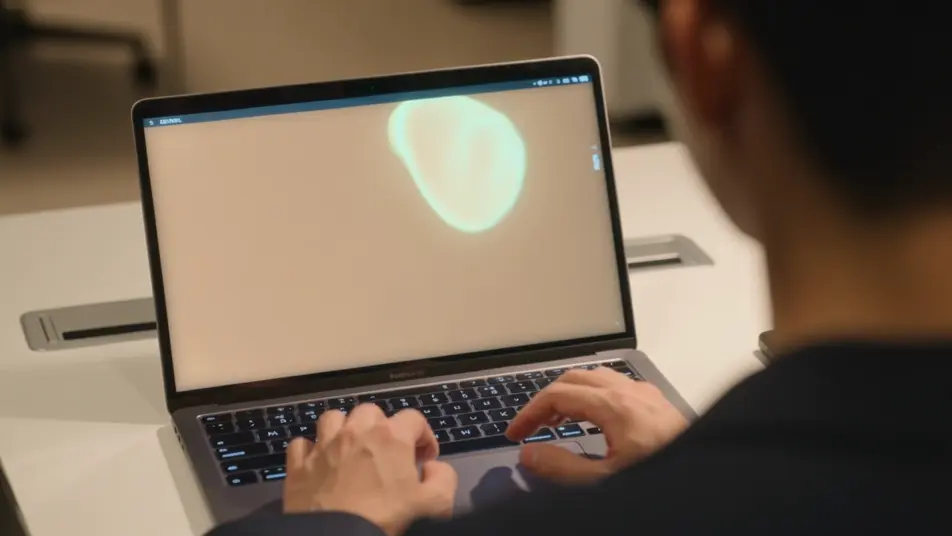

ソフトウェア操作動画の動画を3ステップで作成
- 一
シーンを記述
作りたいソフトウェア操作動画のシーンを、わかりやすい言葉で記述します。
- 二
動画を生成
Morphicがキャンバス上に映画のようなクリップを数秒で生成します。
- 三
仕上げて共有
プロンプトを調整して再生成し、気に入ったショットを保存・共有します。

シネマティックシーンへのメッセージ
あらゆるテキスト会話を映画のようなマルチショットビデオにドラマ化します。
このワークフローを試す
タイムフリーズ効果
あらゆるシーンに使える、シネマティックなタイムフリーズ短編動画
このワークフローを試す

タイトルシーケンス
オプションでシネマティックアニメーションを追加できる、プロフェッショナルな映画タイトルカードをゼロから生成します。
このワークフローを試す
リノベーションのタイムラプス
不動産の写真は、建設SFXと音楽を使った映画のようなリノベーションのタイムラプスビデオになります。
このワークフローを試す
Cinematic scene
1枚の画像から9シーンのシネマティックビデオを作成します。
このワークフローを試す
映画の世界に入り込んでみよう
あなたの写真をドロップしてください。アニメーションとマッチしたサウンドトラックを備えた12秒の映画のようなムービーを入手してください。
このワークフローを試す
こちらもおすすめ
オンボーディングチュートリアル動画をAIで生成
オンボーディングチュートリアル動画をAIで生成。歓迎メッセージからセットアップ、最初のタスク達成までを描き、スプリント内で公開できます。
AI導入デモ動画
ツール連携のデモ動画をMorphicで作成します。設定画面やデータ連携、実際の動作までまとめ、Composeで一本にできます。今すぐ無料で試せます。
ヘルプセンター動画をAIで生成
ヘルプセンター動画をAIで生成。画面操作のウォークスルーやハウツー、質問への回答クリップをMorphicで作り、その日のスプリントで公開できます。
AI新機能リリース動画ジェネレーター
プロダクトチーム向けの新機能リリース動画をAIで作成。機能デモ、ビフォーアフター、使い方カットをその場で生成し、同じスプリント内で公開できます。
シンプルな料金体系
今すぐ無料で始めて、いつでもアップグレードまたはキャンセルできます。
Basic
$19/ 月
請求額は $0 年2400 月 クレジット
1 ユーザーのみ
すべてのモデル
ワークフロー
Standard
$24/ 月
請求額は $0 年3625 月 クレジット
1 ユーザーのみ
すべてのモデル
ワークフロー
Pro
$45/ 月
請求額は $0 年6350 共有 月 クレジット
1 ユーザー
+ 最大 4 名まで追加費用
すべてのモデル
ワークフロー
Max
$170/ 月
請求額は $0 年24650 共有 月 クレジット
1 ユーザー
+ 最大 9 名まで追加費用
すべてのモデル
ワークフロー
Enterprise
より高い制限のために
カスタム
料金と請求条件
大容量クレジット
カスタムシート制限
すべてのモデル
ワークフロー

Free
気軽に試したい方に
$0
ずっと無料
最大20クレジット
1ユーザーのみ
一部のモデル
ワークフロー
よくある質問
AIでソフトウェア操作動画はどこで作れますか?
Morphic上でブラウザだけで作れます。Text to Videoツールに案内ツアーや機能スポットライト、クリック手順を書き込めば、各セグメントが生成されます。Canvasでつなげば一本の操作動画になります。
操作動画にはどんなセグメントが向いていますか?
案内ツアーがまず軸になります。機能スポットライトやクリック手順、ビフォーアフターの結果を続けると、説明するのではなくカーソルが操作を終えるところを見せられ、追いやすい動画になります。
操作動画の良いプロンプトはどう書けばいいですか?
作業をタスクごとに分け、同じインターフェースのスタイルで書きます。カーソルの動きとコールアウト、注目するパネルを名指しすれば、各手順がはっきり読み取れます。
複数のシーンで操作動画の見た目をそろえるには?
同じインターフェースのスタイル、配色、コールアウトの形式をすべてのプロンプトで繰り返します。Canvasで候補を並べて比較し、自社の画面に合うコマを選び、ナレーションに合わせて切り替えます。
ソフトウェア操作動画にナレーションを追加できますか?
はい。Speechで各手順を案内する声を好みのトーンで生成できます。Musicで背景音を敷く場合は軽めに保ち、操作の説明とナレーションが埋もれないようにしましょう。