Make cyanotype prints in your browser with Morphic's cyanotype AI image generator. Generate cyanotype frames like a botanical fern contact print in Prussian blue, a white-silhouette portrait on textured paper, or a brush-coated sun-print with uneven edges, and pair every frame with the Style Transfer workflow to lock the blue-and-white tonality across the set. Use the Image to Video feature to give any print gentle motion.

Cyanotype prints you can compose

Cyanotype scenes you can compose

Pressed-botanical specimen sheet

A full sheet of pressed botanicals contact-printed in cyanotype, ferns and grasses as white silhouettes on Prussian blue, textured paper, soft brush-coated border, naturalist herbarium layout.

Edit prompt
Pressed-botanical specimen sheet

Sunlit print-drying scene

Several cyanotype prints laid out to develop in bright sun, deep blue fields with white forms, textured paper edges curling slightly, warm daylight on a wooden surface, handmade studio mood.

Edit prompt
Sunlit print-drying scene

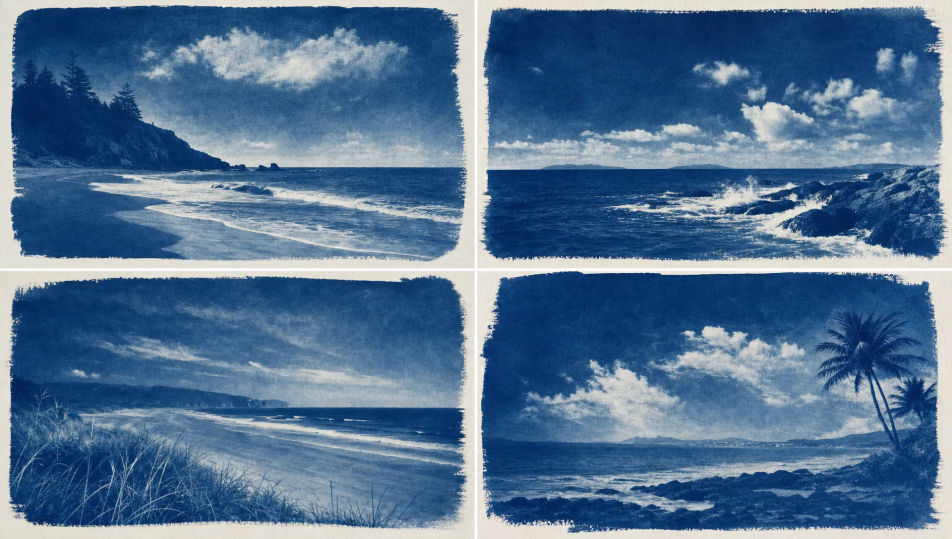
Coastal shoreline cyanotype

A coastal shoreline rendered as a cyanotype, pale white surf and clouds against deep Prussian-blue water and sky, soft tonal gradients, textured paper grain, calm monochrome seascape feel.

Edit prompt
Coastal shoreline cyanotype

Layered objects photogram

A photogram of overlapping everyday objects on cyanotype paper, crisp white shapes and soft shadow edges on Prussian blue, textured fiber, exposure mottling, playful contact-print arrangement.

Edit prompt
Layered objects photogram

Make Cyanotype in three steps

  1. 01

    Describe your Cyanotype

    Describe the Cyanotype you want, including the subject, setting, and lighting.

  2. 02

    Generate the image

    Morphic generates a clean, ready-to-publish image on your canvas in seconds, no editing software required.

  3. 03

    Refine your Cyanotype

    Tweak the prompt, regenerate variations, then download or share the moment the frame lands.

Related workflows

이런 것도 좋아하실 거예요

FAQs

Where can I make cyanotype prints with AI?
You can make cyanotype prints directly in your browser on Morphic. Open the Image tool, describe the subject, the Prussian-blue ground, and the paper texture, and Morphic renders the print. No UV exposure and no coating chemistry needed.
What defines a cyanotype look at the prompt level?
A deep Prussian-blue ground, white silhouette forms, soft tonal gradients, and textured coated paper. Name the blue field, the white silhouette, and the paper grain in every prompt so the frame reads as a sun-print rather than a blue-tinted photo.
How do I get the Prussian-blue tonality right in a cyanotype print?
Specify it directly: call the ground ("deep Prussian-blue field") and the highlights ("crisp white silhouette", "soft tonal gradients"), plus the surface ("textured cotton paper", "brush-coated edges"). Reuse those cues so the blue-and-white look stays matched through the set.
How do I keep a cyanotype set feeling like one batch of prints?
Use the Style Transfer workflow to lock the Prussian-blue ground, the paper texture, and the silhouette treatment, then reference that style card in every prompt. The full set then reads as one batch of sun-prints across every frame.
Do I need UV chemistry or coated paper to make cyanotype prints?
No. Morphic runs in your browser and you direct it with plain-language prompts. Anyone who can describe a blue ground, a white silhouette, and textured paper can produce a cyanotype look. Coating chemistry and sunlight exposure are not required.