Right

A bright ding, a two-note rise and a soft tick for a box checked. Describe the right cue you need and Morphic generates the affirmative sound clean.

  • Describe the exact right cue your scene needs, from a bright ding to a soft tick
  • Yours alone, not a stock clip already in a hundred other videos
  • Download clean audio and drop it straight into your edit
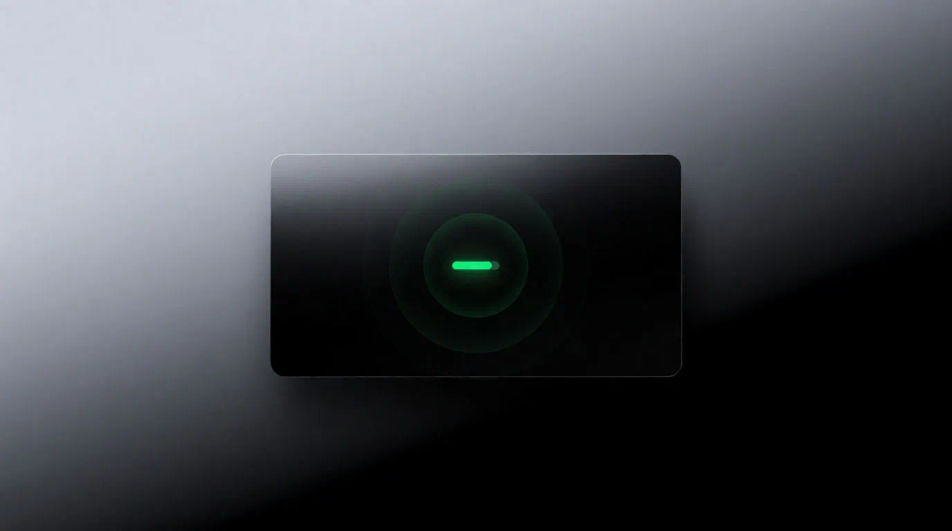
A single round green button on a matte dark panel lit from within, a clean ring of light spreading out across the surface

Right sounds for games, animation, and video edits

Bright ding

One clear high tone, clean and quick, the plainest yes there is.

Two-note rise

Two notes stepping up, the second longer, an affirmative that feels finished.

Soft tick

A light click for a box checked, quiet enough for a form or a to-do list.

Success pop

A small round pop with a bright rise, for a task done in an app.

Checkmark chime

A glassy two-tone chime, polished and gentle, for approved states.

Tally tick

A rapid run of small ticks that stops on a ding, counting up what was right.

Generate a right sound from a prompt

시작점을 고르고 원하는 대로 수정한 뒤 Morphic에서 생성하세요.

생성하기

Ways to use a right sound effect

Punctuate the moment something is confirmed

A bright ding on the frame of approval gives a UI demo its payoff, in an app video, a game or a tutorial.

프롬프트 편집
Punctuate the moment something is confirmed

Fill a quiet form screen with soft feedback

A soft tick for each box checked fills the silence of a walkthrough without music, in a how-to or a product video.

프롬프트 편집

Fill a quiet form screen with soft feedback

Establish a clean, trustworthy interface

A glassy checkmark chime at the first screen sets a calm, polished tone, in an ad, a launch video or an onboarding flow.

프롬프트 편집
Establish a clean, trustworthy interface

Imply a task completed in the background

A two-note rise from an unseen device tells the viewer the job is finished, in a film, a game or a podcast.

프롬프트 편집
Imply a task completed in the background

간단한 가격

오늘 무료로 시작하고 언제든지 업그레이드하거나 취소할 수 있습니다.

Basic

$19/ 월
청구 금액 $0 년

2400 월간 크레딧

1 명 전용

모든 모델

워크플로

Standard

$24/ 월
청구 금액 $0 년

3625 월간 크레딧

1 명 전용

모든 모델

워크플로

Pro

$45/ 월
청구 금액 $0 년

6350 공유 월간 크레딧

1 사용자

+ 최대 4 명 추가 비용으로 추가 가능

모든 모델

워크플로

Max

$170/ 월
청구 금액 $0 년

24650 공유 월간 크레딧

1 사용자

+ 최대 9 명 추가 비용으로 추가 가능

모든 모델

워크플로

Enterprise

더 높은 제한

사용자 정의

가격 및 청구 조건

대용량 크레딧
맞춤형 시트 제한
모든 모델
워크플로
Pricing Gradient

Free

가볍게 사용해보기

$0

영구 무료

최대 20 크레딧
1명 전용
일부 모델
워크플로

자주 묻는 질문

What is a right sound effect?
It is a short affirmative cue that tells someone they got it, a ding, a tick or a rising pair of notes. This page is about the correct or yes signal, not a direction or a side.
Where can I get right sounds for an app or video?
Describe the cue and generate it. A custom ding can match your interface, and every sound here comes from the prompt beside it, so you can change the brightness or the length.
How do I make a custom right sound?
Name the tone and how it ends. "Two electronic notes stepping upward, the second held a little longer" has the pitch and the shape, which are what make it read as yes.
What is the difference between a right sound and a correct answer sound?
A right cue is a short generic yes for any confirmed action. A correct answer sound is tied to a quiz and often includes a points tally, so it is usually longer.
Can I use these right sounds commercially?
Yes, audio generated on paid plans can be used commercially. See our terms for full licensing details. You can place them in apps, games and videos.
Why does my right cue sound harsh?
Ask for a soft clean tone and a short tail. Rising pitches read as positive, so keep the notes stepping upward instead of falling.