A rain-soaked neon alley
A narrow alley slick with rain under buzzing pink and cyan signs, a cyborg silhouetted in the steam, reflections of neon shivering in the puddles.
Edit prompt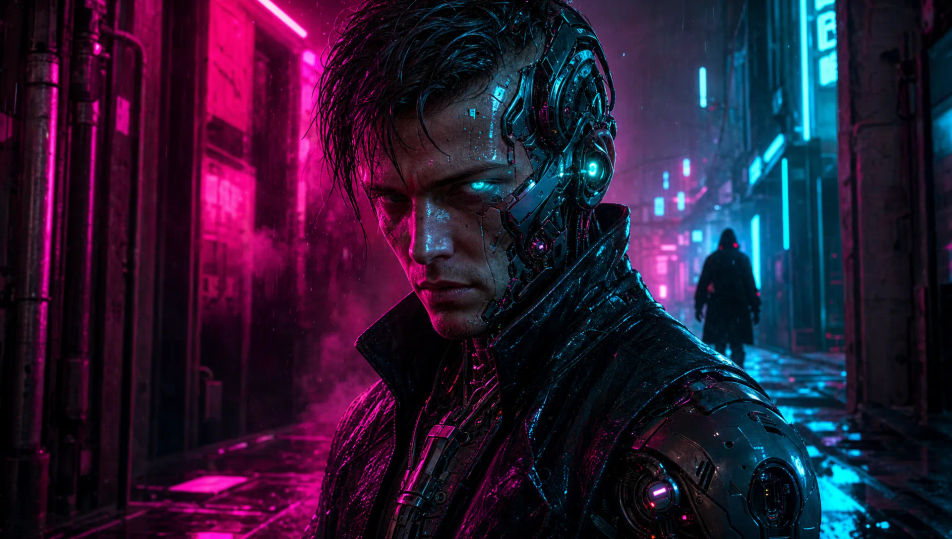
Design cyborg characters in your browser with Morphic's cyborg character AI image generator. Generate a street samurai in a neon alley or an augmented soldier on a rooftop, hold one augment look with Style Transfer, then let Image to Video make implants pulse.
A narrow alley slick with rain under buzzing pink and cyan signs, a cyborg silhouetted in the steam, reflections of neon shivering in the puddles.
Edit promptA cramped underground clinic of surgical arms and glowing monitors, a half-augmented patient on the table, cold blue medical light and red status glows.
Edit prompt
A windswept rooftop high above an endless neon skyline of towers and flying traffic, a cyborg at the edge, cool city-glow rimming the figure against the dark.
Edit prompt
A dim hideout of stacked servers, weapon racks, and patched furniture lit by monitor-glow, a cyborg crew gathered around a holo-map, warm and cold light mixing.
Edit prompt
Describe the Cyborg you want, in plain words.
Morphic generates a clean, ready-to-publish image on your canvas in seconds.
Tweak the prompt, regenerate variations, then download or share the frame.

Take any character image and generate 6 distinct facial expressions on a single reference sheet.

Share a scene description with character references. Get a full storyboard with shot angles and mood.

Turn any photo or description into an animated chibi sprite. Dance, jump, wave, attack, and more.

All your characters on a single lineup image, side by side with height comparison.

Professional 7-panel location reference sheet from a single photo.
Restyle any video in a completely new visual style. Every frame transforms, all motion stays intact.
Robot Character AI Images
Create AI robot character images on Morphic. Retro bots, sleek androids, battle droids, companion bots, and sci-fi scenes from plain-language prompts.
Cyberpunk AI art
Create cyberpunk art with Morphic. Chrome-augmented netrunners, neon megacity skylines, ripperdoc clinics, and synthwave-grade portraits from a single prompt.
Mecha art AI Images
Create Mecha art with Morphic. Pilot portraits, hardware design sheets, cockpit cross-sections, and frame studies generated from a single prompt.
Alien AI Images
Create AI alien images on Morphic. Greys, insectoids, reptilians, energy beings, and sci-fi scenes from plain-language prompts, consistent across a full set.
Get started for free today, with the option to upgrade or cancel anytime.
Basic
2400 monthly credits
1 user only
All models
Workflows
Standard
3625 monthly credits
1 user only
All models
Workflows
Pro
6350 shared monthly credits
1 user
All models
Workflows
Max
24650 shared monthly credits
1 user
All models
Workflows
Enterprise
For higher limits
Custom
pricing and billing terms

Free
For playing around
$0
forever free