A cluttered goblin warren
A cramped underground warren of stacked junk, rope bridges, and salvaged contraptions, lit by mismatched lanterns, warm light glinting off hoarded scrap.
Edit prompt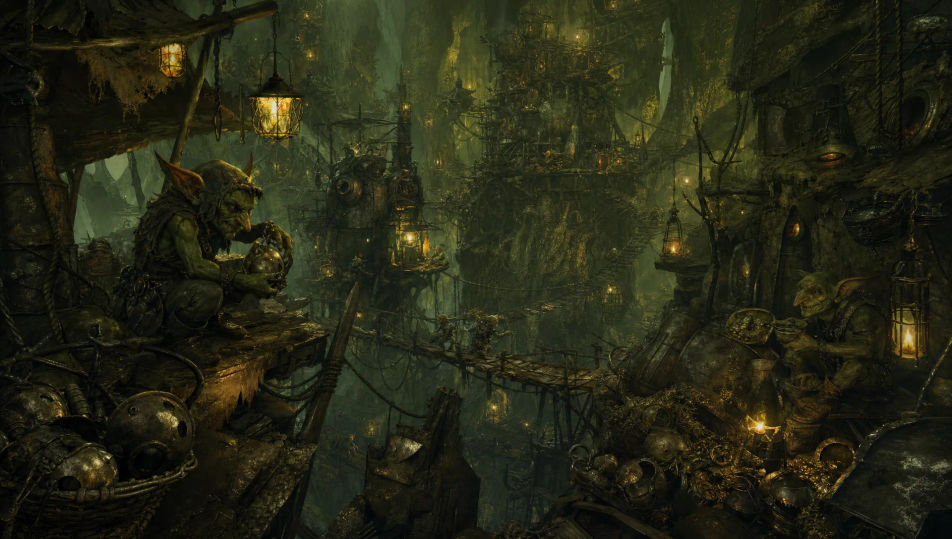
Design wily goblins in your browser with Morphic's goblin AI image generator. Generate a tinkerer in a cluttered warren, or a goblin king on a junk throne. Hold one skin-and-scrap-gear look with Style Transfer, then make a contraption sputter with Image to Video.
A cramped underground warren of stacked junk, rope bridges, and salvaged contraptions, lit by mismatched lanterns, warm light glinting off hoarded scrap.
Edit promptA low cave half-filled with stolen coins, gems, and battered loot, a few goblins squabbling over a chest, cold glints of gold in a single torch-glow.
Edit prompt
A ramshackle camp of hide tents on stilts over green bog water, cook-fires smoking, crude totems leaning in the mist, murky cool light through the reeds.
Edit prompt
A chaotic black-market stall hung with stolen trinkets, jars, and dubious wares, a grinning goblin haggling behind it, warm lantern light and deep shadow.
Edit prompt
Describe the Goblin you want, in plain words.
Morphic generates a clean, ready-to-publish image on your canvas in seconds.
Tweak the prompt, regenerate variations, then download or share the frame.

Take any character image and generate 6 distinct facial expressions on a single reference sheet.

Share a scene description with character references. Get a full storyboard with shot angles and mood.

Turn any photo or description into an animated chibi sprite. Dance, jump, wave, attack, and more.

All your characters on a single lineup image, side by side with height comparison.

Professional 7-panel location reference sheet from a single photo.
Restyle any video in a completely new visual style. Every frame transforms, all motion stays intact.
Orc AI Images
Create AI orc images on Morphic. Warchiefs, berserkers, shamans, hunters, and battlefield scenes from plain-language prompts, consistent across a full set.
Dragon AI Images
Create AI dragon images on Morphic. Fire wyrms, frost dragons, storm wyverns, and hoard scenes from plain-language prompts, with consistent scales across a set.
Dwarf AI Images
Create AI dwarf images on Morphic. Forge masters, mountain kings, warriors, runesmiths, and underground scenes from plain-language prompts, consistent across a set.
Elf AI Images
Create AI elf images on Morphic. High elves, wood elves, dark elves, archers, and woodland scenes from plain-language prompts, consistent across a full set.
Get started for free today, with the option to upgrade or cancel anytime.
Basic
2400 monthly credits
1 user only
All models
Workflows
Standard
3625 monthly credits
1 user only
All models
Workflows
Pro
6350 shared monthly credits
1 user
All models
Workflows
Max
24650 shared monthly credits
1 user
All models
Workflows
Enterprise
For higher limits
Custom
pricing and billing terms

Free
For playing around
$0
forever free