Street art and graffiti AI art

Design street art in your browser with Morphic's street art AI image generator. Create a Banksy-style stencil child with a balloon or a wildstyle throw-up on a shutter, lock the brick substrate with Style Transfer, then animate any still with Image to Video.

Street art subjects you can paint

Street art compositions you can stage

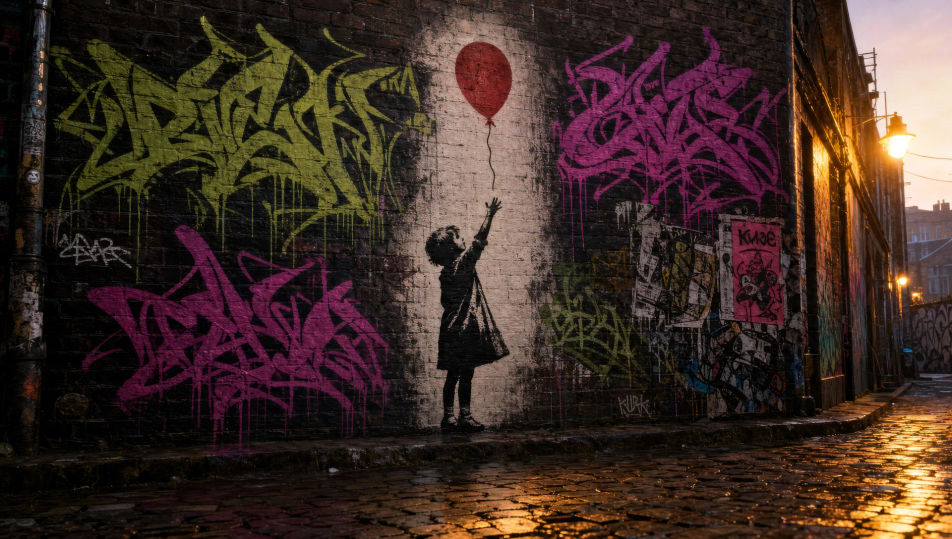
Alley brick wall with stencil and tags

A narrow alley brick wall at dawn, a Banksy-style stencil child with a red balloon dead-centre, three wildstyle tags layered around it in lime and magenta, single drip trails running down, wet pavement reflecting amber streetlight.

Edit prompt
Alley brick wall with stencil and tags

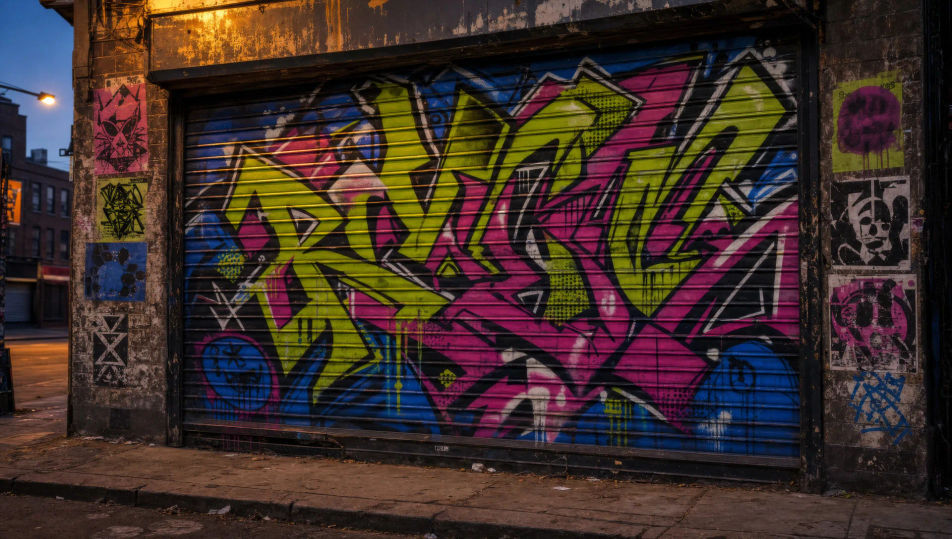
Steel-shutter wildstyle morning

A roll-down steel shutter on a closed shop at dawn fully covered in wildstyle graffiti in lime, magenta, and cobalt with thick black outlines and white highlights, soft amber streetlight catching the metal at an angle.

Edit prompt
Steel-shutter wildstyle morning

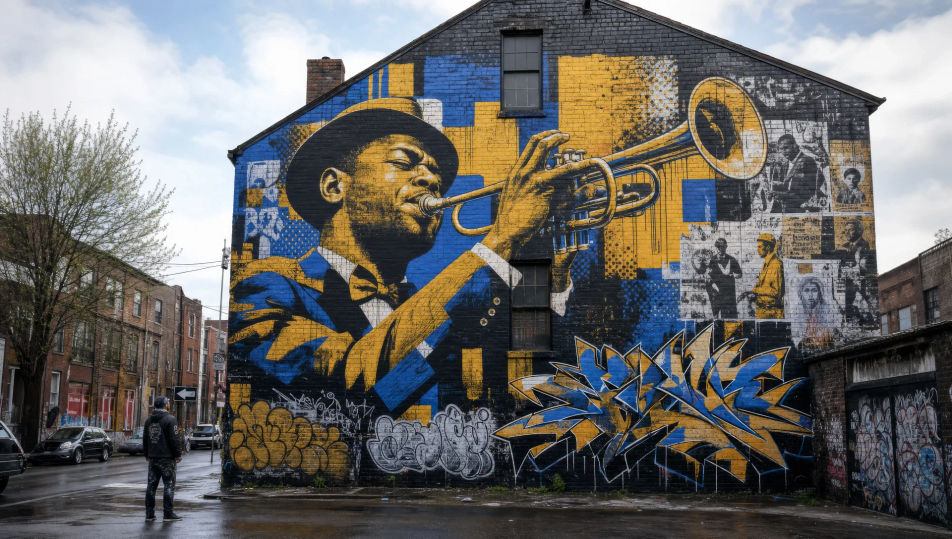
Three-storey brick mural

A three-storey brick gable-end mural of a brass-band trumpeter mid-blow in amber-and-cobalt blocks with thick black outlines, scaffolding gone, the muralist standing small in the street looking up at the finished work.

Edit prompt
Three-storey brick mural

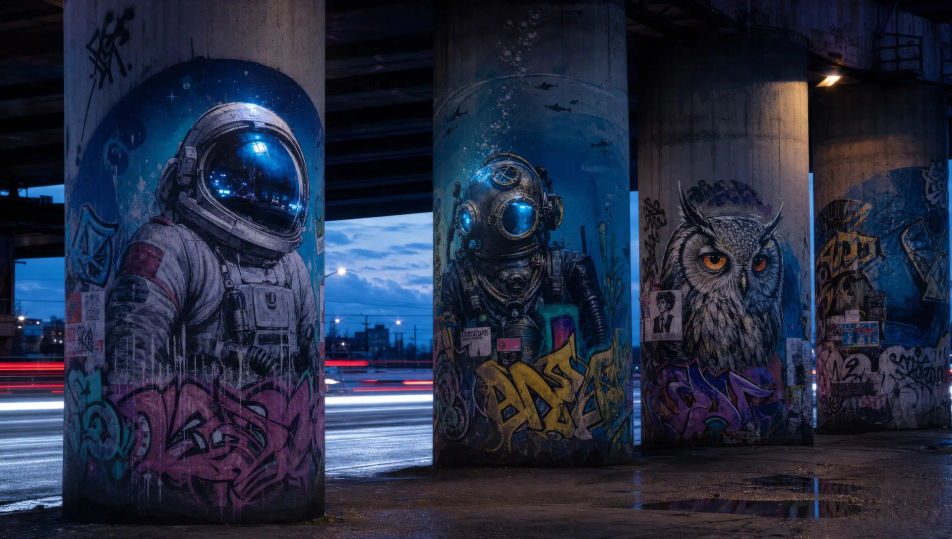
Concrete underpass pillar gallery

A row of concrete underpass pillars at twilight, each one painted with a single spray-paint character (astronaut, diver, owl), cool blue streetlight catching the helmet visors, traffic blurred to red and white streaks behind.

Edit prompt
Concrete underpass pillar gallery

Make Street art in three steps

  1. 01

    Describe your Street art

    Describe the Street art you want, in plain words.

  2. 02

    Generate the image

    Morphic generates a clean, ready-to-publish image on your canvas in seconds.

  3. 03

    Refine your Street art

    Tweak the prompt, regenerate variations, then download or share the frame.

Related workflows

You might also like

Simple pricing

Get started for free today, with the option to upgrade or cancel anytime.

Basic

$0/ month
billed as $0 per year

900 monthly credits

1 user only

All models

Workflows

Standard

$0/ month
billed as $0 per year

3200 monthly credits

1 user only

All models

Workflows

Pro

$0/ month
billed as $0 per year

6200 shared monthly credits

1 user

+ up to 4 more at extra cost

All models

Workflows

Pro Max

$0/ month
billed as $0 per year

24000 shared monthly credits

1 user

+ up to 9 more at extra cost

All models

Workflows

Enterprise

For higher limits

Custom

pricing and billing terms

Unlimited credits
Custom seat limits
All models
Workflows
Pricing Gradient

Free

For playing around

$0

forever free

Up to 20 credits
1 user only
Limited models
Workflows

FAQs

Where can I make street art with AI?
You can create street art images directly in your browser on Morphic. Open the Image tool, describe the technique, the substrate, and the city-light context, and Morphic produces the piece. No installs and no specialist software needed.
What defines street art for an AI prompt?
Four locked-in choices: the technique (stencil, wildstyle graffiti, wheatpaste, full mural), the substrate (brick wall, steel shutter, concrete pillar, peeling construction hoarding), the palette (flat black on brick, lime-and-magenta wildstyle, ink halftone wheatpaste), and city-light context (alley dawn, amber streetlight, twilight underpass). Name all four for the look to land.
Can I make Banksy-style stencils with AI?
Yes, as a craft technique. The stencil register is fair editorial usage; the brand is to invent your own silhouette (a stencil cat with a spray can, a hooded watcher in an alley) rather than copy a known Banksy piece. Name "two-tone spray-stencil silhouette in flat black on weathered brick" in the prompt and the look lands.
How do I keep a street art series feeling like one body of work?
Use the Style Transfer workflow to lock the substrate (brick texture, paint weathering, drip pattern) and the palette before producing additional pieces, then reference that style card in every prompt. A stencil series across silhouettes or a wildstyle series across shutters stays consistent.
Can I turn street art into animated video?
Yes. The Image to Video tool animates any still you generate, and a slow pan along an alley wall or a stencil-reveal of a fresh paste-up suits the register. Pair with the Music tool for a hip-hop instrumental score.
Do I need any prior spray-painting experience to make street art?
No. Morphic runs in your browser and you direct it with plain-language prompts. Anyone who can describe a stencil silhouette, a weathered brick wall, and an amber streetlight can produce a street art piece. Spray cans and a midnight ladder are not required.