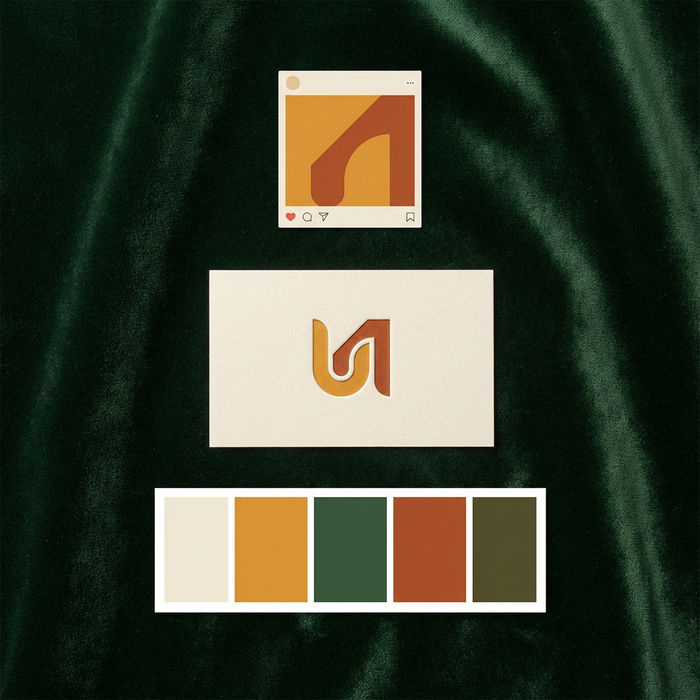



AI content for law firms

Whether you run a solo practice or a full partnership, describe the image your firm needs and get back a refined, tasteful visual for your website, articles, and social feeds. No stiff handshake stock, no cheesy gavel shots, no photographer to book.

Example for AI content for law firms

From generic stock to a refined, on-brand image

Trade the same handshake stock photo every firm uses for a calm, considered image that actually looks like your practice. Describe the mood and the setting, and Morphic keeps the tone credible throughout.

Generic stock photo
Generic stock photo
Refined firm image
Refined firm image

How it works

  1. 1
    drop image

    Describe the image

    Type what you need in one plain sentence: the setting, the mood, and the message. A restrained office at dusk reads very differently from a bright, welcoming lobby.

  2. 2

    Set the tone

    Ask for understated and professional, warm and approachable, or clean and modern. Nudge the wording and run it again until it matches how your clients should feel about you.

  3. 3

    Generate and publish

    Get a set of variations at full resolution, ready to drop onto your homepage, an article header, or a social post, after a quick review.

The visuals your firm needs

Every surface your firm shows up on, from a homepage hero to a quiet practice-area scene, made from a single plain sentence and kept dignified enough for a serious professional practice to stand behind.

Website hero image

A composed, confident image for the top of your homepage that signals credibility in a second, before a visitor reads a single word.

Edit prompt

Website hero image for AI content for law firms

Blog or article header

A clean, on topic banner for a legal insight or update, so your articles look considered rather than padded with a random stock photo.

Edit prompt

Blog or article header for AI content for law firms

Social post visual

A restrained, on-brand graphic for LinkedIn or an announcement, polished enough to post and calm enough to fit a serious practice.

Edit prompt

Social post visual for AI content for law firms

Practice-area scene

A setting that quietly signals a specific area of law, from a family practice to corporate work, without leaning on tired courtroom cliches.

Edit prompt

Practice-area scene for AI content for law firms

What it handles, and what to check

AI covers most of the visual work here. A few things still want a legal eye before anything goes public, from advertising compliance to the claims an image can quietly imply, so here is where each one sits.

What Morphic handles well

  • A consistent, tasteful visual style across your whole site
  • Quick alternatives to the same generic handshake stock photo
  • On-brand imagery for the homepage, articles, and social feeds
  • Calm, credible scenes that suit a serious professional practice

Where you still want a lawyer

  • Any claim an image implies, so it never misleads about outcomes
  • Bar and advertising compliance review before anything is published
  • Client confidentiality, so never generate from real case material
  • Final brand approval and the judgment call on tone and fit

Simple pricing

Get started for free today, with the option to upgrade or cancel anytime.

Basic

$9/ month
billed as $0 per year

1100 monthly credits

1 user only

All models

Workflows

Standard

$24/ month
billed as $0 per year

3625 monthly credits

1 user only

All models

Workflows

Pro

$45/ month
billed as $0 per year

6350 shared monthly credits

1 user

+ up to 4 more at extra cost

All models

Workflows

Pro Max

$170/ month
billed as $0 per year

24650 shared monthly credits

1 user

+ up to 9 more at extra cost

All models

Workflows

Enterprise

For higher limits

Custom

pricing and billing terms

High-volume credits
Custom seat limits
All models
Workflows
Pricing Gradient

Free

For playing around

$0

forever free

Up to 20 credits
1 user only
Limited models
Workflows

FAQs

Will the images look professional enough for a law firm?
That is the point. You steer the tone toward restrained and credible rather than flashy, and you can run a few versions until the mood fits your practice. The goal is imagery that quietly builds trust, not attention.
Do I need any design skills?
No. The whole loop is a prompt bar: describe the image in one line, then generate. If a result is close but not right, you nudge the wording and run it again until it matches your firm.
Can I keep a consistent look across my website?
Yes. Reuse the same tone and palette wording across every image and the set reads as one cohesive brand. It is the fastest way to make a homepage, article headers, and social posts feel like the same firm.
Is it safe for client confidentiality?
It is when you use it for general marketing imagery and never feed it real case details, client information, or documents. Treat it as a tool for brand visuals, not for anything tied to a specific matter.
Could an image create a misleading impression?
It can if you are not careful, which is why a human review matters. Avoid visuals that imply a guaranteed result or a specific outcome, and run anything client facing past your usual advertising and compliance check.
What kinds of visuals does this work best for?
Office settings, abstract and architectural imagery, article headers, and quiet practice-area scenes come out reliably and tastefully. Steer away from cheesy props like oversized gavels and scales, and keep the look understated.