How to make Alice in Wonderland videos with AI

Alice in Wonderland is the popular short title for two short novels by Lewis Carroll: Alice's Adventures in Wonderland (1865) and Through the Looking-Glass (1871). A young English girl follows a waistcoated White Rabbit down a hole, drinks from a labelled bottle, eats a labelled cake, weeps a pool of her own tears, takes tea with a hatter and a hare, plays croquet with flamingos and hedgehogs against a queen who keeps shouting for executions, and crosses a chess-board garden in a glass-mirror world. The first edition's John Tenniel illustrations locked in the visual canon for the next century and a half.

A hundred and sixty years on, the books still set the rules of literary surrealism. Now you can direct it.

Alice in Wonderland is a Victorian dream-logic book: a rabbit in a waistcoat, a baby that turns into a pig, a cat that fades to a smile, a queen who screams off with their heads. Morphic lets you direct any of it in your browser. Pick a chapter, a figure, or a workflow below and start now.

Alice in Wonderland characters you can direct

Alice in Wonderland scenes you can stage

Falling down the rabbit hole

In a long vertical shaft, Alice falls slowly downward in her blue pinafore past floating Victorian furniture, lit shelves of preserves, and a tilted grandfather clock turning in mid-air.

Edit prompt
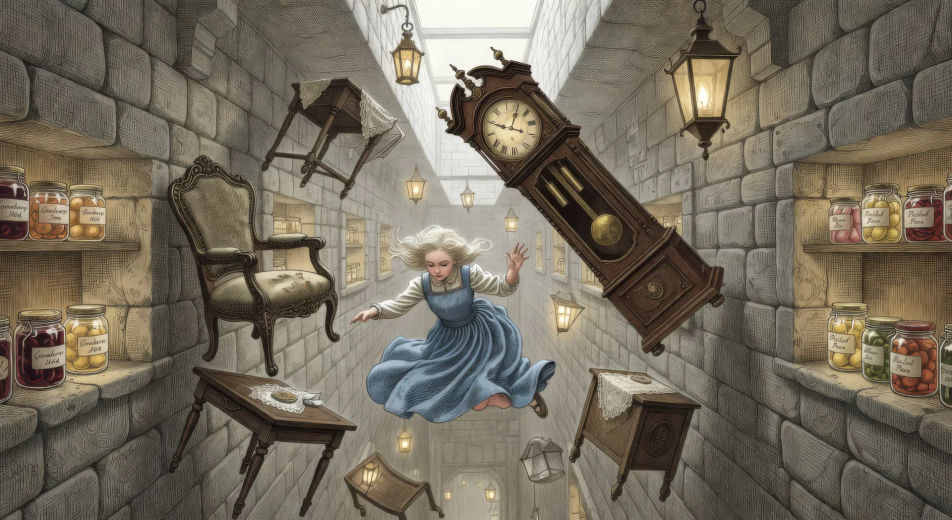
Falling down the rabbit hole

The Caterpillar on the mushroom

In a sun-flecked glade, the blue caterpillar smokes a long hookah on the cap of a giant mushroom while Alice stands at chin-height to him, slow rings of smoke curling between them.

Edit prompt
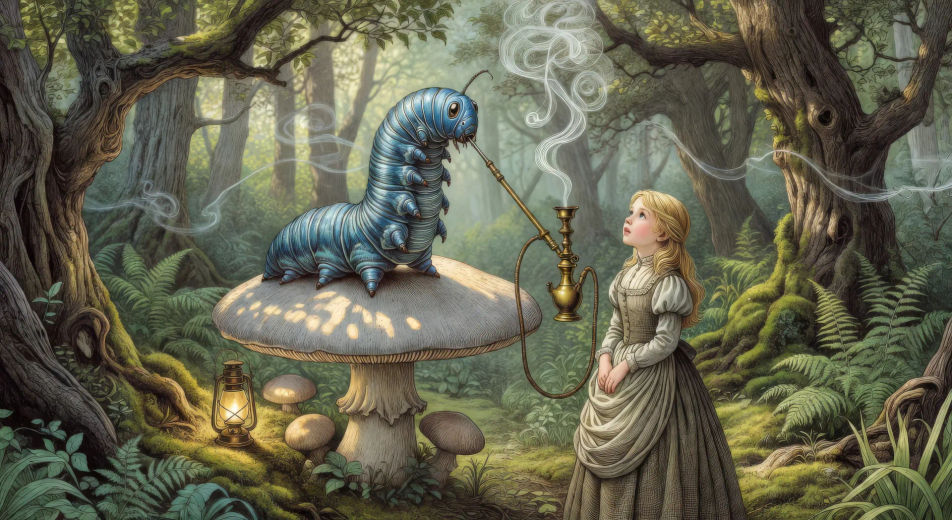
The Caterpillar on the mushroom

The Mad Hatter's tea party

At a long crooked table under a tree forever set for tea, the Mad Hatter and the March Hare argue across cracked teacups while the Dormouse sleeps in the teapot and Alice sits puzzled at one corner.

Edit prompt
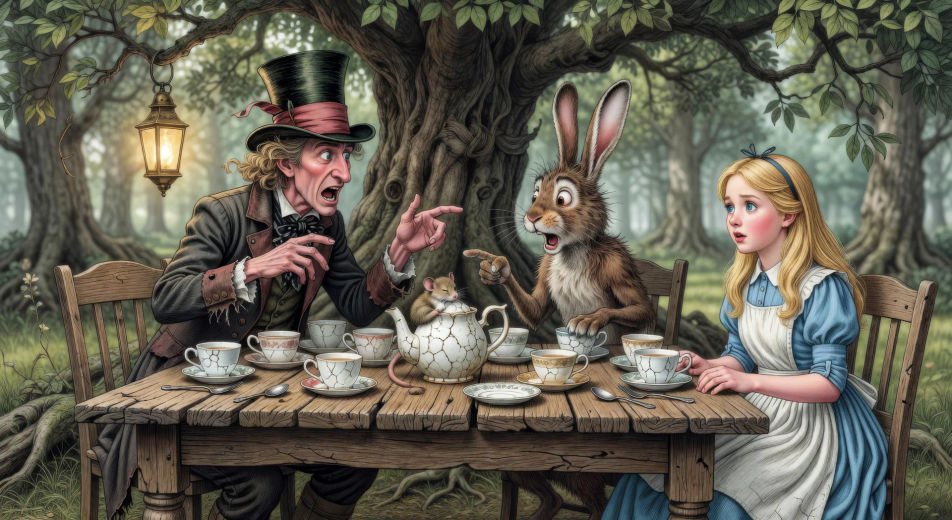
The Mad Hatter's tea party

The Cheshire Cat fading on a branch

On the high branch of a wonderland tree, the Cheshire Cat fades from full body to a floating grin of pearly teeth as Alice looks up from below in the dappled woodland light.

Edit prompt
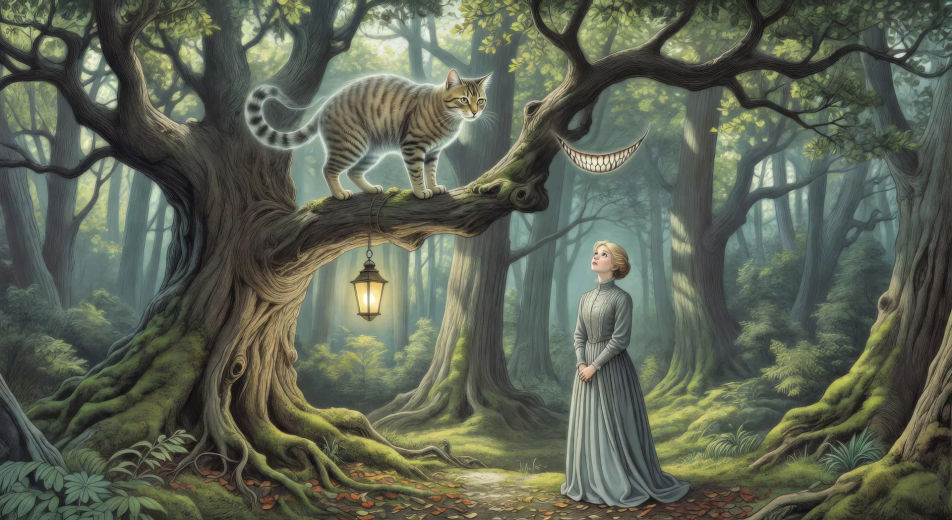
The Cheshire Cat fading on a branch

The Queen's croquet ground

On a striped lawn under a heart-flagged tent, the Queen of Hearts plays croquet with a live flamingo mallet against a live hedgehog ball, card-suit gardeners painting white roses red in the background.

Edit prompt
The Queen's croquet ground

The chess-board garden

Across a vast outdoor chess-board landscape with squares edged in flower borders, Alice walks forward with the Red Queen striding alongside her, distant white pawns moving slowly two squares ahead.

Edit prompt
The chess-board garden

Make Alice in Wonderland videos in three steps

  1. 01

    Describe your Alice in Wonderland scene

    Write the Alice in Wonderland scene you want to see in your own words. Be specific about the chapter location, the figure in frame, the light source, and the camera direction. The more concrete the description, the closer the result lands to what you pictured.

  2. 02

    Generate the video

    Morphic generates a cinematic, frame-ready clip on your canvas in seconds — no editing software required.

  3. 03

    Refine your Alice in Wonderland video

    Tweak the prompt, regenerate variations, then download or share the moment the shot lands.

Related workflows

A short guide to Alice in Wonderland for video creators

The two books move through a sequence of unrelated set-pieces, each its own self-contained scene. Wonderland: the long fall down the rabbit hole past floating cabinets and clocks; the hall of doors with its little glass table; the pool of Alice's own tears; the Caucus-race on the dry shore; the White Rabbit's house with the giant Alice arm out the window; the Caterpillar on his blue mushroom smoking the long hookah; the Duchess's pepper-thick kitchen with the screaming baby and the grinning cook; the Cheshire Cat fading from a tree branch to a floating smile; the Mad Hatter's eternally-six-o'clock tea-party with the Hare and the sleeping Dormouse; the queen's croquet-ground with flamingos as mallets; the trial of the Knave of Hearts. Through the Looking-Glass adds the chess-board garden, Tweedledum and Tweedledee, Humpty Dumpty on his wall, the White Knight, the railway carriage, and the Red Queen's coronation feast.

For video, anchor each Alice in Wonderland scene to one chapter, one location, and one set-piece object. The visual library is unusually rich and uniformly surreal: Alice falling slowly past floating Victorian furniture; the hall of doors lit by a single brass key on a glass table; the Caterpillar on the giant mushroom in pale blue smoke-light; the kitchen full of pepper with the baby that becomes a pig; the long table of the tea party at perpetual six o'clock; the croquet match with live flamingos as mallets; the courtroom of card-suit jurors; the chess-board landscape with each square edged in flower-borders.

Three styles consistently land. Painterly photoreal in the spirit of high-budget Carrollian period drama delivers the prestige Victorian-dream look. Tenniel-style ink illustration with cross-hatching reproduces the canonical first-edition images. Surrealist storybook in the spirit of Arthur Rackham or Jan Pieńkowski can carry the looser dream-logic feel. Name the style directly in the prompt.

You might also like

FAQs

Where can I make Alice in Wonderland videos with AI?
You can create Alice in Wonderland scenes directly in your browser on Morphic. Open the Text to Video tool, describe the moment you want, and Morphic produces the clip. No installs and no specialist software needed.
What kinds of Alice in Wonderland scenes work best with AI video?
Single-shot moments tend to work best: the slow fall down the rabbit hole, the Caterpillar on the mushroom in blue smoke-light, the eternally-six tea party, the Cheshire Cat fading to a smile, the croquet ground with live flamingos, the chess-board garden. Anchor each Alice in Wonderland scene to a specific chapter, one set-piece object, and a specific light source.
How do I keep Alice in Wonderland characters consistent across scenes?
Use the Character Lineup workflow to lock Alice, the White Rabbit, the Cheshire Cat, the Mad Hatter, the Caterpillar, and the Queen of Hearts before producing scenes, then reference those character cards in every prompt. Morphic preserves the design across the dream so an Alice in Wonderland series feels continuous.
How do I make my Alice in Wonderland videos feel like Carroll, not the Disney film?
Anchor your prompts to Carroll's actual chapters and Tenniel's 1865 illustrations rather than the 1951 Disney design or the 2010 Burton film. Reference Tenniel's ink-and-cross-hatching style for character design, and the Victorian dream-logic of the source for staging. Avoid likeness language for any film performer.
Can I add narration and music to my Alice in Wonderland videos?
Yes. The Speech tool generates an Alice-narrator or omniscient-narrator voiceover from your script in the voice you choose, and the Music tool produces an original whimsical or dream-like soundtrack. Layer them onto your generated video to publish a complete Alice in Wonderland episode.
What visual style works best for an Alice in Wonderland video?
Three styles consistently land. Painterly photoreal in the spirit of high-budget Carrollian period drama delivers the prestige Victorian-dream look. Tenniel-style ink illustration with cross-hatching reproduces the canonical first-edition images. Surrealist storybook in the spirit of Arthur Rackham or Jan Pieńkowski can carry the looser dream-logic feel. Name the style directly in the prompt.



