How to make public domain classics videos with AI

Public domain classics in the United States and most of the rest of the world cover almost the entire backlist of nineteenth-century English-language fiction: Mary Shelley's Frankenstein (1818), Washington Irving's Legend of Sleepy Hollow (1820), Dickens's A Christmas Carol (1843), Stevenson's Treasure Island (1883) and Jekyll and Hyde (1886), Conan Doyle's Sherlock Holmes (1887 onward), Wilde's Picture of Dorian Gray (1890), Stoker's Dracula (1897), Wells's War of the Worlds (1898), Verne's 20000 Leagues Under the Sea (1870), Carroll's Alice in Wonderland (1865), Leroux's Phantom of the Opera (1910). The text and the original illustrations are free to use, free to adapt, and free to film without permission.

A century or more after each was first published, the books still set the rules of every cinematic genre downstream of them. Now you can direct it.

Public domain classics are the canon of free-to-adapt nineteenth-century fiction: Sherlock Holmes and Dracula, Frankenstein and the Phantom of the Opera, Treasure Island and the Nautilus, Dorian Gray and Tiny Tim and the Headless Horseman. Morphic lets you direct any of it in your browser. Pick a book, a figure, or a workflow below and start now.

Public domain classics figures you can direct

Public domain classics scenes you can stage

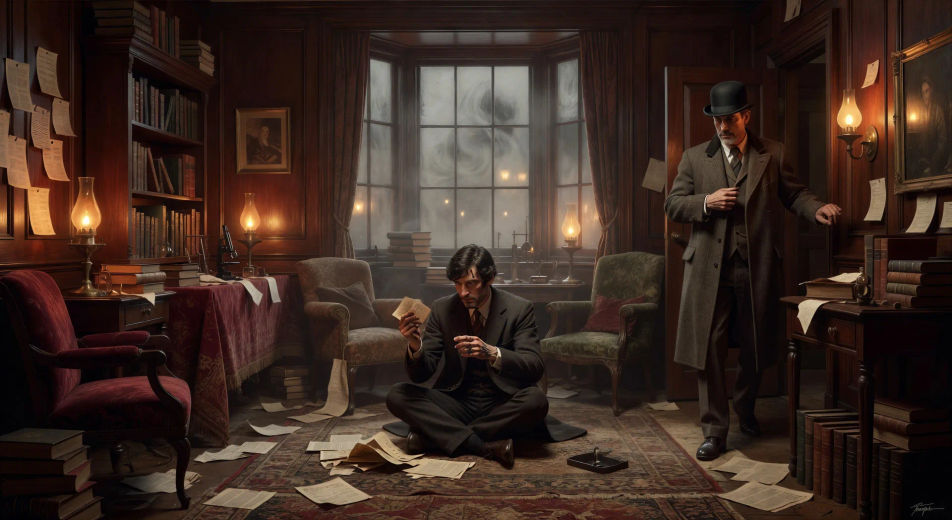
221B Baker Street by gaslight

In the cluttered sitting-room of 221B at night, Holmes sits cross-legged on the rug surrounded by news-clippings as Watson enters in coat and bowler, the gas-lamps hissing and the fog thickening at the bow window.

Edit prompt
221B Baker Street by gaslight

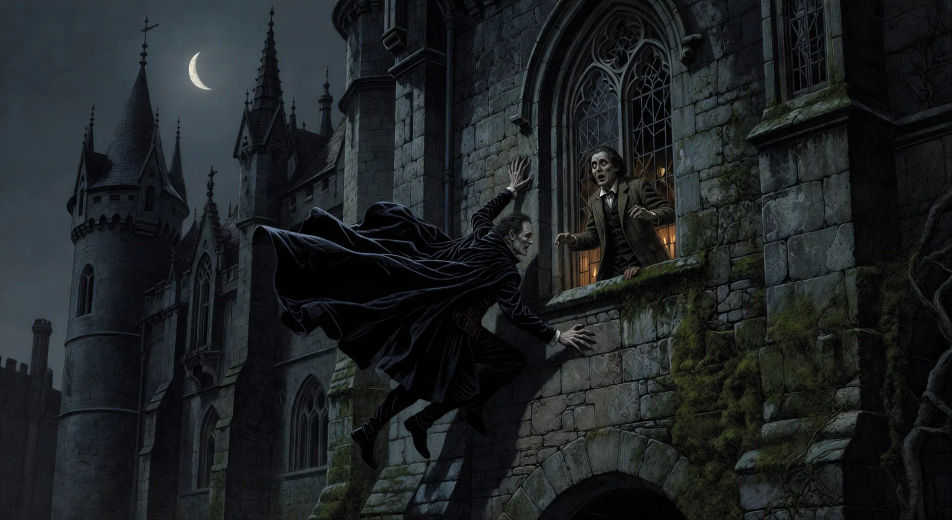
Dracula on the Carpathian wall

Under a thin moon at the Carpathian castle, the count descends the sheer outer wall head-first like a lizard, cloak flowing upward against gravity, Jonathan Harker watching frozen from the high window.

Edit prompt
Dracula on the Carpathian wall

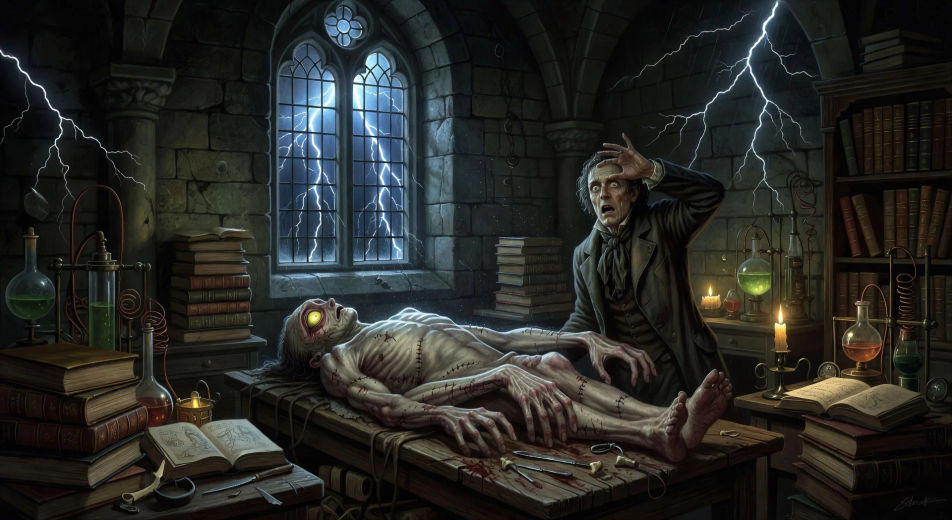
The creature's first breath

In an apparatus-cluttered Ingolstadt laboratory at midnight, the Frankenstein creature opens a yellow eye on the slab as lightning forks at the high window and rain hammers the glass, Victor recoiling from his own work.

Edit prompt
The creature's first breath

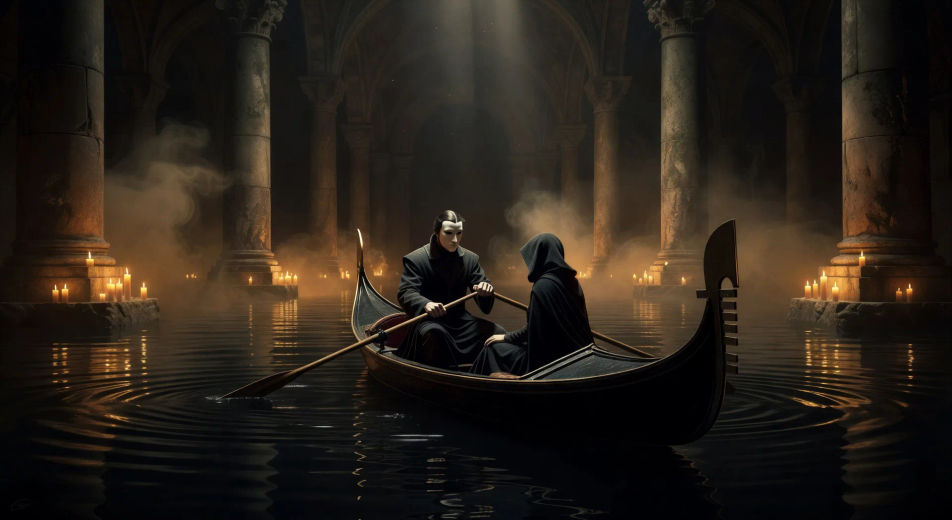
Crossing the underground lake

On the black underground lake beneath the Palais Garnier in candle-lit mist, the phantom rows a long gondola through the columns of the cellar with a hooded Christine seated before him, ripples spreading from the oar.

Edit prompt
Crossing the underground lake

Captain Nemo at the great organ

In the great salon of the Nautilus by deep blue portal-light, Captain Nemo plays the brass-piped organ with both hands as a school of luminous fish slides past the long viewing portal beyond him.

Edit prompt
Captain Nemo at the great organ

The Mad Hatter's tea party

At a long crooked table under a tree forever set for tea, the Mad Hatter and the March Hare argue across cracked teacups while the Dormouse sleeps in the teapot and Alice sits puzzled at one corner.

Edit prompt
The Mad Hatter's tea party

Make public domain classics videos in three steps

  1. 01

    Describe your public domain classics scene

    Write the public-domain scene you want to see in your own words. Name the book, the location from the source text, the figure in frame, the light source, and the camera direction. The more concrete the description, the closer the result lands to what you pictured.

  2. 02

    Generate the video

    Morphic generates a cinematic, frame-ready clip on your canvas in seconds — no editing software required.

  3. 03

    Refine your public domain classics video

    Tweak the prompt, regenerate variations, then download or share the moment the shot lands.

Related workflows

A short guide to public domain classics for video creators

The public domain classics divide into a small number of clean visual genres. Victorian gothic horror — Frankenstein, Dracula, Jekyll and Hyde, Picture of Dorian Gray, Phantom of the Opera. Late-Victorian detective and adventure — Sherlock Holmes, Treasure Island, the Verne voyages, War of the Worlds. Surrealist literary fantasy — Alice in Wonderland and Through the Looking-Glass. Holiday and folk story — A Christmas Carol, Legend of Sleepy Hollow. Each genre has its own light, its own architecture, its own canonical illustration tradition. Building a series across the canon means treating each book as its own visual world while linking them with shared craft choices: a consistent character-design language, a consistent narration tone, a consistent music palette.

For video, anchor every public-domain scene to a specific location named in the source text and a specific named figure from the source. The scene library is unusually deep across the cluster: the Borgo Pass coach ride, 221B Baker Street by gaslight, the Mer de Glace confrontation, the Palais Garnier underground lake, the Hispaniola apple-barrel mutiny, the Nautilus great organ in deep blue portal-light, the Cheshire Cat fading on a branch, the Martian tripod walking through burning Weybridge, the locked Mayfair attic with the cracked aging portrait, Marley's ghost in chains, the Headless Horseman at the covered bridge. Each of these is a single-shot composition that an AI video tool can render directly from a tight prompt.

Three style families cover the cluster. Cinematic photoreal in the spirit of high-budget period drama (BBC, Merchant Ivory, recent prestige adaptations) delivers the default look. Painterly oil with chiaroscuro echoes the original first-edition illustrators — Sidney Paget for Holmes, John Tenniel for Carroll, John Leech for Dickens, N. C. Wyeth for Stevenson, Édouard Riou for Verne, Henrique Alvim Corrêa for Wells, John Quidor for Irving. Expressionist black-and-white with hard shadows lands as homage to the silent-era horror genre — useful for Dracula, Frankenstein, Jekyll and Hyde, Phantom. Name the style directly in the prompt.

You might also like

FAQs

Where can I make public domain classics videos with AI?
You can create public domain classic scenes directly in your browser on Morphic. Open the Text to Video tool, describe the moment you want, and Morphic produces the clip. No installs and no specialist software needed.
Which public domain classics work best as AI video?
Twelve canonical books carry strong scene libraries: Sherlock Holmes, Dracula, Frankenstein, Phantom of the Opera, Jekyll and Hyde, Treasure Island, 20000 Leagues Under the Sea, Alice in Wonderland, War of the Worlds, Picture of Dorian Gray, A Christmas Carol, and Legend of Sleepy Hollow. Each gets its own dedicated /resources/videos page on Morphic. Anchor every scene to a named location and a named figure from the source.
How do I keep characters consistent across a public domain classics series?
Use the Character Lineup workflow to lock the principal characters of the book before producing scenes, then reference those character cards in every prompt. Morphic preserves the design across the story so a public domain classics series feels continuous from chapter to chapter.
How do I make my public domain classics videos feel like the original book, not the films?
Anchor your prompts to the source text's actual locations, characters, and beats. Reference each book's canonical first-edition illustrations as a visual anchor — Sidney Paget for Holmes, Tenniel for Carroll, Leech for Dickens, Wyeth for Stevenson, Riou for Verne. Set the period to the book's own era. Avoid likeness language for any film performer or franchise design.
Can I add narration and music to my public domain classics videos?
Yes. The Speech tool generates a period-appropriate narrator voiceover from your script in the voice you choose, and the Music tool produces an original orchestral or chamber soundtrack scored to the book's era. Layer them onto your generated video to publish a complete public domain classic episode.
What visual style works best for a public domain classic video?
Three style families cover the cluster. Cinematic photoreal in the spirit of high-budget period drama delivers the default prestige look. Painterly oil with chiaroscuro echoes the original first-edition illustrators of each book. Expressionist black-and-white with hard shadows lands as homage to the silent-era horror genre and works well for Dracula, Frankenstein, Jekyll and Hyde, and the Phantom. Name the style directly in the prompt.