Wet-neon Tokyo alley reflected in oily asphalt
Rain-slick Tokyo alley at 2am, ramen-shop signage bleeding red and cyan, oily asphalt mirroring the neon, single coat-collar figure walking away from camera, slow tracking pull-back.
Edit prompt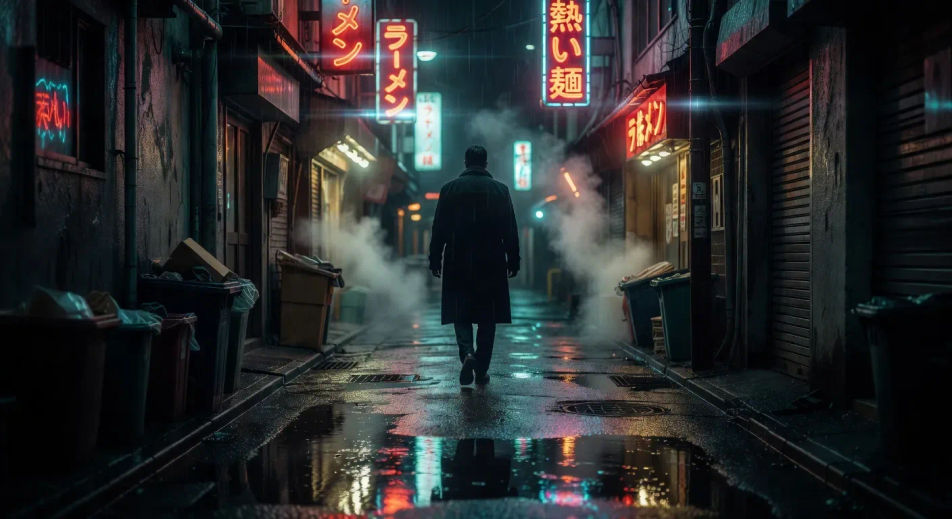
Direct neo-noir on demand in your browser with Morphic's neo-noir AI video generator. Generate a rain-slicked Tokyo alley reflected in oily asphalt, a sun-blown LA private eye, or a corporate-night assassin in a downtown cab. Pair with Music to score each shot, then cut the modes on the Canvas.
Rain-slick Tokyo alley at 2am, ramen-shop signage bleeding red and cyan, oily asphalt mirroring the neon, single coat-collar figure walking away from camera, slow tracking pull-back.
Edit promptSun-blown LA vacant lot at 3pm, dust haze and dry palms, faded private eye in beige linen crossing diagonally toward a 70s sedan, ochre haze and side-rake light. The Chinatown register.
Edit prompt
High-contrast pure black-and-white ink corridor with a single red blood streak as the only colour accent, line-art enforcer silhouetted against a frosted door at the far end. The Sin City register.
Edit prompt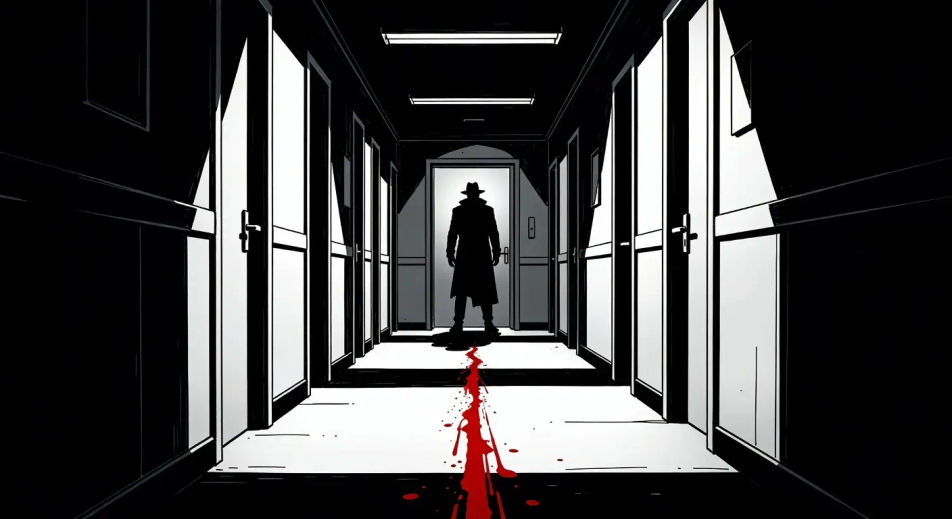
Glass-tower facade at 2am, single lit corner office on the 38th floor, taxi headlights raking the lobby, rain pulsing across the glass. The Michael Clayton corporate register.
Edit prompt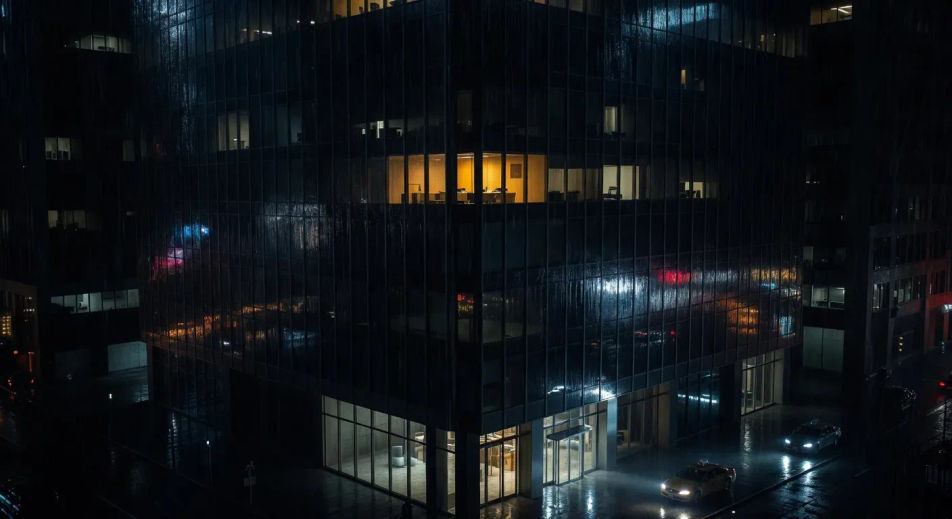
Write the neo-noir scene you want, in plain words.
Morphic generates a cinematic, frame-ready clip on your canvas in seconds.
Tweak the prompt, regenerate variations, then download or share the shot.
Cinematic time-freeze short film for any scene

Dramatize any text conversation into a cinematic multi-shot video.
One image to a 9-scene cinematic video.
Drop in a photo of yourself. Get a 12-second cinematic movie with animation and a matched soundtrack.

Share a scene description with character references. Get a full storyboard with shot angles and mood.

Feed in a single image. Get 9 cinematic beats laid out as a 3x3 storyboard grid.
Paranoia Thriller AI Videos
Generate paranoia thriller AI videos with Morphic. Surveillance, long lenses, and being-followed scene prompts you can direct in the browser.
Sci-fi AI videos
Generate sci-fi videos on Morphic. Starships, alien worlds, space stations, and far-future scenes from plain-language prompts, no software needed.
Techno-thriller AI Videos
Create powerful AI Techno-thriller videos with Morphic. Generate unique, cinematic Techno-thriller scenes for any project in seconds.
Romance Drama AI Videos
Create powerful AI Romance Drama videos with our Romance Drama video generator. Find unique, cinematic Romance Drama scenes for any project in seconds.
Get started for free today, with the option to upgrade or cancel anytime.
Basic
2400 monthly credits
1 user only
All models
Workflows
Standard
3625 monthly credits
1 user only
All models
Workflows
Pro
6350 shared monthly credits
1 user
All models
Workflows
Max
24650 shared monthly credits
1 user
All models
Workflows
Enterprise
For higher limits
Custom
pricing and billing terms

Free
For playing around
$0
forever free