Café counter exchange
Morning café, a cup passing from one pair of hands to another over a wooden counter, steam catching the window light. No faces and no brand marks anywhere in frame.
Edit prompt
Generate people stock footage in your browser with Morphic's people stock footage AI generator. Render hands passing a coffee cup across a counter, or a commuter checking a phone on a platform, then assemble the selects on Compose.
Morning café, a cup passing from one pair of hands to another over a wooden counter, steam catching the window light. No faces and no brand marks anywhere in frame.
Edit promptA station platform in flat daylight, one commuter checking a phone in the foreground while blurred figures move behind. Announcement boards deliberately illegible.
Edit prompt
Two colleagues at a monitor in an open-plan office, one gesturing at the screen. The screen shows abstract colour rather than an interface, so the plate never dates.
Edit prompt
Busy pavement, one figure walking toward camera at a steady pace while everyone around them blurs with movement. Overcast city light, no readable signage.
Edit prompt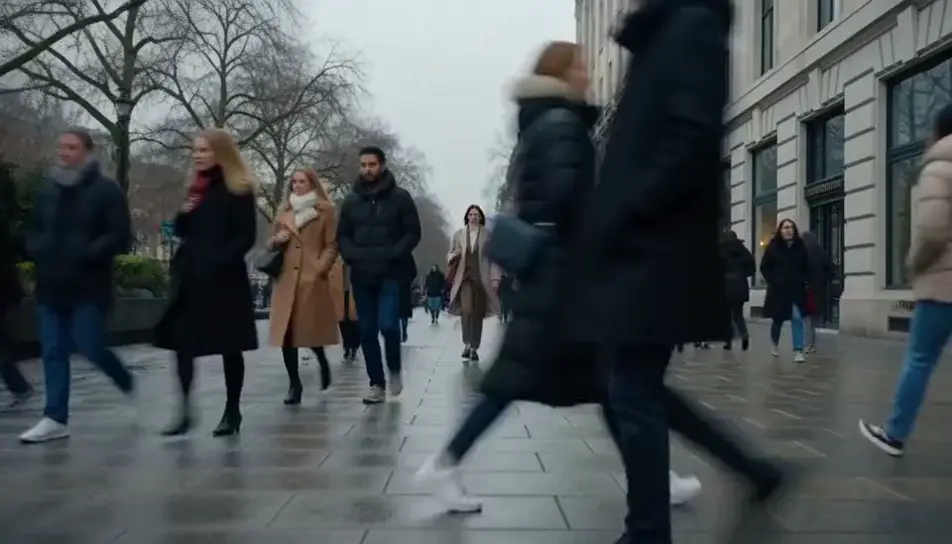
Write the people stock footage scene you want, in plain words.
Morphic generates a cinematic, frame-ready clip on your canvas in seconds.
Tweak the prompt, regenerate variations, then download or share the shot.

Dramatize any text conversation into a cinematic multi-shot video.
Cinematic time-freeze short film for any scene

Generate a professional film title card from scratch, with optional cinematic animation.
Photo of any real-estate becomes a cinematic renovation timelapse video with construction SFX and music.
One image to a 9-scene cinematic video.
Drop in a photo of yourself. Get a 12-second cinematic movie with animation and a matched soundtrack.
AI happy family stock video
Browse happy family stock video and generate your own shots at the exact length, ratio and look the cut needs. Morphic makes video, image, voice and sound.
AI New York stock footage
Browse New York stock footage and generate your own shots at the exact length, ratio and look the cut needs. Morphic makes video, image, voice and sound.
AI crowd simulation
Crowd simulation on Morphic. Generate marching armies, stadium waves, stampeding herds, and bird murmurations from plain-language prompts.
AI explosion stock footage
Browse explosion stock footage and generate your own shots at the exact length, ratio and look the cut needs. Morphic makes video, image, voice and sound.
Get started for free today, with the option to upgrade or cancel anytime.
Basic
2400 monthly credits
1 user only
All models
Workflows
Standard
3625 monthly credits
1 user only
All models
Workflows
Pro
6350 shared monthly credits
1 user
All models
Workflows
Max
24650 shared monthly credits
1 user
All models
Workflows
Enterprise
For higher limits
Custom
pricing and billing terms

Free
For playing around
$0
forever free