How to make War of the Worlds videos with AI

War of the Worlds is H.G. Wells's 1898 novel of Martian invasion, set entirely in southern England — Woking, Horsell Common, Weybridge, the Thames Valley, the suburbs of London. A first-person narrator, identified only as the philosopher, watches a metal cylinder fall on Horsell Common, sees the first tripod fighting-machine assemble itself, and survives the next three weeks across a series of escapes through burning Surrey, an abandoned London, and the dead Martian camp at Primrose Hill where the invaders have at last fallen to terrestrial bacteria.

A century and a quarter on, every alien-invasion film traces back to this book. Now you can direct it.

War of the Worlds is the founding alien-invasion novel: a metal cylinder lands on Horsell Common, a hundred-foot tripod walks out, and within a week the Home Counties are burning under heat-ray and the Thames runs empty under red weed. Morphic lets you direct any of it in your browser. Pick a chapter, a figure, or a workflow below and start now.

War of the Worlds figures you can direct

War of the Worlds scenes you can stage

The cylinder unscrews on Horsell Common

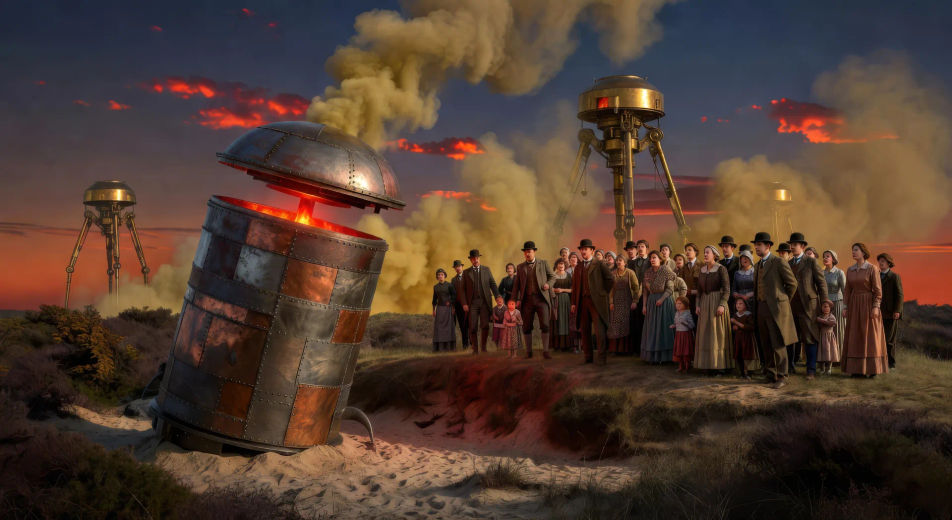
On a sandy heath at Horsell Common in midsummer dusk, a smoking metal cylinder unscrews itself with a slow grinding sound while a crowd of Surrey villagers watches from a safe distance behind a low ridge.

Edit prompt
The cylinder unscrews on Horsell Common

The first tripod rises

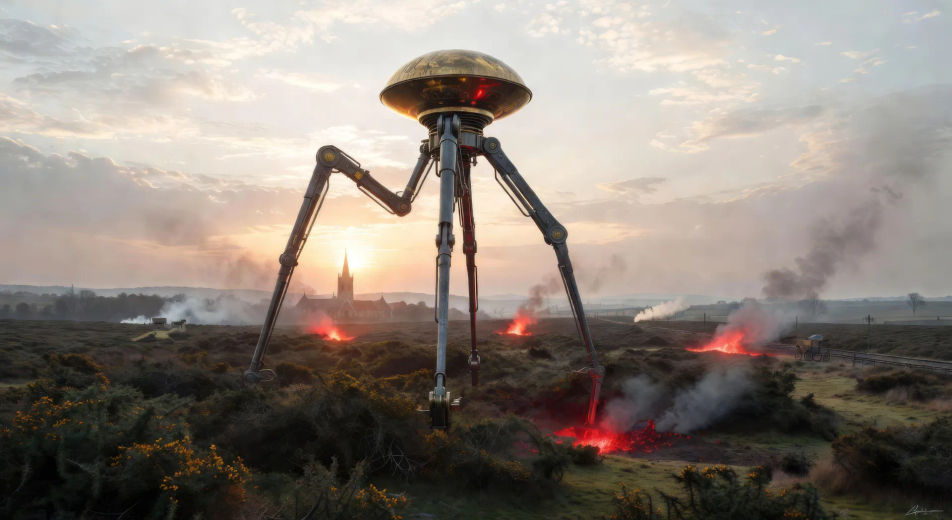
At dawn over the gorse of Horsell Common, the first Martian tripod rises on three jointed metal legs taller than a church steeple, the brass hood at its apex catching the early sun.

Edit prompt
The first tripod rises

The heat-ray on the common

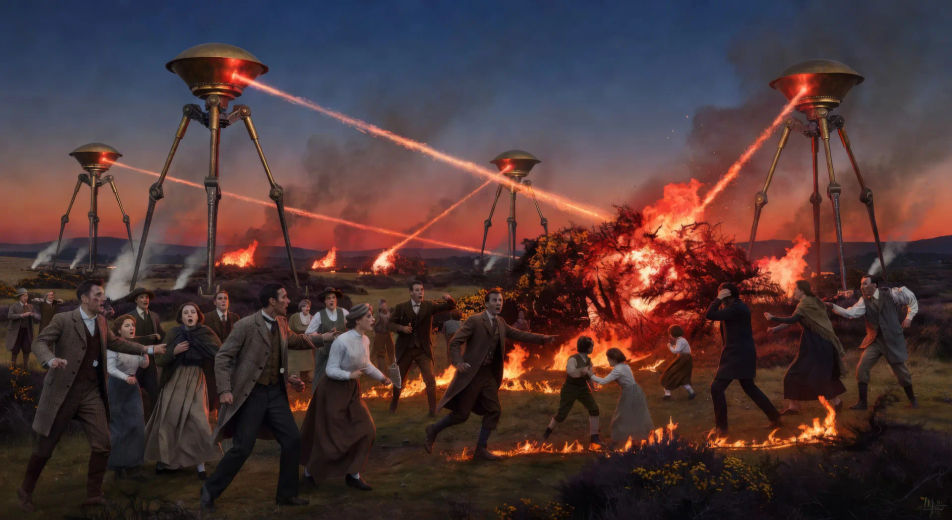
In late evening light on Horsell Common, the heat-ray sweeps in a near-invisible line across a fleeing crowd of Surrey villagers, gorse and human figures bursting into flame as it passes.

Edit prompt
The heat-ray on the common

A tripod in burning Weybridge

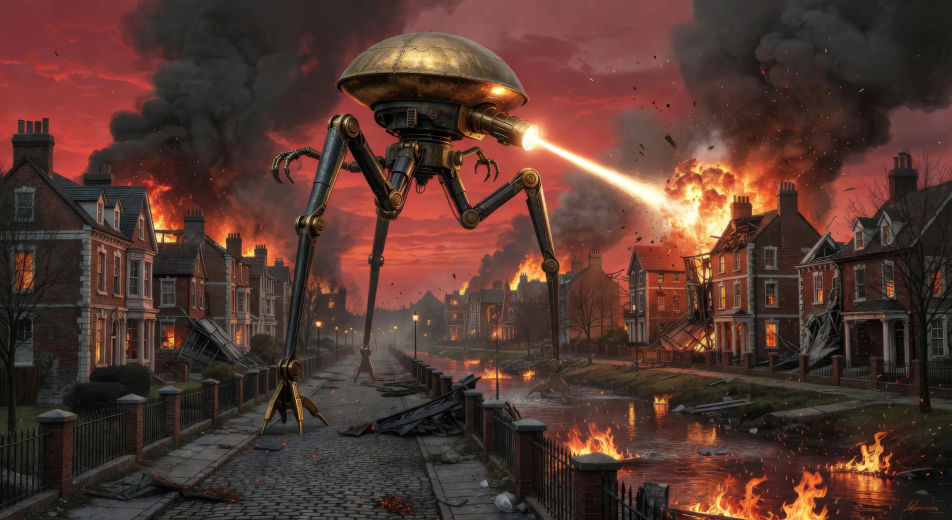
In burning Surrey suburb streets at red dusk, a Martian tripod strides through Weybridge with the heat-ray projector firing forward as Edwardian villas collapse around it and the river runs in flame.

Edit prompt
A tripod in burning Weybridge

The empty Thames

On a clear empty noon, an Edwardian London bridge over the Thames stands silent and abandoned, an overturned hansom cab on the cobbles, red weed already creeping along the river-bank below.

Edit prompt
The empty Thames

The dead Martian at Primrose Hill

On the slope of Primrose Hill in pale dawn, a fallen tripod leans across the grass with carrion-birds settled on the brass hood and the body of a Martian draped lifeless across the controls inside.

Edit prompt
The dead Martian at Primrose Hill

Make War of the Worlds videos in three steps

  1. 01

    Describe your War of the Worlds scene

    Write the War of the Worlds scene you want to see in your own words. Be specific about the location, the figure or machine in frame, the light source, and the camera direction. The more concrete the description, the closer the result lands to what you pictured.

  2. 02

    Generate the video

    Morphic generates a cinematic, frame-ready clip on your canvas in seconds — no editing software required.

  3. 03

    Refine your War of the Worlds video

    Tweak the prompt, regenerate variations, then download or share the moment the shot lands.

Related workflows

A short guide to War of the Worlds for video creators

The novel moves through a clean and unusually local geography. The first cylinder lands on Horsell Common outside Woking on a summer evening; a crowd gathers; the heat-ray sweeps across them. The tripods rise — three-legged hundred-foot fighting-machines, each carrying a hooded Martian in a turret-pod, articulated mechanical tentacles drooping from the underside. The narrator escapes by night through a Weybridge already in flames. London empties in a great panic across the Thames bridges. The narrator hides for fifteen days in a half-buried Sheen house with a curate who slowly goes mad. The red weed, an alien plant from Mars, spreads across the river-banks and chokes the Thames. The Black Smoke artillery-shell drifts through the suburbs killing everything that breathes. At Primrose Hill, the narrator finds the last Martian tripod fallen with carrion-birds at the controls, the invaders dead of common cold germs.

For video, anchor each scene to one of these set-pieces. The visual library is unusually concrete: the cylinder slowly unscrewing on Horsell Common at dusk; the first tripod rising on its three jointed legs at sunrise above the gorse; the heat-ray sweeping across a crowd of Surrey villagers; a tripod walking through the burning streets of Weybridge with chimneys collapsing around it; the empty Thames bridges at noon; the red weed thick along the riverbank; the dead Martian at Primrose Hill with crows on the metal hood.

Three styles consistently land. Cinematic photoreal in the spirit of high-budget Victorian sci-fi delivers the prestige Wells look. Painterly oil with chiaroscuro echoes the Henrique Alvim Corrêa illustrations from the 1906 Belgian edition that locked in the visual canon. Black-and-white grainy newsreel in the spirit of the Orson Welles 1938 broadcast can carry the docu-fiction tone. Name the style directly in the prompt and avoid actor-likeness language for any film adaptation.

You might also like

FAQs

Where can I make War of the Worlds videos with AI?
You can create War of the Worlds scenes directly in your browser on Morphic. Open the Text to Video tool, describe the moment you want, and Morphic produces the clip. No installs and no specialist software needed.
What kinds of War of the Worlds scenes work best with AI video?
Single-shot moments tend to work best: the cylinder unscrewing on Horsell Common, the first tripod rising at dawn, the heat-ray on the common, a tripod walking through burning Weybridge, the empty Thames bridges, the dead Martian at Primrose Hill. Anchor each War of the Worlds scene to a specific Wells location and a specific light source.
How do I keep War of the Worlds figures consistent across scenes?
Use the Character Lineup workflow to lock the narrator, the artilleryman, the curate, the Martian tripod, and the Martian itself before producing scenes, then reference those character cards in every prompt. Morphic preserves the design across the invasion so a War of the Worlds series feels continuous.
How do I make my War of the Worlds videos feel like Wells, not the Spielberg film?
Anchor your prompts to Wells's actual locations: Horsell Common, Woking, Weybridge, the Thames Valley, Primrose Hill. Reference Henrique Alvim Corrêa's 1906 Belgian-edition illustrations as the visual anchor for the tripod design and the Martian itself. Set the period as late-Victorian or Edwardian, not 21st-century. Avoid likeness language for any film performer.
Can I add narration and music to my War of the Worlds videos?
Yes. The Speech tool generates a first-person-narrator voiceover from your script in the voice you choose, and the Music tool produces an original orchestral or eerie soundtrack. Layer them onto your generated video to publish a complete War of the Worlds episode.
What visual style works best for a War of the Worlds video?
Three styles consistently land. Cinematic photoreal in the spirit of high-budget Victorian sci-fi delivers the prestige Wells look. Painterly oil with chiaroscuro echoes the Henrique Alvim Corrêa illustrations from the 1906 Belgian edition. Black-and-white grainy newsreel in the spirit of the Orson Welles 1938 broadcast can carry the docu-fiction tone. Name the style directly in the prompt.