How to make Frankenstein videos with AI

Frankenstein, or The Modern Prometheus, is Mary Shelley's 1818 novel about a Geneva-born student who builds a sentient creature in his Ingolstadt laboratory, abandons it in horror at his own work, and is pursued through the rest of the book by the abandoned thing. The novel frames everything as letters from a polar explorer named Walton, who finds Victor Frankenstein dying on the Arctic ice and listens to the whole confession. The figures are Victor, the creature, the De Lacey family in their forest cottage, the bride Elizabeth, the friend Henry Clerval, the polar captain Walton.

Two centuries on, the book still defines the cinematic gothic. Now you can direct it.

Frankenstein is Mary Shelley's gothic sci-fi: a young scientist at Ingolstadt who pieces together a creature from charnel-house parts, animates it in a thunderstorm, and is hunted across Europe and into the Arctic by his own creation. Morphic lets you direct any of it in your browser. Pick a location, a figure, or a workflow below and start now.

Frankenstein characters you can direct

Frankenstein scenes you can stage

The creature's first breath

In an apparatus-cluttered Ingolstadt laboratory at midnight, the creature opens a yellow eye on the slab as lightning forks at the high window and rain hammers the glass, Victor recoiling from his own work.

Edit prompt
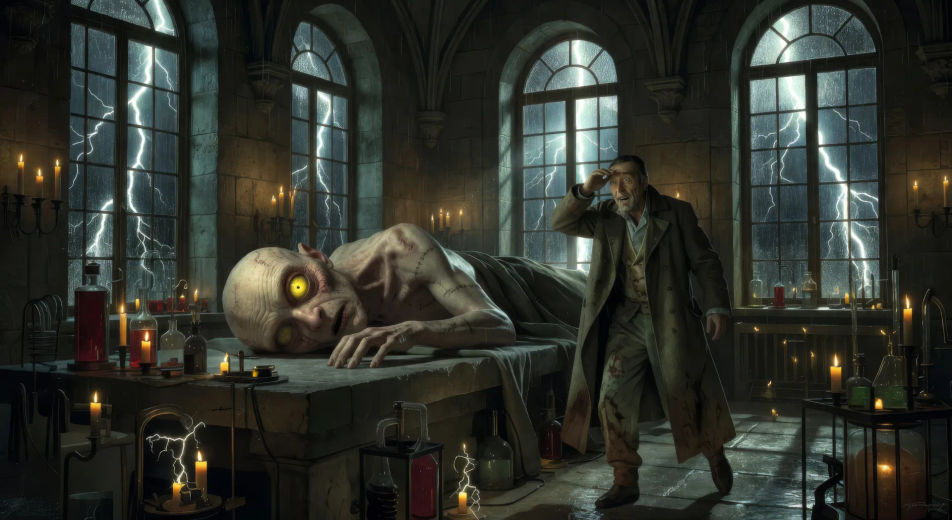
The creature's first breath

Victor flees down the staircase

In the gray dawn after the animation, Victor runs headlong down a winding Ingolstadt staircase in a stained shirt, the apartment door swung open behind him on a glimpse of moving shadow.

Edit prompt
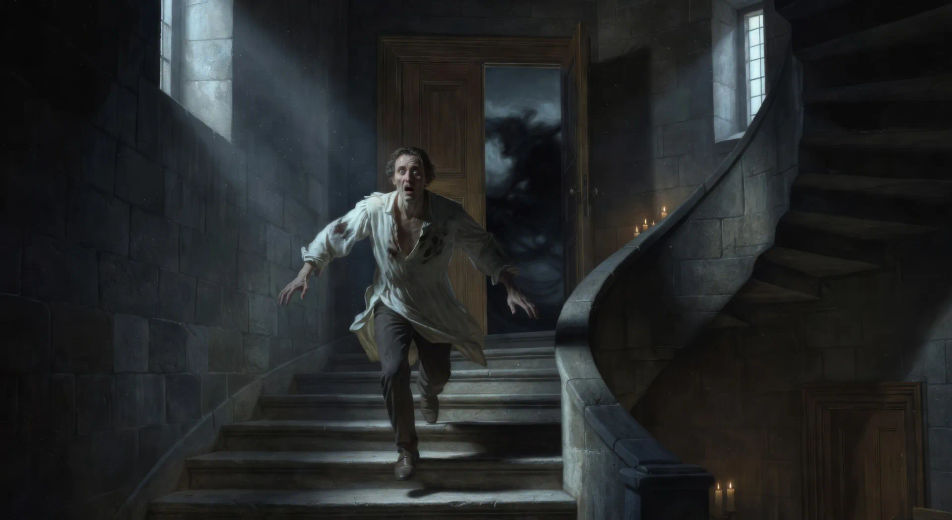
Victor flees down the staircase

Confrontation on the Mer de Glace

On the blue ice of the Mer de Glace under low cloud, Victor in a heavy travelling coat faces the creature across a crevasse, the wall of Mont Blanc rising white above them, wind moving snow.

Edit prompt
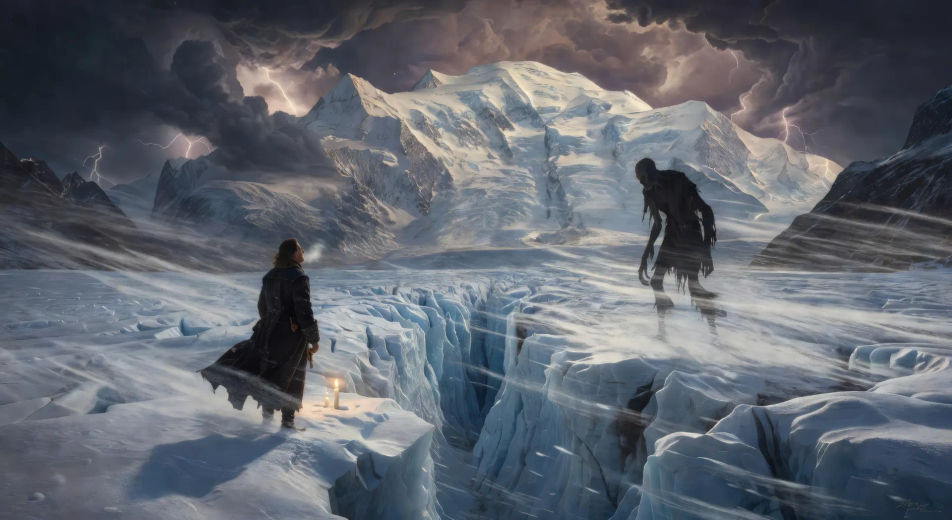
Confrontation on the Mer de Glace

The De Lacey cottage by firelight

Through the cracks of a forest cottage wall at evening, the blind De Lacey listens at the fire while the creature stands hidden outside in the dusk, learning a language word by word.

Edit prompt
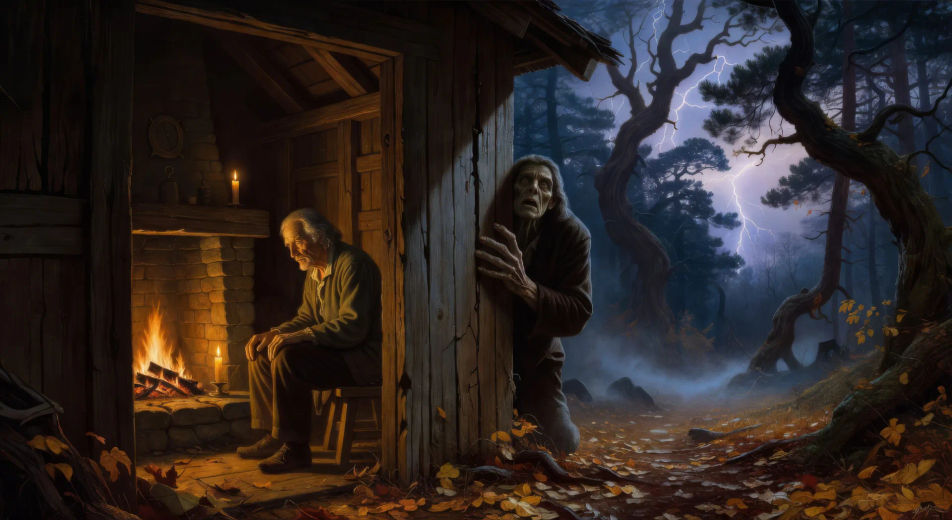
The De Lacey cottage by firelight

Wedding night at Évian

In a paneled Évian bedchamber by candlelight on a stormy lake-night, Victor crashes into the room to find Elizabeth's body across the bed and the creature's shadow at the window.

Edit prompt
Wedding night at Évian

The Arctic sled chase

On a flat polar plain at dusk under green aurora, two dog-sleds race across the ice, the creature ahead and Victor close behind, Walton's ship locked in pack-ice on the horizon.

Edit prompt
The Arctic sled chase

Make Frankenstein videos in three steps

  1. 01

    Describe your Frankenstein scene

    Write the Frankenstein scene you want to see in your own words. Be specific about the location, the figure in frame, the light source, and the camera direction. The more concrete the description, the closer the result lands to what you pictured.

  2. 02

    Generate the video

    Morphic generates a cinematic, frame-ready clip on your canvas in seconds — no editing software required.

  3. 03

    Refine your Frankenstein video

    Tweak the prompt, regenerate variations, then download or share the moment the shot lands.

Related workflows

A short guide to Frankenstein for video creators

The Frankenstein novel moves through a clear sequence of locations. Geneva and the Belrive shore, where Victor is a child watching lightning split a tree. Ingolstadt and its university, where the laboratory takes shape, the bone-yard scavenged for parts, the chemistry table groaning with apparatus. The night of animation, with the storm against the high window and the creature's first breath. The flight from the lab into the streets at dawn. Mont Blanc and the Mer de Glace ice-river, where Victor and the creature have their long mountain confrontation. The blind De Lacey's forest cottage, where the creature secretly learns language by listening through the wall. The Orkney island workshop where Victor begins and abandons a female partner for the creature. The wedding night at Évian where Elizabeth is killed. The final pursuit north, sled by sled across the polar ice, until Walton's ship finds them.

For video, anchor each Frankenstein scene to one location and one beat. The visual library is unusually rich: the apparatus-cluttered laboratory at midnight with rain on the windows, the yellow-eyed creature opening his eye on the slab, Victor running headlong down a stair into the streets at dawn, the Mer de Glace under cloud with two figures meeting on blue ice, the De Lacey cottage at evening with firelight in the door, the Arctic sled chase with two black silhouettes against white waste.

Three styles consistently land. Cinematic photoreal in the spirit of high-budget gothic period drama delivers the prestige Romantic look. Painterly oil with chiaroscuro echoes the Caspar David Friedrich Romantic landscape tradition behind the novel. Expressionist black-and-white with hard shadows lands as homage to the silent-film monster genre. Name the style directly in the prompt, and avoid actor-likeness language for any film adaptation.

You might also like

FAQs

Where can I make Frankenstein videos with AI?
You can create Frankenstein scenes directly in your browser on Morphic. Open the Text to Video tool, describe the moment you want, and Morphic produces the clip. No installs and no specialist software needed.
What kinds of Frankenstein scenes work best with AI video?
Single-shot moments tend to work best: the creature's first breath in the laboratory, Victor's flight down the staircase, the confrontation on the Mer de Glace, the De Lacey cottage by firelight, the wedding-night at Évian, the Arctic sled chase under aurora. Anchor each Frankenstein scene to a specific location, light source, and weather.
How do I keep Frankenstein characters consistent across scenes?
Use the Character Lineup workflow to lock Victor, the creature, Elizabeth, Henry Clerval, Walton, and the De Laceys before producing scenes, then reference those character cards in every prompt. Morphic preserves the design across the chase so a Frankenstein series feels continuous.
How do I make my Frankenstein videos feel like Mary Shelley's novel, not a film?
Anchor your prompts to Shelley's actual locations and beats: Ingolstadt, Geneva, the Mer de Glace, the De Lacey cottage, the Orkney workshop, the Arctic ice. Reference Caspar David Friedrich Romantic landscape painting as a visual anchor. Avoid actor-likeness language for any film adaptation, and avoid the bolt-necked franchise iconography.
Can I add narration and music to my Frankenstein videos?
Yes. The Speech tool generates a Walton-letter or Victor-confession voiceover from your script in the voice you choose, and the Music tool produces an original Romantic-era soundtrack. Layer them onto your generated video to publish a complete Frankenstein episode.
What visual style works best for a Frankenstein video?
Three styles consistently land. Cinematic photoreal in the spirit of high-budget gothic period drama delivers the prestige Romantic look. Painterly oil with chiaroscuro echoes the Caspar David Friedrich landscape tradition. Expressionist black-and-white with hard shadows lands as homage to the silent-film monster genre. Name the style directly in the prompt.



