Jalousien-Detektivszene
Eine Figur mit Hut und Mantel, geschnitten von hartem Jalousienschatten aus einer einzigen Lichtquelle, tiefschwarze Tinte und ein schmaler Lichtrand, das aufrechte Bild mit reserviertem Titelraum oben.
Prompt bearbeiten
This page covers mature themes for adult audiences making film, games and other creative work.
Gestalten Sie Krimi-Noir-Illustrationen direkt im Browser mit dem KI-Bildgenerator von Morphic. Erstellen Sie einen Detektiv, geschnitten von Jalousienlicht, eine Figur in einer regennassen Gasse oder ein verrauchtes Büro unter einer einzigen Schreibtischlampe. Nutzen Sie den Style-Transfer-Workflow, um eine einheitliche Tinten-Palette über ein ganzes Set hinweg zu bewahren.
Eine Figur mit Hut und Mantel, geschnitten von hartem Jalousienschatten aus einer einzigen Lichtquelle, tiefschwarze Tinte und ein schmaler Lichtrand, das aufrechte Bild mit reserviertem Titelraum oben.
Prompt bearbeitenEine einsame Figur überquert eine nasse Gasse unter einer einzigen Straßenlaterne, glänzende Spiegelungen und lange Schlagschatten, eine kalte, begrenzte Palette und tropfende Atmosphäre, mit reserviertem Raum für einen Titel.
Prompt bearbeiten
Ein verrauchtes Privatbüro, beleuchtet von einer einzigen Schreibtischlampe, ein Glas und eine Akte im gebündelten Licht, tiefe umgebende Dunkelheit, das nächtliche Interieur mit reserviertem Bildunterschriftsraum unten im Bild.
Prompt bearbeiten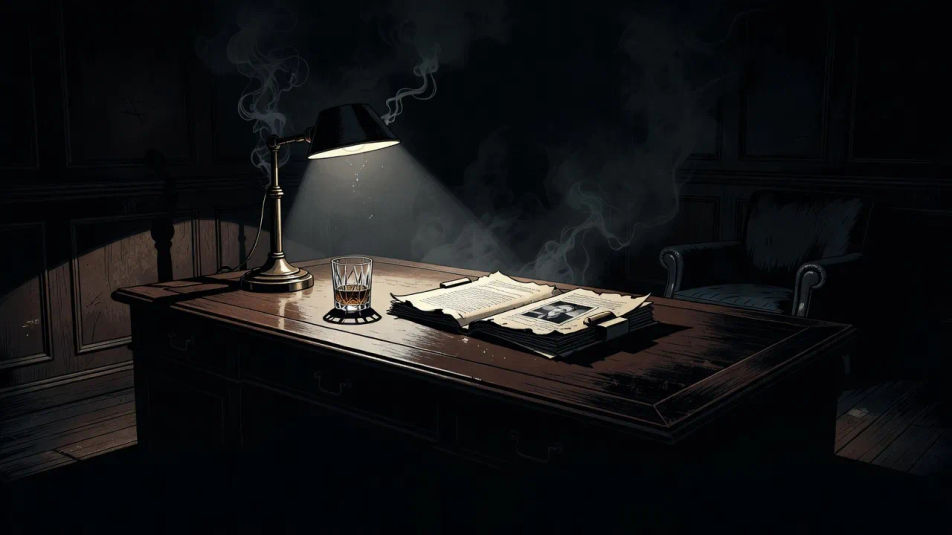
Zwei Figuren treffen sich in einem dämmrigen Treppenhaus mit harten Geländerschatten, die die Wand streifen, und einer einzigen Lichtquelle darüber, die aufgeladene, düstere Tinten-Konfrontation mit reserviertem Typenraum oben.
Prompt bearbeiten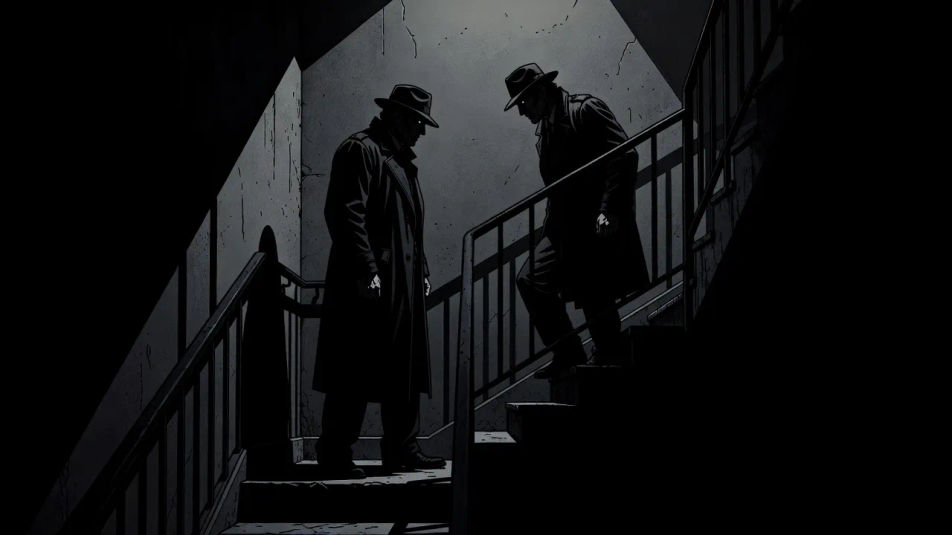
Beschreiben Sie das Krimi-Noir-Illustration, das Sie möchten, in einfachen Worten.
Morphic generiert in Sekunden ein sauberes, veröffentlichungsfertiges Bild auf Ihrer Canvas.
Passen Sie den Prompt an, generieren Sie Varianten und laden Sie das Bild herunter oder teilen Sie es.
Pick a reference image, apply its visual style to your own photo or artwork.

Turn any sketch or drawing into a finished render.
Convert any image to a new aspect ratio. Smart crop or extend the edges to fit.

Pick any anime illustration as your style guide. Apply its look to any image.

Take any character image and generate 6 distinct facial expressions on a single reference sheet.
Reimagine any anime character as a photorealistic, high-fashion live-action portrait.
Horror-Illustration-KI-Bilder
Erstellen Sie KI-Horror-Illustrationsbilder mit Morphic. Generieren Sie authentische Horror-Illustrations-Artworks, -Szenen und -Visuals für jedes Projekt in Sekunden.
Pulp-Fiction-Illustration-KI-Bilder
Erstellen Sie KI-Pulp-Fiction-Illustration-Bilder mit Morphic. Generieren Sie Pulp-Fiction-Illustration-Grafiken, -Szenen und -Motive für jedes Projekt in Sekunden.
Chiaroscuro-Illustration-KI-Bilder
Erstellen Sie KI-Chiaroscuro-Illustrationsbilder mit Morphic. Generieren Sie Chiaroscuro-Illustrationskunstwerke, Szenen und Visuals für jedes Projekt in Sekunden.
Taschenbuch-Cover-Illustration-KI-Bilder
Erstellen Sie Taschenbuch-Cover-Illustration-KI-Bilder mit Morphic. Generieren Sie Taschenbuch-Cover-Illustration-Werke, -Szenen und -Motive in Sekunden.
Starten Sie noch heute kostenlos, mit der Option, jederzeit zu upgraden oder zu kündigen.
Basic
2400 monatliche Credits
1 Nutzer
Alle Modelle
Workflows
Standard
3625 monatliche Credits
1 Nutzer
Alle Modelle
Workflows
Pro
6350 gemeinsame monatliche Credits
1 Nutzer
Alle Modelle
Workflows
Max
24650 gemeinsame monatliche Credits
1 Nutzer
Alle Modelle
Workflows
Enterprise
Für höhere Limits
Individuell
Preis- und Abrechnungsbedingungen

Free
Zum Ausprobieren
$0
dauerhaft kostenlos
These pages cover fictional depiction for narrative work. They do not provide instructional content for manufacturing weapons, synthesising drugs, or committing any offence.