Kopf-und-Schulter-Studie
Ein enges Kopf-und-Schulter-Digital-Painting mit poliertem, klarem Rendering, ein zartes Randlicht trennt das Modell von einem weichen Verlaufhintergrund und lebendige Beleuchtung auf dem Gesicht.
Prompt bearbeiten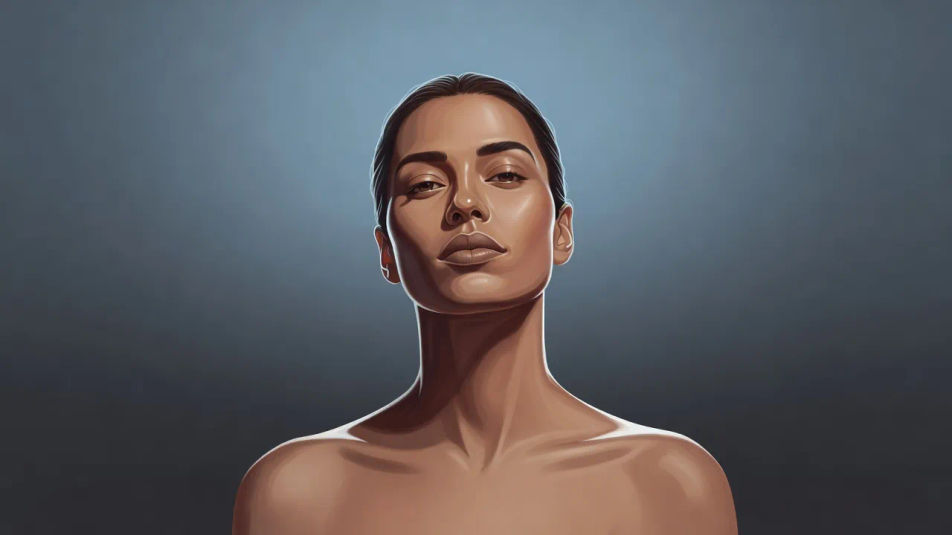
Erstellen Sie Digital-Art-Porträts direkt im Browser mit dem KI-Bildgenerator von Morphic. Generieren Sie einen ruhigen Träumer unter weichem Randlicht, einen selbstbewussten Abenteurer mit lebendigem Hauptlicht oder einen gelassenen Gelehrten, gerendert in weichen Verläufen. Ziehen Sie die fertige Kunst in das Canvas, um den Bildausschnitt zu verfeinern oder einen Titel hinzuzufügen.
Ein enges Kopf-und-Schulter-Digital-Painting mit poliertem, klarem Rendering, ein zartes Randlicht trennt das Modell von einem weichen Verlaufhintergrund und lebendige Beleuchtung auf dem Gesicht.
Prompt bearbeitenEin Dreiviertel-Porträt, bei dem das Modell einem warmen Hauptlicht zugewandt ist, ein kühles Randlicht entlang der fernen Kante, weiche malerische Verläufe und ein zeitgemäßer Illustrations-Look.
Prompt bearbeiten
Ein klares Seitenprofil, beleuchtet von einem hellen Randlicht, das die Kontur nachzeichnet, das Gesicht in weichem Schatten, ein gedämpfter abgestufter Hintergrund und ein poliertes Digital-Painting-Finish.
Prompt bearbeiten
Ein enger Ausschnitt auf Augen und Wangenknochen mit lebendiger gesättigter Beleuchtung, glänzenden Glanzlichtern, weichen Hautverläufen und einem sanften farbigen Schein, der den Negativraum füllt.
Prompt bearbeiten
Beschreiben Sie das Digital-Art-Porträt, das Sie möchten, in einfachen Worten.
Morphic generiert in Sekunden ein sauberes, veröffentlichungsfertiges Bild auf Ihrer Canvas.
Passen Sie den Prompt an, generieren Sie Varianten und laden Sie das Bild herunter oder teilen Sie es.
Fix plastic-looking AI skin. Adds natural texture, pores, and imperfections for realism.
One selfie becomes a set of professional headshots. Studio-quality, multiple styles.
Convert any image to a new aspect ratio. Smart crop or extend the edges to fit.
Full model photoshoot from one photo of you

Upload a photo of a person or character and get a single grid image showing them at different life stages, from baby to elderly.
Choose your viewing angles and get precise perspective shifts of any image with full camera control.
Neon-Porträt-KI-Bilder
Erstellen Sie KI-Neon-Porträt-Bilder mit Morphic. Generieren Sie authentische Neon-Porträt-Kunst, Szenen und Motive für jedes Projekt in Sekunden.
Holografisches Porträt-KI-Bilder
Erstellen Sie KI-Bilder holografischer Porträts mit Morphic. Generieren Sie authentische Artworks, Szenen und Visuals holografischer Porträts für jedes Projekt in Sekunden.
Cyberpunk-Porträt-KI-Bilder
Erstellen Sie Cyberpunk-Porträt-KI-Bilder mit Morphic. Generieren Sie authentische Cyberpunk-Porträt-Kunstwerke, Szenen und Visuals für jedes Projekt in Sekunden.
Doppelbelichtungsporträt-KI-Bilder
Erstellen Sie KI-Doppelbelichtungsporträt-Bilder mit Morphic. Generieren Sie in Sekunden authentische Doppelbelichtungsporträt-Kunstwerke, -Szenen und -Motive für jedes Projekt.
Starten Sie noch heute kostenlos, mit der Option, jederzeit zu upgraden oder zu kündigen.
Basic
2400 monatliche Credits
1 Nutzer
Alle Modelle
Workflows
Standard
3625 monatliche Credits
1 Nutzer
Alle Modelle
Workflows
Pro
6350 gemeinsame monatliche Credits
1 Nutzer
Alle Modelle
Workflows
Max
24650 gemeinsame monatliche Credits
1 Nutzer
Alle Modelle
Workflows
Enterprise
Für höhere Limits
Individuell
Preis- und Abrechnungsbedingungen

Free
Zum Ausprobieren
$0
dauerhaft kostenlos