Wendeltreppe, die durch die Regale emporsteigt
Eine prächtige hölzerne Wendeltreppe, die sich durch hoch aufragende Bücherregale hinaufwindet, warmes Lampenlicht auf den Geländern, die Regale verschwinden weit oben im Schatten.
Prompt bearbeiten
Erstellen Sie hoch aufragende magische Bibliotheken direkt im Browser mit dem KI-Bildgenerator von Morphic. Generieren Sie eine Spirale aus Regalen unter einer Glaskuppel oder ein von schwebenden Kugeln erhelltes Archiv, halten Sie mit Style Transfer eine Farbpalette und ein Licht fest und lassen Sie dann mit Image to Video die Seiten umblättern.
Eine prächtige hölzerne Wendeltreppe, die sich durch hoch aufragende Bücherregale hinaufwindet, warmes Lampenlicht auf den Geländern, die Regale verschwinden weit oben im Schatten.
Prompt bearbeitenEine gemütliche Nische mit einem tiefen Sessel und gestapelten Büchern neben einem hohen Bogenfenster, goldenes Nachmittagslicht, das über den Boden strömt, und ein treibendes aufgeschlagenes Buch.
Prompt bearbeiten
Ein einzelnes uraltes Buch, aufgeschlagen auf einem Steinpodest im Herzen einer dunklen Bibliothek, mit sanftem Licht, das aus seinen Seiten aufsteigt, und hohen Regalen, die es im Schatten umkreisen.
Prompt bearbeiten
Ein weiter Blick durch eine riesige Bibliothekshalle, vom Boden bis zur Decke mit Büchern gesäumt, mit einer Glaskuppel hoch oben, die den Raum mit Licht durchflutet, und Staub, der in den Strahlen treibt.
Prompt bearbeiten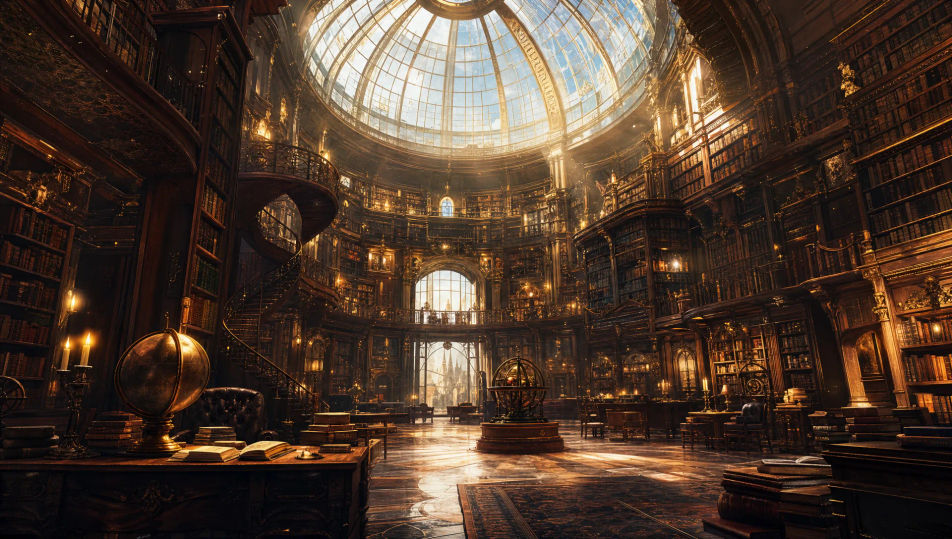
Beschreiben Sie das Magische Bibliothek, das Sie möchten, in einfachen Worten.
Morphic generiert in Sekunden ein sauberes, veröffentlichungsfertiges Bild auf Ihrer Canvas.
Passen Sie den Prompt an, generieren Sie Varianten und laden Sie das Bild herunter oder teilen Sie es.
Choose your viewing angles and get precise perspective shifts of any image with full camera control.

Professional 7-panel location reference sheet from a single photo.
Set the look with one reference image. Apply that exact grade to any scene or batch.
Restyle any video in a completely new visual style. Every frame transforms, all motion stays intact.

Take any character image and generate 6 distinct facial expressions on a single reference sheet.
Photo of any real-estate becomes a cinematic renovation timelapse video with construction SFX and music.
Verwunschener-Wald-KI-Bilder
Erstellen Sie KI-Bilder verwunschener Wälder mit Morphic. Generieren Sie Waldszenen, Landschaften und Umgebungen für jedes Projekt in Sekunden.
Dark-Academia-KI-Kunst
Erstellen Sie Dark-Academia-Kunst mit Morphic. Kerzenschein-Leser, efeuberankte Innenhöfe, Eichenbibliotheken und gotische Studierstuben-Ästhetik aus einem einzigen Prompt.
Zauberer-KI-Bilder
Erstellen Sie KI-Zauberer-Bilder mit Morphic. Generieren Sie in Sekunden Zauberer-Porträts, Designs und Charakterkunst für jedes Projekt.
Drachenhort-KI-Bilder
Erstellen Sie KI-Drachenhort-Bilder mit Morphic. Generieren Sie Drachenhort-Szenen, -Landschaften und -Umgebungen für jedes Projekt in Sekunden.
Starten Sie noch heute kostenlos, mit der Option, jederzeit zu upgraden oder zu kündigen.
Basic
2400 monatliche Credits
1 Nutzer
Alle Modelle
Workflows
Standard
3625 monatliche Credits
1 Nutzer
Alle Modelle
Workflows
Pro
6350 gemeinsame monatliche Credits
1 Nutzer
Alle Modelle
Workflows
Max
24650 gemeinsame monatliche Credits
1 Nutzer
Alle Modelle
Workflows
Enterprise
Für höhere Limits
Individuell
Preis- und Abrechnungsbedingungen

Free
Zum Ausprobieren
$0
dauerhaft kostenlos