Dreiansicht-Designblatt
Charakterdesign-Blatt-Illustration eines schweren Sturm-Mecha, gezeigt in Vorder-, Seiten- und Rückansicht, neutrale Standpose, Maßstabsfigur daneben, Blaupausen-Rasterhintergrund, Callouts im weichen Fokus.
Prompt bearbeiten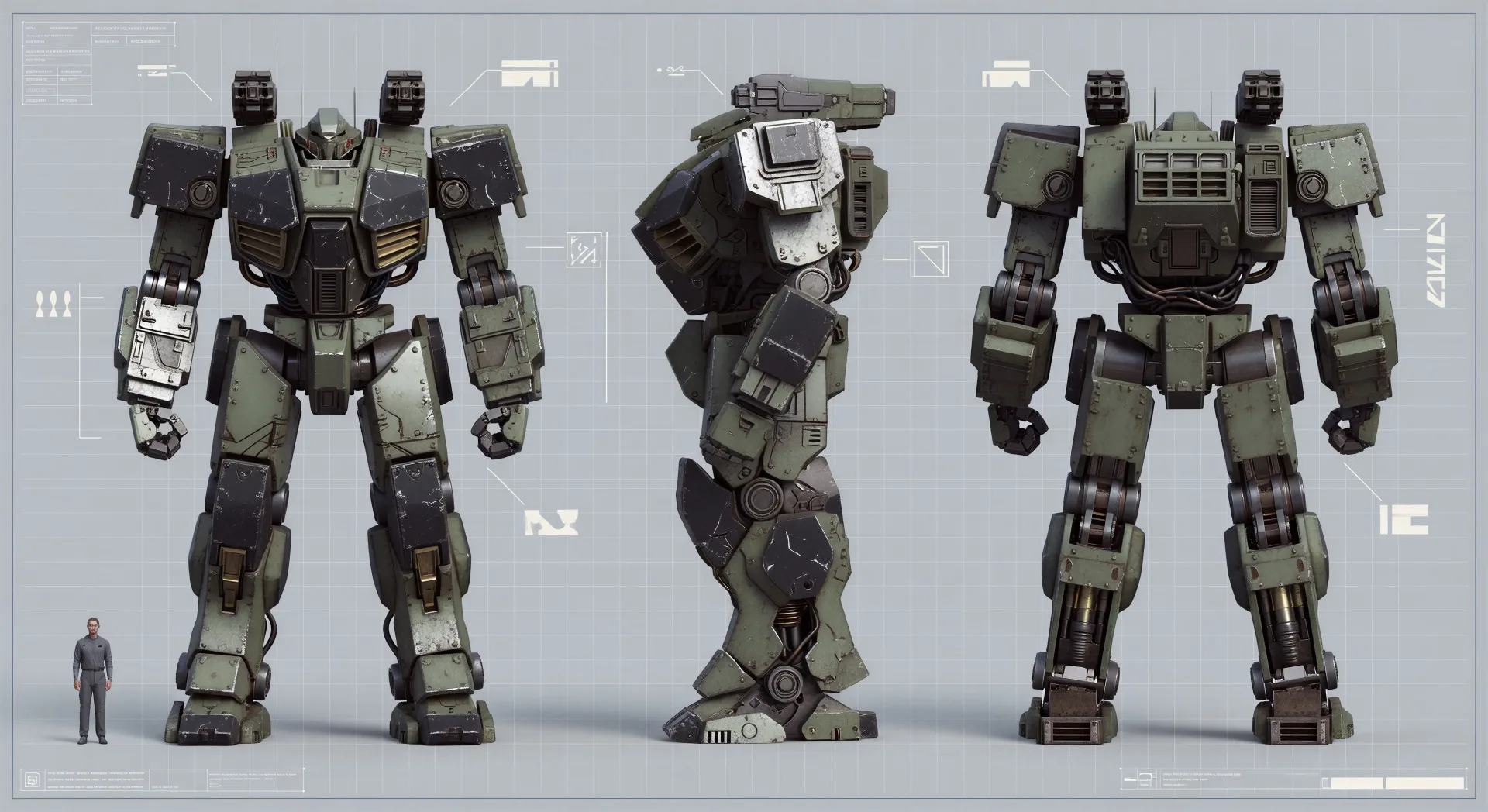
Entwerfen Sie Mecha-Kunst direkt im Browser mit dem Mecha-KI-Bildgenerator von Morphic. Erstellen Sie ein Profilporträt eines Piloten oder ein Dreiansicht-Designblatt eines schweren Sturm-Frames, legen Sie Abzeichen und Silhouette mit Character Lineup fest und animieren Sie dann jeden Frame mit Image to Video.
Charakterdesign-Blatt-Illustration eines schweren Sturm-Mecha, gezeigt in Vorder-, Seiten- und Rückansicht, neutrale Standpose, Maßstabsfigur daneben, Blaupausen-Rasterhintergrund, Callouts im weichen Fokus.
Prompt bearbeitenQuerschnittsillustration eines Mecha-Cockpit-Innenraums, Pilot im G-Gurt sitzend, Konsolenbildschirme, Joystick-Cluster, hinter der Kabinenwand sichtbare Kabelführungen, warmes Innenlicht.
Prompt bearbeiten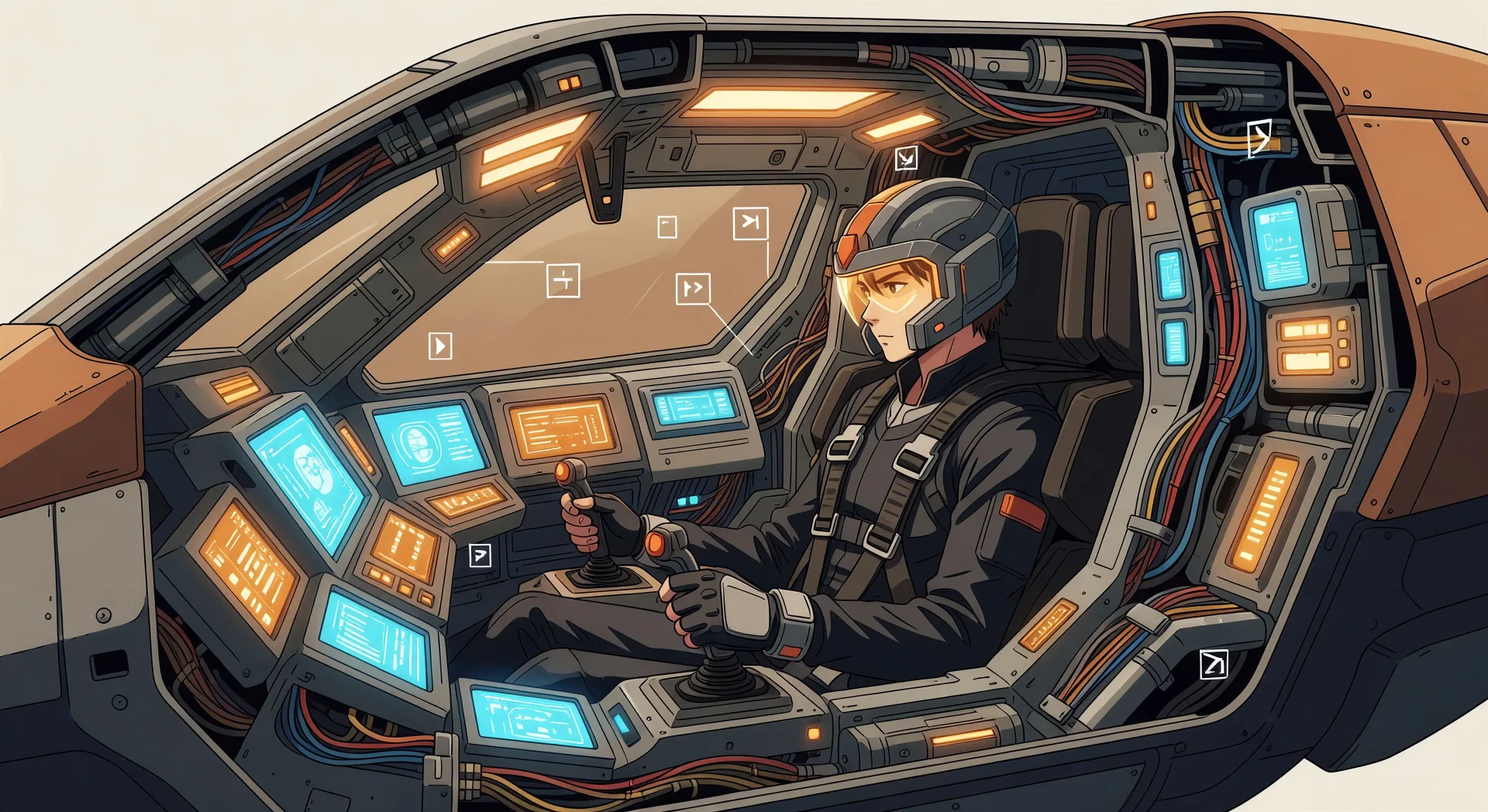
Weite Illustration eines Marinevarianten-Mecha, der bei Morgengrauen aus der Brandung auftaucht, Salzgischt, wasserdichte Paneele, die glänzen, Klippenlinie dahinter, Maßstabsfiguren im Sand als Größenreferenz.
Prompt bearbeiten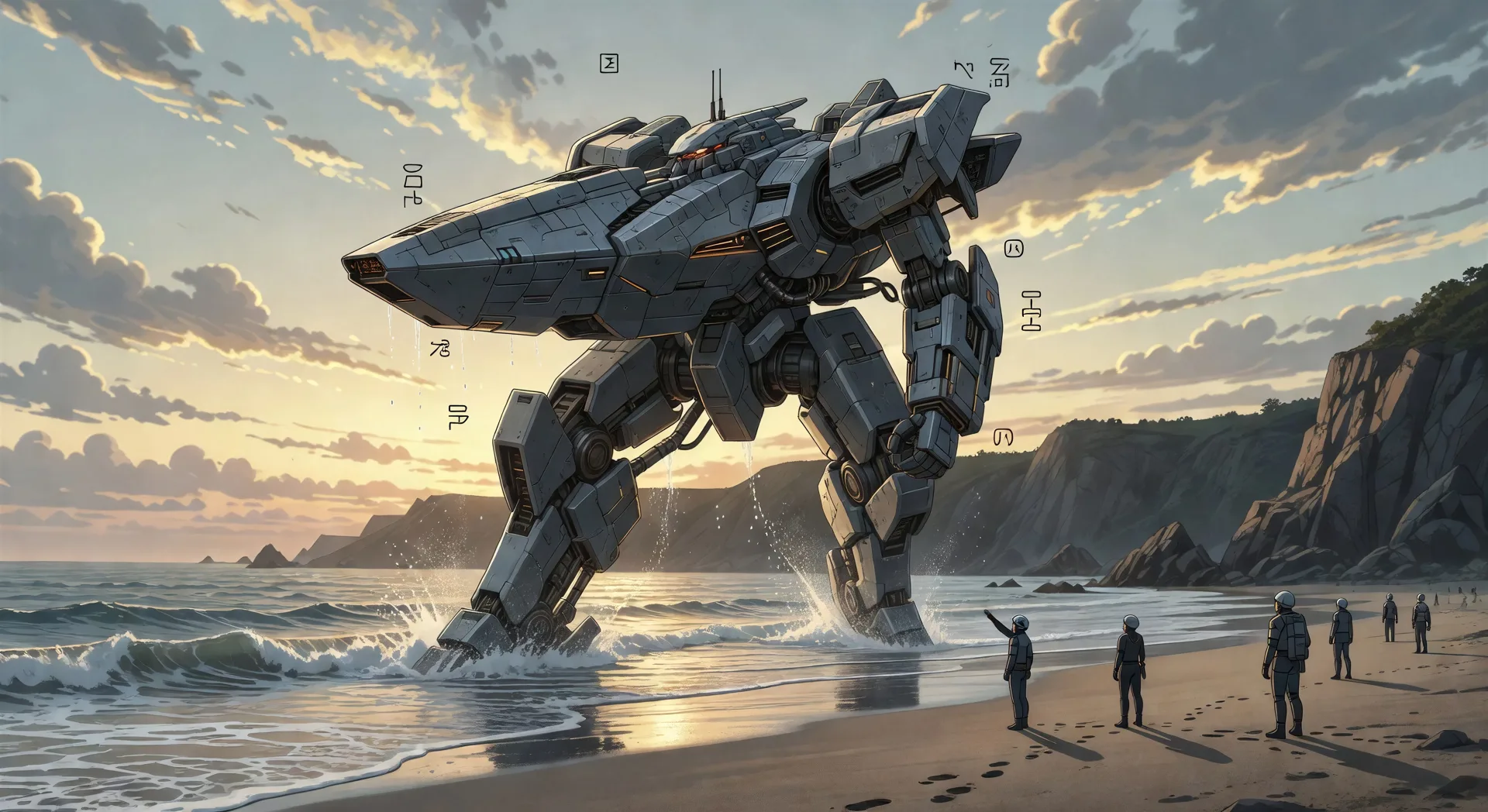
Weite Reparaturbucht-Illustration, Mecha-Frame in einer Wartungswiege aufgehängt, Paneele entfernt, um Servobündel freizulegen, drei Ingenieure, die auf verschiedenen Höhen arbeiten, Natrium-Bodenlicht.
Prompt bearbeiten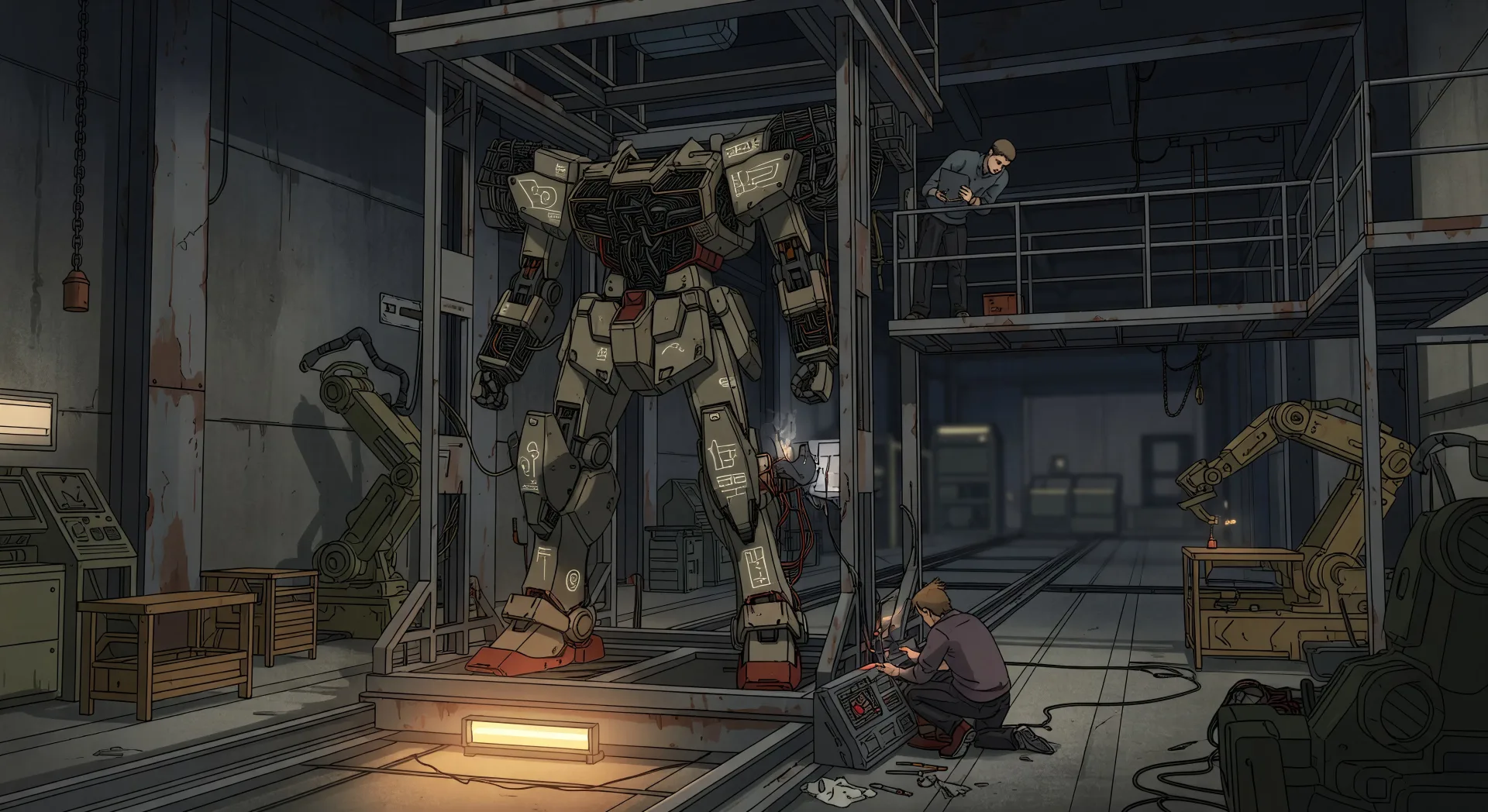
Beschreiben Sie das Mecha-Kunst, das Sie möchten, in einfachen Worten.
Morphic generiert in Sekunden ein sauberes, veröffentlichungsfertiges Bild auf Ihrer Canvas.
Passen Sie den Prompt an, generieren Sie Varianten und laden Sie das Bild herunter oder teilen Sie es.

Pick any anime illustration as your style guide. Apply its look to any image.

Turn any sketch or drawing into a finished render.

Take any character image and generate 6 distinct facial expressions on a single reference sheet.

All your characters on a single lineup image, side by side with height comparison.

Turn any photo or description into an animated chibi sprite. Dance, jump, wave, attack, and more.
Upload a character image and make it dance in any style.
Anime-Kunst KI-Bilder
Erstellen Sie Anime-Kunst mit Morphic. Charakterporträts, Keyvisual-Szenen, ausdrucksstarke Augen-Nahaufnahmen und vollständige Anime-Illustrationen aus einem einzigen Prompt generiert.
Chibi-Kunst-KI-Bilder
Erstellen Sie Chibi-Kunst mit Morphic. Kawaii-Charaktere mit großem Kopf, tierische Begleiter, Sticker-Pack-Ausdrücke und Gruppen-Line-ups, generiert aus einem einzigen Prompt.
Retro-Anime-Art-KI-Generator
Erstellen Sie Retro-Anime-Art mit Morphic. Handgemalte Cel-Hintergründe, gedämpfte Filmpaletten, VHS-Korn und Charakterkunst im 90er-Stil aus einem einzigen Prompt.
Traurige Anime-Bilder - KI-Kunst
traurige Anime-Bilder in HD entdecken. Frische KI-Kollektion zum Herunterladen oder eigene Version mit Morphic erstellen.
Starten Sie noch heute kostenlos, mit der Option, jederzeit zu upgraden oder zu kündigen.
Basic
2400 monatliche Credits
1 Nutzer
Alle Modelle
Workflows
Standard
3625 monatliche Credits
1 Nutzer
Alle Modelle
Workflows
Pro
6350 gemeinsame monatliche Credits
1 Nutzer
Alle Modelle
Workflows
Max
24650 gemeinsame monatliche Credits
1 Nutzer
Alle Modelle
Workflows
Enterprise
Für höhere Limits
Individuell
Preis- und Abrechnungsbedingungen

Free
Zum Ausprobieren
$0
dauerhaft kostenlos