Einzelfigurenblatt
Ein Gerät in einer klaren Figurenansicht als schwarze Tuschelinien auf Weiß, Führungslinien, die zu nummerierten Teilen verlaufen, leichte schattierte Schraffur und eine Figurenbeschriftung darunter reserviert.
Prompt bearbeiten
Gestalten Sie Patentzeichnungen direkt im Browser mit dem KI-Bildgenerator von Morphic. Generieren Sie ein Gerät in mehreren nummerierten Figurenansichten, einen Explosionsmechanismus mit Teilebeschriftungen oder eine Perspektivansicht mit Referenzschraffur. Ziehen Sie die fertige Kunst in das Canvas, um die Teilenummern und Figurenunterschriften hinzuzufügen.
Ein Gerät in einer klaren Figurenansicht als schwarze Tuschelinien auf Weiß, Führungslinien, die zu nummerierten Teilen verlaufen, leichte schattierte Schraffur und eine Figurenbeschriftung darunter reserviert.
Prompt bearbeitenEine Baugruppe, auf einem weißen Blatt in gestapelte Teile auseinandergezogen, gestrichelte Fluchtlinien und nummerierte Führungslinien neben jeder Komponente, eine Figurenbeschriftung unten reserviert.
Prompt bearbeiten
Ein Schnittbild eines Geräts mit Schnittschraffur auf den Schnittflächen, schwarze Tuschelinie auf Weiß, nummerierte Führungslinien zu den inneren Teilen und ein Bildunterschriftsband darunter reserviert.
Prompt bearbeiten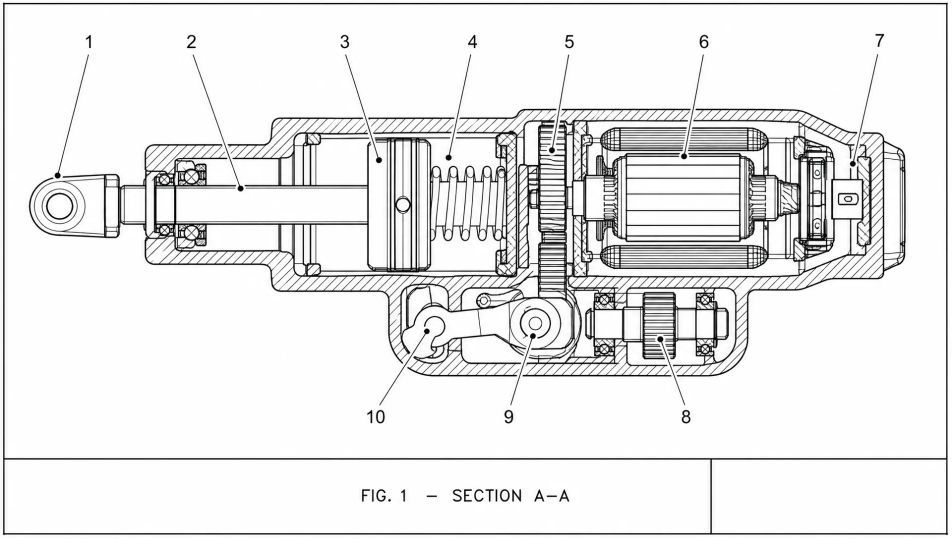
Eine Erfindung, aus mehreren Blickwinkeln als separate nummerierte Figuren auf einem weißen Blatt gezeigt, schwarze Tuschelinien, konsistente Schraffur und eine formale Patentblatt-Anordnung.
Prompt bearbeiten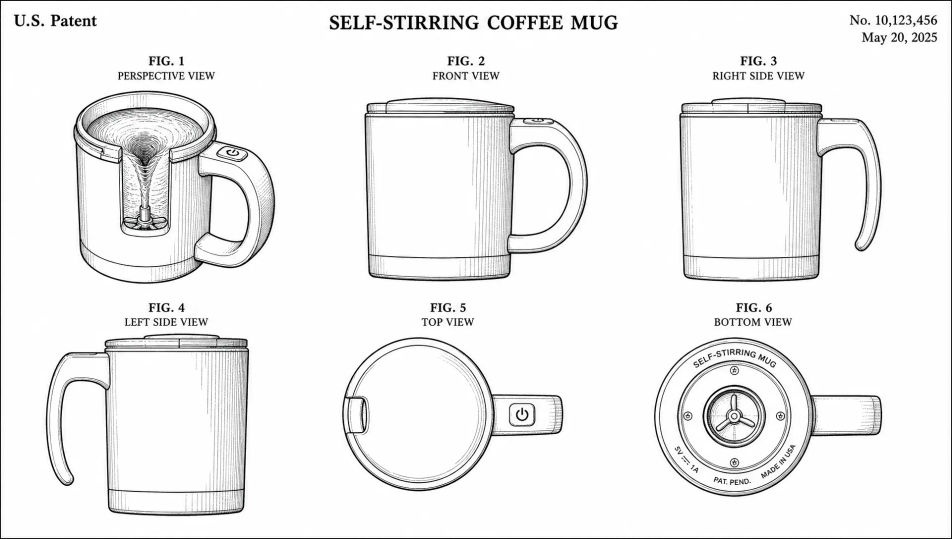
Beschreiben Sie das Patentzeichnung, das Sie möchten, in einfachen Worten.
Morphic generiert in Sekunden ein sauberes, veröffentlichungsfertiges Bild auf Ihrer Canvas.
Passen Sie den Prompt an, generieren Sie Varianten und laden Sie das Bild herunter oder teilen Sie es.
Pick a reference image, apply its visual style to your own photo or artwork.
Convert any image to a new aspect ratio. Smart crop or extend the edges to fit.

Turn any sketch or drawing into a finished render.

Take any character image and generate 6 distinct facial expressions on a single reference sheet.
Restyle any video in a completely new visual style. Every frame transforms, all motion stays intact.

Pick any anime illustration as your style guide. Apply its look to any image.
Technische Blaupause-KI-Bilder
Erstellen Sie KI-Bilder technischer Blaupausen mit Morphic. Generieren Sie in Sekunden authentische Blaupausen-Grafiken, Szenen und Motive für jedes Projekt.
Architekturzeichnung-KI-Bilder
Erstellen Sie KI-Bilder von Architekturzeichnungen mit Morphic. Generieren Sie authentische Architekturzeichnungen, Szenen und Visuals für jedes Projekt in Sekunden.
Vintage-Enzyklopädietafel-KI-Bilder
Erstellen Sie KI-Vintage-Enzyklopädietafel-Bilder mit Morphic. Generieren Sie authentische Vintage-Enzyklopädietafel-Kunstwerke, -Szenen und -Motive für jedes Projekt in Sekunden.
Schmuckdesign-KI-Bilder
Erstellen Sie KI-Schmuckdesign-Bilder mit Morphic. Generieren Sie in Sekunden authentische Schmuckdesign-Kunstwerke, -Szenen und -Motive für jedes Projekt.
Starten Sie noch heute kostenlos, mit der Option, jederzeit zu upgraden oder zu kündigen.
Basic
2400 monatliche Credits
1 Nutzer
Alle Modelle
Workflows
Standard
3625 monatliche Credits
1 Nutzer
Alle Modelle
Workflows
Pro
6350 gemeinsame monatliche Credits
1 Nutzer
Alle Modelle
Workflows
Max
24650 gemeinsame monatliche Credits
1 Nutzer
Alle Modelle
Workflows
Enterprise
Für höhere Limits
Individuell
Preis- und Abrechnungsbedingungen

Free
Zum Ausprobieren
$0
dauerhaft kostenlos