Abteischiff
Ein weites Abteischiff aus dicken rundbogigen Pfeilern und einem schweren Tonnengewölbe, kleine hohe Fenster lassen schwache Lichtschächte herein, kühles graues Gestein und lange feierliche Schatten.
Prompt bearbeiten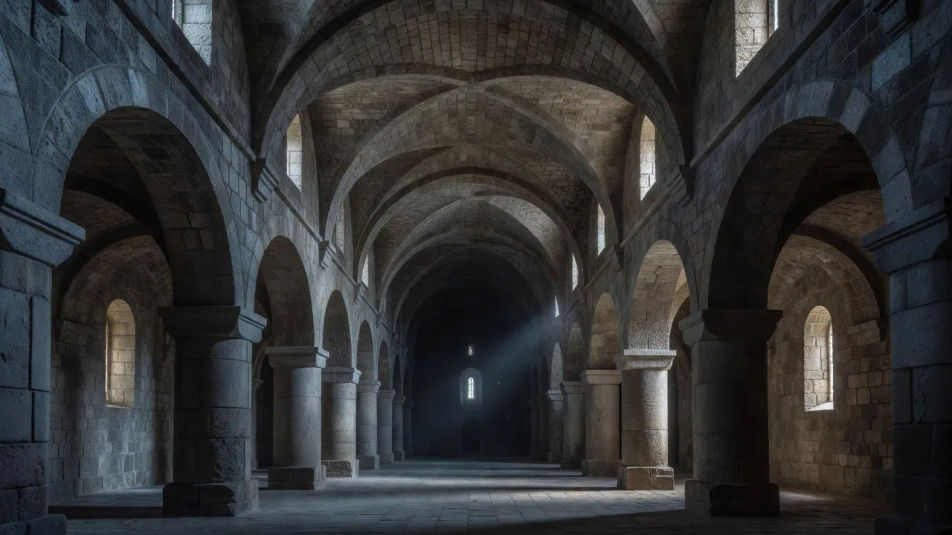
Malen Sie romanische Kunstbilder direkt im Browser mit Morphics KI-Bildgenerator. Bauen Sie eine massive Abtei mit Rundbögen, ein geschnitztes Tympanon voller stilisierter Figuren oder eine tonnengewölbte Krypta aus dicken Steinpfeilern. Kombinieren Sie jedes Bild mit Style Transfer und animieren Sie jedes Standbild mit Image to Video.
Ein weites Abteischiff aus dicken rundbogigen Pfeilern und einem schweren Tonnengewölbe, kleine hohe Fenster lassen schwache Lichtschächte herein, kühles graues Gestein und lange feierliche Schatten.
Prompt bearbeitenEin breites Westportal, gekrönt von einem geschnitzten steinernen Tympanon voller stilisierter Figuren des Jüngsten Gerichts, flache frontale Posen und tiefer Schatten in verwittertem blassgoldenem Gestein.
Prompt bearbeiten
Eine weite gewölbte Apsis, bemalt mit einem strengen frontalen Christus in Majestät, kräftige flache Konturen und erdige Ockertöne, eine tiefblaue Mandorla und starre hieratische Figuren.
Prompt bearbeiten
Ein weiter arkadenartiger Kreuzgang aus paarweise gestellten kräftigen Säulen und Rundbögen um einen grünen Garten, gleichmäßiges Tageslicht und lange ruhige Schatten auf abgetretenen Steinplatten.
Prompt bearbeiten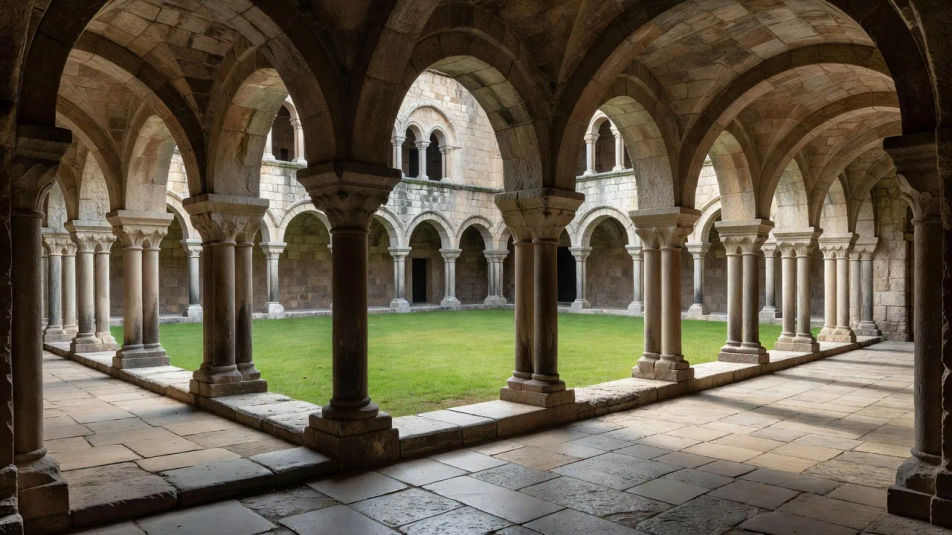
Beschreiben Sie das Romanesque art, das Sie möchten, in einfachen Worten.
Morphic generiert in Sekunden ein sauberes, veröffentlichungsfertiges Bild auf Ihrer Canvas.
Passen Sie den Prompt an, generieren Sie Varianten und laden Sie das Bild herunter oder teilen Sie es.
Pick a reference image, apply its visual style to your own photo or artwork.
Convert any image to a new aspect ratio. Smart crop or extend the edges to fit.

Turn any sketch or drawing into a finished render.

Pick any anime illustration as your style guide. Apply its look to any image.
Restyle any video in a completely new visual style. Every frame transforms, all motion stays intact.

Take any character image and generate 6 distinct facial expressions on a single reference sheet.
Gotische Kunst KI-Bilder
Erstellen Sie gotische Kunst KI-Bilder im Browser: Rosetten, vergoldete Altarbilder, Spitzbogenkathedralen in Juwelentönen. Jetzt starten.
Byzantinische Kunst KI-Bilder
Erstellen Sie byzantinische Kunst-KI-Bilder im Browser: Goldmosaike, frontale Ikonen, Kuppelheiligtümer. Bauen Sie eine heilige Szene aus einem Prompt.
KI-Bilder mittelalterlicher Buchmalerei
Erstellen Sie KI-Bilder mittelalterlicher Buchmalerei: vergoldete Initialen, Rankenbordüren, gotische Schriftseiten. Jetzt ausprobieren.
Tonalism KI-Bilder
Erstellen Sie Tonalism KI-Bilder im Browser: nebelige Marschen, einsame Bäume, mondbeschienene Flüsse in gedämpften Tönen. Jetzt loslegen.
Starten Sie noch heute kostenlos, mit der Option, jederzeit zu upgraden oder zu kündigen.
Basic
2400 monatliche Credits
1 Nutzer
Alle Modelle
Workflows
Standard
3625 monatliche Credits
1 Nutzer
Alle Modelle
Workflows
Pro
6350 gemeinsame monatliche Credits
1 Nutzer
Alle Modelle
Workflows
Max
24650 gemeinsame monatliche Credits
1 Nutzer
Alle Modelle
Workflows
Enterprise
Für höhere Limits
Individuell
Preis- und Abrechnungsbedingungen

Free
Zum Ausprobieren
$0
dauerhaft kostenlos