Halbbeleuchtete Studie
Ein Brustporträt, bei dem eine Gesichtshälfte von tiefem Schatten verschluckt wird, ein einzelnes hartes Licht streift die andere Wange, ein schwarzer Hintergrund und eine angespannte geheimnisvolle Stimmung.
Prompt bearbeiten
Erstellen Sie Schattenporträts direkt im Browser mit dem KI-Bildgenerator von Morphic. Generieren Sie einen halbbeleuchteten Fremden, von Dunkelheit verschluckt, einen grüblerischen Denker unter einer einzelnen harten Lichtquelle oder eine geheimnisvolle Gestalt, herausgemeißelt durch dramatisches Chiaroscuro. Legen Sie das fertige Artwork ins Canvas, um den Bildausschnitt zu verfeinern oder einen Titel hinzuzufügen.
Ein Brustporträt, bei dem eine Gesichtshälfte von tiefem Schatten verschluckt wird, ein einzelnes hartes Licht streift die andere Wange, ein schwarzer Hintergrund und eine angespannte geheimnisvolle Stimmung.
Prompt bearbeitenEin Motiv, beleuchtet aus einem hohen Seitenwinkel, eine harte Lichtkante auf Stirn und Nase, der Kiefer versinkt in Dunkelheit und dramatisches Chiaroscuro meißelt die Züge.
Prompt bearbeiten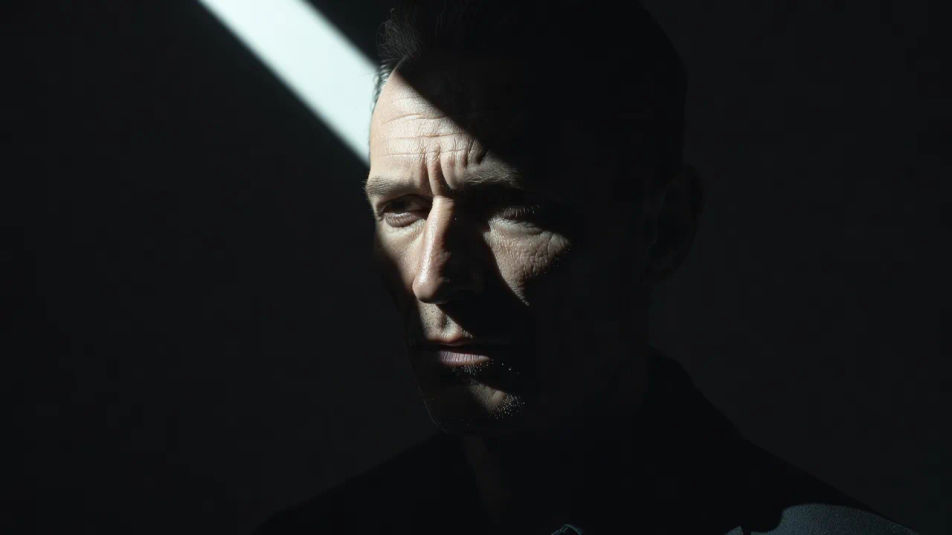
Ein reglos sitzendes Motiv, das aus einem schwarzen Grund auftaucht, nur die Augen und ein Streifen Wange fangen ein einzelnes hartes Licht, der Rest verliert sich im Schatten für eine stille rätselhafte Präsenz.
Prompt bearbeiten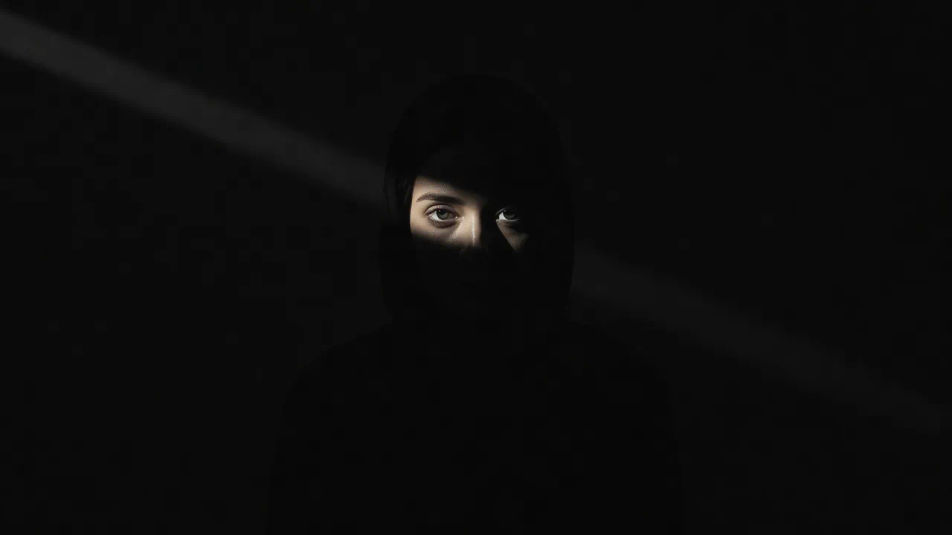
Ein naher Ausschnitt, beleuchtet von einem einzelnen tiefen harten Licht, lange Schatten klettern das Gesicht hinauf, ein Auge und die Linie der Lippen leuchten und tiefer schwarzer Negativraum füllt das Bild.
Prompt bearbeiten
Beschreiben Sie das Schattenporträt, das Sie möchten, in einfachen Worten.
Morphic generiert in Sekunden ein sauberes, veröffentlichungsfertiges Bild auf Ihrer Canvas.
Passen Sie den Prompt an, generieren Sie Varianten und laden Sie das Bild herunter oder teilen Sie es.
Fix plastic-looking AI skin. Adds natural texture, pores, and imperfections for realism.
One selfie becomes a set of professional headshots. Studio-quality, multiple styles.
Choose your viewing angles and get precise perspective shifts of any image with full camera control.
Convert any image to a new aspect ratio. Smart crop or extend the edges to fit.
Set the look with one reference image. Apply that exact grade to any scene or batch.
Bring back any damaged, blurry, or low-res image. Get a sharp, detailed 4K version with natural clarity restored.
Silhouettenporträt-KI-Bilder
Erstellen Sie KI-Silhouettenporträt-Bilder mit Morphic. Generieren Sie authentische Silhouettenporträt-Artworks, -Szenen und -Motive für jedes Projekt in Sekunden.
Doppelbelichtungsporträt-KI-Bilder
Erstellen Sie KI-Doppelbelichtungsporträt-Bilder mit Morphic. Generieren Sie in Sekunden authentische Doppelbelichtungsporträt-Kunstwerke, -Szenen und -Motive für jedes Projekt.
Neon-Porträt-KI-Bilder
Erstellen Sie KI-Neon-Porträt-Bilder mit Morphic. Generieren Sie authentische Neon-Porträt-Kunst, Szenen und Motive für jedes Projekt in Sekunden.
Digital-Art-Porträt-KI-Bilder
Erstellen Sie KI-Digital-Art-Porträt-Bilder mit Morphic. Generieren Sie in Sekunden authentische Digital-Art-Porträt-Kunstwerke, -Szenen und -Motive für jedes Projekt.
Starten Sie noch heute kostenlos, mit der Option, jederzeit zu upgraden oder zu kündigen.
Basic
2400 monatliche Credits
1 Nutzer
Alle Modelle
Workflows
Standard
3625 monatliche Credits
1 Nutzer
Alle Modelle
Workflows
Pro
6350 gemeinsame monatliche Credits
1 Nutzer
Alle Modelle
Workflows
Max
24650 gemeinsame monatliche Credits
1 Nutzer
Alle Modelle
Workflows
Enterprise
Für höhere Limits
Individuell
Preis- und Abrechnungsbedingungen

Free
Zum Ausprobieren
$0
dauerhaft kostenlos