Travel Poster AI Images

Design travel posters in your browser with Morphic's AI image generator. Generate an alpine poster of a stylised peak or a riviera coast in terracotta and turquoise, hold one look with Style Transfer, then drop the art into the Canvas to set the banner.

Travel poster styles you can design

Travel poster layouts you can compose

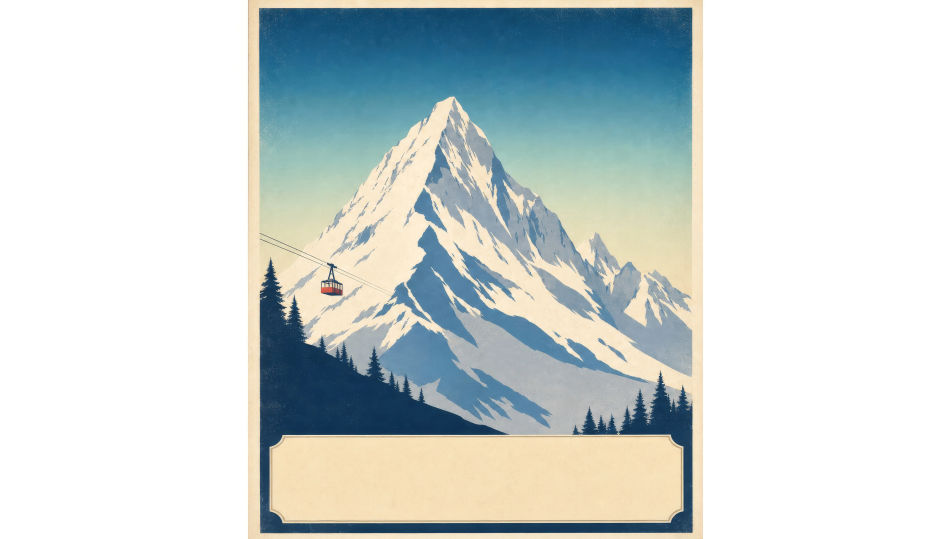
Alpine destination poster

A full vertical poster of a stylised snow peak in flat colour planes under a graduated cool sky, a tiny cable car for scale, a hand-lettered destination banner across the base.

Prompt bearbeiten
Alpine destination poster

Riviera coast poster

A full poster of a sun-warmed coastline in terracotta and turquoise, a parasol-lined promenade, an art-deco border, a clear banner area at the top for the destination name.

Prompt bearbeiten
Riviera coast poster

Desert route poster

A full poster of stepped mesas and a low sun in burnt orange and dusk-violet, a lone road vanishing to the horizon, flat graphic dunes, a hand-lettered banner reserved below.

Prompt bearbeiten
Desert route poster

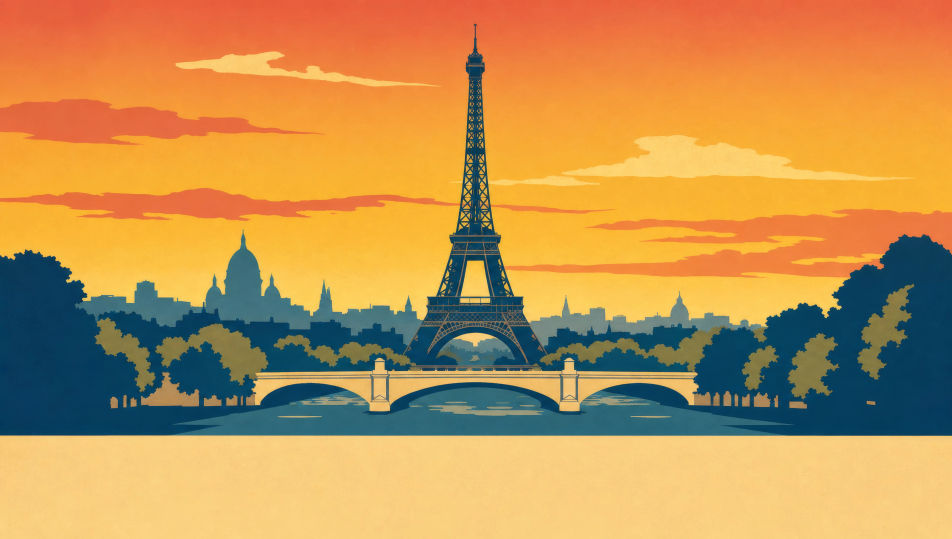
City landmark poster

A full poster of a stylised skyline reduced to bold flat shapes with one iconic landmark centred, a warm dusk gradient sky, a clean deco banner and city name across the bottom.

Prompt bearbeiten
City landmark poster

Travel poster in drei Schritten erstellen

  1. 01

    Beschreiben Sie Ihr Travel poster

    Beschreiben Sie das Travel poster, das Sie möchten, in einfachen Worten.

  2. 02

    Bild generieren

    Morphic generiert in Sekunden ein sauberes, veröffentlichungsfertiges Bild auf Ihrer Canvas.

  3. 03

    Travel poster verfeinern

    Passen Sie den Prompt an, generieren Sie Varianten und laden Sie das Bild herunter oder teilen Sie es.

Verwandte Workflows

Das könnte Ihnen auch gefallen

Einfache Preise

Starten Sie noch heute kostenlos, mit der Option, jederzeit zu upgraden oder zu kündigen.

Basic

$0/ Monat
abgerechnet als $0 pro Jahr

900 monatliche Credits

1 Nutzer

Alle Modelle

Workflows

Standard

$0/ Monat
abgerechnet als $0 pro Jahr

3200 monatliche Credits

1 Nutzer

Alle Modelle

Workflows

Pro

$0/ Monat
abgerechnet als $0 pro Jahr

6200 gemeinsame monatliche Credits

1 Nutzer

+ bis zu 4 weitere gegen Aufpreis

Alle Modelle

Workflows

Pro Max

$0/ Monat
abgerechnet als $0 pro Jahr

24000 gemeinsame monatliche Credits

1 Nutzer

+ bis zu 9 weitere gegen Aufpreis

Alle Modelle

Workflows

Enterprise

Für höhere Limits

Individuell

Preis- und Abrechnungsbedingungen

Unbegrenzte Credits
Individuelle Platzlimits
Alle Modelle
Workflows
Pricing Gradient

Free

Zum Ausprobieren

$0

dauerhaft kostenlos

Bis zu 20 Credits
Nur 1 Nutzer
Eingeschränkte Modelle
Workflows

Häufig gestellte Fragen

Where can I make travel posters with AI?
You can create travel posters directly in your browser on Morphic. Open the Image tool, describe the destination, the flat-graphic treatment, the palette, and the banner area, and Morphic produces the poster art. Then set the destination banner and tagline in the Canvas. No installs and no design software needed.
What gives a travel poster its classic look?
Three things: flat colour planes instead of photographic detail, a single stylised landmark or vista, and a hand-lettered destination banner. Name the flat-graphic treatment in the prompt and reserve the banner space, then add the type in the Canvas.
How do I match the poster to the destination?
Name the destination type and lean into its conventions: a stylised peak for alpine, terracotta and turquoise for the riviera, stepped mesas for desert, WPA two-tone for a national park. The destination cue is what makes the place instantly readable.
How do I keep a destination series consistent?
Use Morphic's Style Transfer workflow to lock the palette, border, and banner system from your first poster, then reference that style card for every destination. The series reads as one travel line while each place stays distinct.
Can I add the destination name and tagline on Morphic?
Yes. Generate the poster art with the banner area left clear, then open the Canvas to place the destination name and tagline. Keeping the type as a layer lets you swap destinations without regenerating the artwork.
Do I need design experience to make a travel poster?
No. Morphic runs in your browser and takes plain-language prompts. Anyone who can describe a destination, a flat-graphic treatment, and a palette can produce a finished travel poster. Illustrator and a vintage type collection are not required.