Inszenieren Sie schaurige Besessenheitseffekte im Browser mit Morphics KI-Videogenerator für dämonische Besessenheit. Erzeugen Sie ein Gesicht, das sich verdunkelt, während die Augen schwarz werden, oder einen Körper in unmöglicher Verrenkung. Lassen Sie das Grauen mit Music anschwellen und fügen Sie die Manifestationen im Canvas zusammen.
Varianten dämonischer Besessenheit, die Sie inszenieren können
Sequenzen dämonischer Besessenheit, die Sie in Szene setzen können
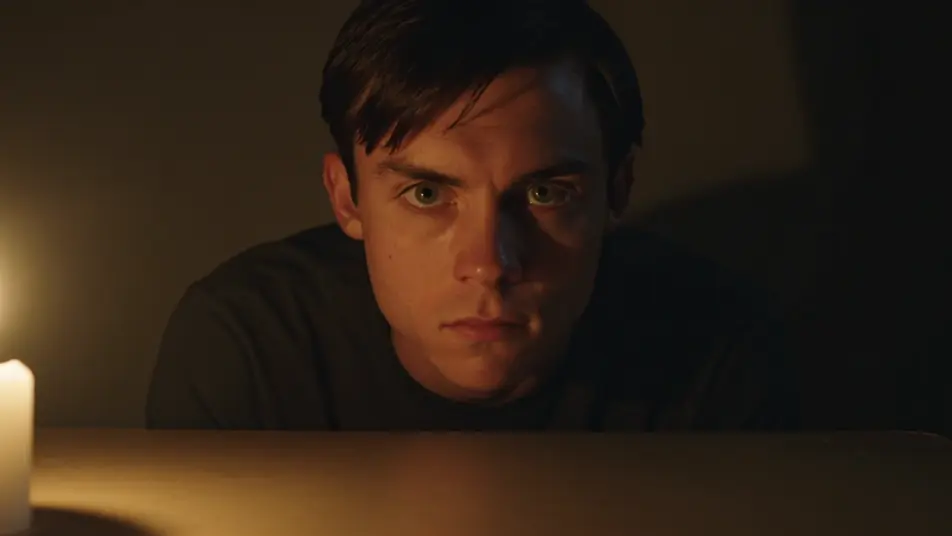
Ein sich wandelndes Gesicht im Kerzenlicht
Ein Subjekt sitzt an einem kahlen Tisch in einem kerzenbeleuchteten Raum, während die Augen schwarz überfluten und dunkle Adern über die Schläfen hervortreten. Warmes flackerndes Führungslicht gegen tiefen Schatten, ein langsames Heranfahren, das auf den Augen verweilt.
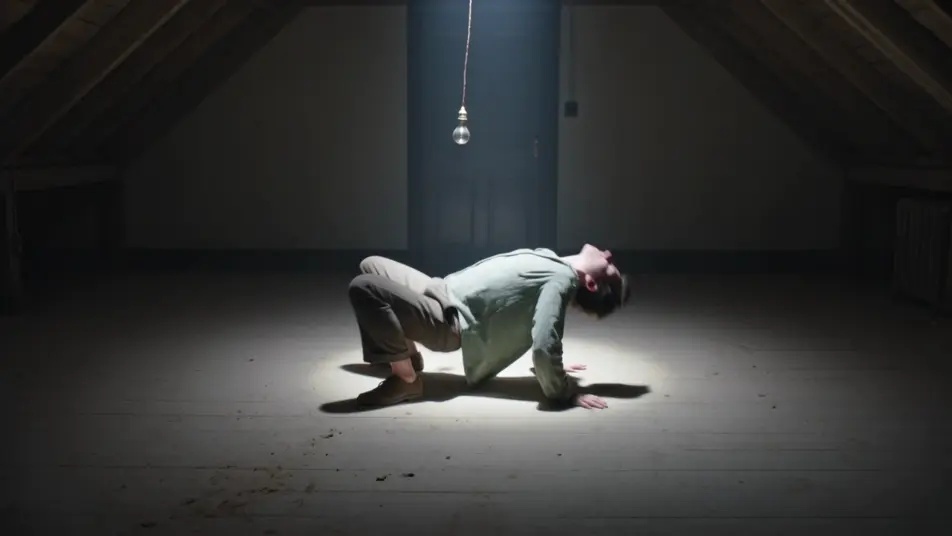
Eine Gestalt auf einem staubigen Dachbodenboden biegt sich rückwärts in eine unmögliche, die Wirbelsäule verbiegende Haltung unter einer einzelnen hängenden Glühbirne. Hartes Oberlicht, das leicht schwingt, eine fixierte Weitwinkelaufnahme, die den ganzen Körper im Bild hält.
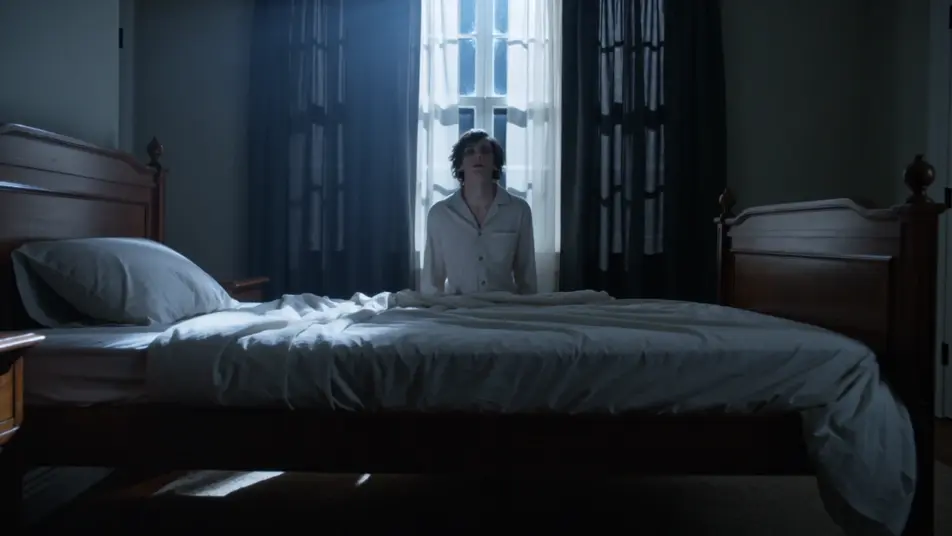
Ein besessenes Subjekt erhebt sich starr von einem Bett in einem dunklen Schlafzimmer, der Kopf fällt nach hinten, während die Laken abfallen. Kaltes Mondlicht durch ein verhangenes Fenster, ein langsamer aufsteigender Kran, der dem Anheben folgt.
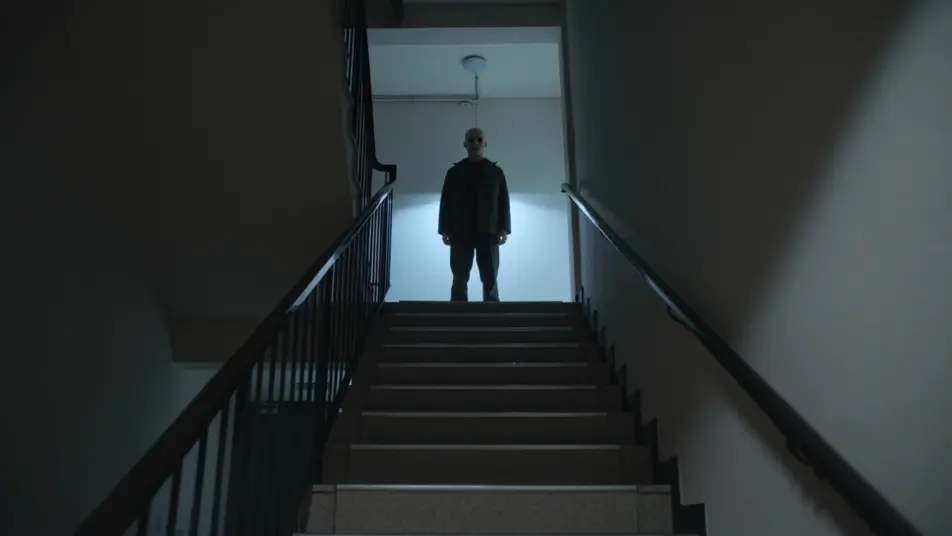
Eine leergesichtige besessene Gestalt steht am oberen Ende eines schattigen Treppenhauses mit hohlen Augen und einem schwachen falschen Lächeln, reglos. Kaltes Licht von unten, ein langsames Heranfahren die Treppe hinauf.
Wo kann ich Videos zu dämonischer Besessenheit mit KI erstellen?
Sie können Besessenheits-Videos direkt in Ihrem Browser auf Morphic erstellen. Öffnen Sie das Text to Video Tool, beschreiben Sie das Subjekt und die Manifestation, schwarze Augen, hervortretende Adern, eine Verrenkung, und Morphic erzeugt den Clip. Keine Prothesen oder Compositing nötig.
Welche Arten von Besessenheits-Einstellungen funktionieren am besten mit KI-Video?
Langsam schwarz werdende Augen, hervortretende Adern und unmögliche Verrenkungen kommen alle sauber rüber. Die stärksten Clips verändern jeweils einen Cue und halten die Kamera langsam und nah, sodass das Grauen sich aufbaut, statt auf einmal anzukommen. Zurückhaltung wirkt gruseliger als Chaos.
Wie schreibe ich einen guten Prompt für ein Besessenheits-Video?
Nennen Sie das Subjekt, die einzelne Manifestation, die sich zuerst verändert, und wie schnell sie sich ausbreitet. Fügen Sie das Licht und die Kamera hinzu, Kerzenlicht und ein langsames Heranfahren leisten viel Arbeit. Je klarer der eine Cue, desto beunruhigender die Wandlung, die Morphic zurückgibt.
Wie halte ich die Besessenheit über mehrere Szenen hinweg konsistent?
Halten Sie das Subjekt, die Manifestations-Cues und die Lichtrichtung über alle Clips hinweg konsistent und beschreiben Sie sie in jedem Prompt auf dieselbe Weise. Auf dem Canvas können Sie die Wandlung, die Verrenkung und das Schweben nebeneinander platzieren und jedes zu einer durchgängigen Sequenz verfeinern.
Kann ich meinen Besessenheits-Videos Musik und Erzählung hinzufügen?
Ja. Das Music Tool produziert einen originalen Soundtrack, und eine Besessenheit landet am härtesten, wenn tiefes Grauen unter der Wandlung anschwillt. Das Speech Tool erzeugt eine Erzählung oder ein verzerrtes Flüstern in der von Ihnen gewählten Stimme, über den Clip gelegt, sodass eine Horror-Szene eine Sprachaufnahme tragen kann.
Brauche ich Erfahrung im Videoschnitt, um ein Besessenheits-Video zu erstellen?
Nein. Morphic läuft in Ihrem Browser, und Sie steuern es mit Prompts in Alltagssprache. Wenn Sie das Subjekt und die Art, wie sich die Besessenheit zeigt, beschreiben können, können Sie den Clip erzeugen. Die Prompts auf dieser Seite sind so geschrieben, dass jeder sie einfügen und ausführen kann.
Everything on this page is fictional depiction for film, games and creative work. It does not depict real events, and does not place real, identifiable people in them.
Results vary by model. Some models apply stricter content policies than others, so a shot one model declines may generate on another.