AI Time Freeze Effect videos

Direct frozen-moment shots in your browser with Morphic's time freeze effect AI video generator. Generate clips like a busy crossing locking still while one figure walks through it or a splash of water hanging suspended in mid-air, and pair them with the Music tool to drop the sound out the instant time stops. Stitch the frozen beats into one continuous suspended-time sequence on the Canvas.

Time freeze variations you can direct

Time freeze sequences you can stage

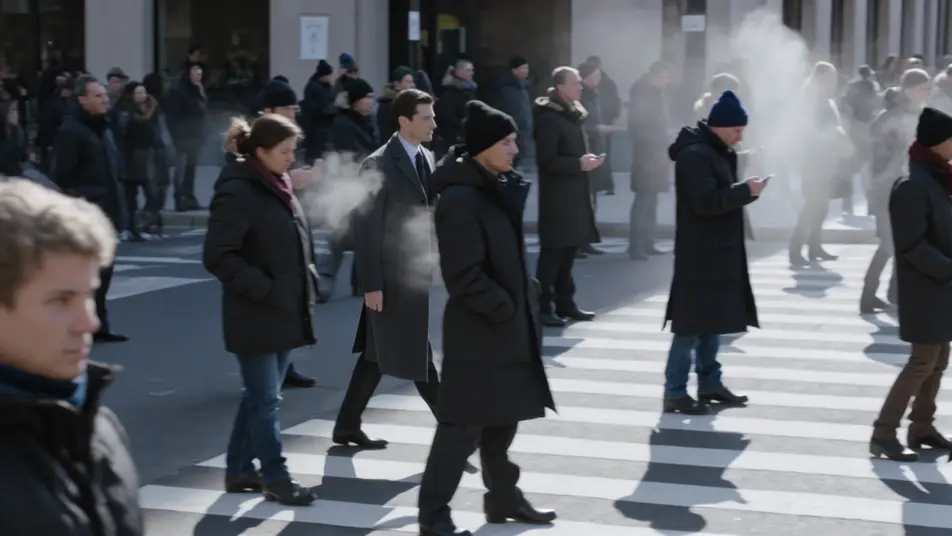
Frozen crossing at rush hour

A packed city crossing locks completely still while one figure walks through the frozen crowd. Slow tracking shot following the mover, hard midday light catching the suspended coats and steam.

Prompt bearbeiten

Suspended splash on a rooftop

A bucket of water thrown on a rooftop freezes into a hanging sheet of droplets, backlit gold at sunset. Slow orbit around the suspended splash, each drop glinting as the camera moves.

Prompt bearbeiten

Debris held after a blast

Inside a shattered room, glass and papers hang motionless in a frozen cloud after an explosion. Camera drifts slowly through the suspended debris, cold light raking across the still fragments.

Prompt bearbeiten

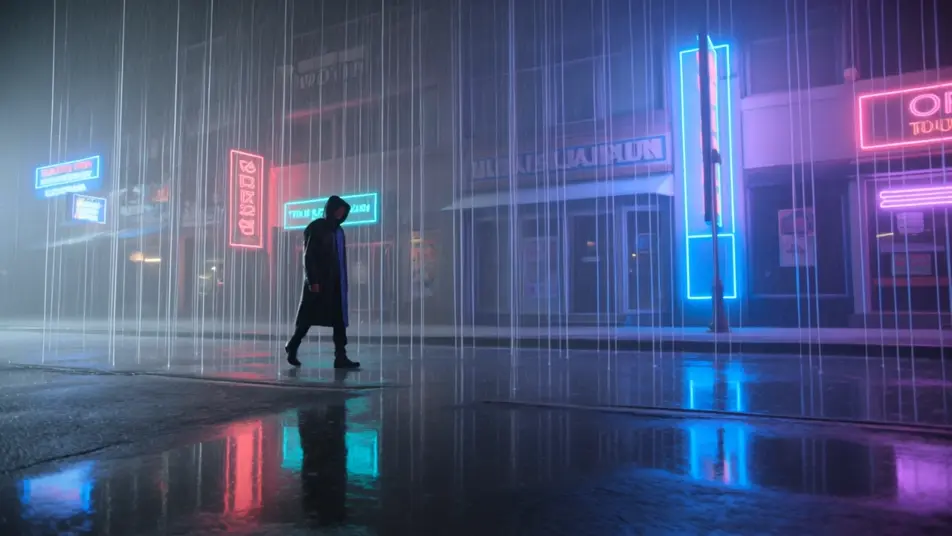
Rain stopping over a street

A downpour freezes mid-fall over a neon street, every drop a hanging silver line while a lone figure moves between them. Low wide angle, reflections still on the wet ground below the suspended rain.

Prompt bearbeiten

time freeze effect-Videos in drei Schritten erstellen

  1. 01

    Beschreiben Sie Ihre time freeze effect-Szene

    Beschreiben Sie die time freeze effect-Szene, die Sie möchten, in einfachen Worten.

  2. 02

    Video generieren

    Morphic generiert in Sekunden einen filmreifen Clip auf Ihrer Canvas.

  3. 03

    time freeze effect-Video verfeinern

    Passen Sie den Prompt an, generieren Sie Varianten und laden Sie die Aufnahme herunter oder teilen Sie sie.

Verwandte Workflows

Das könnte Ihnen auch gefallen

Einfache Preise

Starten Sie noch heute kostenlos, mit der Option, jederzeit zu upgraden oder zu kündigen.

Basic

$9/ Monat
abgerechnet als $0 pro Jahr

900 monatliche Credits

1 Nutzer

Alle Modelle

Workflows

Standard

$24/ Monat
abgerechnet als $0 pro Jahr

3200 monatliche Credits

1 Nutzer

Alle Modelle

Workflows

Pro

$45/ Monat
abgerechnet als $0 pro Jahr

6200 gemeinsame monatliche Credits

1 Nutzer

+ bis zu 4 weitere gegen Aufpreis

Alle Modelle

Workflows

Pro Max

$170/ Monat
abgerechnet als $0 pro Jahr

24000 gemeinsame monatliche Credits

1 Nutzer

+ bis zu 9 weitere gegen Aufpreis

Alle Modelle

Workflows

Enterprise

Für höhere Limits

Individuell

Preis- und Abrechnungsbedingungen

Unbegrenzte Credits
Individuelle Platzlimits
Alle Modelle
Workflows
Pricing Gradient

Free

Zum Ausprobieren

$0

dauerhaft kostenlos

Bis zu 20 Credits
Nur 1 Nutzer
Eingeschränkte Modelle
Workflows

Häufig gestellte Fragen

Where can I make time freeze effect videos with AI?
You can create time freeze videos directly in your browser on Morphic. Open the Text to Video tool, describe what freezes and what keeps moving, and Morphic produces the frozen-moment clip. No bullet-time rig and no frame-by-frame editing needed.
What kinds of time freeze shots work best with AI video?
Frozen crowds with a single mover, suspended splashes, and halted debris fields all read cleanly. The strongest clips contrast one moving element against total stillness, so the eye reads the freeze as active time-stop rather than a paused video.
How do I write a good prompt for a time freeze effect video?
Name what stops and what still moves, then describe the light catching the suspended elements, the droplets, the dust, the hanging rain. The contrast between the frozen world and the single mover is what makes the effect land, so make both explicit in the prompt.
How do I keep the effect consistent between scenes?
Keep the light direction, the level of suspended detail, and the mover the same across clips. On the Canvas you can place freeze, hold, and resume clips side by side and refine each until the sequence reads as one continuous stopped moment that snaps back to motion.
Can I add music and narration to my time freeze effect videos?
Yes. The Music tool produces an original soundtrack, and a freeze lands hardest when the sound drops out the instant time stops and slams back on the resume. The Speech tool generates narration in the voice you choose, layered onto the clip for a monologue over the frozen world.
Do I need video editing experience to make a time freeze effect video?
No. Morphic runs in your browser and you direct it with plain-language prompts. If you can describe what freezes and what moves, you can produce a time freeze video. The prompts on this page are written so anyone can paste and run.