Direct a travel vlog in your browser with Morphic's travel vlog AI video generator. Generate segments like a first-light arrival over a hillside town or a steaming street-food stall shot in tight close-up, and pair them with the Speech tool for a warm voiceover and the Music tool for an upbeat travel bed. Stitch the clips into one continuous travel vlog on the Canvas.

Travel vlog segment styles you can direct

Travel vlog trips you can stage

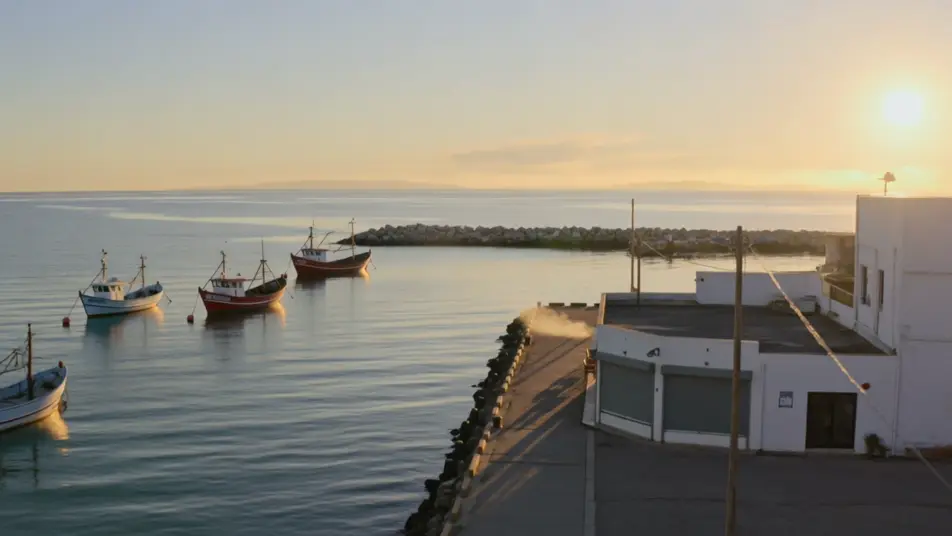
A morning in a coastal town

A bright waterfront at first light where fishing boats rock and cafe shutters roll up. The camera drifts from an aerial reveal down to a walking POV along the harbor, warm low sun catching the spray.

Prompt bearbeiten

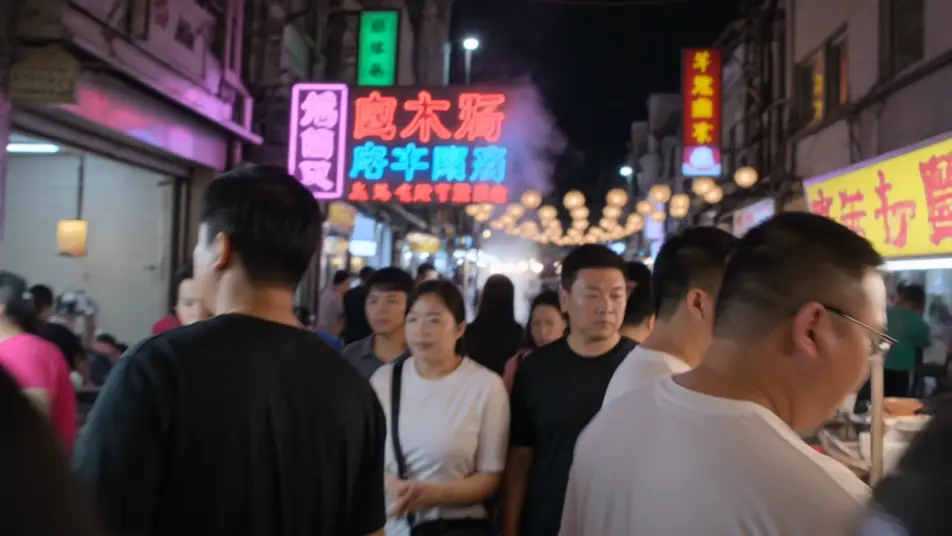
A street-food night market

A crowded night market washed in neon and lantern light where steam rises from stalls and crowds weave between them. Tight food close-ups cut against loose handheld walking shots, the frame alive with color.

Prompt bearbeiten

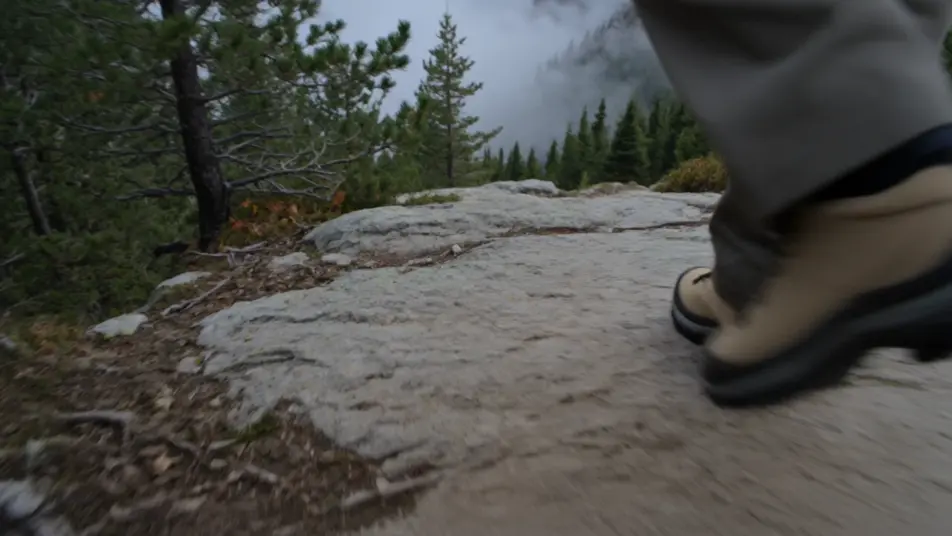
A mountain hike to a viewpoint

A misty trail climbing through pine and rock where the camera follows footsteps upward in POV. The sequence opens at a windswept summit with a sweeping aerial over ridgelines and drifting cloud.

Prompt bearbeiten

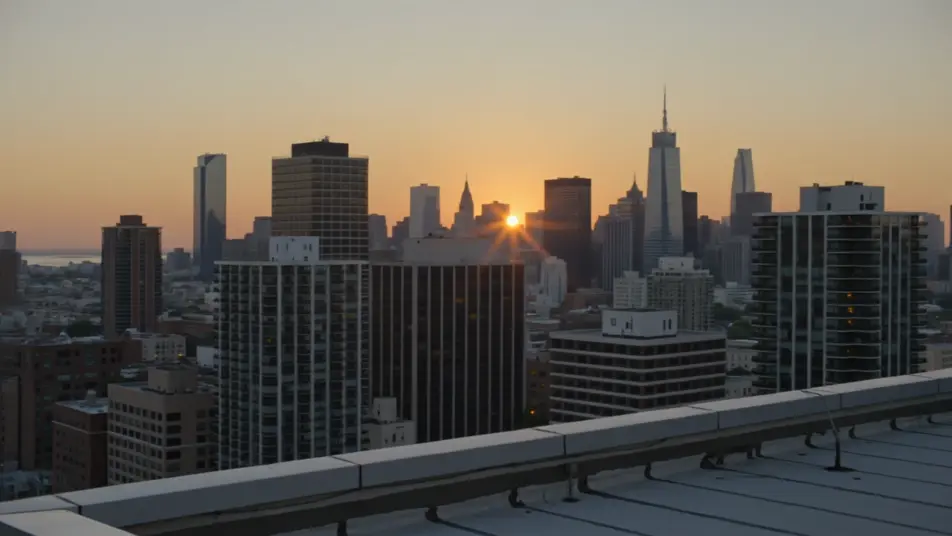
A golden-hour city rooftop

A wide rooftop overlooking a dense skyline as the light turns amber and windows begin to glow. A slow pan and a still reflective wide shot close the trip as the sun sinks behind the buildings.

Prompt bearbeiten

travel vlog video-Videos in drei Schritten erstellen

  1. 01

    Beschreiben Sie Ihre travel vlog video-Szene

    Beschreiben Sie die travel vlog video-Szene, die Sie möchten, in einfachen Worten.

  2. 02

    Video generieren

    Morphic generiert in Sekunden einen filmreifen Clip auf Ihrer Canvas.

  3. 03

    travel vlog video-Video verfeinern

    Passen Sie den Prompt an, generieren Sie Varianten und laden Sie die Aufnahme herunter oder teilen Sie sie.

Verwandte Workflows

Das könnte Ihnen auch gefallen

Einfache Preise

Starten Sie noch heute kostenlos, mit der Option, jederzeit zu upgraden oder zu kündigen.

Basic

$9/ Monat
abgerechnet als $0 pro Jahr

900 monatliche Credits

1 Nutzer

Alle Modelle

Workflows

Standard

$24/ Monat
abgerechnet als $0 pro Jahr

3200 monatliche Credits

1 Nutzer

Alle Modelle

Workflows

Pro

$45/ Monat
abgerechnet als $0 pro Jahr

6200 gemeinsame monatliche Credits

1 Nutzer

+ bis zu 4 weitere gegen Aufpreis

Alle Modelle

Workflows

Pro Max

$170/ Monat
abgerechnet als $0 pro Jahr

24000 gemeinsame monatliche Credits

1 Nutzer

+ bis zu 9 weitere gegen Aufpreis

Alle Modelle

Workflows

Enterprise

Für höhere Limits

Individuell

Preis- und Abrechnungsbedingungen

Unbegrenzte Credits
Individuelle Platzlimits
Alle Modelle
Workflows
Pricing Gradient

Free

Zum Ausprobieren

$0

dauerhaft kostenlos

Bis zu 20 Credits
Nur 1 Nutzer
Eingeschränkte Modelle
Workflows

Häufig gestellte Fragen

Where can I make travel vlog videos with AI?
You can build travel vlog segments directly in your browser on Morphic. Open the Text to Video tool, describe the arrival montage, walking POV, or food close-up you want, and Morphic generates the clip. No camera, no flights, and no editing timeline required.
What kinds of travel vlog segments work best with AI video?
Arrival montages, walking POV, food close-ups, and golden-hour b-roll all read strongly because they lean on light, movement, and texture. The most convincing segments name the time of day and the camera behavior, so the clip feels caught in the moment rather than staged.
How do I write a good prompt for a travel vlog video?
Name the location, the time of day, the shot type, and how the camera moves. Add the warm golden light, the neon glow, or the gentle handheld bob. The more you describe the energy and the light, the more the clip reads as a genuine travel vlog beat.
How do I keep it consistent across scenes?
Reuse the same warm grade, lens feel, and pacing across every segment so the arrival, market, and sunset beats feel shot on one trip. On the Canvas you can place the clips in sequence and tune each until the vlog flows as one continuous journey.
Can I add music and narration to my travel vlog videos?
Yes. The Speech tool generates a warm voiceover in the tone you choose, the running commentary that ties a vlog together. The Music tool produces an upbeat travel bed you can lay under the b-roll so the montages carry energy.
Do I need video editing experience to make a travel vlog?
No. Morphic runs in your browser and you direct it with plain-language prompts. If you can describe the place, the light, and the camera, you can produce a travel vlog segment. The prompts on this page are written so anyone can paste and run.