> For the complete documentation index, see [llms.txt](https://morphic.com/docs/llms.txt). Markdown versions of documentation pages are available by appending `.md` to page URLs; this page is available as [Markdown](https://morphic.com/docs/ar/how-tos/creating-motion-comics.md).

# إنشاء قصص مصوّرة متحركة

يمكنك الآن إنشاء قصص مصوّرة متحركة، وتحويل إطاراتك الثابتة إلى سلاسل سردية ديناميكية. يجعل Morphic إضافة الحركة والإيقاع والتدفق السينمائي إلى صفحات المانغا أمرًا بسيطًا.

إليك كيفية إنشاء كوميك متحرك من الصفر على Morphic.

<figure><img src="https://468387403-files.gitbook.io/~/files/v0/b/gitbook-x-prod.appspot.com/o/spaces%2FoPhHCbNZdzW70rakoLhf%2Fuploads%2FYC5E18VSbWq0FdZvG9Xs%2F1-ezgif.com-video-to-gif-converter.gif?alt=media&amp;token=d6edd4c9-9221-42ce-aab9-166e150c223f" alt=""><figcaption></figcaption></figure>

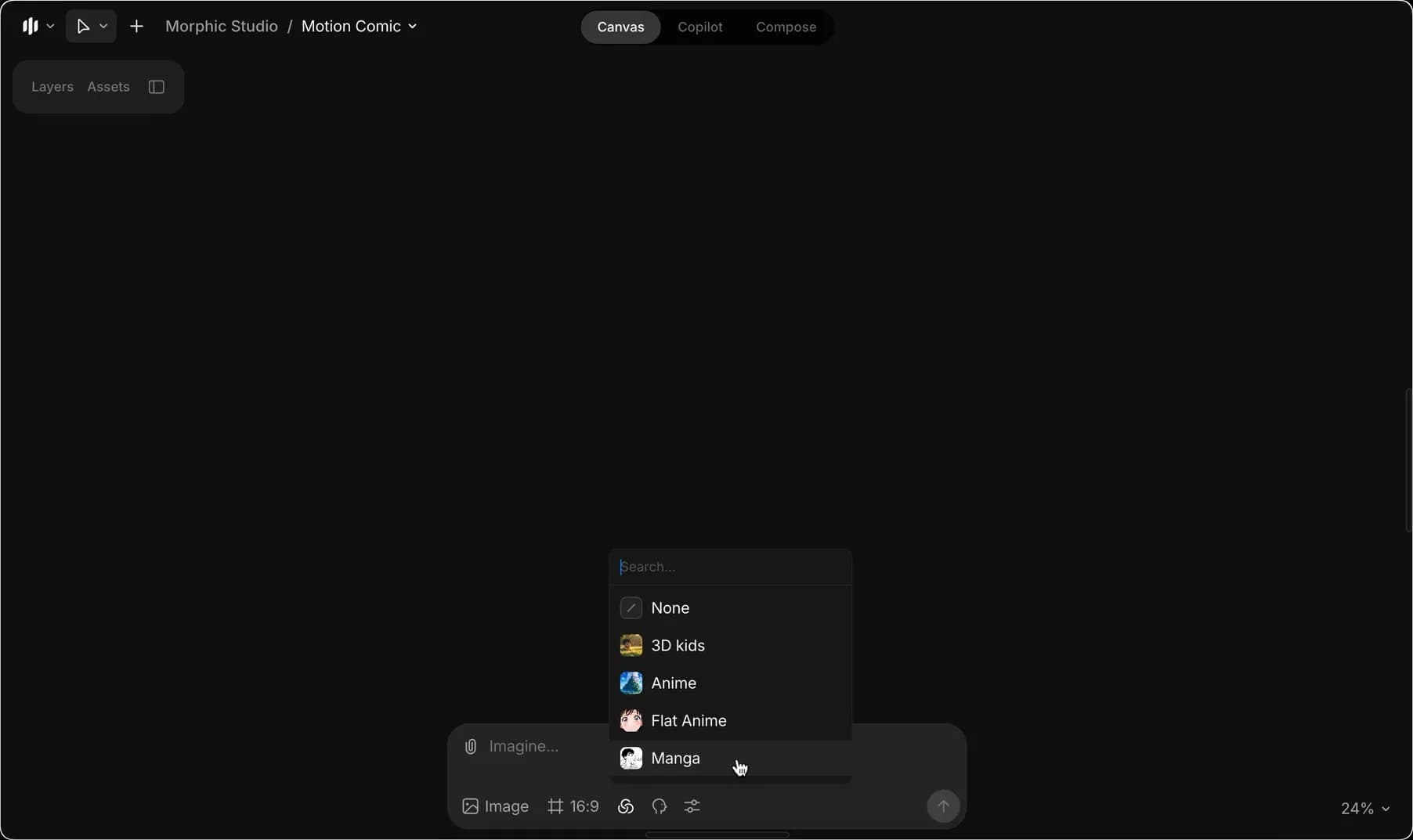
1. من شريط المطالبة، اختر Manga كنموذج الأسلوب. يمكنك اختيار [نموذج أسلوب مخصص](/docs/ar/essentials/models.md) إذا كنت قد درّبت واحدًا.

<figure><img src="https://468387403-files.gitbook.io/~/files/v0/b/gitbook-x-prod.appspot.com/o/spaces%2FoPhHCbNZdzW70rakoLhf%2Fuploads%2Fdbng6N8wa7dSg7SldFkP%2FCleanShot%202025-09-05%20at%2006.26.46%402x.png?alt=media&amp;token=3c497182-50e4-45ce-9fec-abec5396c6b9" alt=""><figcaption></figcaption></figure>

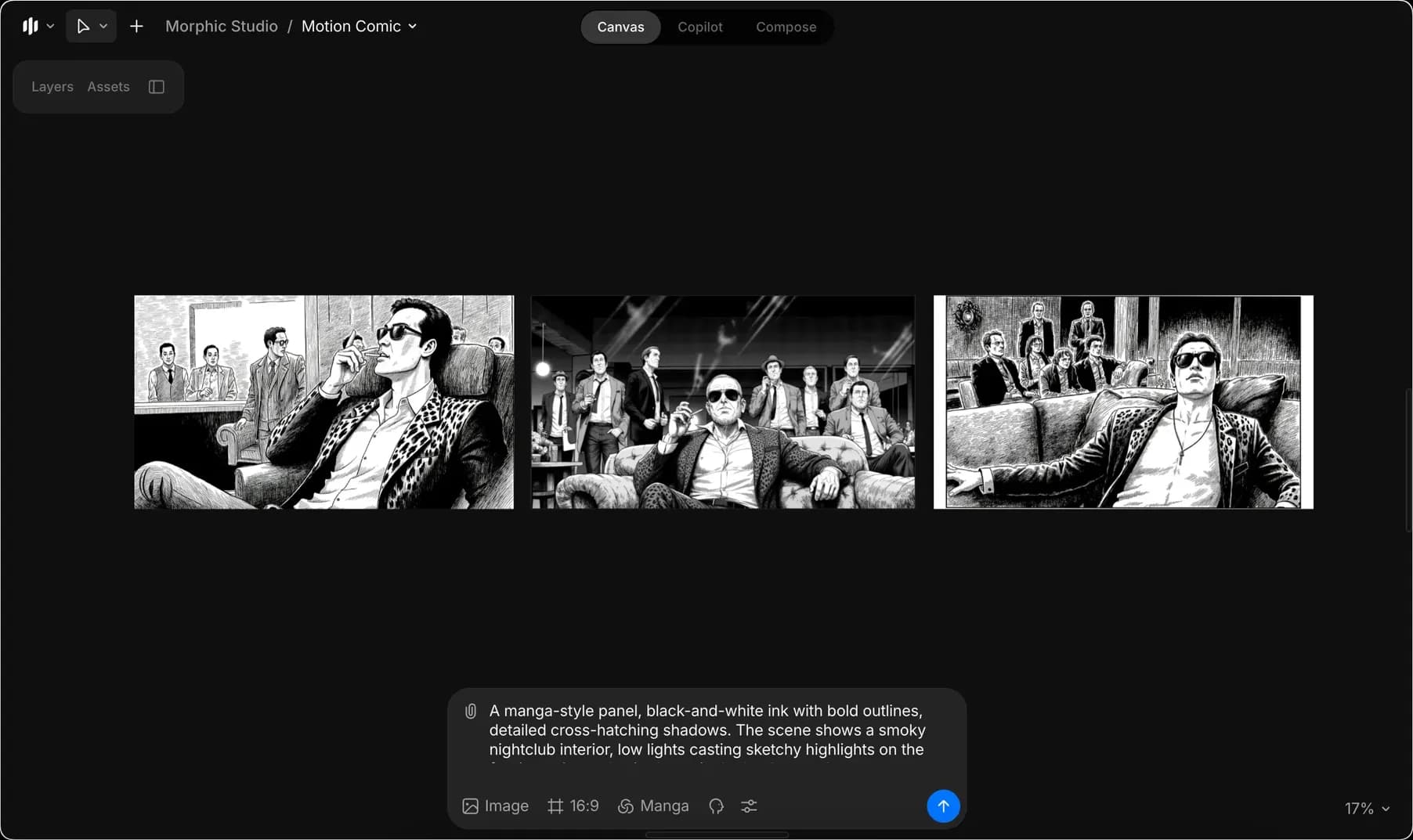
2. أدخل مطالبة لتوليد الصور الخاصة بالكوميك المتحرك، ثم انقر الزر الأزرق في شريط المطالبة.

<figure><img src="https://468387403-files.gitbook.io/~/files/v0/b/gitbook-x-prod.appspot.com/o/spaces%2FoPhHCbNZdzW70rakoLhf%2Fuploads%2FSOuu10ShNCIaUvXVukWe%2FCleanShot%202025-09-05%20at%2006.27.52%402x.png?alt=media&amp;token=36a51942-4464-4cef-8f34-3f48881160c9" alt=""><figcaption></figcaption></figure>

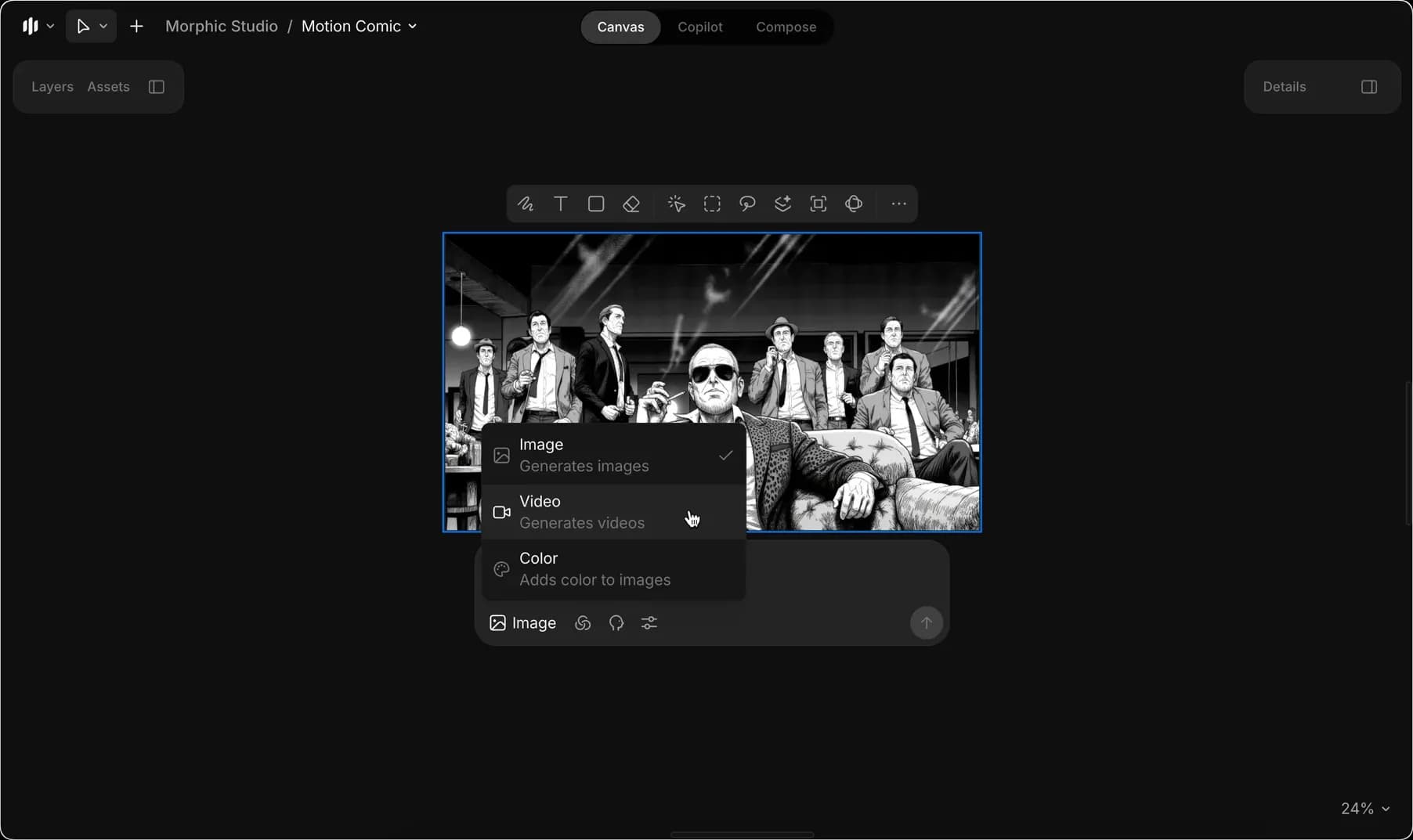
3. بمجرد أن تختار صورة للمتابعة، حدّدها وانتقل إلى وضع الفيديو.

<figure><img src="https://468387403-files.gitbook.io/~/files/v0/b/gitbook-x-prod.appspot.com/o/spaces%2FoPhHCbNZdzW70rakoLhf%2Fuploads%2FgcVgkh8hUTWWUzkxQBvh%2FCleanShot%202025-09-05%20at%2006.28.46%402x.png?alt=media&amp;token=50aec3ea-8cbc-4464-b938-6e4729a25f5f" alt=""><figcaption></figcaption></figure>

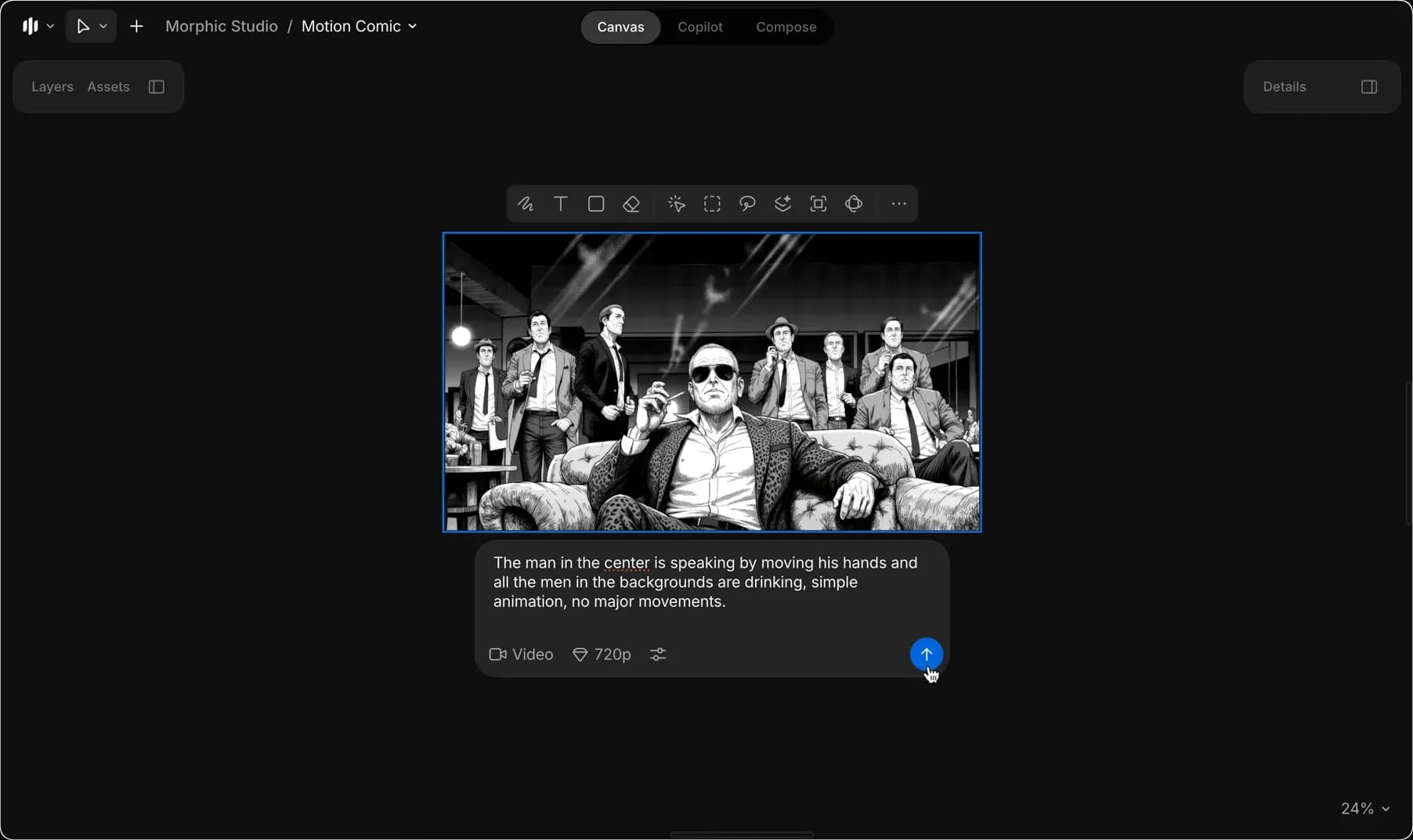
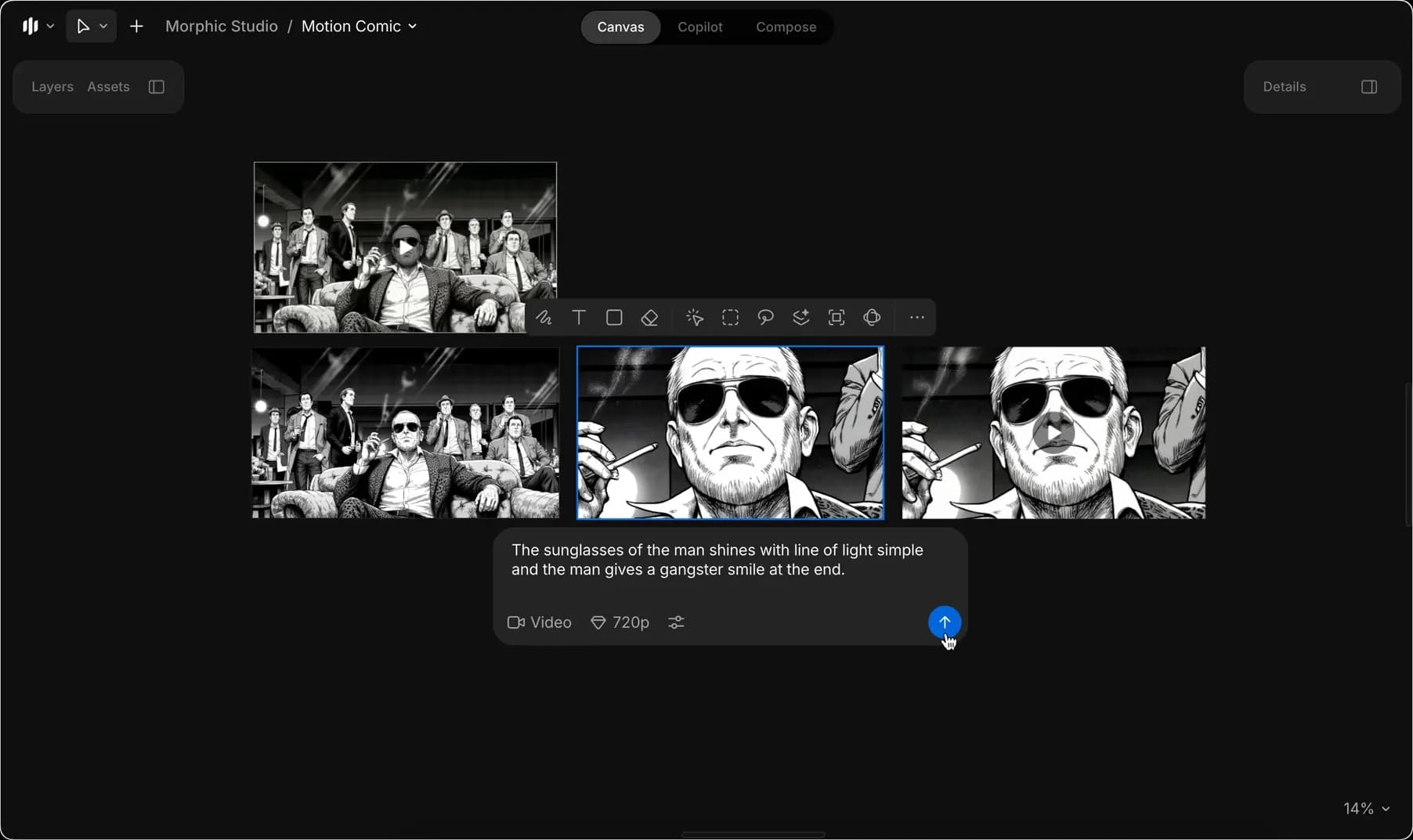
4. أدخل المطالبة التي تصف الرسوم المتحركة التي ترغب في رؤيتها، وانقر الزر الأزرق في شريط المطالبة لإنشاء أول فيديو لك.

<figure><img src="https://468387403-files.gitbook.io/~/files/v0/b/gitbook-x-prod.appspot.com/o/spaces%2FoPhHCbNZdzW70rakoLhf%2Fuploads%2F9oe06IC67TWoXTzj465P%2FCleanShot%202025-09-05%20at%2006.30.18%402x.png?alt=media&amp;token=0e0837e5-d6ac-4a21-bf8c-9df92114afcb" alt=""><figcaption></figcaption></figure>

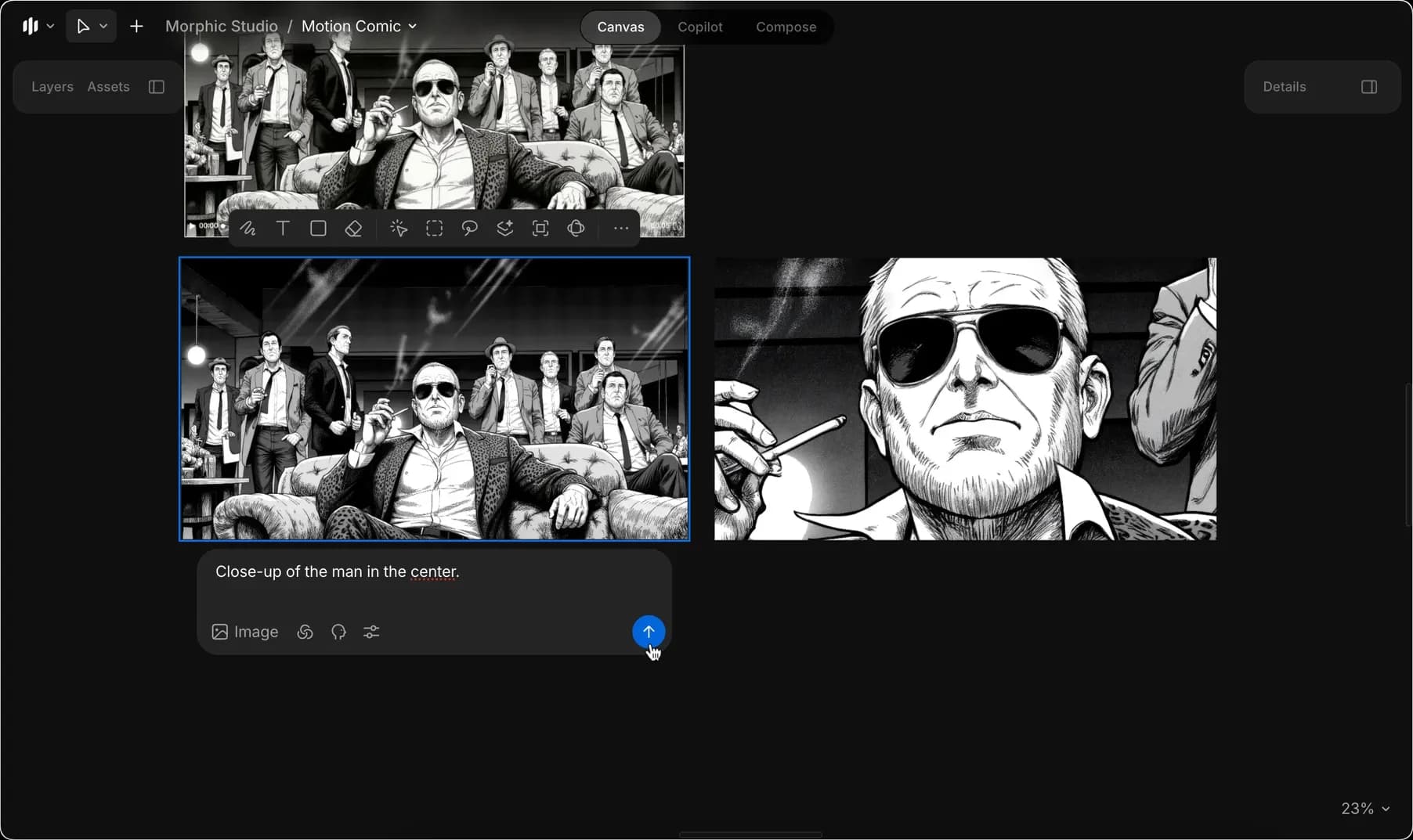
5. حدّد الصورة الأولى مرة أخرى، ثم ارجع إلى وضع الصورة، وأدخل مطالبة تصف التغييرات المطلوبة لتوليد صورة جديدة.
<figure><img src="https://468387403-files.gitbook.io/~/files/v0/b/gitbook-x-prod.appspot.com/o/spaces%2FoPhHCbNZdzW70rakoLhf%2Fuploads%2FtK52SriDw3PAnlfXGEhv%2FCleanShot%202025-09-05%20at%2006.40.30%402x.png?alt=media&amp;token=2b7e1691-a27c-459e-a300-cb73ef417bb0" alt=""><figcaption></figcaption></figure>

6. كرّر الخطوة 4 لتحريك هذه الصورة الجديدة وتوليد فيديو ثانٍ.

<figure><img src="https://468387403-files.gitbook.io/~/files/v0/b/gitbook-x-prod.appspot.com/o/spaces%2FoPhHCbNZdzW70rakoLhf%2Fuploads%2Fz2r25Egtz38Iti3OMj6u%2FCleanShot%202025-09-05%20at%2006.54.18%402x.png?alt=media&amp;token=01558604-ad6d-4398-8fcd-ffa6bc8e0b7d" alt=""><figcaption></figcaption></figure>

7. كرّر الخطوة 5 لإنشاء صورة جديدة أخرى، ثم كرّر الخطوة 4 مرة أخرى لتحريكها وتوليد فيديو ثالث.

<figure><img src="https://468387403-files.gitbook.io/~/files/v0/b/gitbook-x-prod.appspot.com/o/spaces%2FoPhHCbNZdzW70rakoLhf%2Fuploads%2Fe5nDHgh3iyrILXmdGJqF%2FCleanShot%202025-09-05%20at%2006.41.49%402x.png?alt=media&amp;token=d10f1bcf-8993-42d7-b8fd-2335f9f53447" alt=""><figcaption></figcaption></figure>

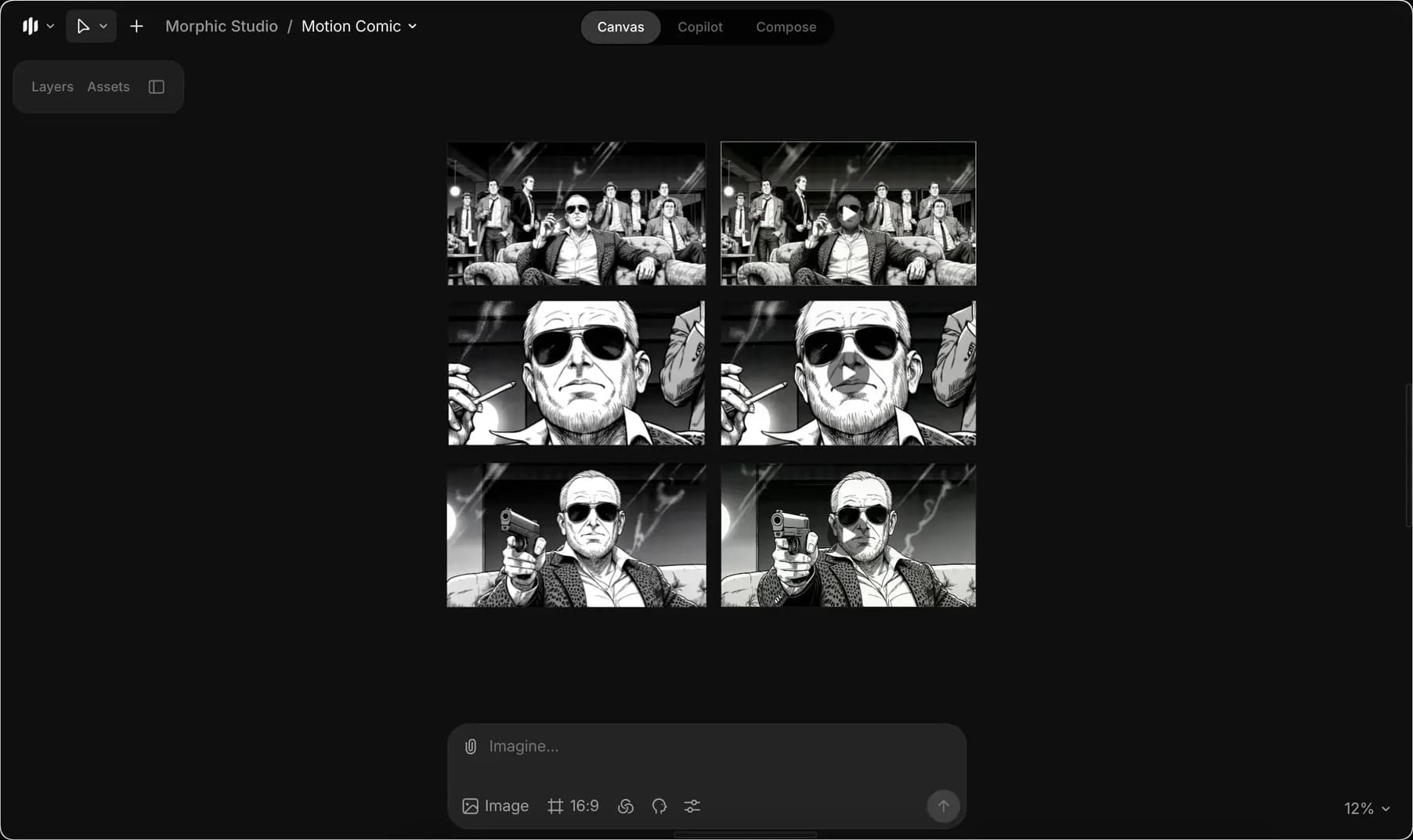
8. ستحصل الآن على ثلاث صور مختلفة وثلاثة مقاطع فيديو متوافقة معها. قم بدمج هذه المقاطع الثلاثة معًا لإنشاء الناتج النهائي للكوميك المتحرك:

<figure><img src="https://468387403-files.gitbook.io/~/files/v0/b/gitbook-x-prod.appspot.com/o/spaces%2FoPhHCbNZdzW70rakoLhf%2Fuploads%2F3tMlVdjn6srkrnlBjJJh%2FMotioncomic-ezgif.com-video-to-gif-converter.gif?alt=media&amp;token=177e7bd9-45c4-4fd7-841d-3f6310fde718" alt=""><figcaption></figcaption></figure>

هذا مثالي لإضافة انسيابية سينمائية إلى المانغا أو الأعمال الفنية ذات الأسلوب المخصص. فهو يتيح لك الانتقال من الصور الثابتة إلى سرد الكوميك المتحرك بسهولة.

***

إذا واجهت أي مشكلة أو كانت لديك أي أسئلة، فلا تتردد في التواصل معنا. يسعدنا مساعدتك. راسلنا على [**support@morphic.com**](mailto:support@morphic.com)**.**


---

# Agent Instructions
This documentation is published with GitBook. GitBook is the documentation platform designed so that both humans and AI agents can read, navigate, and reason over technical content effectively. Learn more at gitbook.com.

## Querying This Documentation
If you need additional information that is not directly available in this page, you can query the documentation dynamically by asking a question.

Perform an HTTP GET request on the current page URL with the `ask` query parameter, and the optional `goal` query parameter:

```
GET https://morphic.com/docs/ar/how-tos/creating-motion-comics.md?ask=<question>&goal=<endgoal>
```

`ask` is the immediate question: it should be specific, self-contained, and written in natural language.
`goal` is optional and describes the broader end goal you are ultimately trying to accomplish on behalf of the user. GitBook uses it to tailor the answer towards what is most useful for that goal.

The response will contain a direct answer to the question and relevant excerpts and sources from the documentation.

Use this mechanism when the answer is not explicitly present in the current page, you need clarification or additional context, or you want to retrieve related documentation sections.