Install
Install Morphic for Blender from Morphic's extension repository, turn on automatic update checks, update and uninstall.
Morphic for Blender installs from Morphic's own extension repository at https://morphic.com/blender/index.json. Installing from the repository means Blender offers you each new version as an update.
Before you start, check that you have Blender 4.2 or later (Help > About Blender), and that 'Allow Online Access' is on in Edit > Preferences > System > Network.
Here's a quick tutorial on how to install Morphic for Blender:
Install the add-on
The quickest way.
- Open Blender
- Drag this link from your browser into the Blender window: morphic.com/blender/morphic.zip?repository=./index.json
- Blender asks to add the 'Morphic' repository and install the add-on. Turn on 'Check for Updates on Startup', then click 'OK'
You can also open morphic.com/blender and drag the install button from there.
To check the install, press N in the 3D viewport. The sidebar shows a 'Morphic' tab.
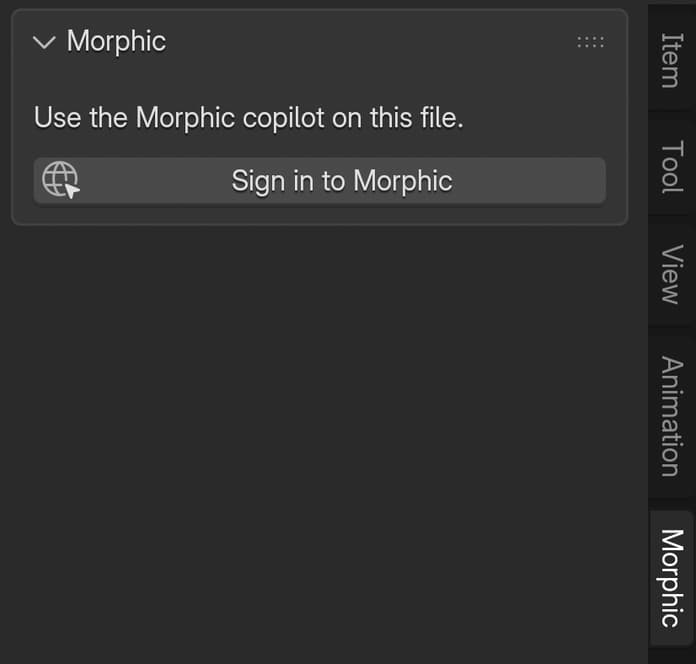
Morphic for Blender is not on extensions.blender.org. That platform only lists extensions that work without an account, and the add-on needs your Morphic account for Copilot and generations.
Update
With 'Check for Updates on Startup' on, Blender checks Morphic's repository each time it starts. When a new version is out, Edit > Preferences > Get Extensions shows an 'Update' button beside Morphic. Click it. If Blender asks you to restart, restart it to finish the update.
If you added the repository without turning the check on, click 'Check for Updates' in the Get Extensions menu at the top right, or turn the setting on under 'Repositories'.
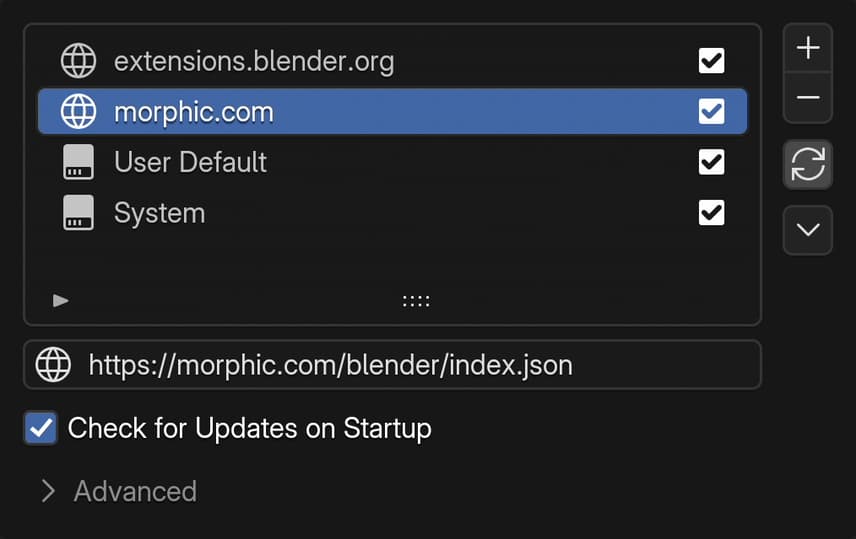
To see which version you have, find Morphic under Edit > Preferences > Add-ons.
Uninstall
- Open Edit > Preferences > Get Extensions
- Find Morphic, open the menu beside it and click 'Uninstall'
Uninstalling removes the add-on from Blender only. Your chats, generations and renders stay in your Morphic project. To also remove Blender's access to your account, see Sign out and disconnect.
If you have any trouble or have any questions, feel free to reach out. We're happy to help. Write to us at support@morphic.com.