Neu beleuchten
Wie Sie die Richtung, Farbe und Qualität des Lichts in einem Bild ändern, das Sie bereits erstellt haben.
Relight in Morphic ermöglicht es Ihnen, die Stimmung und Atmosphäre eines beliebigen Bildes zu verändern, indem Sie dessen Beleuchtung anpassen. Steuern Sie Richtung, Farbe, Helligkeit und Qualität des Lichts, um die Wirkung jeder Szene zu verwandeln.
Hier ist eine kurze Anleitung, wie Sie mit Relight starten:
- Wählen Sie Relight im Tab „Tools“ oberhalb der Prompt-Leiste aus oder geben Sie
/und wählen Sie Relight im Widgets-Menü aus - Das Relight-Overlay öffnet sich auf der Canvas mit einem Einstellungsfeld, einer interaktiven Lichtsteuerung und dem Tab „Assets“, in dem Sie ein Bild auswählen oder eines hochladen können
- Wählen Sie ein Bild aus Ihren Assets aus oder laden Sie eines hoch
- Wählen Sie eine Lichtfarbe aus den voreingestellten Farbfeldern oder klicken Sie auf den Farbwähler, um eine benutzerdefinierte Farbe auszuwählen
- Stellen Sie die Position über das Dropdown ein oder ziehen Sie die Lichtquelle in der Orbit-Ansicht, um sie manuell zu platzieren. Sie können auch die Pfeiltasten für feinere Anpassungen verwenden
- Wechseln Sie zwischen weicher und harter Lichtqualität
- Passen Sie die Helligkeit mit dem Schieberegler an
- Klicken Sie auf „Generieren“
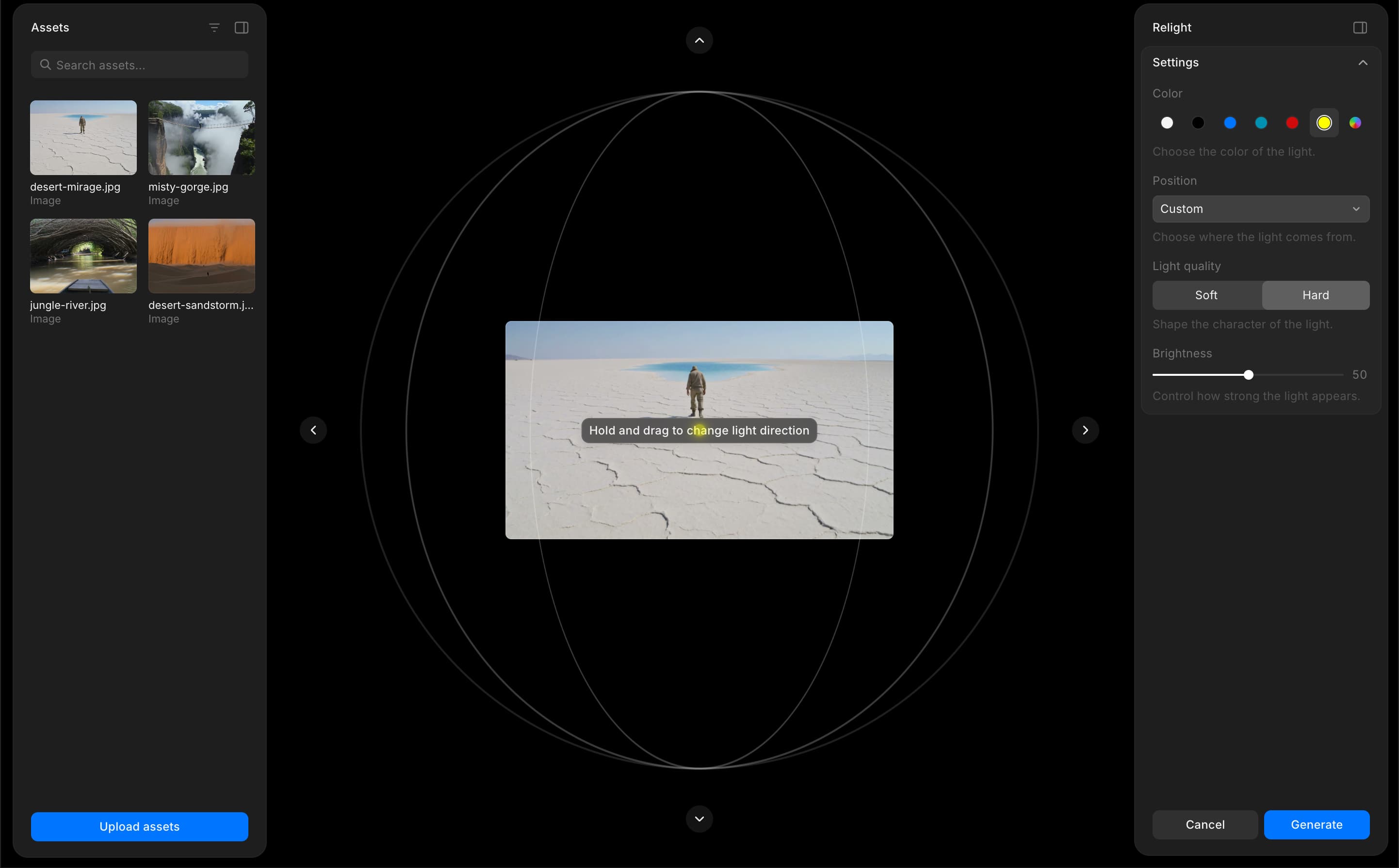
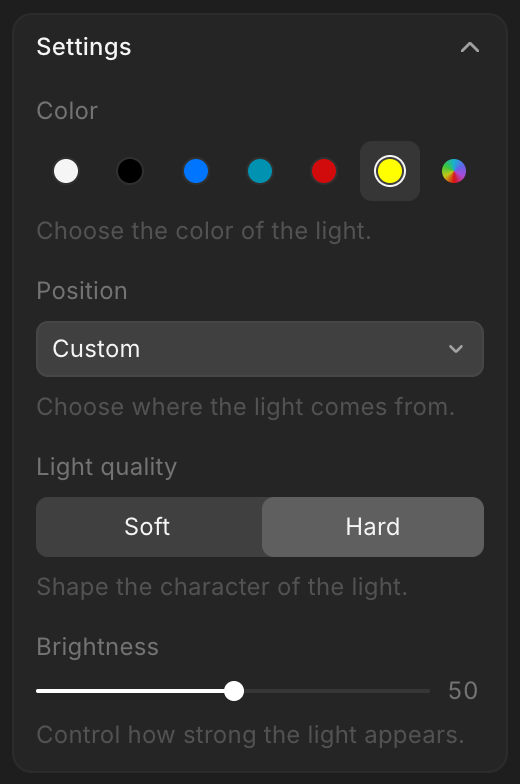
So verwenden Sie die Relight-Funktion in Morphic. Experimentieren Sie mit verschiedenen Farben, Positionen und Lichtqualitäten, um die Stimmung jeder Szene zu verändern, ohne von vorne zu beginnen.
Wenn Sie Probleme haben oder Fragen haben, können Sie sich gerne an uns wenden. Wir helfen Ihnen gerne. Schreiben Sie uns an support@morphic.com.