> For the complete documentation index, see [llms.txt](https://morphic.com/docs/llms.txt). Markdown versions of documentation pages are available by appending `.md` to page URLs; this page is available as [Markdown](https://morphic.com/docs/de/tools/explore-tools.md).

# Tools entdecken

Die Tools-Bibliothek in Morphic bietet dir Zugriff auf eine wachsende Sammlung kreativer Aktionen – von KI-Bildgenerierung und Videoproduktion über das Umstylen von Aufnahmen, die Steuerung von Bewegungen, das Erstellen von Lip-Syncs und mehr. Suche nach Namen, stöbere nach Kategorien und starte jedes Tool direkt über den Tools-Tab.

### So legst du mit Tools los:

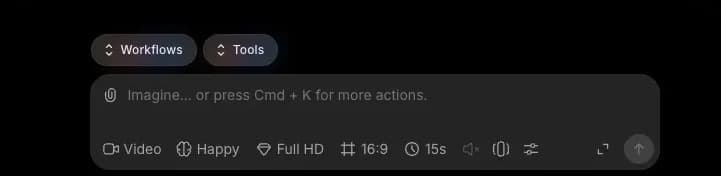
1. Öffne Canvas oder Copilot und klicke auf den Tools-Tab oberhalb der Eingabeleiste

<figure><img src="/files/f70a1aa5d195ece8b1da3b249934fd1a413ecb21" alt=""><figcaption></figcaption></figure>

2. Suche nach einem Tool anhand des Namens oder stöbere in der Bibliothek
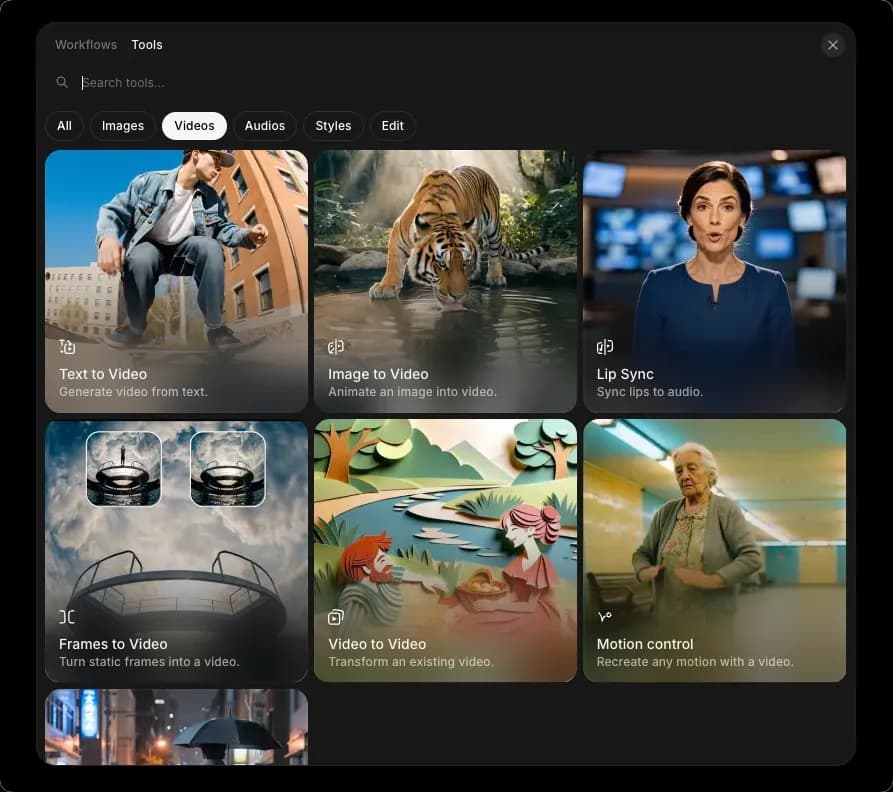
<figure><img src="/files/d21e77aeaffe2cd9521f8751ba288711928ff2f1" alt=""><figcaption></figcaption></figure>

3. Nutze die Filter-Tabs, um die Ergebnisse nach Kategorie einzugrenzen
4. Wähle ein Tool aus. Die Eingabeleiste passt sich diesem Tool an und zeigt dir, welche Eingaben benötigt werden
5. Gib deinen Prompt ein, füge die angeforderten Referenzen hinzu und klicke auf den blauen Pfeil

Alternativ sind Tools auch verfügbar unter [morphic.com/tools](https://morphic.com/tools), wo du die gesamte Bibliothek durchsuchen und jedes Tool direkt ausführen kannst.

So kannst du Tools in Morphic verwenden, um direkt über die Eingabeleiste Bilder, Videos, Lip-Syncs und mehr zu erstellen.

***

Wenn du Probleme hast oder Fragen, melde dich gern. Wir helfen dir gerne, schreibe uns an [**support@morphic.com**](mailto:support@morphic.com)**.**


---

# Agent Instructions
This documentation is published with GitBook. GitBook is the documentation platform designed so that both humans and AI agents can read, navigate, and reason over technical content effectively. Learn more at gitbook.com.

## Querying This Documentation
If you need additional information that is not directly available in this page, you can query the documentation dynamically by asking a question.

Perform an HTTP GET request on the current page URL with the `ask` query parameter, and the optional `goal` query parameter:

```
GET https://morphic.com/docs/de/tools/explore-tools.md?ask=<question>&goal=<endgoal>
```

`ask` is the immediate question: it should be specific, self-contained, and written in natural language.
`goal` is optional and describes the broader end goal you are ultimately trying to accomplish on behalf of the user. GitBook uses it to tailor the answer towards what is most useful for that goal.

The response will contain a direct answer to the question and relevant excerpts and sources from the documentation.

Use this mechanism when the answer is not explicitly present in the current page, you need clarification or additional context, or you want to retrieve related documentation sections.