Kamerawinkel
Wie Sie ein bereits vorhandenes Bild aus einer anderen Kameraposition neu aufnehmen.
Mit Kamerawinkel in Morphic können Sie die Perspektive jedes Bildes ändern, indem Sie die Kamera neu positionieren. Wählen Sie einen voreingestellten Winkel oder ziehen Sie ihn an eine benutzerdefinierte Position, passen Sie die Entfernung an und erzeugen Sie eine neue Version Ihres Bildes aus einem anderen Blickwinkel.
Hier ist eine kurze Anleitung, wie Sie mit Kamerawinkel beginnen:
- Wählen Sie im Tab „Tools“ oberhalb der Prompt-Leiste „Kamerawinkel“ aus oder geben Sie
/ein und wählen Sie im Widgets-Menü „Kamerawinkel“ - Das Kamerawinkel-Overlay öffnet sich auf der Leinwand mit einer 3D-Orbit-Steuerung, einem Einstellungsbereich und dem Tab „Assets“
- Wählen Sie ein Bild aus Ihren Assets aus oder laden Sie eines hoch
- Stellen Sie die Kameraposition mit einer der folgenden Optionen ein:
- Wählen Sie eine Voreinstellung aus dem Dropdown-Menü „Position“, z. B. „Front“, „Low Angle“, „Bird's Eye“, „3/4 Left“, „Dutch Left“ oder „OTS Right“
- Ziehen Sie die Kamera in der Orbit-Ansicht für einen benutzerdefinierten Winkel
- Verwenden Sie die Pfeiltasten für feinere Anpassungen
- Passen Sie die Entfernung mit dem Schieberegler an
- Klicken Sie auf „Generieren“
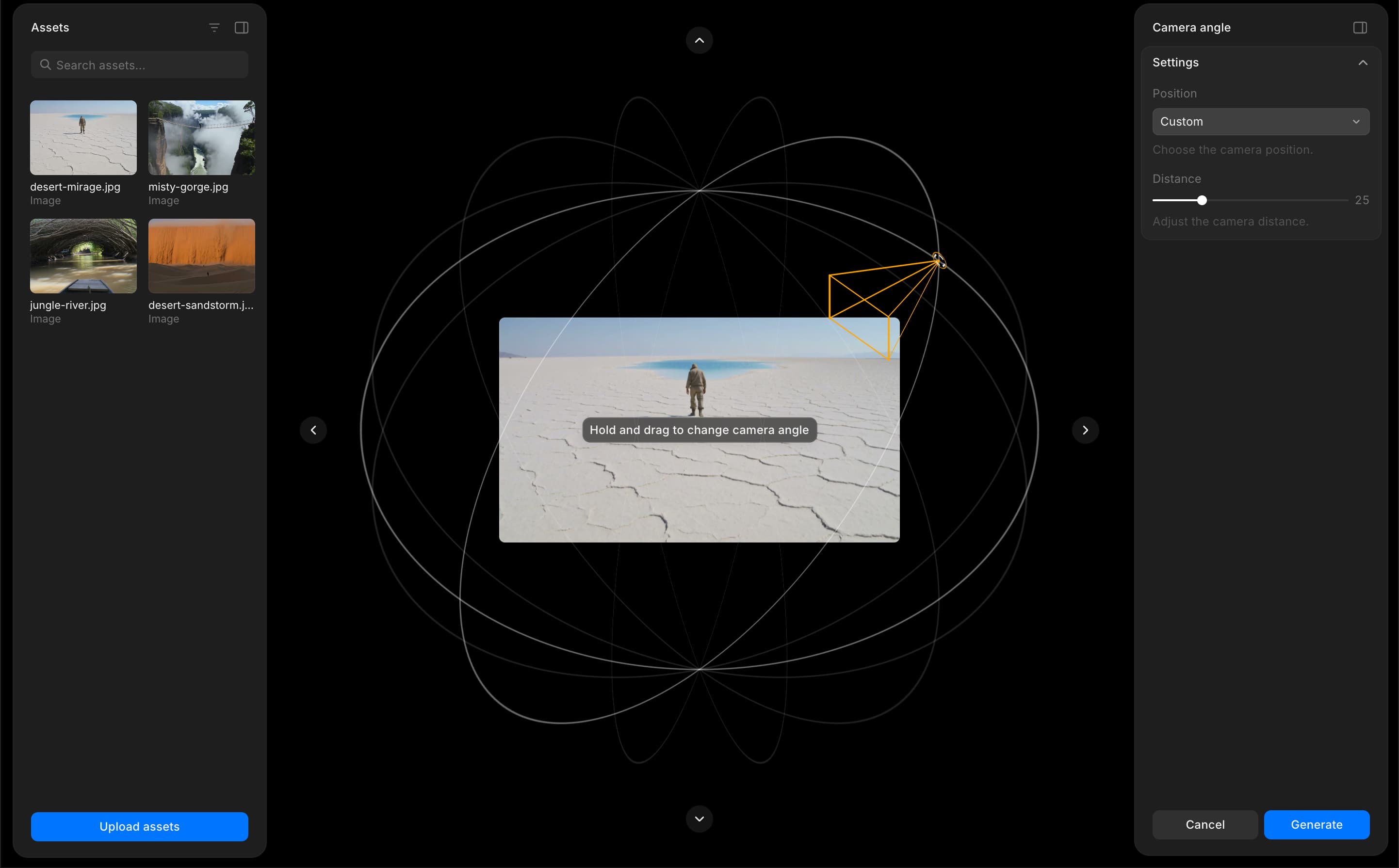
So verwenden Sie Kamerawinkel in Morphic. Experimentieren Sie mit verschiedenen Winkeln und Entfernungen, um die passende Perspektive für Ihre Szene zu finden.
Wenn Sie Probleme haben oder Fragen haben, können Sie sich gerne an uns wenden. Wir helfen Ihnen gerne. Schreiben Sie uns an support@morphic.com.