Chat modes
The three modes a Copilot chat can run in, what each does with your credits, and how to set the one you want.
Chat modes on Morphic let you decide how much control you have over each generation in Copilot. The mode is set per chat, so one chat can stay on automatic for quick exploration while another waits for your approval on expensive work.
| Mode | What happens |
|---|---|
| Ask before generating | Shows you the settings and the cost, and waits for your approval. |
| Automatically generate | Generates immediately, without stopping to confirm. The default. |
| Plan only | Researches and writes a plan, but never generates media. |
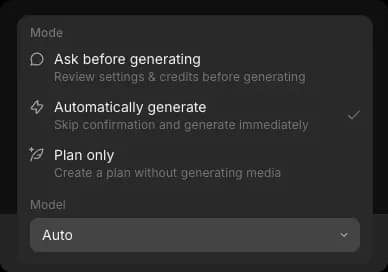
Switch modes
- Open Copilot
- Click the mode button at the bottom right of the prompt bar. It reads mode first and model second, so in 'Auto · Sonnet 4.6' the mode is the half you are changing here
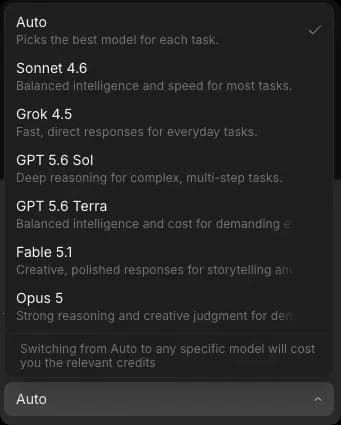
- Under 'Mode', pick the one you want. A checkmark marks the active mode
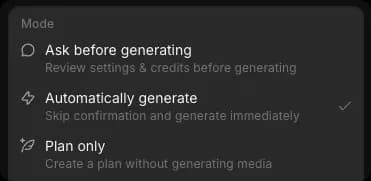
The mode stays set for that chat until you change it. Switch while Copilot is working, and the change applies from your next message.
Automatically generate
The default. Copilot picks the settings, runs the generation, and returns the result without confirming anything. Each finished step reports how many credits it consumed.
Best for exploring and iterating quickly, where a confirmation step would only slow you down.
Since nothing pauses, a generation you did not intend still costs credits. The stop button halts a run but does not refund one already under way. When that matters, use 'Ask before generating'.
Ask before generating
Copilot prepares the generation, then waits for you. The generation is not charged until you approve. Best when credits matter: video, long durations, or a shared team balance.
Here's a quick tutorial on how to use Ask before generating on Morphic:
- Set the mode to 'Ask before generating' and send your prompt
- Copilot pauses and marks the chat 'Response required' in the sidebar so that you can find it later
- Review the prompt and the settings, listed on one line: the model, aspect ratio, resolution, and whether web search is on
- Click 'Generate' to run it, or 'Cancel' to drop it. The button itself carries the cost, reading 'Generate,' and the number of credits, and a bar above the prompt bar repeats it
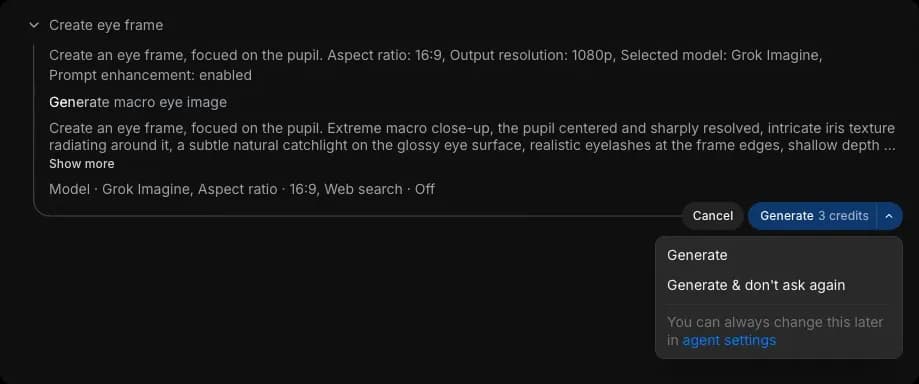
Cancel, and the step reads 'Generation cancelled' with nothing charged. Copilot does not retry on its own; it tells you what was skipped and offers it back with one click.
Cancelling is not the same as stopping. Cancelling at the approval step is free, because the generation has not started. Stopping one that is already running is not: the step reads 'User cancelled the operation', you get no output, and the credits are still spent. The approval step is the only point where backing out costs nothing.
Also worth knowing:
- Approving costs exactly what it says: the figure on the button is what gets charged, and the finished step reports the same number back.
- Editing steps ask too: cropping an image, trimming a clip, joining clips, or extracting audio all cost credits, so they wait for your approval like any other step. They are cheap next to a generation, often a credit or two.
- You can approve some and cancel others: each generation gets its own request and its own cost. The bar above the prompt bar shows the running total for everything still waiting, and its buttons act on all of it.
You can ask what something costs in any mode. Try 'how many credits would a 10 second video cost with this model?'
Plan only
Copilot researches your request and returns a plan without generating anything. Only its replies use credits. Best for scoping a project, comparing approaches, or producing a cost estimate for a client.
It can still read your attachments, search the web, look up your workflows, check what a model supports, and work out what the job would cost. It cannot create media, or create and edit workflows.
- Set the mode to 'Plan only'
- Describe the work, for example 'plan a 15 second product video for a coffee brand'

- Copilot returns a plan. For a video, that means a shot-by-shot breakdown, the approaches worth considering, and the decisions it needs from you
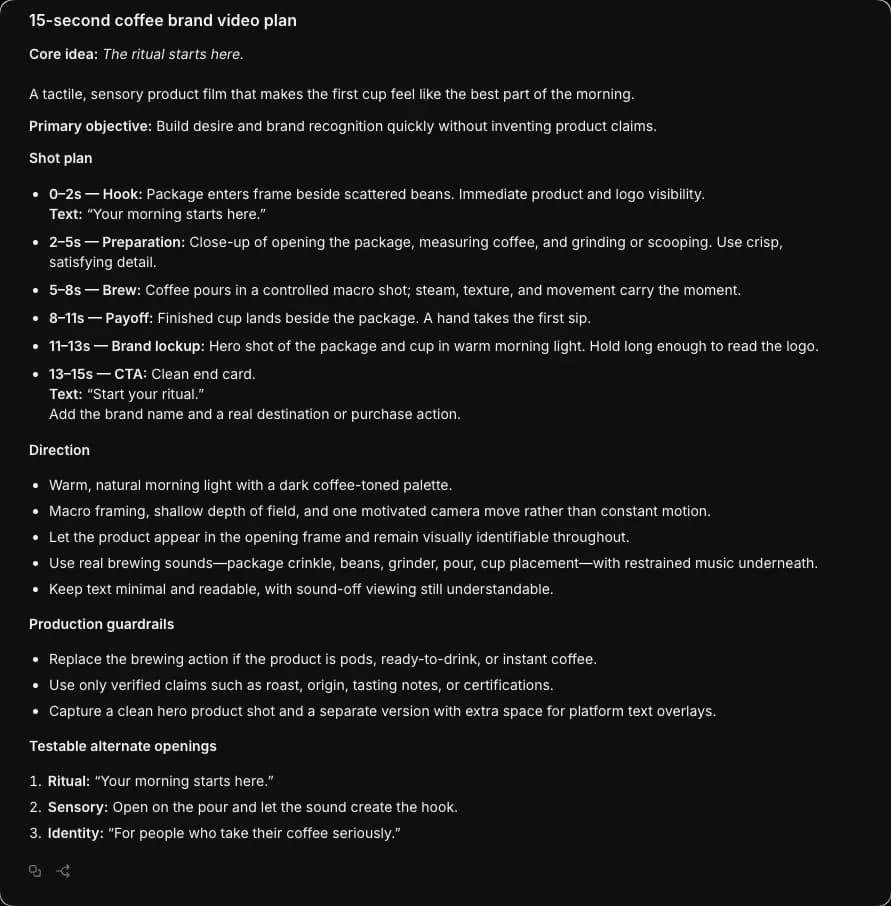
- Refine it in the same chat, then switch to 'Automatically generate' or 'Ask before generating' to run it
Good to know
- New chats start in the mode you set as your default in 'Preferences'. Changing one chat's mode does not change that default.
- The mode belongs to the chat, not your account, so chats can be in different modes at once.
- A new chat starts in your default mode, not the mode of the chat you were last in.
- The approval step is the only free way out of a generation. After that, credits are spent whether or not you keep the result.
- In every mode, Copilot's replies use credits on top of any generation. See Copilot on Plans & Credits.
- Chat modes apply to Copilot. Generating on the canvas is not affected.
- The same menu sets which model runs the chat. See Choose a model.
That's how chat modes work on Morphic. Pick the level of control the work needs, and change it whenever the work changes.
If you have any trouble or have any questions, feel free to reach out. We're happy to help. Write to us at support@morphic.com.