# Multiple character tag

Here’s a step-by-step guide on how to create a scene with multiple character tags on Morphic:

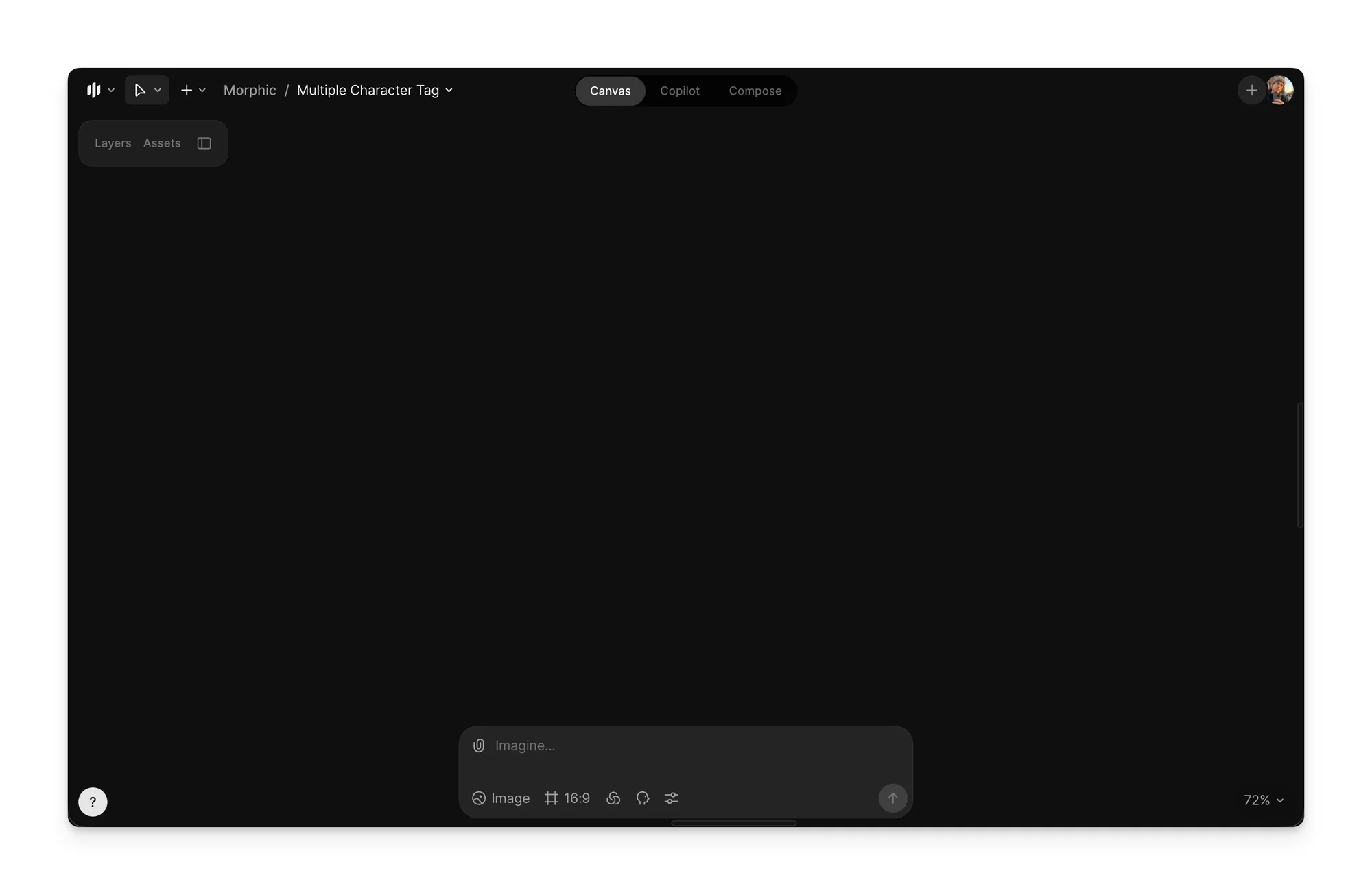
1. Open Canvas on Morphic&#x20;

<figure><img src="https://3522324598-files.gitbook.io/~/files/v0/b/gitbook-x-prod.appspot.com/o/spaces%2FoPhHCbNZdzW70rakoLhf%2Fuploads%2Fvq0C0oIZ3jdeD8tCGJyu%2FCleanShot%202026-01-12%20at%2020.05.38%402x.png?alt=media&#x26;token=14f95034-8ff0-49ef-8e4d-775bee64a082" alt=""><figcaption></figcaption></figure>

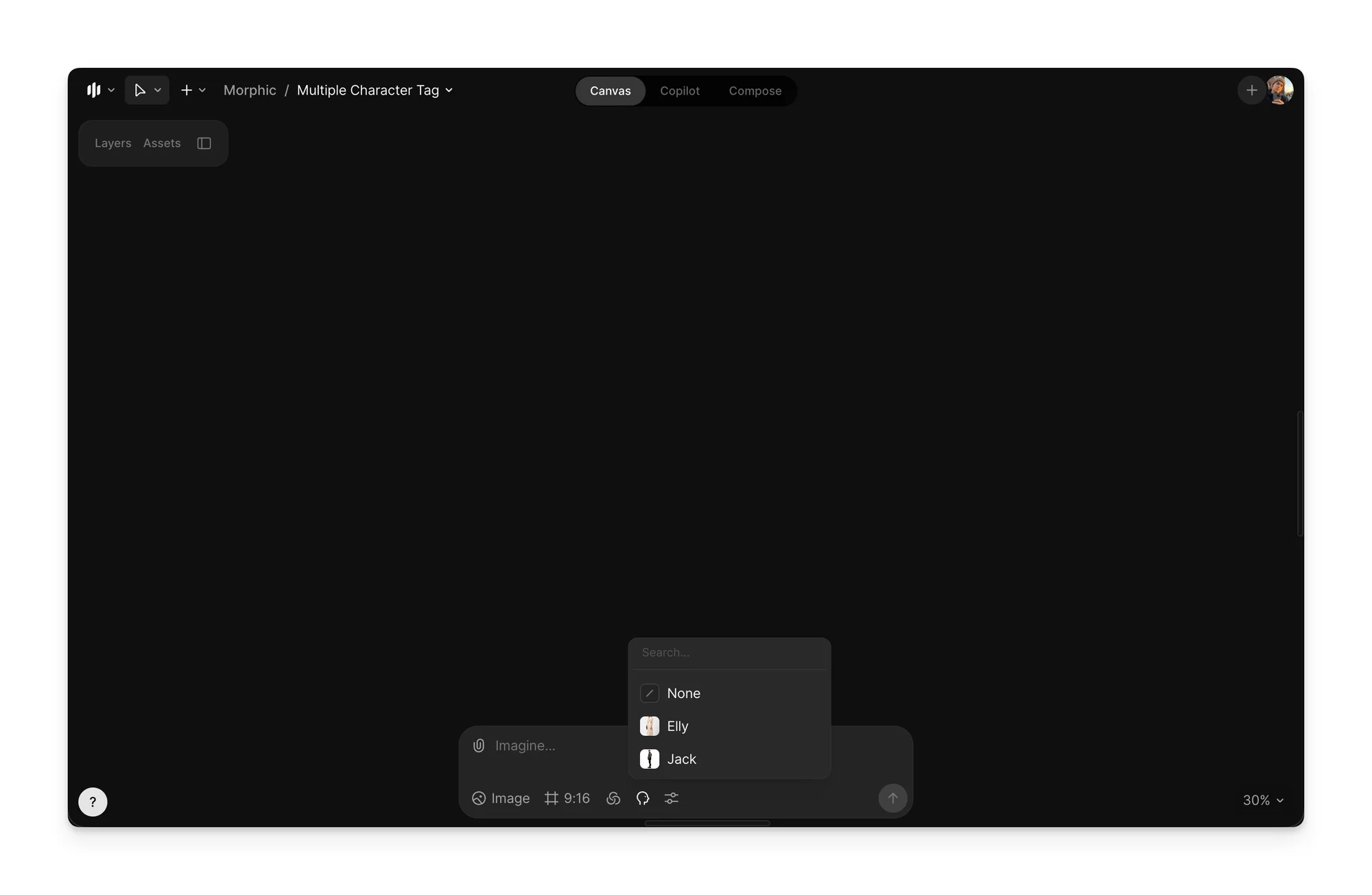
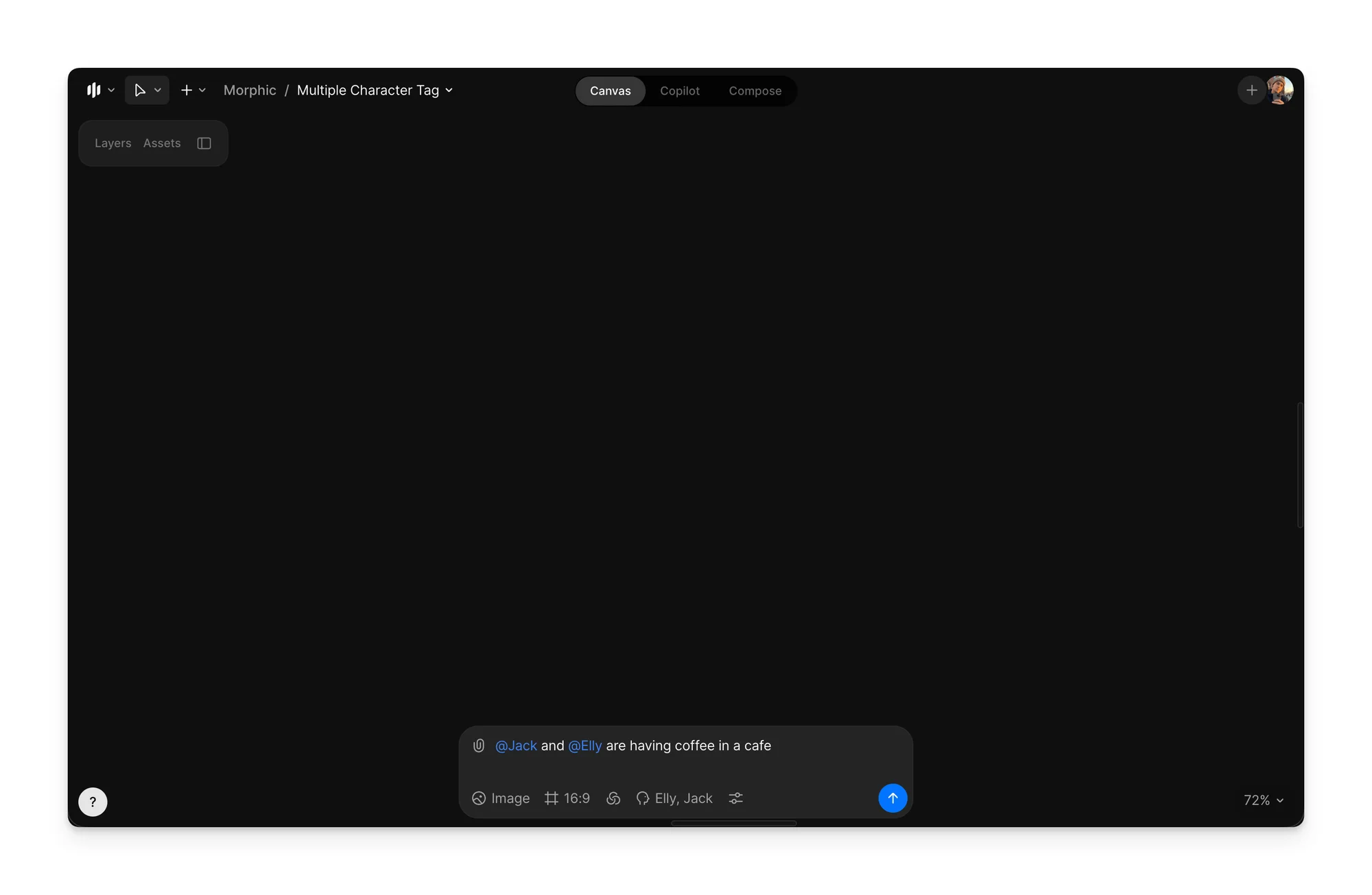
2. In the prompt bar, describe the scene you want to generate, and use @name to refer to each character you wish to have in the scene. Learn how to [train a Character Model](https://morphic.com/docs/essentials/character-models/train-a-character-model)

<div><figure><img src="https://3522324598-files.gitbook.io/~/files/v0/b/gitbook-x-prod.appspot.com/o/spaces%2FoPhHCbNZdzW70rakoLhf%2Fuploads%2FqxiQFisJUk8pjtknFOxU%2FCleanShot%202026-01-12%20at%2019.47.41%402x.png?alt=media&#x26;token=85194fd1-0771-4da5-a928-f0a7bffc6ba3" alt=""><figcaption><p>Character Model</p></figcaption></figure> <figure><img src="https://3522324598-files.gitbook.io/~/files/v0/b/gitbook-x-prod.appspot.com/o/spaces%2FoPhHCbNZdzW70rakoLhf%2Fuploads%2FyJrBSgZog3KKKwi9fgdm%2FCleanShot%202026-01-12%20at%2020.04.51%402x.png?alt=media&#x26;token=56c1ef34-d4bf-4185-8e69-6b617c0f7a65" alt=""><figcaption></figcaption></figure></div>

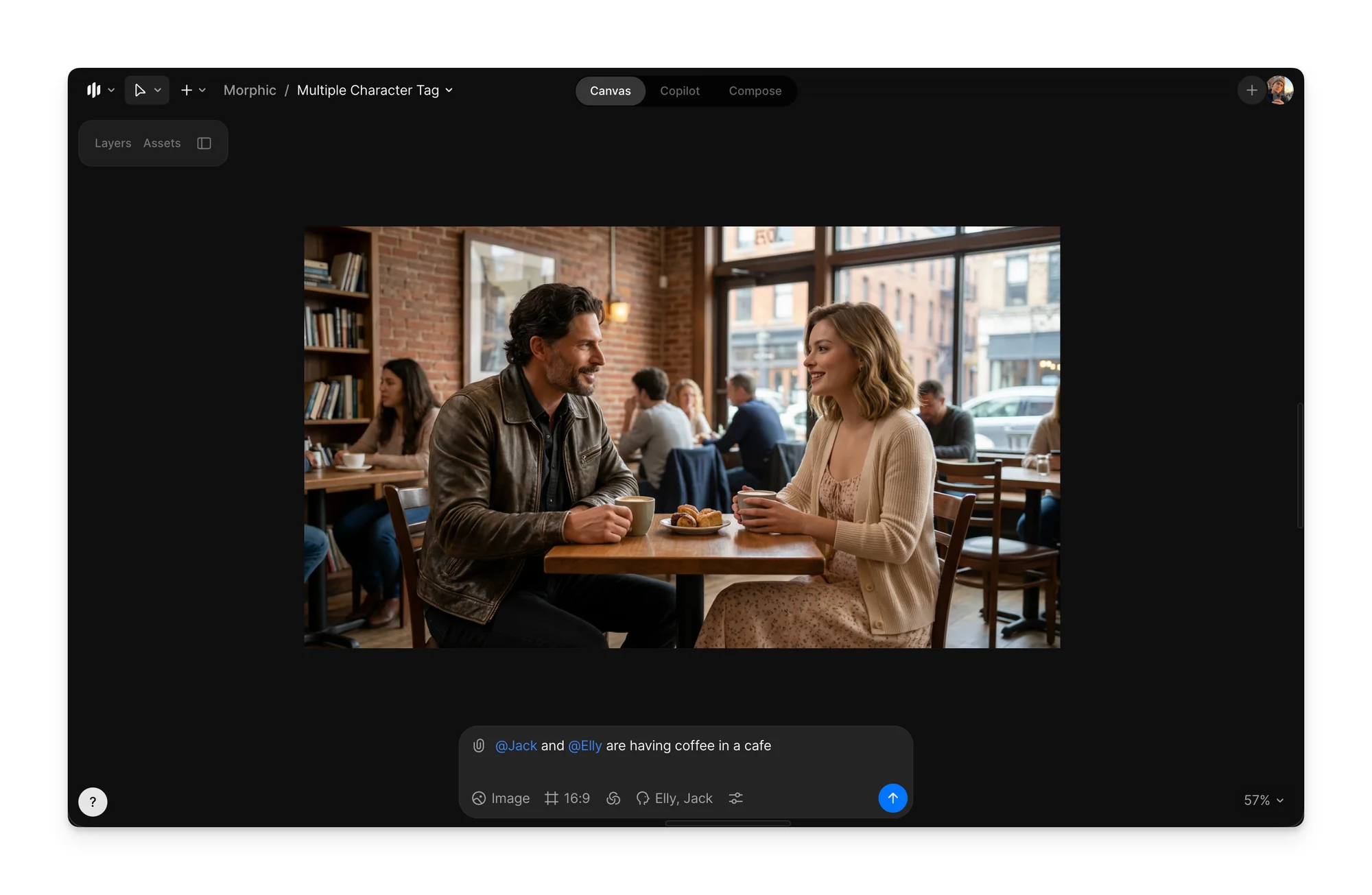
3. Click Generate

<figure><img src="https://3522324598-files.gitbook.io/~/files/v0/b/gitbook-x-prod.appspot.com/o/spaces%2FoPhHCbNZdzW70rakoLhf%2Fuploads%2FLEPfDgULUmh0Zkcwr0lD%2FCleanShot%202026-01-12%20at%2020.02.48%402x.png?alt=media&#x26;token=a00b016f-ec5b-40ba-9d53-c8b676c5d253" alt=""><figcaption></figcaption></figure>

That’s how you create scenes with multiple character models on Morphic. This is useful when a scene requires multiple specific characters to appear together while maintaining visual consistency.

***

If you have any trouble or have any questions, feel free to reach out. We're happy to help, write to us at [**support@morphic.com**](mailto:support@morphic.com)**.**


---

# Agent Instructions: Querying This Documentation

If you need additional information that is not directly available in this page, you can query the documentation dynamically by asking a question.

Perform an HTTP GET request on the current page URL with the `ask` query parameter:

```
GET https://morphic.com/docs/how-tos/multiple-character-tag.md?ask=<question>
```

The question should be specific, self-contained, and written in natural language.
The response will contain a direct answer to the question and relevant excerpts and sources from the documentation.

Use this mechanism when the answer is not explicitly present in the current page, you need clarification or additional context, or you want to retrieve related documentation sections.