Video odak modu
Morphic'teki Video odak modu, yapay zekâ kullanarak herhangi bir videoda istem tabanlı düzenlemeler yapmanızı sağlar. İstediğiniz değişikliği tarif edin, Morphic bunu tüm karelere tutarlı şekilde uygular.
Morphic’te Video odak modunun nasıl kullanılacağına dair hızlı bir eğitim burada:
- Canvas’a bir video yükleyin veya oluşturun
- Değiştirmek istediğiniz videoyu seçin
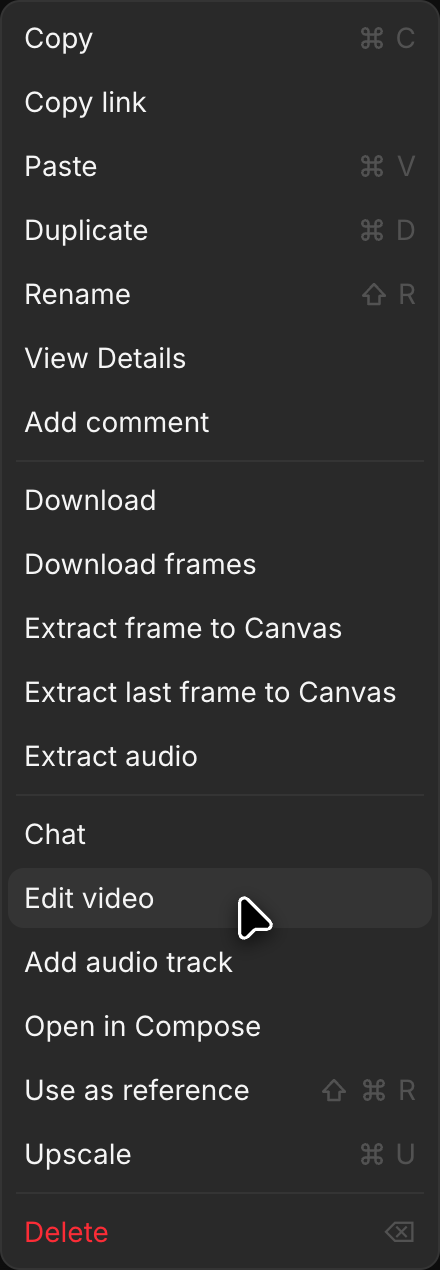
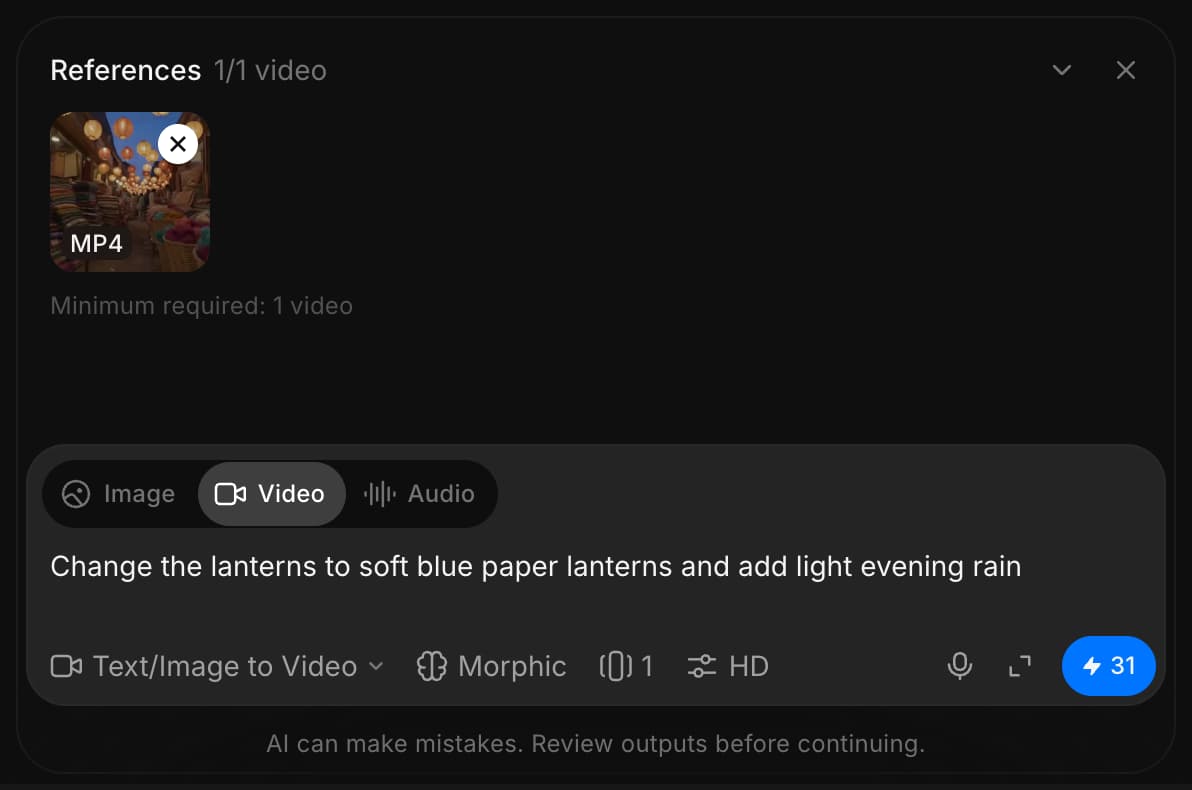
- Sağ kenar çubuğunda 'Details' > 'Tools' altından veya videonun sağ tıklama menüsünden 'Edit video'ya tıklayın. Video, istem çubuğunun üstündeki 'References' alanına eklenir
- İstem çubuğunun sol altındaki mod seçicisine tıklayın ve 'Text/Image to Video'yu seçin
- Başka bir modelde açılabilen model seçicisine tıklayın ve video düzenleyebilen bir model seçin. Birden çok sürümü olan bir model, işaretçiyi üzerine getirdiğinizde kısa bir liste açar. İşaretçiyi 'Morphic' üzerine getirip 'Morphic Edit'i seçerek klibin uzunluğunu koruyan hızlı, yerinde düzenlemeler yapın. İşaretçiyi 'Kling' üzerine getirip 'Kling 4.0'ı seçerek 30 saniyeye kadar olan klipleri kesmelerini ve hareketlerini koruyarak düzenleyin
- Yapmak istediğiniz değişikliği açıklayan bir komut yazın (ör. "atın rengini beyaza değiştir" veya "arka planı karlı bir kış sahnesine değiştir")
- İstem çubuğundaki mavi düğmeye tıklayın
Morphic, videoyu komutunuza göre dönüştürür ve değişikliği tüm kareler boyunca tutarlı şekilde uygular.
Morphic’te Video odak modunu bu şekilde kullanırsınız. Bu, karakter değiştirme, ortamları dönüştürme, ışığı ayarlama veya istenmeyen öğeleri kaldırma gibi yapay zekâ destekli düzenlemeleri hızlıca yapmanın bir yoludur.
Herhangi bir sorun yaşarsanız ya da sorularınız olursa, bizimle iletişime geçmekten çekinmeyin. Yardım etmeye memnuniyet duyarız. Bize şu adresten yazın: support@morphic.com.