> For the complete documentation index, see [llms.txt](https://morphic.com/docs/llms.txt). Markdown versions of documentation pages are available by appending `.md` to page URLs; this page is available as [Markdown](https://morphic.com/docs/zh/essentials/inpainting-and-outpainting/inpainting.md).

# 修补

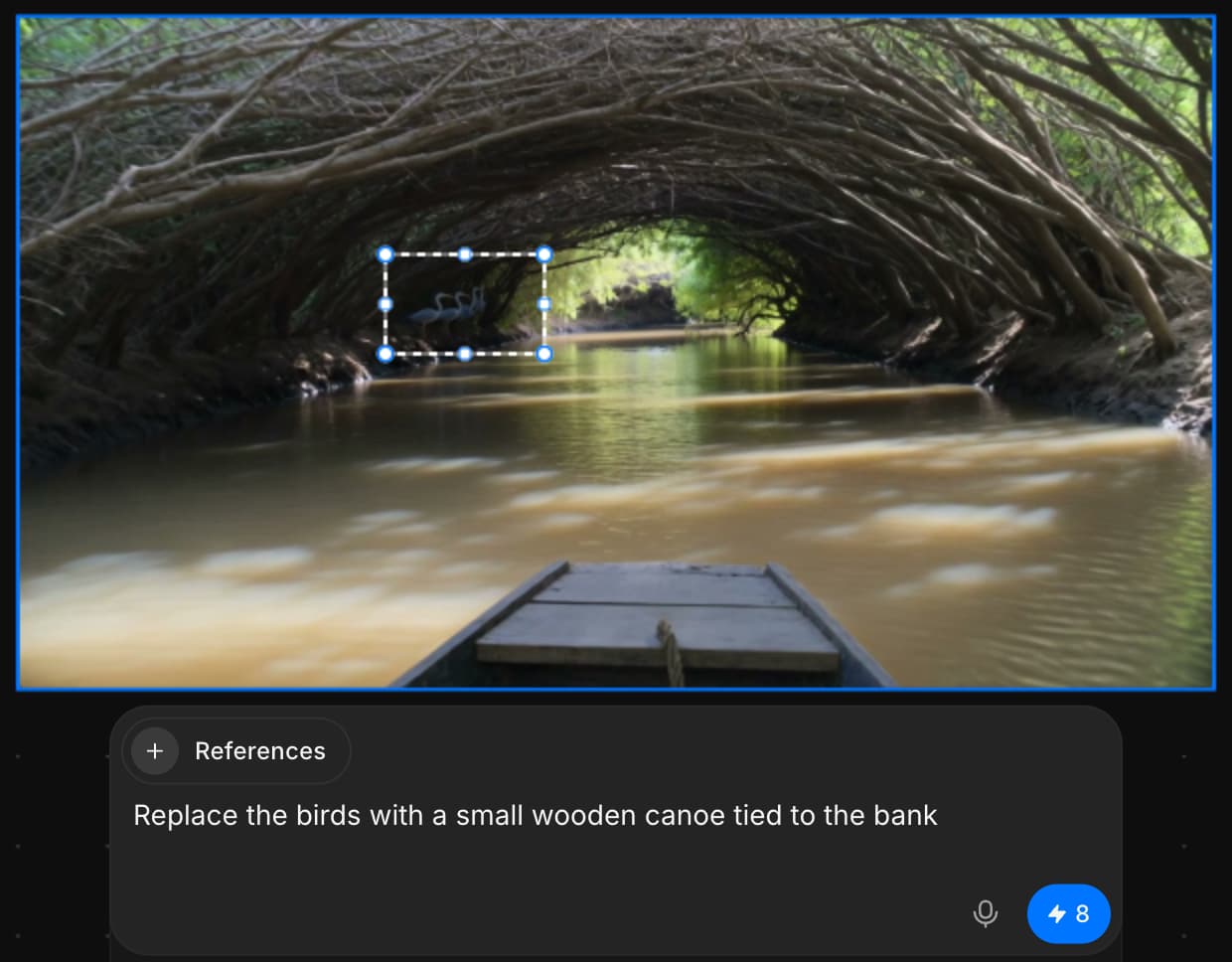
Morphic 上的修补功能可让你使用提示词对图像的特定区域进行有针对性的编辑，非常适合在不影响整体的情况下对局部进行精细调整、替换或增强。

这是一个关于如何在 Morphic 中使用修补（Inpainting）的快速教程：

{% embed url="<https://youtu.be/IhWXhuPJ2Xw>" %}

1. 在画布上上传或生成你的图像
2. 选择图片并使用“区域选择”工具
3. 高亮你想修改的区域，或者使用套索工具进行更精确的选择
4. 输入一段提示词，描述你希望在该特定区域看到的变化
5. 点击提示栏中的蓝色按钮

这就是如何使用修补（Inpainting）仅凭提示词对图片任意部分进行定向编辑。你可以使用修补（Inpainting）无缝移除、替换或添加图片元素。编辑会作为新图层添加，因此你的原始图片会保持完整，并且仍可完全编辑。

***

如果您遇到任何问题或有任何疑问，欢迎随时联系我们。我们很乐意为您提供帮助。请写信至 [**support@morphic.com**](mailto:support@morphic.com)**.**


---

# Agent Instructions
This documentation is published with GitBook. GitBook is the documentation platform designed so that both humans and AI agents can read, navigate, and reason over technical content effectively. Learn more at gitbook.com.

## Querying This Documentation
If you need additional information that is not directly available in this page, you can query the documentation dynamically by asking a question.

Perform an HTTP GET request on the current page URL with the `ask` query parameter, and the optional `goal` query parameter:

```
GET https://morphic.com/docs/zh/essentials/inpainting-and-outpainting/inpainting.md?ask=<question>&goal=<endgoal>
```

`ask` is the immediate question: it should be specific, self-contained, and written in natural language.
`goal` is optional and describes the broader end goal you are ultimately trying to accomplish on behalf of the user. GitBook uses it to tailor the answer towards what is most useful for that goal.

The response will contain a direct answer to the question and relevant excerpts and sources from the documentation.

Use this mechanism when the answer is not explicitly present in the current page, you need clarification or additional context, or you want to retrieve related documentation sections.