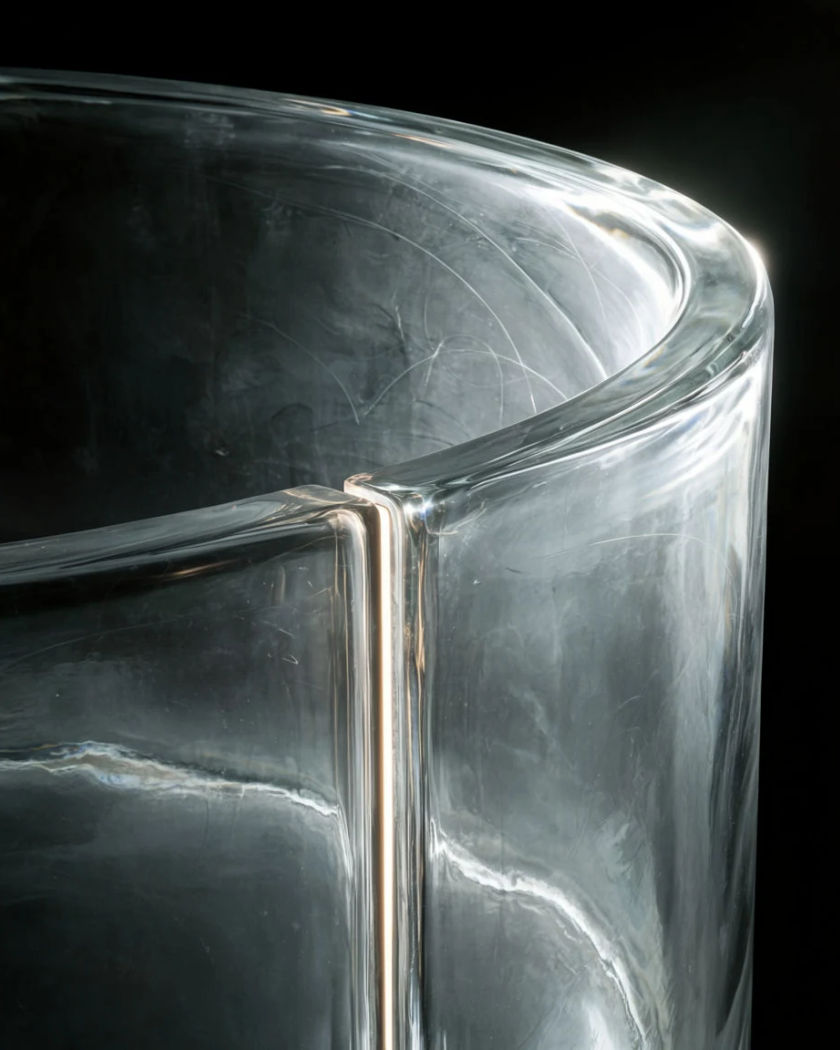
Capsule display effect

A product sits sealed inside a translucent capsule that closes around it, turns under studio light, then splits open to hand the product back.

Capsule display effect

Capsule display effect examples

Capsule rolls in and cracks open

Utiliser ce prompt

A pod rolls across stone, stops, and breaks open to leave the product upright. a wide shot of a clear capsule rolling slowly across a broad sand-coloured stone slab and coming to rest in the centre of frame, the shell then cracking open along its length so the two halves fall away flat, leaving a plain glass flask standing upright and steady where the capsule stopped, the discarded halves catching the light beside it, warm directional side light, locked wide camera

Light sweeps a slow orbit

Utiliser ce prompt

A long orbit around a sealed capsule with a moving highlight on the shell. a wide shot of a sealed clear capsule on a lit glass table holding a plain metal canister, the camera making a long slow orbit around it while a narrow highlight travels across the curved shell and throws a moving band of light onto the table, the canister inside holding its position through the whole move and staying sharp behind the glass, dark background, controlled studio light

Orbit around a frosted shell

Utiliser ce prompt

The camera circles a frosted capsule and the product resolves as it clears. a frosted translucent capsule on a mirrored obsidian table with a slim bottle sealed inside it, the camera orbiting slowly around the capsule while a hard light sweeps across the frosted surface, the bottle showing as a soft silhouette through the frost and sharpening into a clear shape wherever the light passes, the reflection turning underneath on the black surface, controlled studio light

One capsule in a row opens

Utiliser ce prompt

A line of identical pods holds still while the middle one splits open. five identical closed clear capsules stand in a straight row on a soft grey gradient backdrop, each holding a plain white tub, the four outer capsules staying completely still while the middle one splits down the seam and opens outward like a shell, the tub inside it rising slightly as it is released, the outer four unchanged for contrast, flat even light, camera static and square on

Capsule halves close around a jar

Utiliser ce prompt

Two clear shells swing in and seal, leaving the jar visible through them. a plain unlabelled amber glass jar standing alone on a dark matte plinth, two halves of a thick clear rounded capsule swing in from either side and close around it, the seam pressing shut with a thin bright line of light running along it, the jar still clearly visible through the curved shell with its edges bent slightly by the thickness of the glass, one soft top light, camera locked off at product height

Capsule floating in a light shaft

Utiliser ce prompt

A sealed capsule hangs in a beam of dusty light and turns slowly. a sealed clear capsule holding a plain ceramic pot hangs in mid air inside a single shaft of light in a dark dust-filled void, turning slowly on its long axis with no support visible, the dust drifting through the beam around it and catching on the curved shell, the pot inside staying level while the capsule rotates, deep black surroundings, camera drifting in slowly

Two pods float, one opens

Utiliser ce prompt

Two capsules hover over velvet and only the nearer one releases its product. a wide shot of two clear capsules hovering just above a fold of deep velvet fabric, each holding a plain round tin, the farther capsule staying sealed and still while the nearer one opens along its seam and lets the tin float free in front of it, the two side by side showing the sealed and opened states together, soft raking light across the fabric, camera drifting slowly right

Pod splits and lifts away

Utiliser ce prompt

A sealed pod cracks along the middle and the top half rises off the product. a clear egg-shaped pod stands closed on a bright white curved backdrop with a plain cosmetic tube held inside it, a fine crack appears around the middle and the top half lifts straight up and away, the tube below now unobstructed and lit directly instead of through glass, the lifted half drifting out of frame, even soft studio light, slow push in on the product

Capsule descends and seals

Utiliser ce prompt

A shell lowers over a product on gravel and locks shut around it. a wide shot of a plain unlabelled bottle standing on a bed of dark gravel, a large clear capsule shell lowering slowly from above until it settles over the bottle and locks shut against the ground, the gravel shifting slightly under the rim as it seals, the bottle now visible only through the curved glass with its outline gently distorted, cool overcast light, locked wide camera

Condensation clears on a cold shell

Utiliser ce prompt

A fogged capsule warms, the mist wipes away, and the product appears. a cold clear capsule sits on a brushed steel shelf completely fogged with condensation so the object inside is only a vague shape, the mist then clearing from the centre outward in a widening circle to reveal a plain frosted glass bottle standing inside, droplets running down the outside of the shell as it clears, cool blue key light, camera locked off close

Generate your own AI capsule display effect

Choisissez un point de départ, modifiez ce que vous voulez, puis générez dans Morphic.

Générer

Tarifs simples

Commencez gratuitement dès aujourd'hui, avec la possibilité de mettre à niveau ou d'annuler à tout moment.

Basic

$19/ mois
facturé comme $0 par an

2400 mensuel crédits

1 utilisateur uniquement

Tous les modèles

Workflows

Standard

$24/ mois
facturé comme $0 par an

3625 mensuel crédits

1 utilisateur uniquement

Tous les modèles

Workflows

Pro

$45/ mois
facturé comme $0 par an

6350 partagé mensuel crédits

1 utilisateur

+ jusqu'à 4 plus à un coût supplémentaire

Tous les modèles

Workflows

Max

$170/ mois
facturé comme $0 par an

24650 partagé mensuel crédits

1 utilisateur

+ jusqu'à 9 plus à un coût supplémentaire

Tous les modèles

Workflows

Enterprise

Pour des limites plus élevées

Personnalisé

conditions de tarification et de facturation

Crédits à haut volume
Limites de sièges personnalisées
Tous les modèles
Workflows
Pricing Gradient

Free

Pour expérimenter

$0

gratuit pour toujours

Jusqu'à 20 crédits
1 utilisateur uniquement
Modèles limités
Workflows

Questions fréquentes

Where can I make an AI capsule display video?
You can make one in your browser on Morphic. Describe the product, the capsule and how it opens and the Text to Video tool generates the shot. To keep your own packaging exact, add product photos as reference images and generate from those instead of from text alone.
What is the capsule display effect?
It is a product shot where the item sits sealed inside a translucent capsule or pod. The shell closes around it, turns under a moving light, or splits open to release it. The glass reading as real thickness, with a distorted outline and a bright seam, is what sells the shot.
How do I prompt a capsule display shot?
Describe the product and the surface, then the capsule shape and how thick the shell is. Say clearly what the capsule does on camera and in what order. Then add one optical cue: a seam that flares as it seals, an outline bent by the curve, or frost clearing from the centre out.
Can I use my own product photo?
Yes. Upload a clean shot of the product on a plain background and use it as a reference image, then describe the capsule around it. Two or three angles of the same item hold the shape and colour steadier than one, especially through curved glass.
Which shots work best for a capsule display?
A locked-off camera at product height reads clearest for opening and sealing, because the seam stays in the same place. Slow orbits suit frosted shells, since the moving highlight is what reveals the shape inside. Keep the background dark and plain so the shell edge stays visible.
How do I keep the product looking the same across several clips?
Use the same reference images for every clip and describe the product in identical words, including its colour, finish and proportions. Generating one clean shot first and pulling a still from it gives you a consistent reference for the rest of the set.