
ビフォーアフターAI動画
Morphicなら、変化そのものに語らせる動画をブラウザだけで作れます。まずは大掃除の前と後の部屋を一本。しおれた植物の復活も、くすんだ金属の艶出しも手順は同じです。リフォームの施工事例やデスク周りのリセットにも向いています。Composeでつなぐか、Canvasで両方の状態を並べて見比べてください。
演出できるビフォーアフターの見せ方
構成できるビフォーアフターの場面


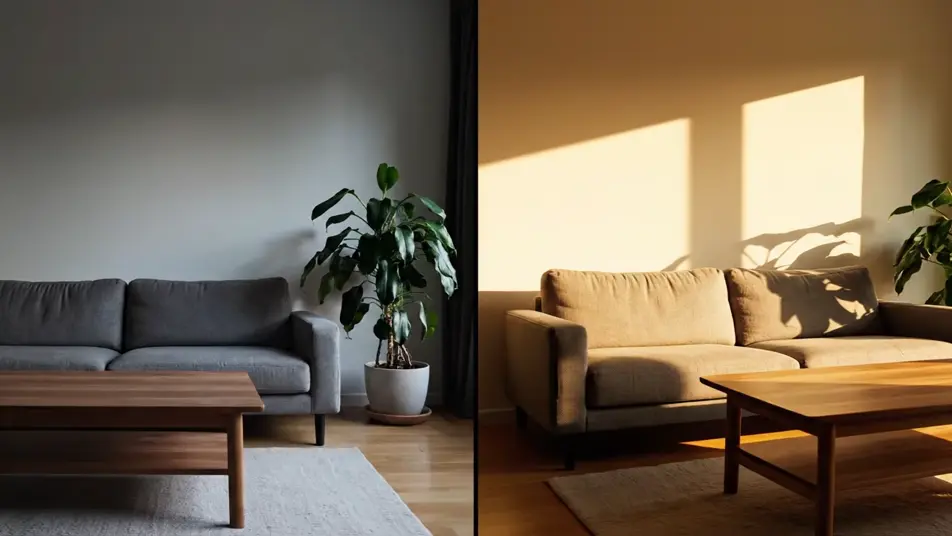
ビフォーアフターの動画を3ステップで作成
- 一
シーンを記述
作りたいビフォーアフターのシーンを、わかりやすい言葉で記述します。
- 二
動画を生成
Morphicがキャンバス上に映画のようなクリップを数秒で生成します。
- 三
仕上げて共有
プロンプトを調整して再生成し、気に入ったショットを保存・共有します。

シネマティックシーンへのメッセージ
あらゆるテキスト会話を映画のようなマルチショットビデオにドラマ化します。
このワークフローを試す
タイムフリーズ効果
あらゆるシーンに使える、シネマティックなタイムフリーズ短編動画
このワークフローを試す

タイトルシーケンス
オプションでシネマティックアニメーションを追加できる、プロフェッショナルな映画タイトルカードをゼロから生成します。
このワークフローを試す
リノベーションのタイムラプス
不動産の写真は、建設SFXと音楽を使った映画のようなリノベーションのタイムラプスビデオになります。
このワークフローを試す
Cinematic scene
1枚の画像から9シーンのシネマティックビデオを作成します。
このワークフローを試す
映画の世界に入り込んでみよう
あなたの写真をドロップしてください。アニメーションとマッチしたサウンドトラックを備えた12秒の映画のようなムービーを入手してください。
このワークフローを試す
こちらもおすすめ
AI Facebook動画広告ジェネレーター
MorphicでFacebook動画広告をAI生成。商品リビール、暮らしのフック、マクロ映像をテイクごとに調整し、数分で広告を仕上げます。
AIブラックフライデー動画ジェネレーター
Morphicでブラックフライデー動画をAI生成。スポットライト演出やネオン回転、紙吹雪のクライマックスを無料素材なしで作成。セールを特別な瞬間に変えましょう。
AIブランドストーリー動画ジェネレーター
Morphicでブランドストーリー動画をAI生成。職人の手元や工房、創業者のシルエットを撮影クルーなしで映像化。あなたの原点を伝えましょう。
AI音声波形動画ジェネレーター
音声波形動画をAIで生成。光る波形やイコライザー、パーティクルの動きで音を見せられます。ポッドキャストの切り抜きや歌ってみたの告知にも。Morphicのブラウザだけで完結します。
シンプルな料金体系
今すぐ無料で始めて、いつでもアップグレードまたはキャンセルできます。
Basic
$19/ 月
請求額は $0 年2400 月 クレジット
1 ユーザーのみ
すべてのモデル
ワークフロー
Standard
$24/ 月
請求額は $0 年3625 月 クレジット
1 ユーザーのみ
すべてのモデル
ワークフロー
Pro
$45/ 月
請求額は $0 年6350 共有 月 クレジット
1 ユーザー
+ 最大 4 名まで追加費用
すべてのモデル
ワークフロー
Max
$170/ 月
請求額は $0 年24650 共有 月 クレジット
1 ユーザー
+ 最大 9 名まで追加費用
すべてのモデル
ワークフロー
Enterprise
より高い制限のために
カスタム
料金と請求条件
大容量クレジット
カスタムシート制限
すべてのモデル
ワークフロー

Free
気軽に試したい方に
$0
ずっと無料
最大20クレジット
1ユーザーのみ
一部のモデル
ワークフロー
よくある質問
AIでビフォーアフター動画はどこで作れますか?
Morphicのブラウザ上で作れます。Text to Videoツールを開き、被写体と前後の状態、つなぎ方を書けば数分でクリップが生成されます。Canvasで複数の見せ方を並べ、伝わりやすい一本を選べます。
生成した動画は施工事例や店舗の紹介に商用利用できますか?
はい。リフォームやハウスクリーニングの施工事例、美容室やサロンの紹介、ECの商品ページまで商用の場面で利用できます。広告として配信しても問題ありません。
説得力のあるビフォーアフター動画のコツは?
被写体も角度も光も変えず、状態だけを変えることです。ワイプもモーフも左右分割も使えますが、効いているのはフレームが動かないことです。カメラや光がずれた時点で、比較として信じてもらえなくなります。
「ビフォー」「アフター」の文字は入れたほうがいいですか?
入れずに作るほうがきれいです。生成した文字、とくに日本語は崩れて読めなくなります。暗いから明るい、散らかりから片づきへと状態で語らせ、どうしても文字が要るときは編集ソフトで後から重ねてください。
ビフォーアフター動画に音楽やナレーションを付けられますか?
はい。Musicツールが変化の瞬間に高まる音楽を作曲します。説明が必要ならSpeechツールで日本語のナレーションを足せます。音と変化のタイミングはComposeで合わせられます。