
AIインタビューBロール生成
インタビューの編集をつなぐカットは、映像の印象を大きく左右します。Morphicなら、作業に打ち込む姿から手元のクローズアップ、部屋の空気を伝える情景まで、テロップなしのシネマティックな素材を生成できます。Musicでスコアを添え、Composeでインタビュー映像に重ねましょう。
演出できるBロールのカット
見せ場になるつなぎのシーケンス

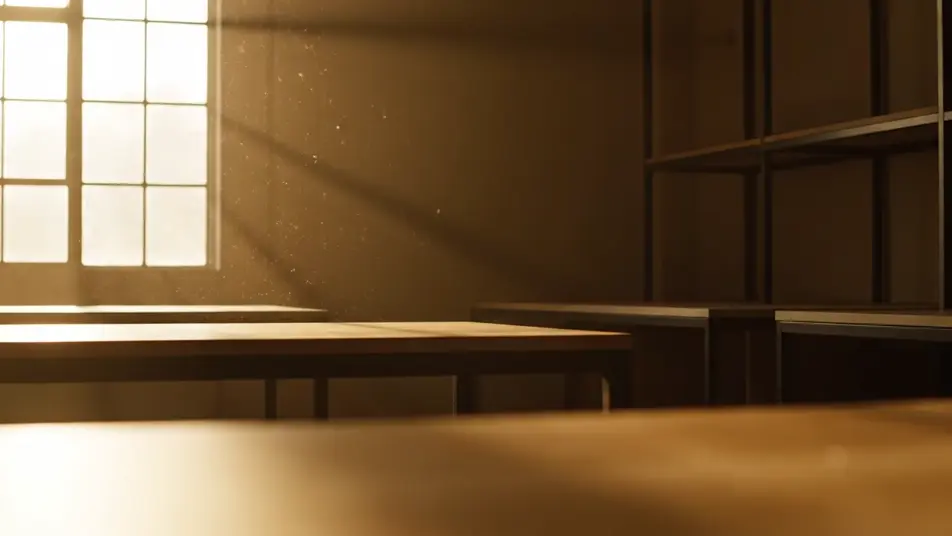
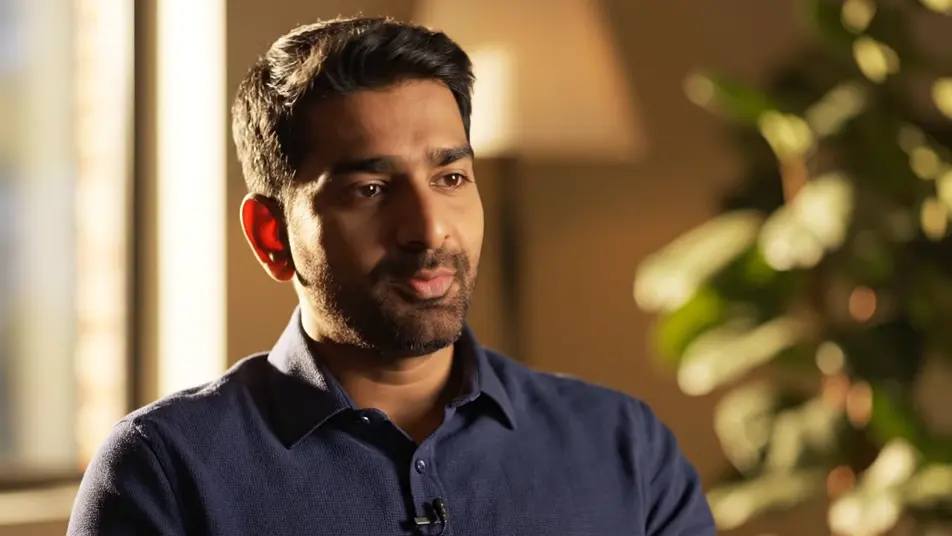
インタビューのBロールの動画を3ステップで作成
- 一
シーンを記述
作りたいインタビューのBロールのシーンを、わかりやすい言葉で記述します。
- 二
動画を生成
Morphicがキャンバス上に映画のようなクリップを数秒で生成します。
- 三
仕上げて共有
プロンプトを調整して再生成し、気に入ったショットを保存・共有します。

シネマティックシーンへのメッセージ
あらゆるテキスト会話を映画のようなマルチショットビデオにドラマ化します。
このワークフローを試す
タイムフリーズ効果
あらゆるシーンに使える、シネマティックなタイムフリーズ短編動画
このワークフローを試す

タイトルシーケンス
オプションでシネマティックアニメーションを追加できる、プロフェッショナルな映画タイトルカードをゼロから生成します。
このワークフローを試す
リノベーションのタイムラプス
不動産の写真は、建設SFXと音楽を使った映画のようなリノベーションのタイムラプスビデオになります。
このワークフローを試す
Cinematic scene
1枚の画像から9シーンのシネマティックビデオを作成します。
このワークフローを試す
映画の世界に入り込んでみよう
あなたの写真をドロップしてください。アニメーションとマッチしたサウンドトラックを備えた12秒の映画のようなムービーを入手してください。
このワークフローを試す
こちらもおすすめ
ドキュメンタリー風動画をAIで生成
Morphicでドキュメンタリー風動画をAI生成。手持ちの観察カット、インタビューの一枚、職人の手元まで、同じトーンで撮ったようにまとめられます。
AIムードフィルム
Morphicでムードフィルムを一言から作成。雨に濡れた窓や夕暮れの荒野など、セリフなしで感情を伝えるワンカットをブラウザで生成できます。
AIショーリール動画ジェネレーター
Morphicでショーリール動画を作成。決め技のアクション、クローズアップ、俯瞰ショット、スローモーションを一つのトーンでまとめ、SNS投稿にも使えます。
AIで作るハイライトリール
Morphicのハイライトリール生成。速いビート、劇的なリビール、ペンライトが揺れる客席、銀テープのスローモーションを一つの色調で作れます。ライブ告知に商用利用も可能です。
シンプルな料金体系
今すぐ無料で始めて、いつでもアップグレードまたはキャンセルできます。
Basic
$19/ 月
請求額は $0 年2400 月 クレジット
1 ユーザーのみ
すべてのモデル
ワークフロー
Standard
$24/ 月
請求額は $0 年3625 月 クレジット
1 ユーザーのみ
すべてのモデル
ワークフロー
Pro
$45/ 月
請求額は $0 年6350 共有 月 クレジット
1 ユーザー
+ 最大 4 名まで追加費用
すべてのモデル
ワークフロー
Max
$170/ 月
請求額は $0 年24650 共有 月 クレジット
1 ユーザー
+ 最大 9 名まで追加費用
すべてのモデル
ワークフロー
Enterprise
より高い制限のために
カスタム
料金と請求条件
大容量クレジット
カスタムシート制限
すべてのモデル
ワークフロー

Free
気軽に試したい方に
$0
ずっと無料
最大20クレジット
1ユーザーのみ
一部のモデル
ワークフロー
よくある質問
インタビューのBロールはAIでどこから作れますか?
Morphicのブラウザだけで生成できます。Text to Videoで必要なカットとインタビューに合わせた光や構図を説明すれば、Morphicがクリップを作ります。Canvasで候補を並べて見比べ、Composeでトーキングヘッドの映像に重ねれば、編集の切れ目を自然に隠せます。
無料で試せますか?
はい、無料で始められます。まず数種類のカットを生成し、気に入った素材をComposeでインタビューに重ねてみてください。
インタビューにはどんなBロールが合いますか?
作業する姿や手元のクローズアップ、情景ワイドは一秒で内容が伝わるので、編集の切れ目を隠しやすいカットです。相づちの一瞬や部屋のディテールを添えると、静止しがちなトーキングヘッドに動きが戻ります。光と色味をメイン映像に合わせることが、一つの撮影に見せる鍵です。
Bロールのプロンプトはどう書けばよいですか?
カットの種類と光、動きを平易な言葉で書きます。温かい光の中の手元クローズアップや、ゆっくり漂う情景ワイド、手持ちの追跡ショットなどです。看板や文字を画面に入れないことで、純粋なつなぎ映像に保てます。
撮影クルーがいなくてもBロールを用意できますか?
はい。Morphicはブラウザで完結するので、必要なカットを説明するだけでロケもクルーも撮影日も不要です。作業風景や手元のクローズアップ、情景ワイドを生成し、そのままインタビューのタイムラインに乗せられます。