
AIお客様の声動画
撮影の日程を待たずに、信頼できる声を映像にしたい。Morphicなら、窓際で語る人や工房の職人、静かにうなずく相手のカットを個別に生成できます。声はSpeechで加え、Composeで一本にまとめれば完成です。
演出できる語り手
構成できる語りのシーン

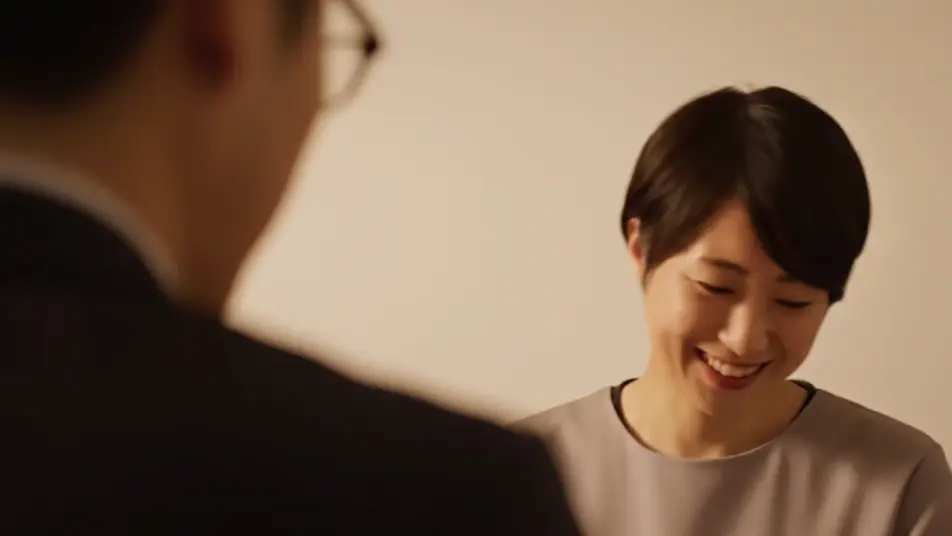

お客様の声動画の動画を3ステップで作成
- 一
シーンを記述
作りたいお客様の声動画のシーンを、わかりやすい言葉で記述します。
- 二
動画を生成
Morphicがキャンバス上に映画のようなクリップを数秒で生成します。
- 三
仕上げて共有
プロンプトを調整して再生成し、気に入ったショットを保存・共有します。

シネマティックシーンへのメッセージ
あらゆるテキスト会話を映画のようなマルチショットビデオにドラマ化します。
このワークフローを試す
タイムフリーズ効果
あらゆるシーンに使える、シネマティックなタイムフリーズ短編動画
このワークフローを試す

タイトルシーケンス
オプションでシネマティックアニメーションを追加できる、プロフェッショナルな映画タイトルカードをゼロから生成します。
このワークフローを試す
リノベーションのタイムラプス
不動産の写真は、建設SFXと音楽を使った映画のようなリノベーションのタイムラプスビデオになります。
このワークフローを試す
Cinematic scene
1枚の画像から9シーンのシネマティックビデオを作成します。
このワークフローを試す
映画の世界に入り込んでみよう
あなたの写真をドロップしてください。アニメーションとマッチしたサウンドトラックを備えた12秒の映画のようなムービーを入手してください。
このワークフローを試す
こちらもおすすめ
AI採用動画メーカー
オフィスの朝、先輩とのやり取り、扉先の握手をAIで動画に。候補者に働く姿を見せる採用動画をMorphicで今すぐ作成。
AIで作る飲食店のプロモーション動画
居酒屋やラーメン店のPR動画をMorphicのAIで作成。盛り付け、中華鍋の炎、琥珀色の一杯、夜の客席を撮影なしで生成し、その日のうちにSNSへ公開できます。商用利用も可能です。
AI商品デモ動画
ターンテーブル回転や手元のクローズアップ、マクロ撮影まで一つのプロンプトから生成。無地の商品でデモ映像を今すぐ作れます。
公共広告動画をAIで制作
シートベルトの音や差し伸べる手など、静かな人間ドラマをAIで再現。公共広告(PSA)動画を今すぐ制作できます。
シンプルな料金体系
今すぐ無料で始めて、いつでもアップグレードまたはキャンセルできます。
Basic
$19/ 月
請求額は $0 年2400 月 クレジット
1 ユーザーのみ
すべてのモデル
ワークフロー
Standard
$24/ 月
請求額は $0 年3625 月 クレジット
1 ユーザーのみ
すべてのモデル
ワークフロー
Pro
$45/ 月
請求額は $0 年6350 共有 月 クレジット
1 ユーザー
+ 最大 4 名まで追加費用
すべてのモデル
ワークフロー
Max
$170/ 月
請求額は $0 年24650 共有 月 クレジット
1 ユーザー
+ 最大 9 名まで追加費用
すべてのモデル
ワークフロー
Enterprise
より高い制限のために
カスタム
料金と請求条件
大容量クレジット
カスタムシート制限
すべてのモデル
ワークフロー

Free
気軽に試したい方に
$0
ずっと無料
最大20クレジット
1ユーザーのみ
一部のモデル
ワークフロー
よくある質問
AIでお客様の声動画を作るには?
Morphicのブラウザ上で作れます。Text to Videoで語り手と場所、感情の一瞬を言葉にすれば、その場でテイクが生成されます。Composeでつなぎ、声を重ねれば数週間の撮影を待たずに仕上がります。
信頼感のあるお客様の声動画とは?
一人の語り手と一つの本物の場所、誠実な光が土台です。窓際のミドルショットや語りの途中の間、本物の笑みが名前カードや星評価より雄弁です。
お客様の声動画のプロンプトはどう書く?
部屋だけでなく語り手と瞬間を書きます。構図と光源、うなずきや笑みといった間を具体的に加えます。無地の服と壁を指定すると、人物から視線が逸れません。
声はどう入れればいい?
映像を先に生成し、Speechで選んだ自然なトーンの声を用意します。Composeで重ね、うなずきや寄りのカットでつなぎ目を隠します。短く間のある言い回しの方が誠実に響きます。
お客様の声動画の長さはどれくらいが目安?
三十秒から一分が扱いやすい長さです。語りの途中から始め、具体的な成果を中盤で伝え、本物の笑みで締めます。短いカットの方がSNSやランディングページで使いやすくなります。