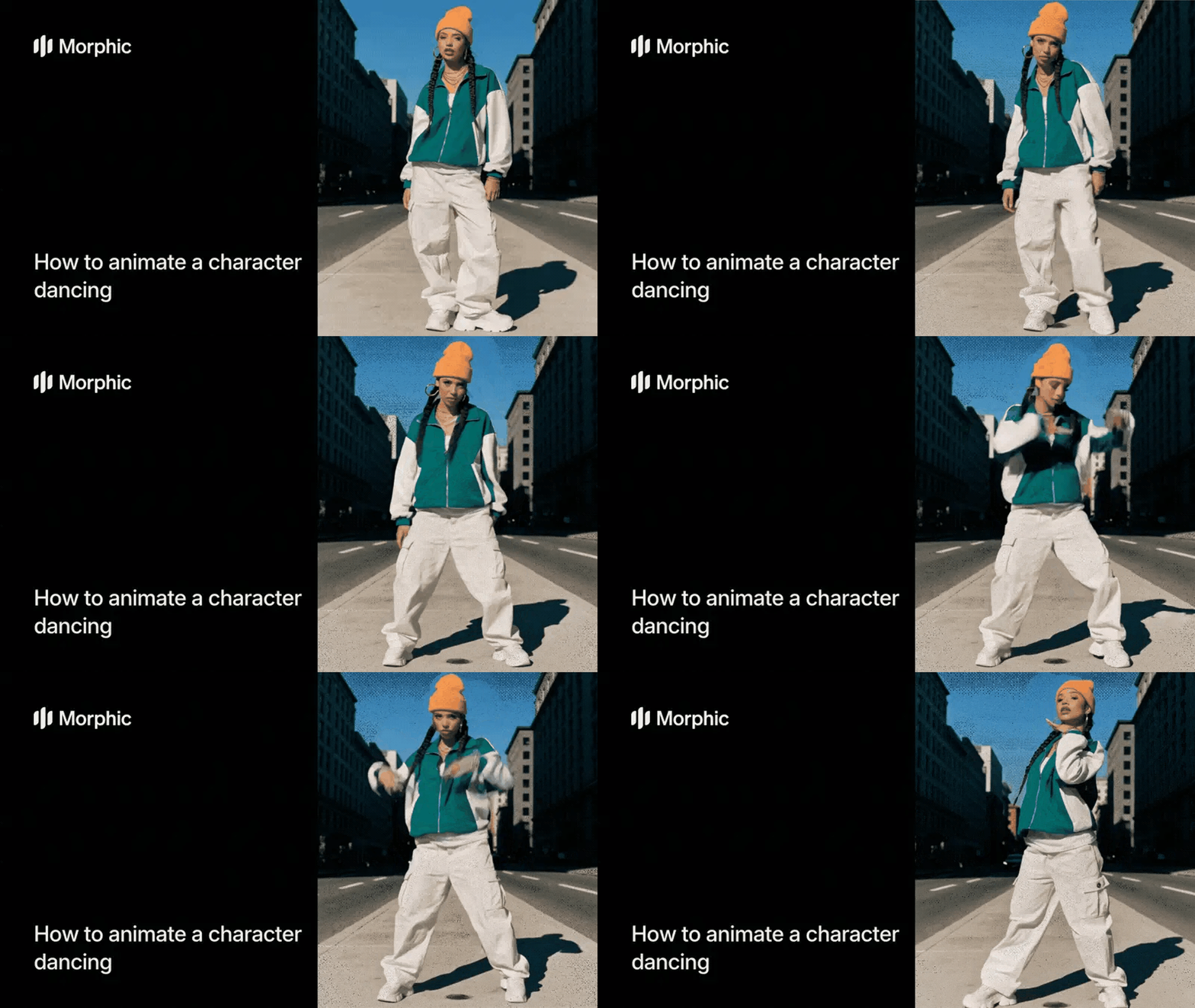
What is AI character dance animation?
AI character dance animation turns a static character image into realistic dance movement in a chosen style. The workflow reads the character's body and proportions, then applies motion that fits the style, so the character dances while keeping its original design and details.
Morphic supports a range of dance styles and pairs each with matching music.
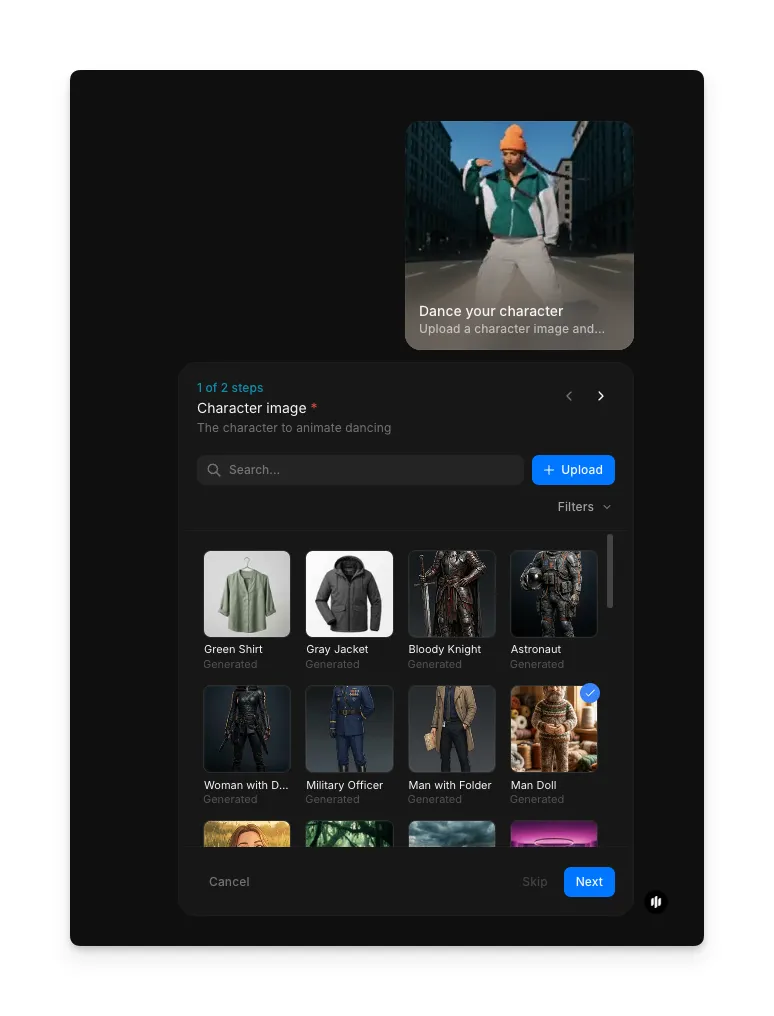
Upload your character image
Open the "Dance your character" workflow. In the "Character image" step, browse the gallery or upload your own: an illustration, 3D render, or photo. For best results, use a clear, fully visible character with a defined body outline.
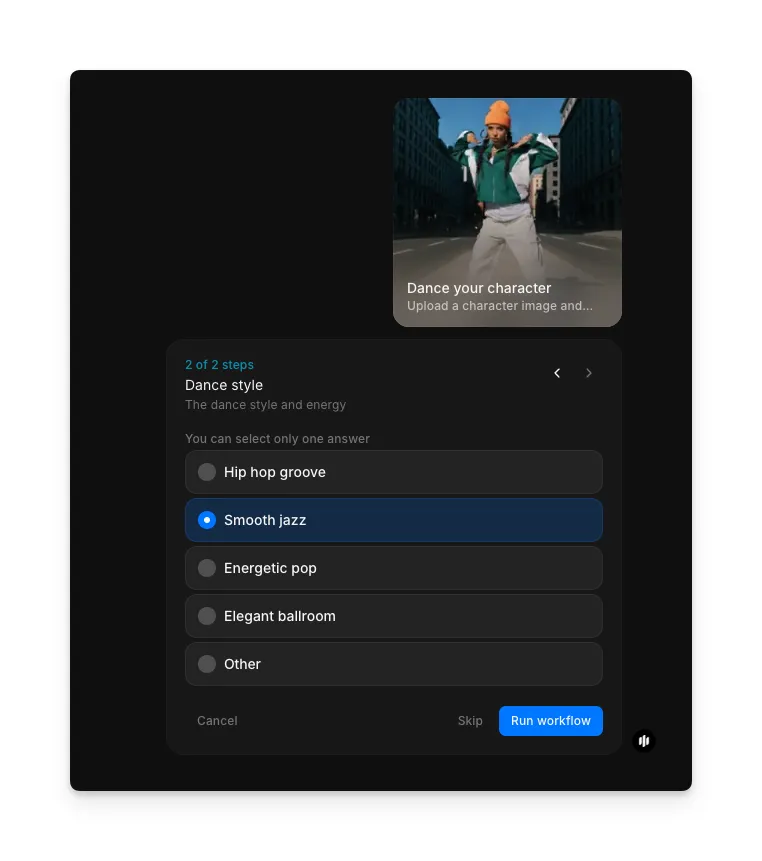
Select your dance style
In the "Dance style" step, pick the style and energy you want, then click "Run workflow" to generate the animation.
| Dance style | Movement character | Best for |
|---|---|---|
| Hip hop groove | Sharp, rhythmic isolations with bounce and swagger | Urban content, music videos, and energetic social posts |
| Smooth jazz | Relaxed, fluid movements with laid-back energy | Mellow content, lounge vibes, and stylish social posts |
| Energetic pop | Lively, expressive moves with upbeat pacing | Social media content, fun reveals, and playful animations |
| Elegant ballroom | Graceful, flowing movements with refined posture | Formal themes, wedding content, and sophisticated branding |
| Other | Describe a custom dance direction for the AI to follow | Specific creative visions or unique dance styles |
Final output: an animated character dancing in your selected style
What makes great character dance animation
| Quality | What it means | Why it matters |
|---|---|---|
| Character consistency | The character looks the same throughout the animation | Visual inconsistencies break the illusion and look like errors |
| Responsive movement | Dance moves match the music's rhythm and energy | Out-of-sync movement feels wrong even to casual viewers |
| Smooth transitions | Movements flow naturally from one pose to the next | Jerky or abrupt transitions make the animation look mechanical |
| Expressive body language | The character conveys the mood and energy of the dance | Flat or stiff animation fails to engage the audience |
Morphic handles body mapping, motion, and music sync automatically, so the character dances with natural weight and timing.
Morphic vs manual animation in After Effects
| Morphic dance animation | Manual animation in After Effects | |
|---|---|---|
| Time to delivery | Under 10 minutes | Days to weeks depending on complexity |
| Cost | Available on Morphic | Professional rates for animation |
| Skill required | Upload an image and select a style | Rigging, keyframing, and motion design expertise |
| Dance styles | Multiple preset styles available instantly | Each style choreographed and animated from scratch |
| Music sync | Automatic synchronization included | Manual timing and audio alignment required |
| Iteration | Change style and regenerate in minutes | Re-animate from scratch for a different style |
FAQs
Yes. Morphic matches the character's movements to the selected music. The rhythm, tempo, and energy line up with the audio, with no manual timing needed.
Yes. Run the workflow again with the same image and pick a different style. Each run is independent, so you can try every style on the same character.
Yes. Videos you generate on your Morphic subscription are yours to use commercially in ads, social campaigns, product launches, and more, with no extra licensing fees.
The standard output is a short, seamless loop, typically 5 to 10 seconds, built for social media. Longer durations may be available depending on the style.
The dance animation workflow is available on Morphic. Run it as many times as you need to try different characters and styles.