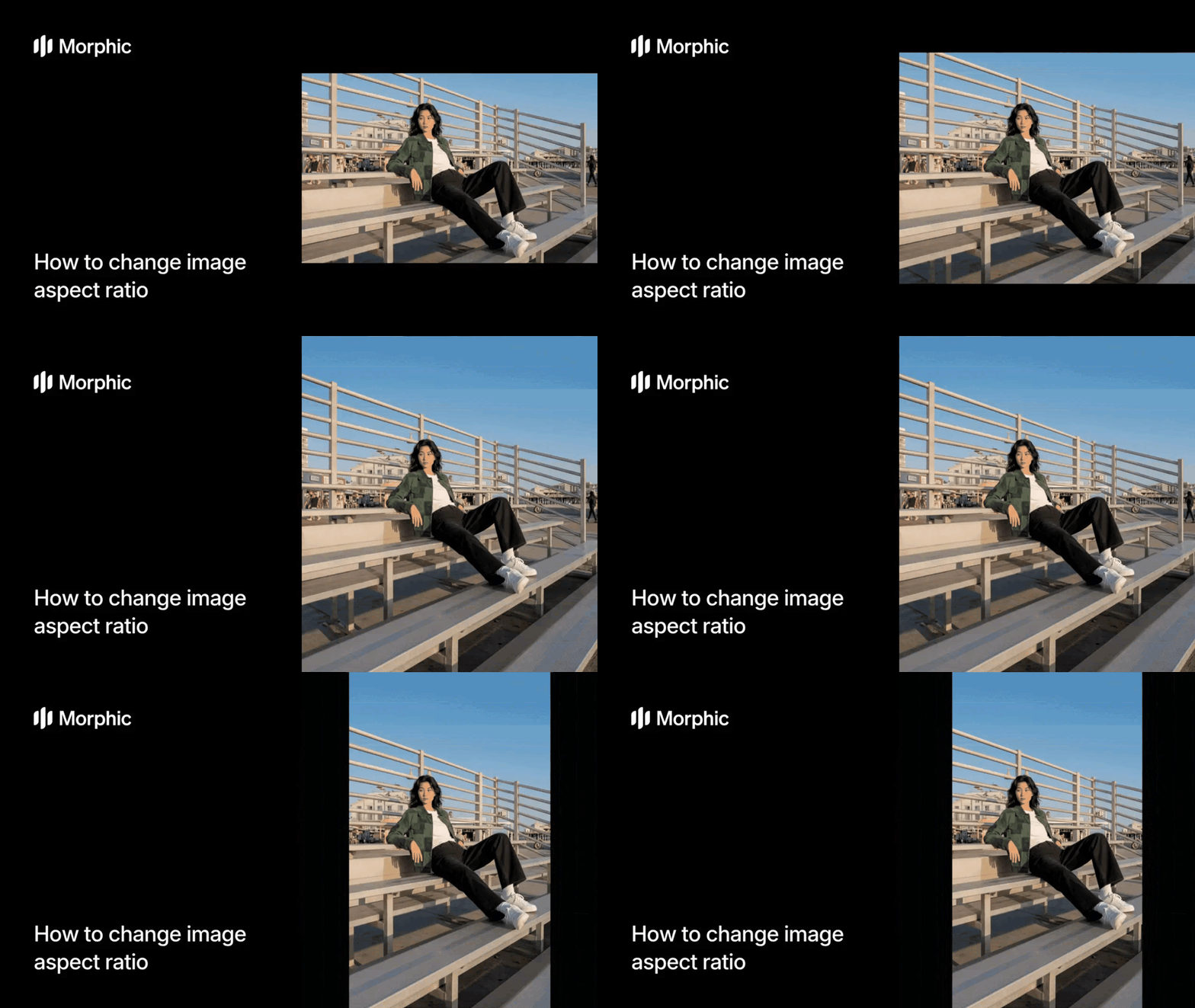
What is an aspect ratio changer?
An aspect ratio changer is a tool that resizes images to fit different dimensional proportions. Whether you need to convert a landscape photo to a square for Instagram, adapt a portrait for a billboard, or generate product images for multiple platforms, an aspect ratio changer handles these conversions intelligently.
The workflow eliminates the manual cropping and canvas adjustments that waste hours in photo editing software. Instead of opening Photoshop and manually creating multiple versions, you specify your target ratio and let Morphic handle the conversion automatically. The workflow intelligently extends or crops edges while keeping your subject prominent.
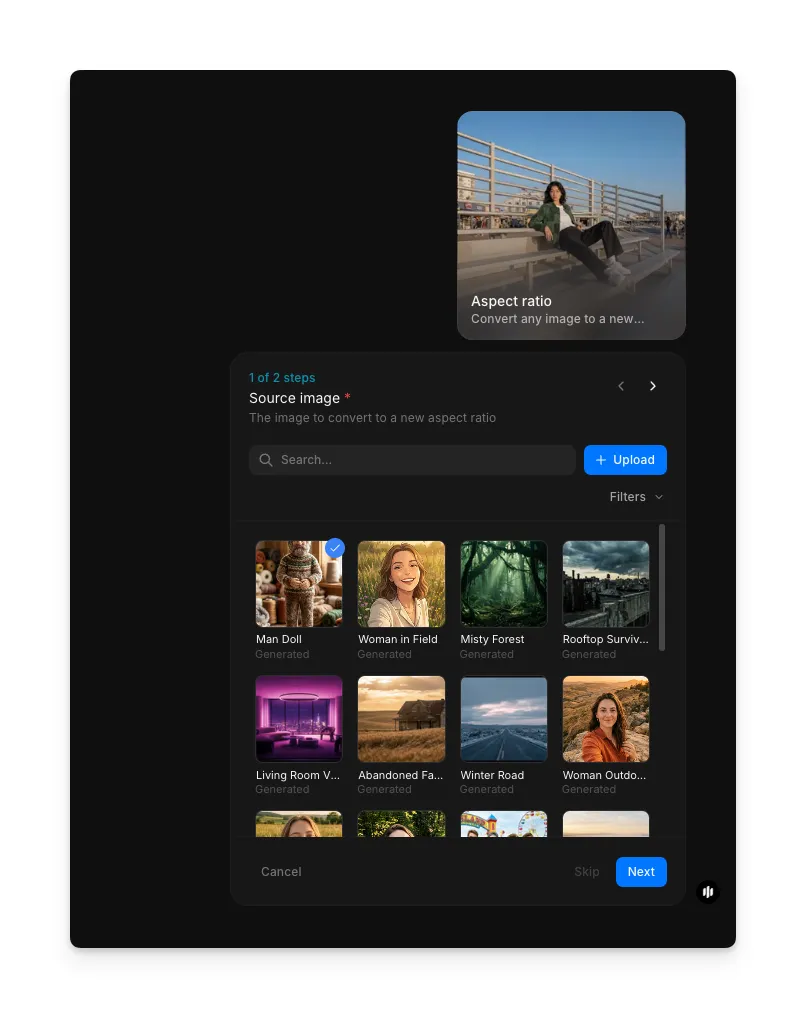
Upload your source image
Open the "Aspect ratio" workflow. In the "Source image" step, browse the gallery or upload the image you want to convert. Any format works: portrait, landscape, or square.
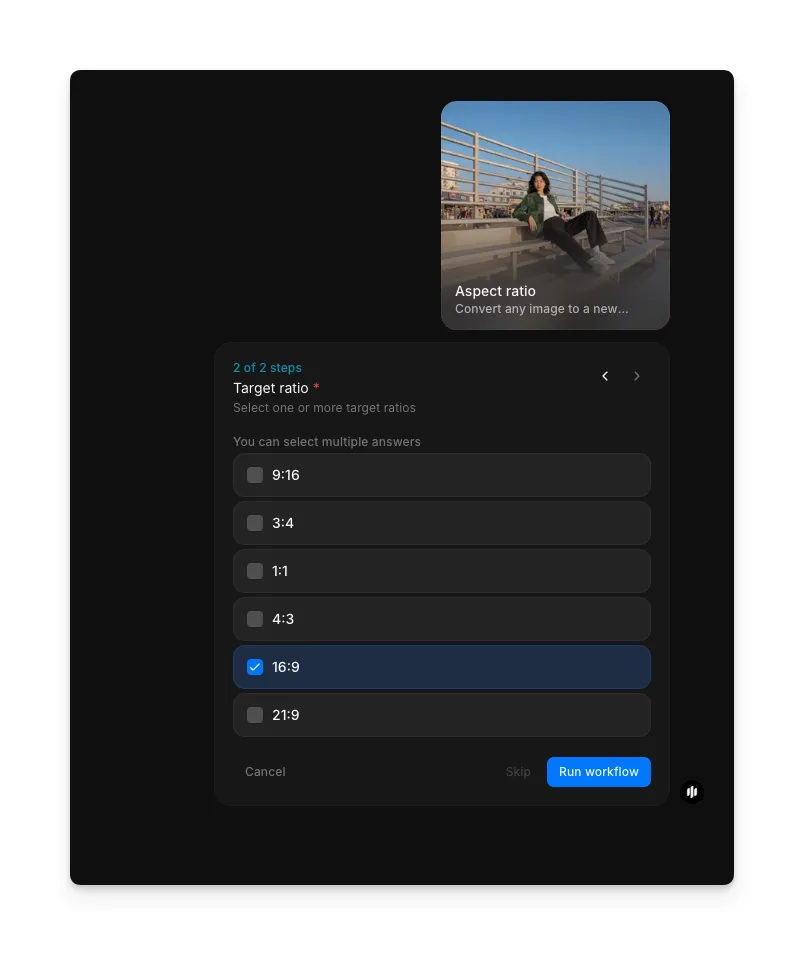
Select your target aspect ratio
In the "Target ratio" step, select one or more target ratios from the checklist. You can select multiple ratios at once to generate several versions in a single run. Click "Run workflow" when ready.
| Ratio | Best for | Dimensions |
|---|---|---|
| 9:16 | TikTok, Instagram stories, reels | Tall mobile-friendly vertical format |
| 3:4 | Instagram posts, portrait displays | Slightly taller portrait format |
| 1:1 | Instagram, profile pictures | Equal width and height |
| 4:3 | Facebook, traditional displays | Balanced landscape format |
| 16:9 | YouTube, presentations, banners | Standard widescreen format |
| 21:9 | Cinematic banners, ultrawide displays | Ultra-wide cinematic format |
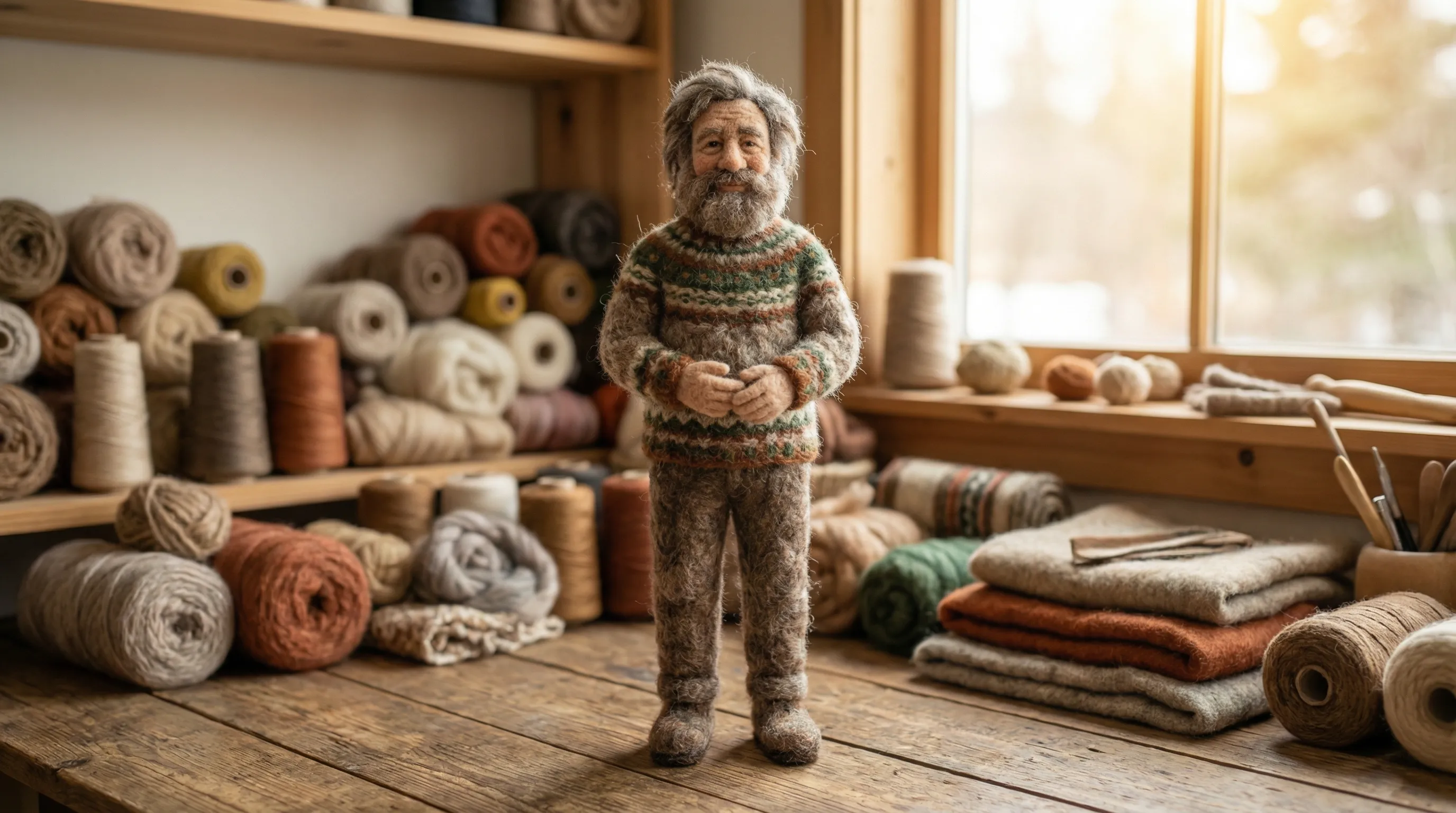
Hit "Run workflow," and the workflow generates your image in the new aspect ratio in seconds. Here is a portrait image converted to 16:9 widescreen, with the background seamlessly extended to fill the wider frame:
What makes a great aspect ratio conversion
| Quality | What it means | Why it matters |
|---|---|---|
| Subject preservation | Your main subject stays prominent and uncut | The focus of your image remains clear at any ratio |
| Natural framing | The composition looks intentional, not cramped or stretched | The result looks professionally composed, not cropped hastily |
| Background quality | Extended backgrounds blend seamlessly with the original | No obvious seams or artificial-looking fills |
| Resolution consistency | Output maintains usable quality across different formats | The image looks sharp whether displayed on a phone or billboard |
The AI handles composition analysis, subject detection, and intelligent cropping or extension automatically, so you only need to provide an image and choose a ratio.
Aspect ratio changer vs. manual cropping in photo software
| Morphic's aspect ratio workflow | Manual cropping in Photoshop or photo software | |
|---|---|---|
| Cost | Available on Morphic | Photo software subscription plus your time |
| Time to convert one image | Significantly faster | 10 to 20 minutes of manual work |
| Batch conversions | Select multiple ratios per run | Each image requires individual manual cropping |
| Setup required | None, just an image | Layer knowledge, canvas resizing, manual selection |
| Consistency across images | Identical intelligent treatment for all | Each crop is slightly different based on manual choices |
| Number of formats per image | Generate multiple ratios in one run | Create separate versions with repetitive steps |
FAQs
The workflow offers six target ratios: 9:16, 3:4, 1:1, 4:3, 16:9, and 21:9. You can select multiple ratios in a single run to generate several versions at once.
Yes. Upload once and generate outputs in square format for Instagram, 16:9 for YouTube, 4:3 for Facebook, and any other platform needs in a single workflow. This saves enormous time managing multi-platform content.
Yes, extended backgrounds blend naturally. The intelligent background extension analyzes surrounding colors and context to create seamless fills. Results look natural for most images, though you can also choose to crop instead if you prefer.
Resolution is fully maintained during conversion. If extending the canvas, AI-generated background fills preserve quality. If cropping, no upscaling occurs. Output quality depends on your original image dimensions.
Manual cropping in Photoshop or similar software requires a subscription and significant time per image. Morphic's aspect ratio workflow is available on Morphic and delivers results significantly faster.