What is a birthday party invitation?
A birthday party invitation is the card or graphic that tells guests whose birthday it is, how old they are turning, and when and where to show up. It carries the name, the age, the date and time, the address, and usually a reply line, all styled around a theme the guest of honour cares about. Parents and event hosts use it because a clear invitation reduces the follow-up questions and gets a firm headcount sooner.
With Morphic you create this invitation from a text prompt in your browser. Describe the name, the age, the details, and the theme, then adjust the layout and download in HD. You get a party-ready invitation without opening design software or buying a template pack.
Gather the party details
Write out the name, the age, the date, the start time, the address, and the reply instruction. Having the copy fixed first means the design is built around real details rather than filler.
Describe the invitation
Open Morphic and describe the card, saying which detail leads and where the rest of the information sits. Specify the aspect ratio you need, such as a portrait card for print or a square for a group chat.
Set the theme
Ask for the theme and palette that fit the party, from dinosaurs and balloons to a restrained adult celebration. Keep the type bold and high in contrast so the date and address are impossible to miss.
Generate versions
Produce two designs with different layouts and theme treatments so you can pick the one guests will read fastest. A side-by-side comparison settles it quicker than editing one card over and over.
Proof and send
Read every line at full size and confirm the age, date, time, and address are all correct. Download in HD, then print it or drop the file straight into your messages.
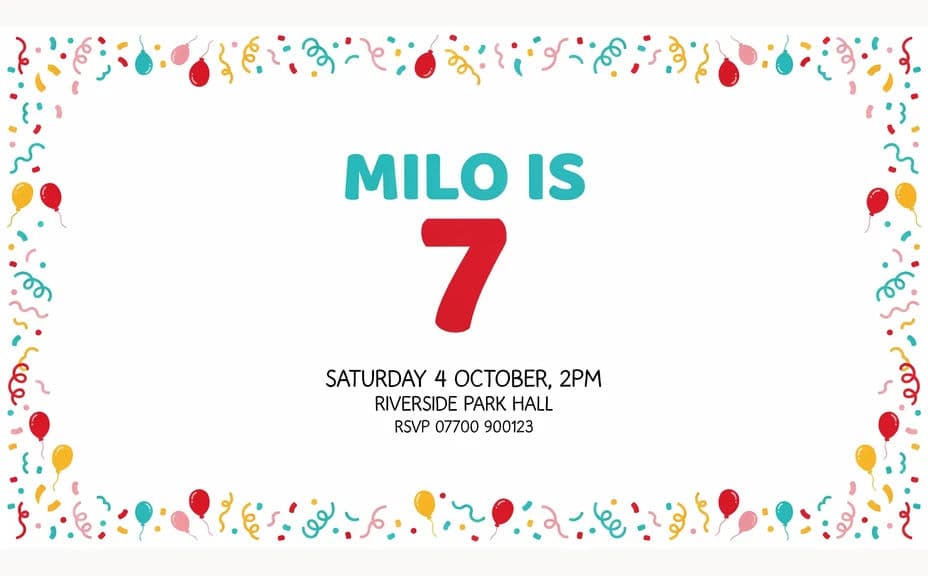
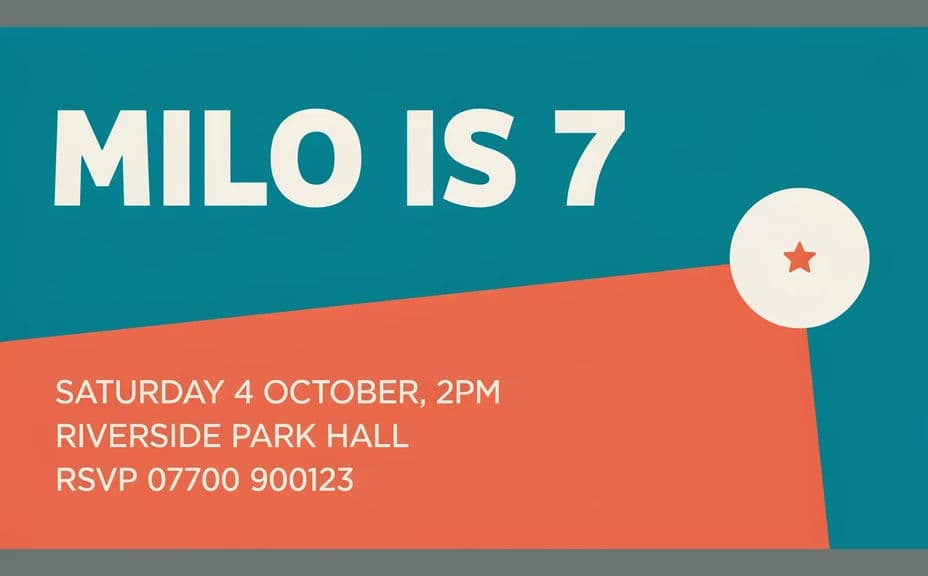
Two designs of the same birthday invitation, each carrying the same name, age, date, and venue.
What makes a good birthday party invitation
| Quality | What it means | Why it matters |
|---|---|---|
| Complete details | Name, age, date, time, and address | Guests arrive at the right place on time |
| Clear hierarchy | The eye lands on the name, then the date | The card reads in a couple of seconds |
| Fitting theme | The styling matches the celebration | Guests know the mood before they arrive |
| Legible at card size | Text stays sharp in print and on a phone | Nobody has to ask for the details again |
Morphic vs the traditional way
| Morphic | Template packs or design software | |
|---|---|---|
| Cost | Available on Morphic | Template purchases or a subscription |
| Time | A finished invitation in minutes | An evening of fiddling with layouts |
| Skill needed | Describe it in plain language | Layout and typography skills |
| Consistency | Regenerate matching pieces on theme | Manual rework for every party graphic |
FAQs
Yes. Put the exact details in your prompt and the invitation renders around them. You can regenerate whenever a time or venue changes.
Yes. Describe the theme, the palette, and any characters or motifs you want, and the design renders to match while keeping the text readable.
Any format you need. Specify the aspect ratio, such as a portrait card for print or a square for messaging, and the layout adapts.
Yes. Describe the same theme for banners, table cards, or thank-you notes so everything at the party looks related.
Yes, if you proof it first. Preview at card size, confirm the details are correct, and regenerate if a line looks cramped before you export in HD.
Yes. Designs you generate with Morphic are cleared for commercial use, including invitations you produce for clients as an event planner.